
Pharmacy & medical store setup guide for SmartPOS Hub
This guide sets up a retail pharmacy, chemist or medical store on SmartPOS Hub: medicines imported from the Pharmacy catalog, sale by tablet, strip or box, batch and expiry control, prescriptions, supplier returns, customer credit and the reports a pharmacist checks every week.
Who this guide is for
Section titled “Who this guide is for”- Retail pharmacies and chemists with one or more branches.
- Hospital and clinic pharmacies that sell over the counter.
- Medical stores that also sell baby care, personal care and medical devices.
What you will set up
Section titled “What you will set up”- Pharmacy settings and locations: expiry, lot numbers, sub-units.
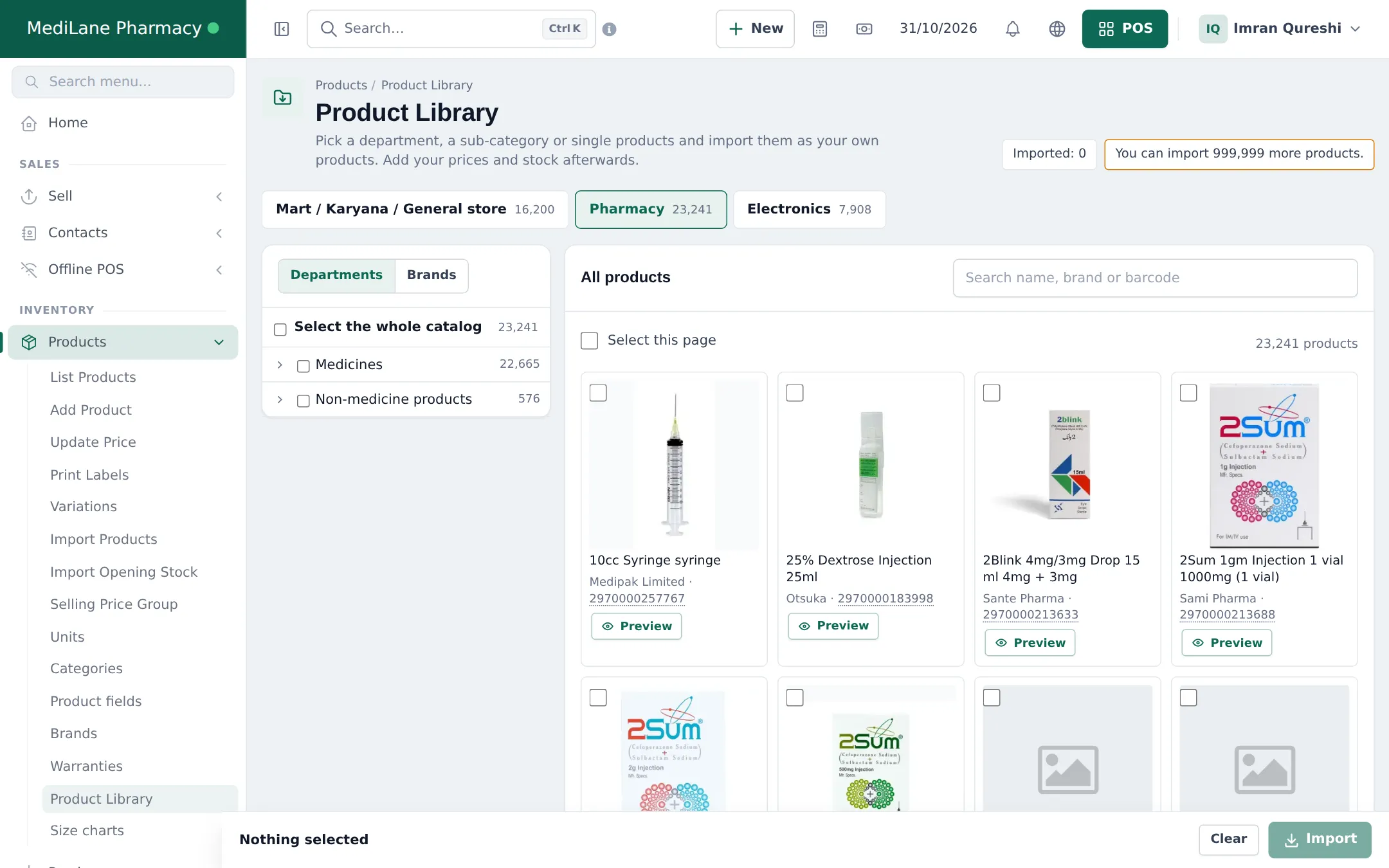
- Product Library: Pharmacy catalog: import medicines with tablet, strip and box units.
- Medicine details: generic, Rx and controlled items.
- Purchases with batches and expiry.
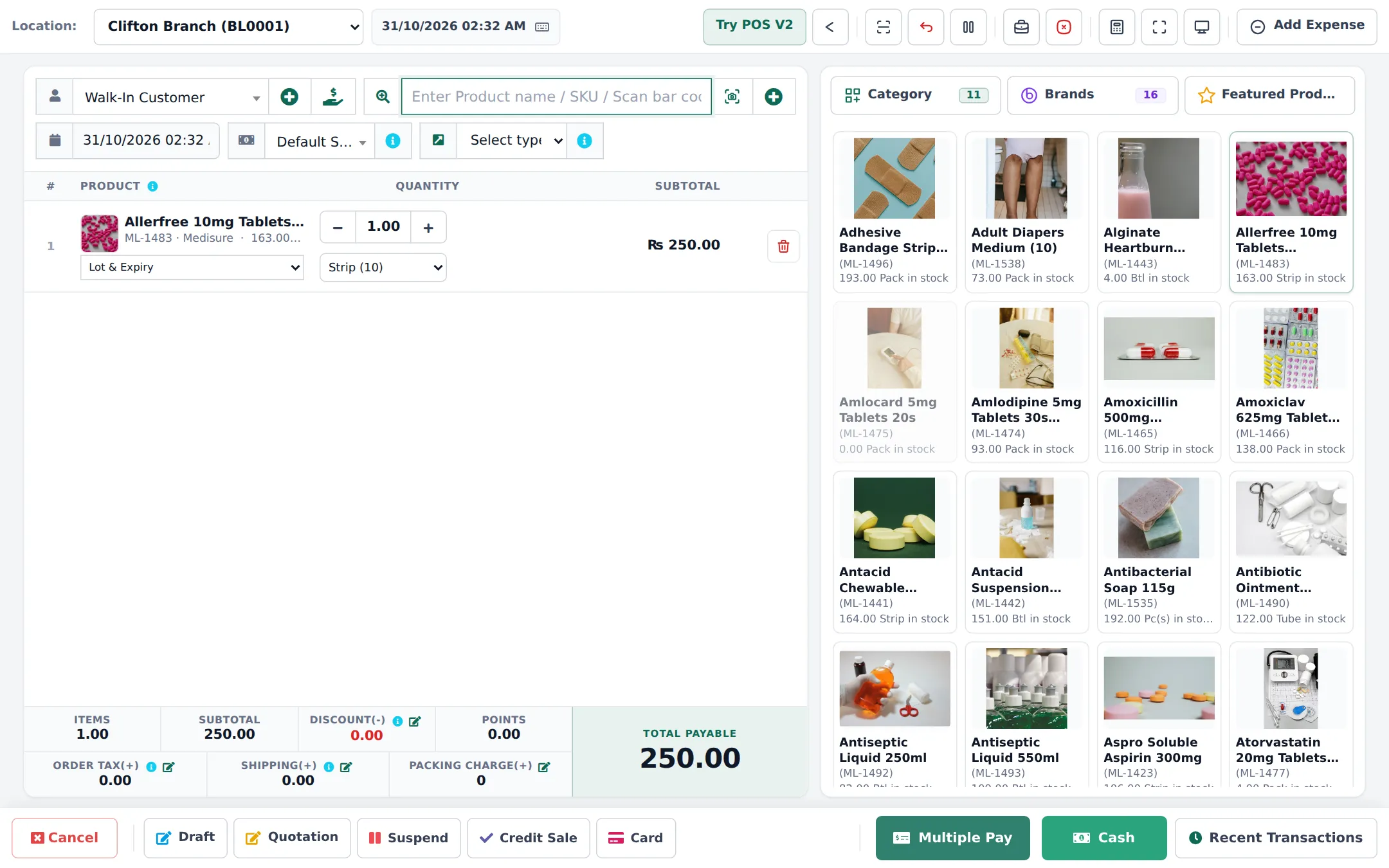
- Sell by tablet, strip or box.
- Prescriptions for online orders.
- Customer credit.
- Expiry returns and write-offs.
- Daily operations and reports.
- Go-live checklist.
Modules and settings to turn on
Section titled “Modules and settings to turn on”| Setting | Where | Why |
|---|---|---|
| Enable Product Expiry + On Product Expiry | Business Settings › Product | Expiry dates on stock, stop selling before expiry |
| Enable Lot number | Business Settings › Purchases | Batch numbers on purchases and sales |
| Enable Sub Units | Business Settings › Product | Tablet, strip and box of the same medicine (switched on by the library import) |
| Product Library | Settings › Business Settings › Modules, if your plan includes it | Importing the Pharmacy catalog |
| Website with prescriptions | Depends on your plan | Online orders with prescription upload |
| Shopper app | Settings › Shopper app & Scan & Go | Repeat orders and receipts in the customer’s app |
Time needed
Section titled “Time needed”| Part | Typical time |
|---|---|
| Settings and locations | 20 minutes |
| Pharmacy catalog import and product fields | 30–60 minutes |
| Prices and opening stock with batches | 2–4 hours |
| Test sales, returns, staff logins | 1 hour |
The public pharmacy demo account listed on smartposhub.com shows a working pharmacy with two branches, batches, expiry and online prescriptions. It is a read-only sample that resets every few days.
Frequently asked questions
Is there a ready-made medicine catalog?
Yes. The Product Library's Pharmacy catalog has more than 23,000 medicines and pharmacy products with brand, manufacturer, generic name, strength, dosage form, pack size and Rx or OTC status. Prices are not included; you add your own.
Can I sell single tablets, strips and full boxes of the same medicine?
Yes. Library medicines are imported with Tablet (or Capsule, Sachet) as the base unit and Strip and Box as sub-units. Stock is counted in tablets, and the cashier picks the unit on each sale.
Does SmartPOS Hub track batch numbers and expiry dates?
Yes. Turn on lot numbers and product expiry, then enter the lot, manufacturing and expiry dates on each purchase. The POS lets you pick the batch, and the Stock Expiry and Lot reports list what expires when.
Can it stop selling expired medicine?
Yes. Set On Product Expiry to Stop Selling n days before, and expired or nearly expired batches can't be sold.
How are prescriptions handled?
On your online store, prescription items can require an uploaded prescription that your pharmacist approves before the order goes ahead. In the shop, record the prescription reference in the sale note or use a prescription receipt layout.
Can I search by generic name?
Imported medicines carry their generic name in the product details, which shows on the product and on your online store, where customers can search by salt or generic.
Does it handle controlled drugs?
SmartPOS Hub records what you sell, to whom and from which batch, but it does not replace the controlled-drug register your law requires. Keep that register and restrict who can sell these items.
Can regular patients buy on credit?
Yes. Credit and part payments work as in any store, with a credit limit per customer and a ledger.
How long does setup take?
About half a day for one pharmacy, most of it setting prices and entering opening stock with batches and expiry dates.