
Tech store step 3: variants, warranties and IMEI
Phones and laptops need three things that groceries do not: variants for storage and colour, a warranty on every unit, and the IMEI or serial number of the exact unit you sold. This page sets up all three.
Before you start
Section titled “Before you start”- Your products are imported (step 2) or you are about to add them.
- You know your warranty terms (for example 1 year on phones, 6 months on laptops’ batteries, 90 days on accessories).
Storage and colour variants
Section titled “Storage and colour variants”Imported phones already arrive as variable products. To add your own model:
- Open Products › Add Product. Enter the name, brand, category and unit.
- In Product type & pricing, set Product Type to Variable.
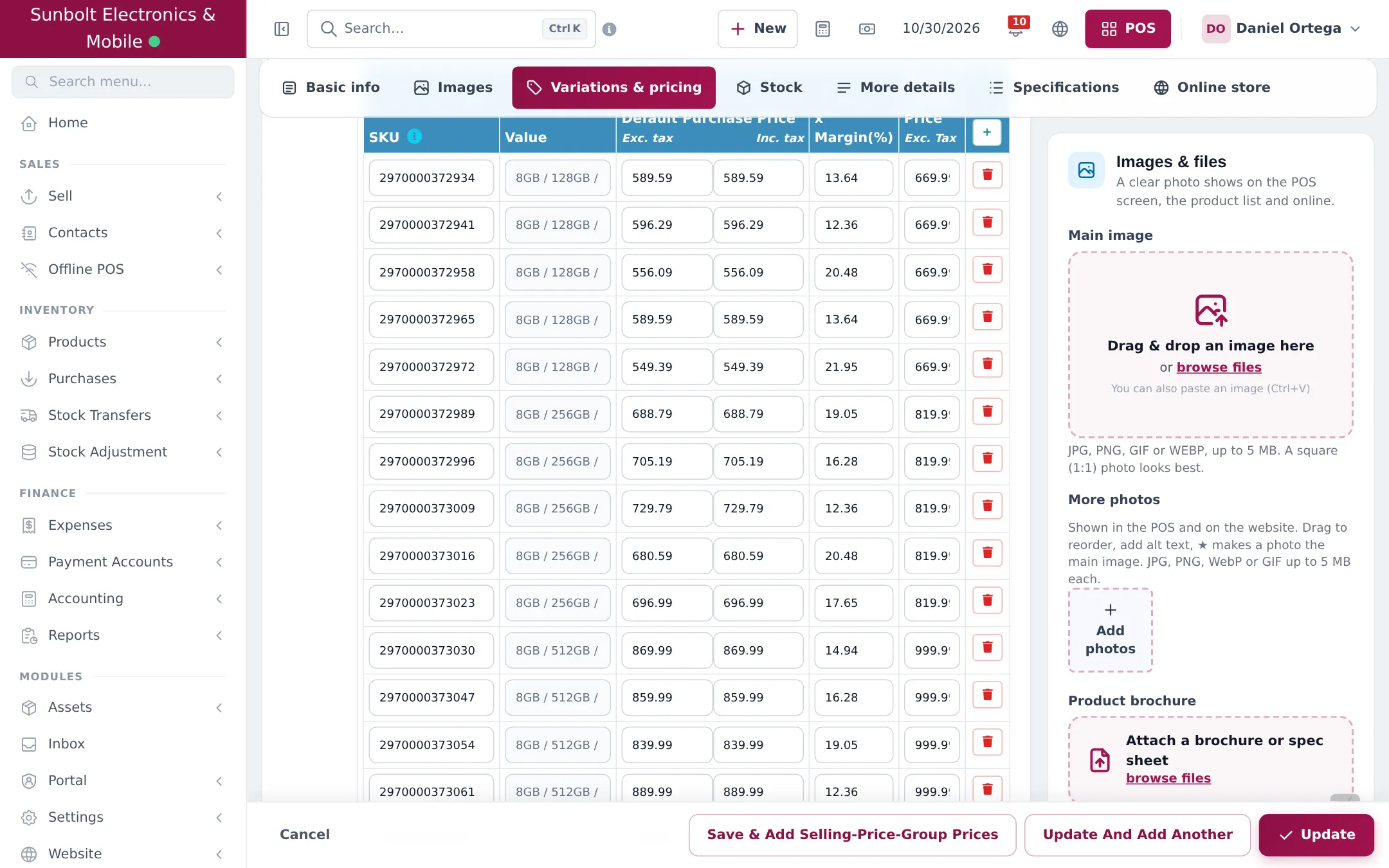
- Pick a variation (create one first in Products › Variations, for example “Storage / Colour” with values “8GB / 256GB / Black”, “8GB / 256GB / Blue”…).
- For each variant row, enter the SKU (or scan its barcode), purchase price, margin and selling price. Add a photo in Variation Images if the colour looks different.
- Click Save.
Warranties
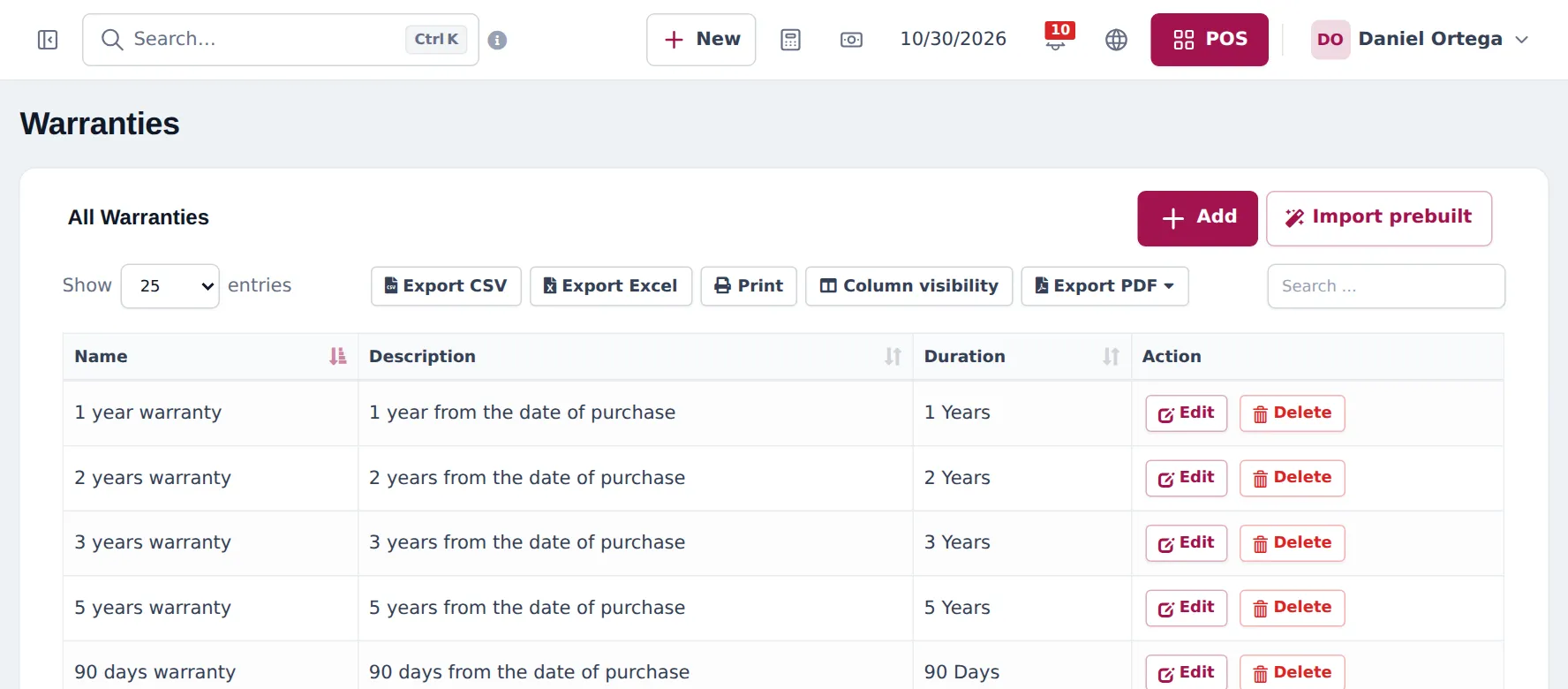
Section titled “Warranties”- Open Products › Warranties. Click Add, or Import prebuilt for a ready-made list.
- Enter a Name (for example “1 year warranty”), a Description and the Duration (days, months or years). Save.
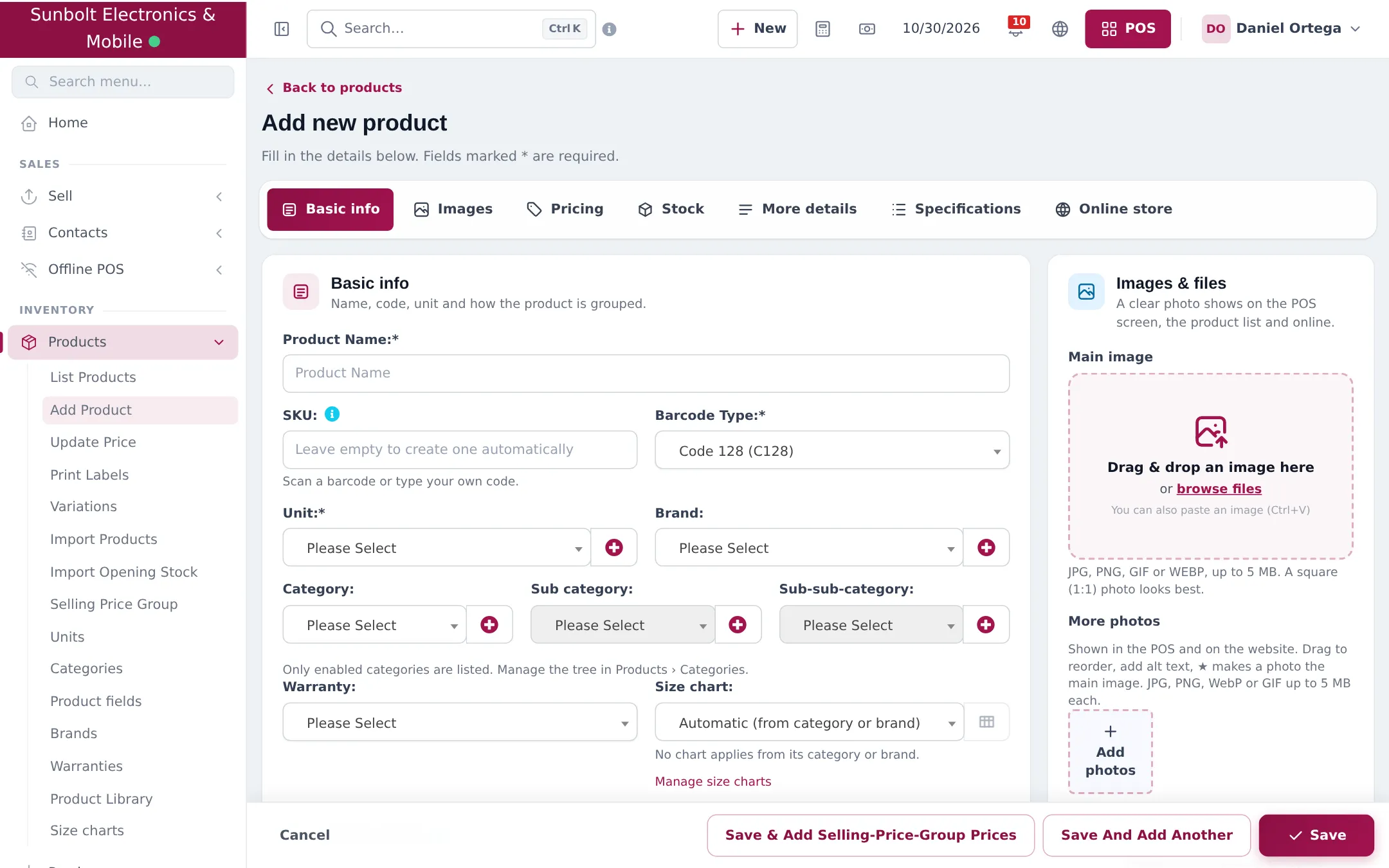
- On each product, choose the warranty in the Warranty field of Basic info.
To print warranties and change them per sale:
- Settings › Business Settings › Product: tick Enable Warranty. Sell › Add Sale then shows a Warranty column per line.
- Settings › Invoice Settings, edit your layout: tick Show warranty name, Show warranty expiry date and, if you like, Show warranty description.
IMEI and serial numbers
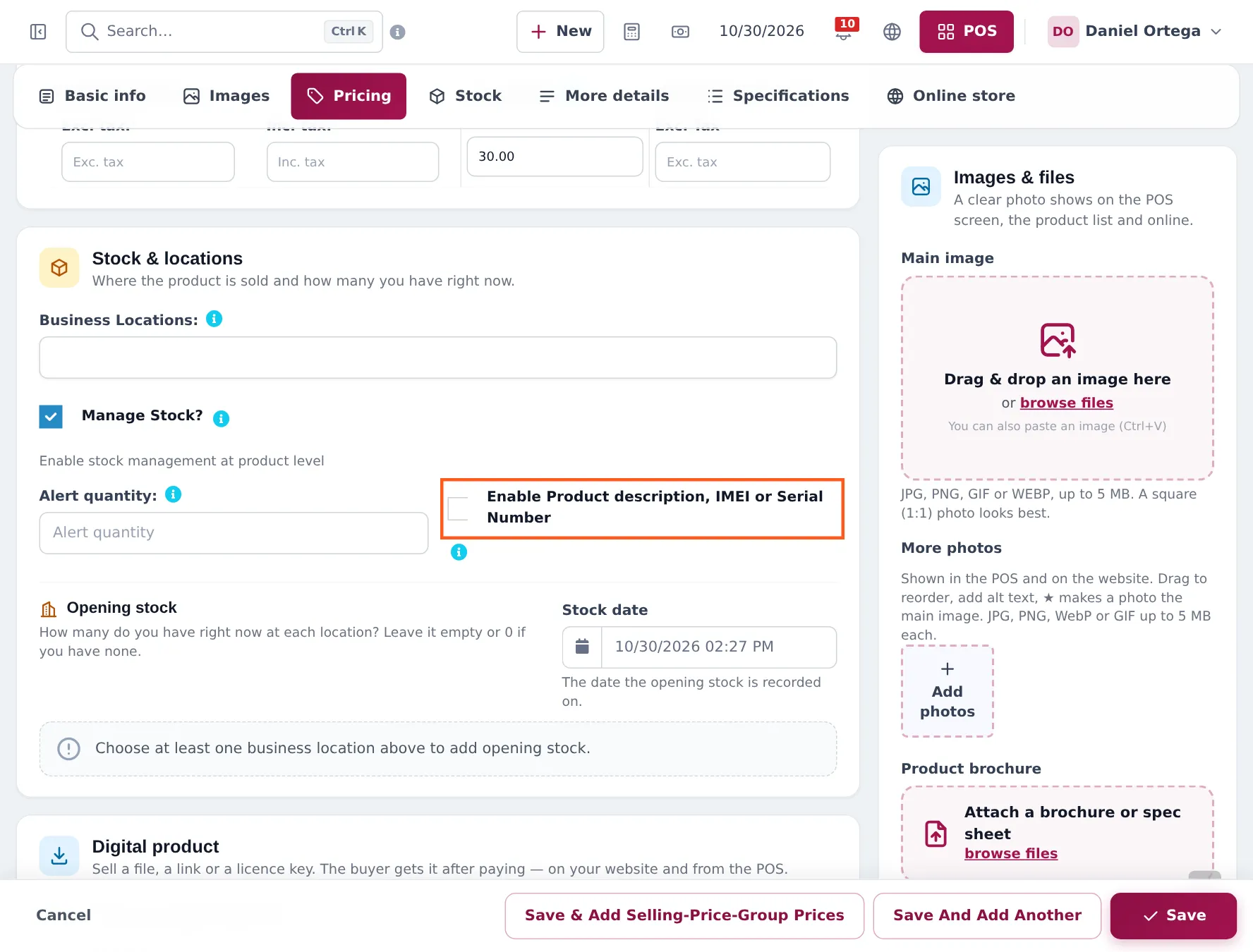
Section titled “IMEI and serial numbers”- Edit the phone (or laptop) and open the Stock section.
- Tick Enable Product description, IMEI or Serial Number.
- Save. Do this for every product you sell with a serial: phones, tablets, laptops, smartwatches, consoles.
- In Settings › Invoice Settings, edit your layout and tick Show sale description so the IMEI prints on the receipt.
With the switch on, each time you add the product to a sale it gets its own line (two phones never merge into one line with quantity 2), and the line has a description box: Add product IMEI, Serial number or other informations here. See step 5.
Next step
Section titled “Next step”Continue with step 4: buy stock from suppliers.
Frequently asked questions
Should storage and colour be separate products?
No. Use one variable product per model, with one variant per storage and colour combination such as 8GB / 256GB / Black. Each variant keeps its own barcode, price, stock and photo.
Where do I type the IMEI?
On the sale, not on the product. Switch on Enable Product description, IMEI or Serial Number on the product. When you sell it, the line gets a description box where you type or scan the IMEI.
Will the IMEI print on the invoice?
Yes, when the invoice layout has Show sale description ticked. Open Settings › Invoice Settings, edit the layout and tick it.
Can different products have different warranties?
Yes. Each product has a Warranty field. Phones can carry 1 year, accessories 90 days and so on.
Can I change the warranty on one sale?
Yes, in Sell › Add Sale, when Enable Warranty is ticked in Settings › Business Settings › Product. Each line then has a Warranty column you can change.
Does the warranty expiry date print?
Yes. Invoice layouts can show the warranty name, its expiry date and its description.