
Sell returns, refunds and exchanges
A sell return takes items back from an earlier sale, puts them back in stock and decides how the customer gets their money’s worth: a refund, store credit, a gift card, an exchange, or a credit note to settle later. This page shows the whole flow and the return policy settings.
Make a return
Section titled “Make a return”-
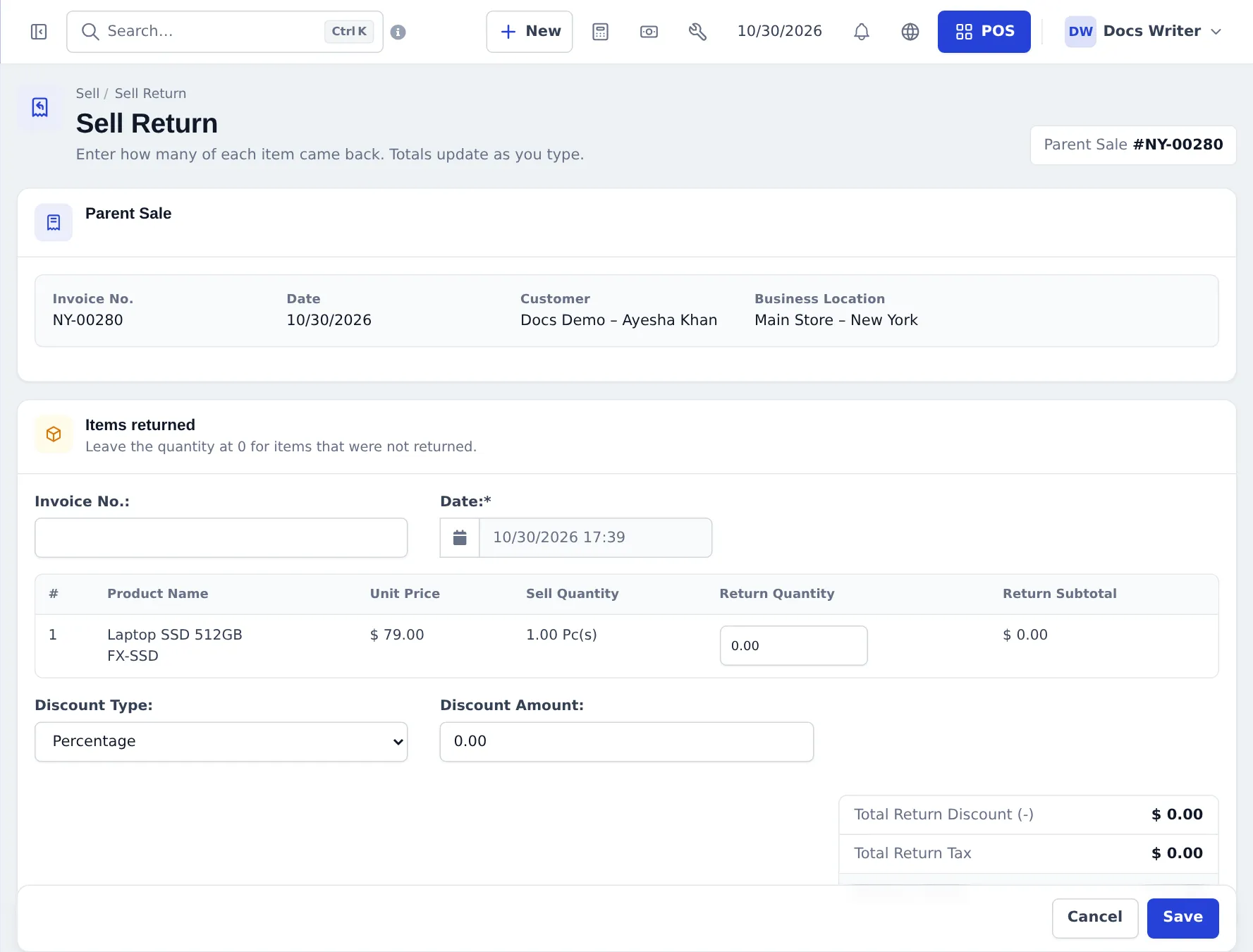
Find the sale: Sell › All sales, then Actions › Sell Return on the sale. At the POS, use the return icon in the top bar and type the invoice number.
-
In Items returned, enter the Return Quantity for each item that came back (leave 0 for the rest). Add a Discount on the return if needed. The Return Total updates as you type.
-
Under How does the customer get the value back?, choose the outcome:
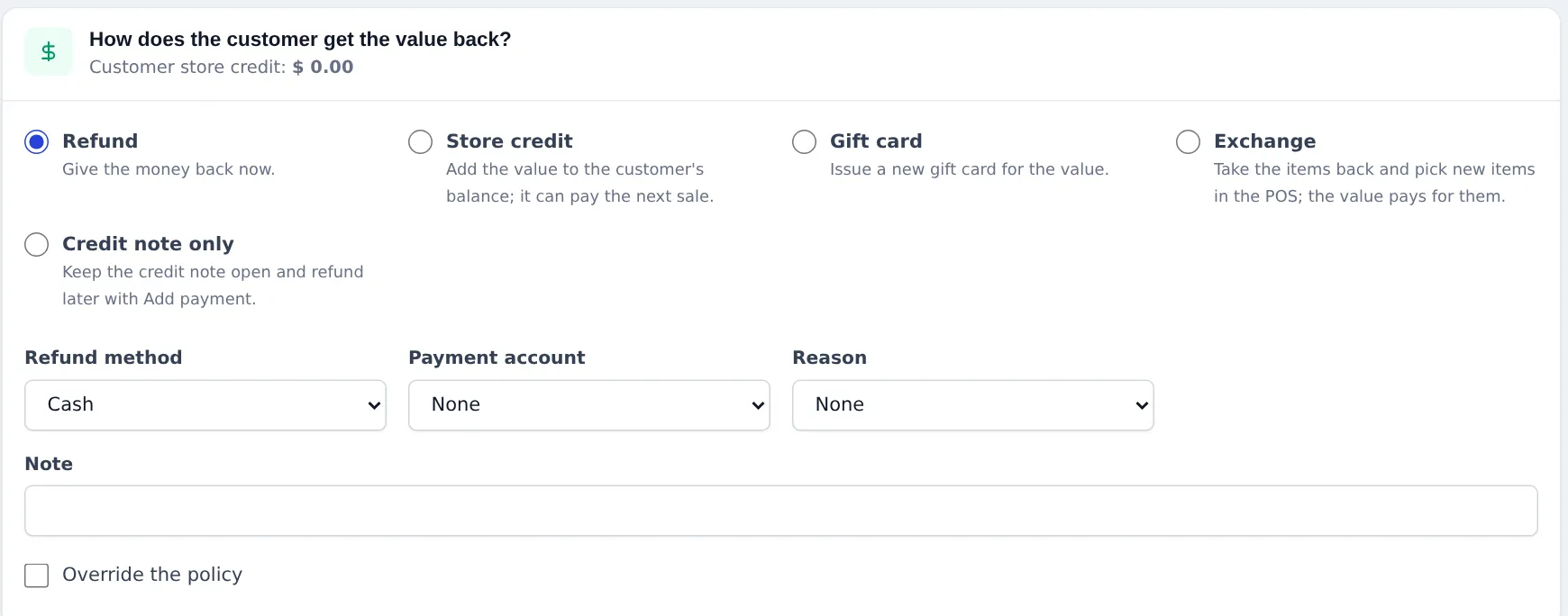
Outcome What happens Refund Give the money back now — pick Refund method and Payment account Store credit Value added to the customer’s balance; it can pay the next sale Gift card A new gift card is issued for the value (e-mail and expiry optional) Exchange Items come back, you pick new ones in the POS and the value pays for them Credit note only Nothing paid now; refund later with Add payment -
Pick a Reason (Wrong size, Damaged or faulty, Changed mind, Not as described, Wrong item) and add a Note.
-
Press Save. Stock goes back, the return gets its own number (for example CN2026/0010) and a credit note can be printed.
See all returns
Section titled “See all returns”Sell › List Sell Return shows each return with the parent sale, customer, location, Outcome, who processed it and its payment status (Due until a refund is paid, Paid after).
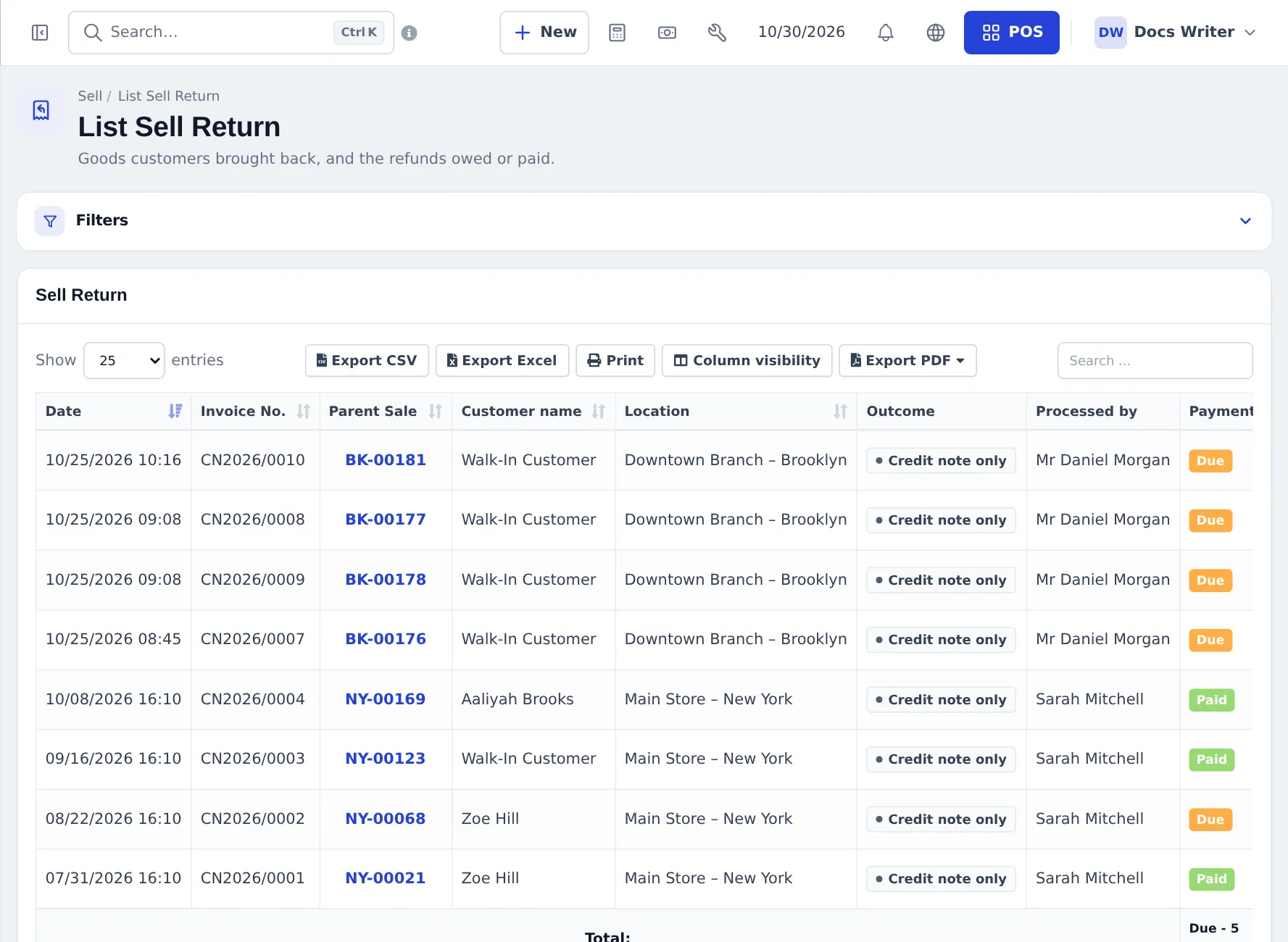
To refund a Credit note only return later, open it and use Add payment. Reports › Returned items lists returned products, reasons and outcomes.
Set your return policy
Section titled “Set your return policy”Open Sell › Return settings:
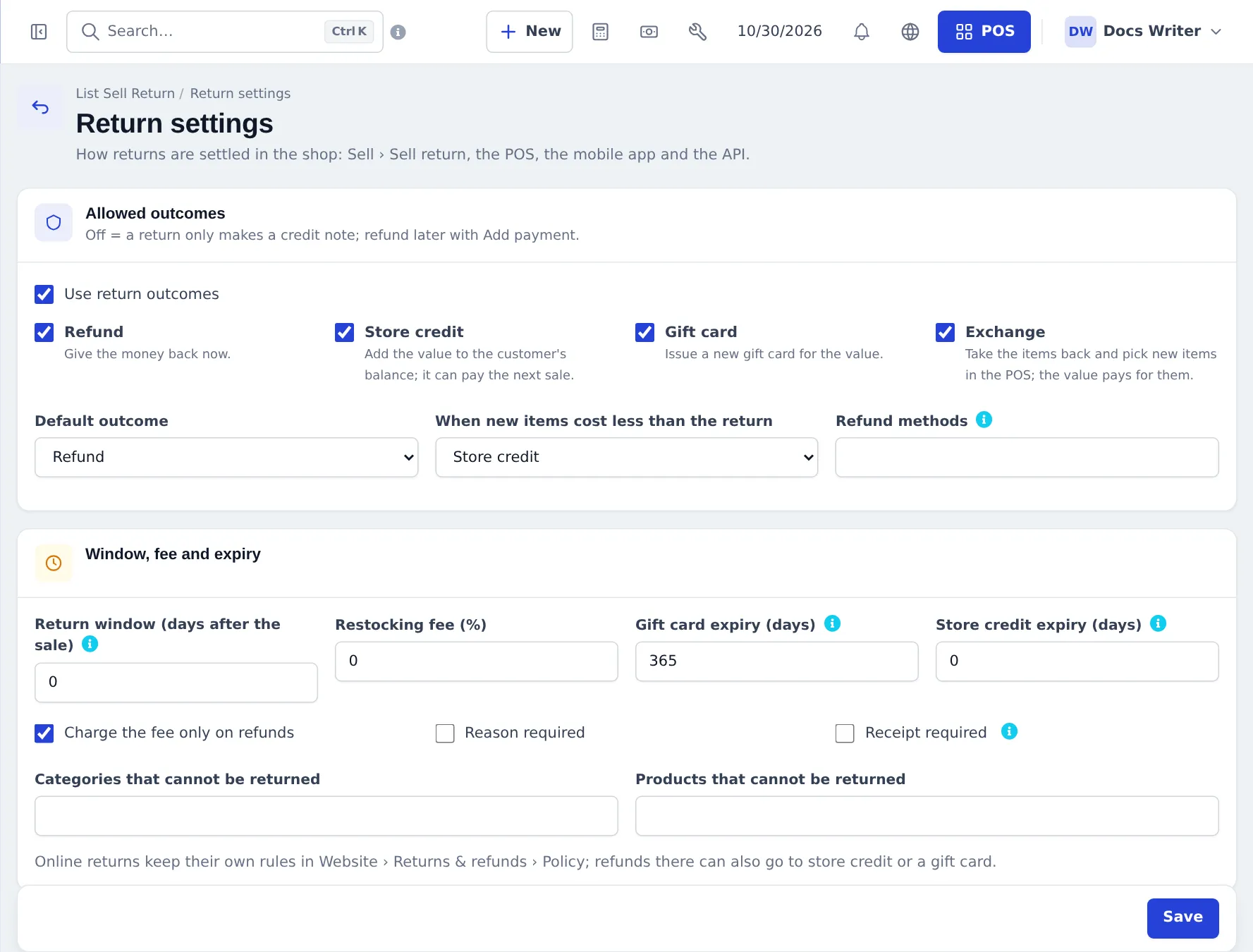
- Use return outcomes — off means a return only makes a credit note.
- Allowed outcomes and Default outcome; When new items cost less than the return (exchange remainder).
- Refund methods — empty means every payment method of the location.
- Return window (days after the sale) (0 = no limit), Restocking fee (%), Charge the fee only on refunds.
- Gift card expiry (days), Store credit expiry (days).
- Reason required, Receipt required, Categories that cannot be returned, Products that cannot be returned.
Online orders keep their own rules in Website › Returns & refunds — see Website orders.
In the SmartPOS Business app
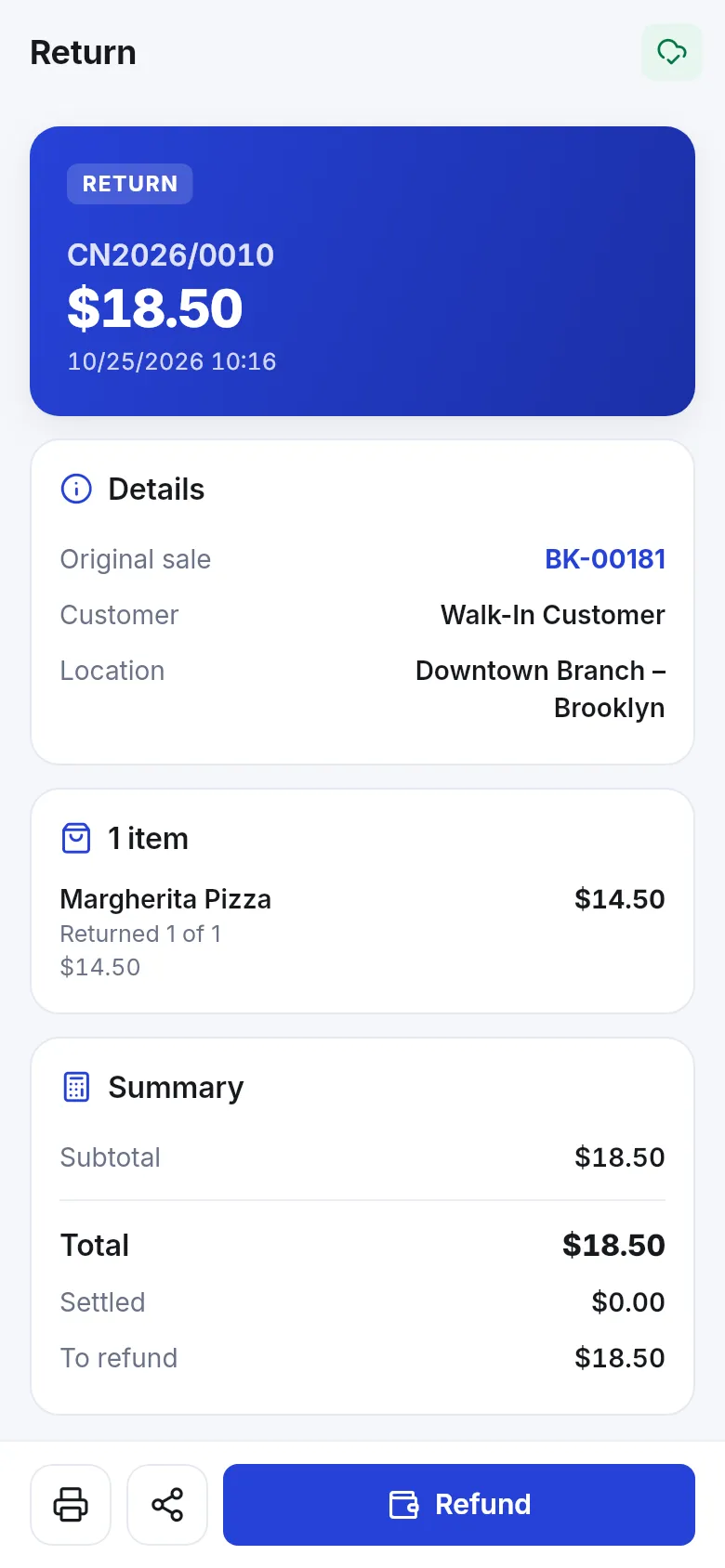
Section titled “In the SmartPOS Business app”Open the sale, tap Return, choose quantities and the outcome, then Refund. The return shows what was returned, the summary and To refund.
Frequently asked questions
How do I start a return?
Find the original sale in Sell › All sales and choose Actions › Sell Return, or use the sell return button in the POS top bar and enter the invoice number. Returns always start from a sale.
Can I give store credit instead of cash?
Yes. Choose Store credit as the outcome. The value goes to the customer's advance balance and can pay the next sale with Store credit (advance).
How does an exchange work?
Choose Exchange. The return is saved as store credit and SmartPOS Hub sends you to the POS to pick the new items; pay for them with Store credit, and the customer pays only any difference.
What is Credit note only?
The return is saved as a credit note without paying anything yet. The amount stays owed to the customer until you refund it later with Add payment.
Can I stop returns after a number of days?
Yes. Set Return window (days after the sale) in Sell › Return settings. Staff with the override permission can still accept a late return by ticking Override the policy.
Does the stock come back?
Yes. Returned quantities go back into stock at the sale's location.
Can returns be done offline?
No. Sales returns need an internet connection; Offline POS and offline app selling do not take returns.