
Gift cards, store credit, returns and exchanges in the app
This page shows cashiers and managers how to handle gift cards, store credit, returns and exchanges in SmartPOS Business, using the same rules and return policy as the web app.
Before you start
Section titled “Before you start”- Gift cards and returns are switched on for the business on the web; see Returns and gift cards module.
- Your role has return and gift card permissions.
- All of this needs an internet connection.
Gift cards
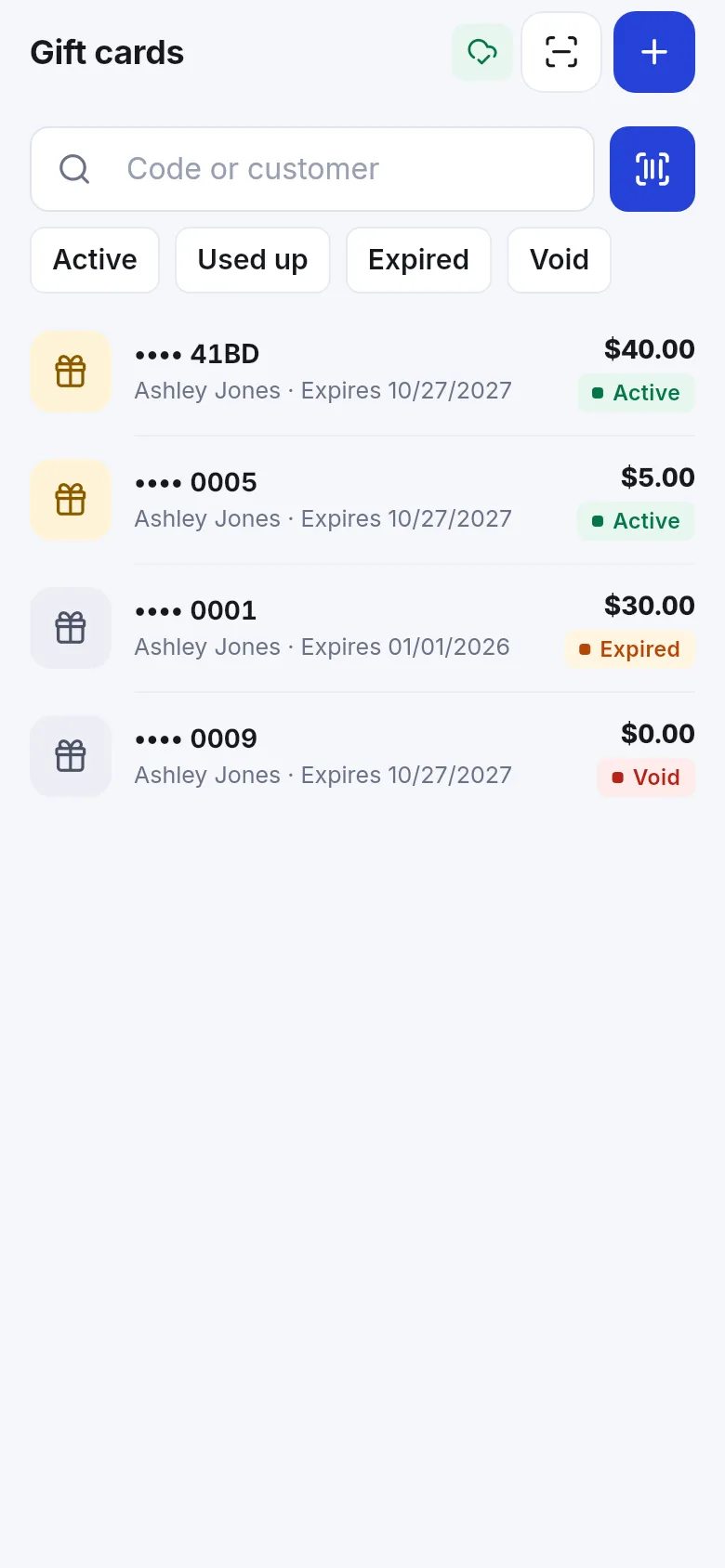
Section titled “Gift cards”Open Gift cards (More › Sell). Filter Active, Used up, Expired or Void; search by code or customer or scan a card.
- Sell gift card (+) – set the amount and customer and take payment. Print it on the receipt printer if you like.
- Check balance (scan button) – Scan the QR code or barcode, or type the code.
- Open a card to see its balance, history and expiry, or void it.
Pay with a gift card or store credit
Section titled “Pay with a gift card or store credit”- In the POS, tap Pay.
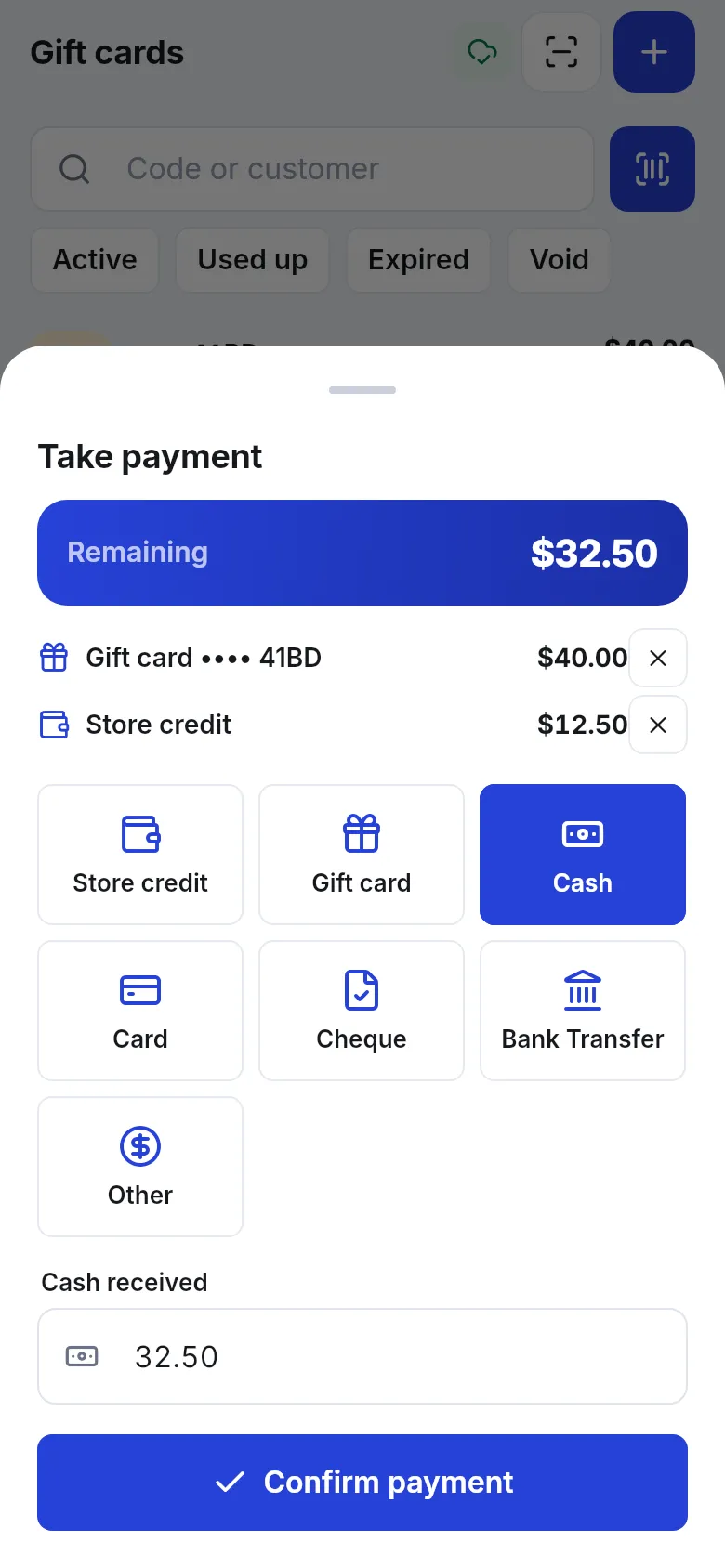
- Under the payment methods (or More), tap Gift card and scan or type the card, then enter the Amount to use. Or tap Store credit to use the customer’s balance.
- The Remaining amount updates. Pay the rest with Cash, Card or another method.
- Tap Confirm payment.
Take a return
Section titled “Take a return”- Open Sell › Return and choose the sale, or open the sale from Recent sales and tap return.
- Under What is coming back? set how many of each item (Sold …). The app shows the return window (Returns accepted within … days) and any restocking fee.
- Choose the outcome under Settle the return:
- Refund – pay the money back now (cash, card or other).
- Store credit – add it to the customer’s balance to spend later.
- Gift card – issue a new gift card for the amount.
- Exchange – swap for other items in the same step (Next: choose new items).
- To settle later – save the return and refund later.
- Confirm. Print or share the return receipt.
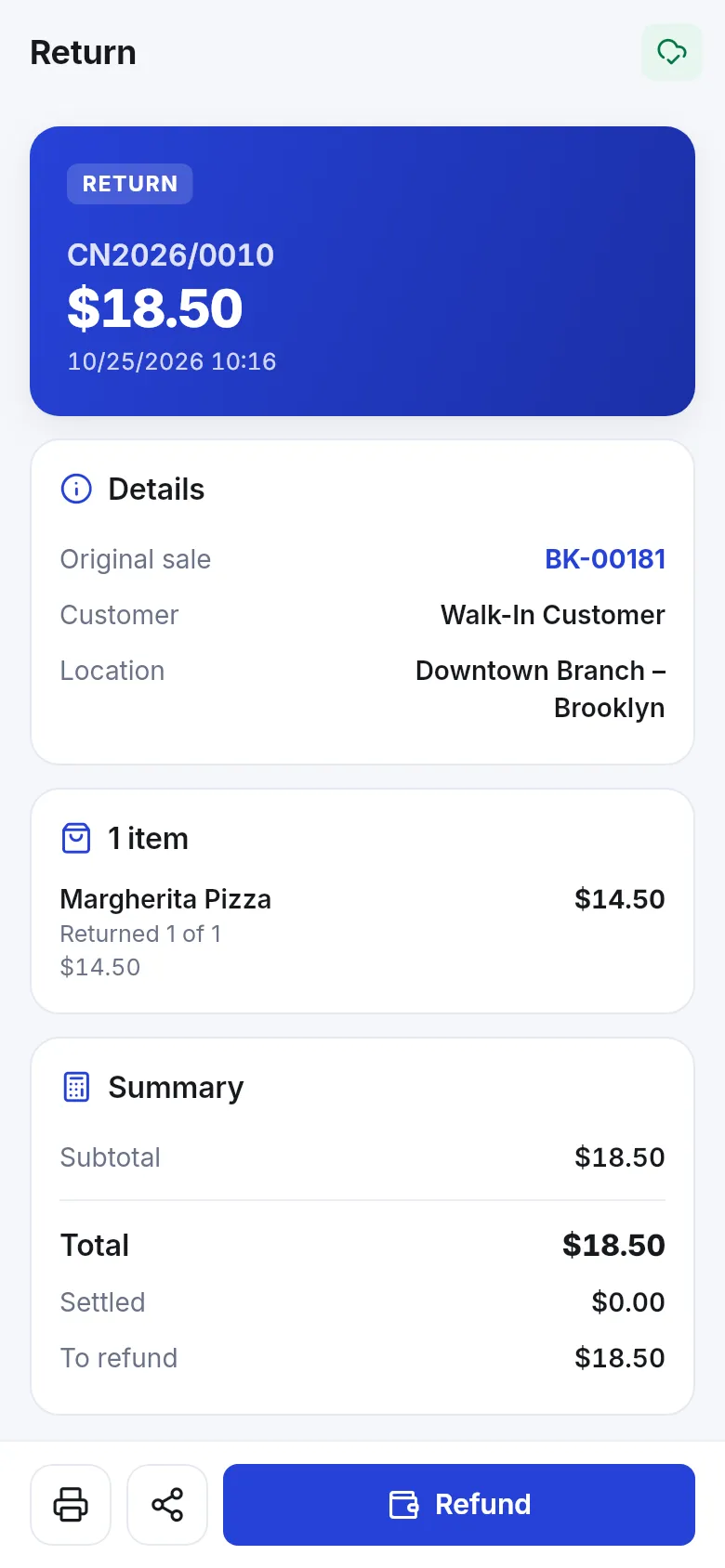
A return that is not refunded shows on the customer as You owe this customer until you settle it. See Customers and ledger.
Related pages
Section titled “Related pages”Frequently asked questions
How do I take a return in the app?
Open the sale (Sell › Return or Recent sales), choose what is coming back and how many, then settle the return with Refund, Store credit, Gift card, Exchange or To settle later.
Can a customer exchange an item for another?
Yes. Choose Exchange as the outcome, then pick the new items. The app works out the difference.
Can a customer pay with a gift card and cash together?
Yes. On the payment sheet add the gift card first, then pay the remaining amount with cash or another method.
What if the return window has passed?
The app shows Return window passed. If your role allows it, you can Override the policy; the return is logged.
Do returns work offline?
No. Returns, gift cards and store credit need an internet connection.
Why don't I see Gift cards?
Gift cards must be switched on for your business on the web, and your role needs the gift card permissions.