
Gift cards and store credit
Gift cards are prepaid cards with a code that customers can spend in your shop, fully or partly. Store credit is value kept on one customer’s account. SmartPOS Hub uses both for selling vouchers and for settling returns.
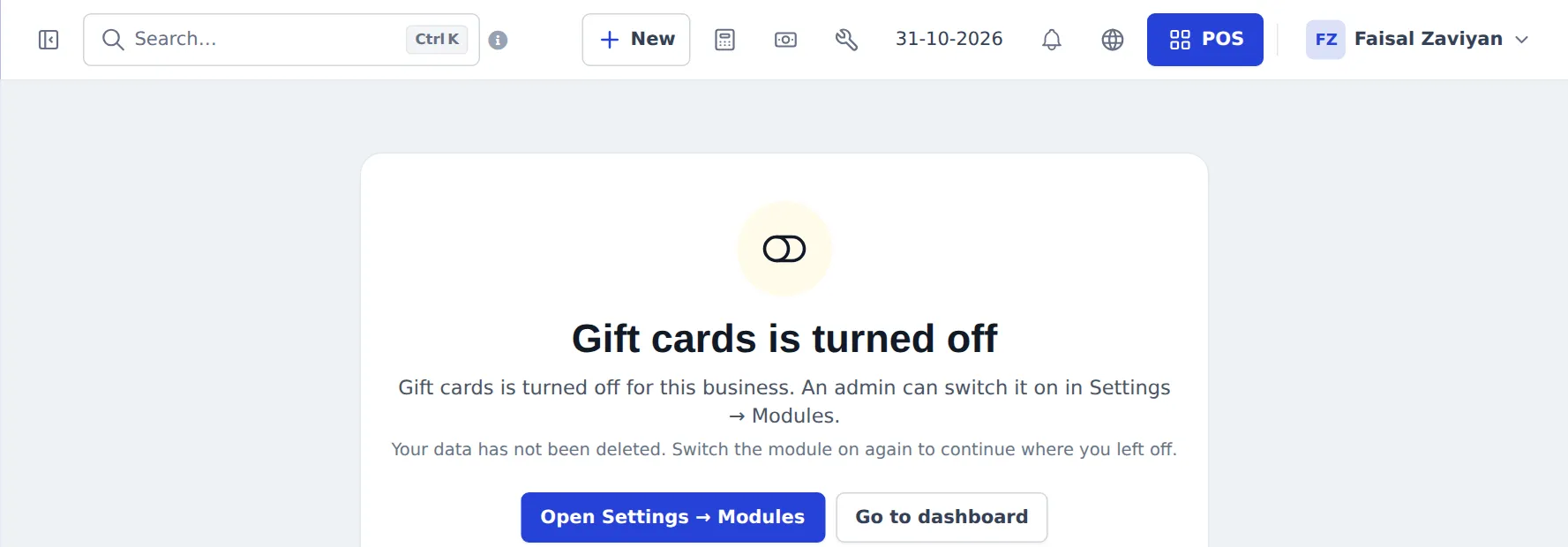
When the switch is off, Gift cards is not in the Sell menu, and opening the gift cards page says so, with a button to the settings:
Sell a gift card
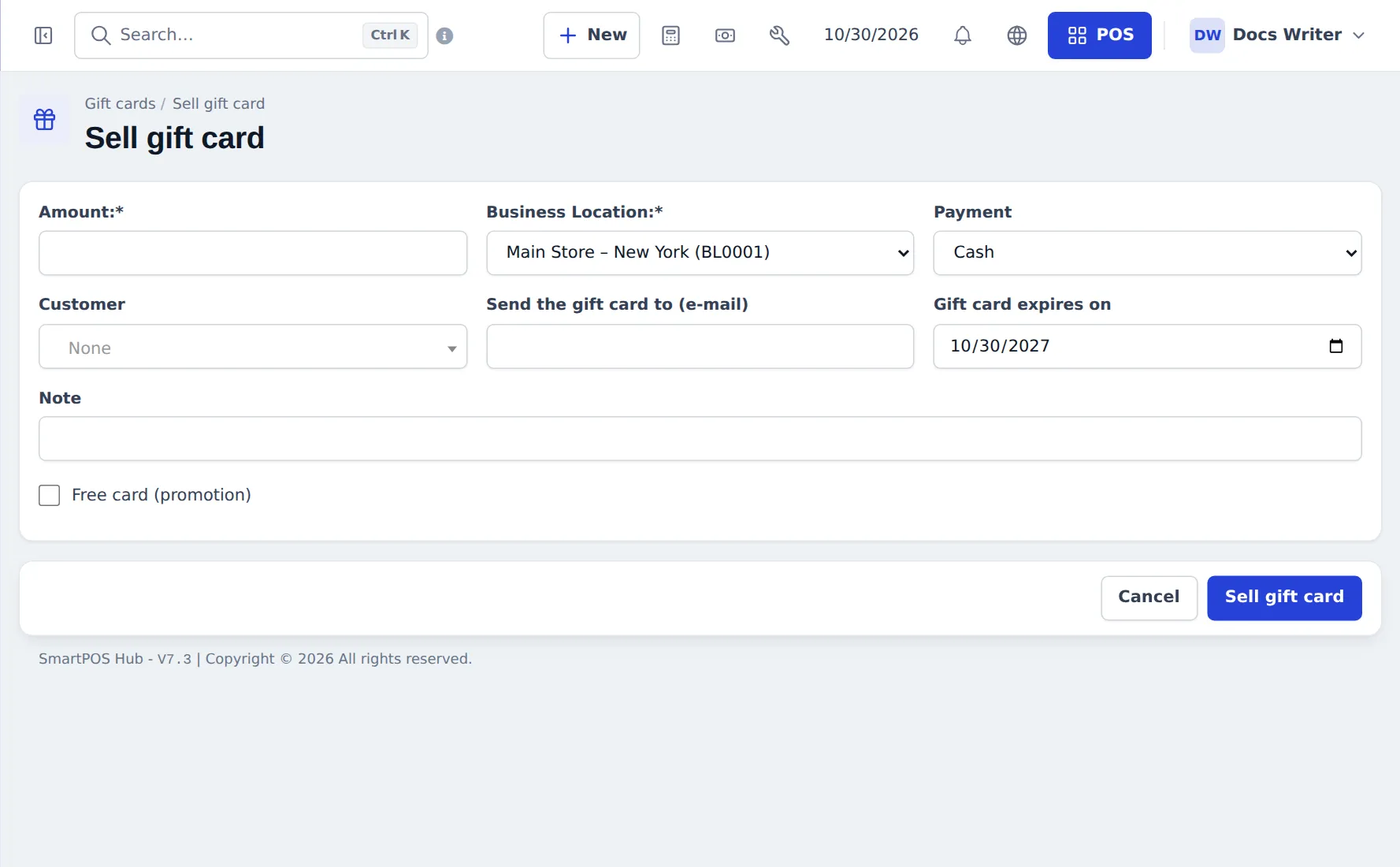
Section titled “Sell a gift card”- Go to Sell › Gift cards and press Sell gift card.
- Enter the Amount, the Business Location, how it was paid (Payment), and optionally the Customer, Send the gift card to (e-mail), Gift card expires on and a Note.
- Tick Free card (promotion) for a card you give away.
- Press Sell gift card. Print the card or send it by e-mail.
The Gift cards page shows totals (Balance, Active, Issued, Used) and every card with code, customer, amount, balance, status (Active, Used up, Expired, Void), source and expiry. Search or scan a code to look a card up.
Take a gift card as payment
Section titled “Take a gift card as payment”- At the POS press Multiple Pay (V2: Pay).
- Choose Gift card as the Payment Method and enter or scan the card code. The card’s balance is checked.
- Enter the amount to take from the card. If the card does not cover the total, press Add Payment Row and pay the rest another way.
- Finalize Payment. The card balance goes down; when it reaches 0 the card is used up.
Store credit
Section titled “Store credit”Store credit is the customer’s advance balance:
- It grows when you settle a return as Store credit, or when a customer pays in advance (customer page › Add payment with more than they owe).
- It is spent with the payment method Store credit (advance) at the POS or in Add payment.
- See it on the customer page (Advance Balance card) and in the customer’s Store credit & gift cards tab, which also lists their gift cards.
Returns as gift cards or store credit
Section titled “Returns as gift cards or store credit”In a sell return, choose Gift card to issue a new card for the value, or Store credit to add it to the customer’s balance. Exchange uses store credit to pay for the new items straight away.
In the apps
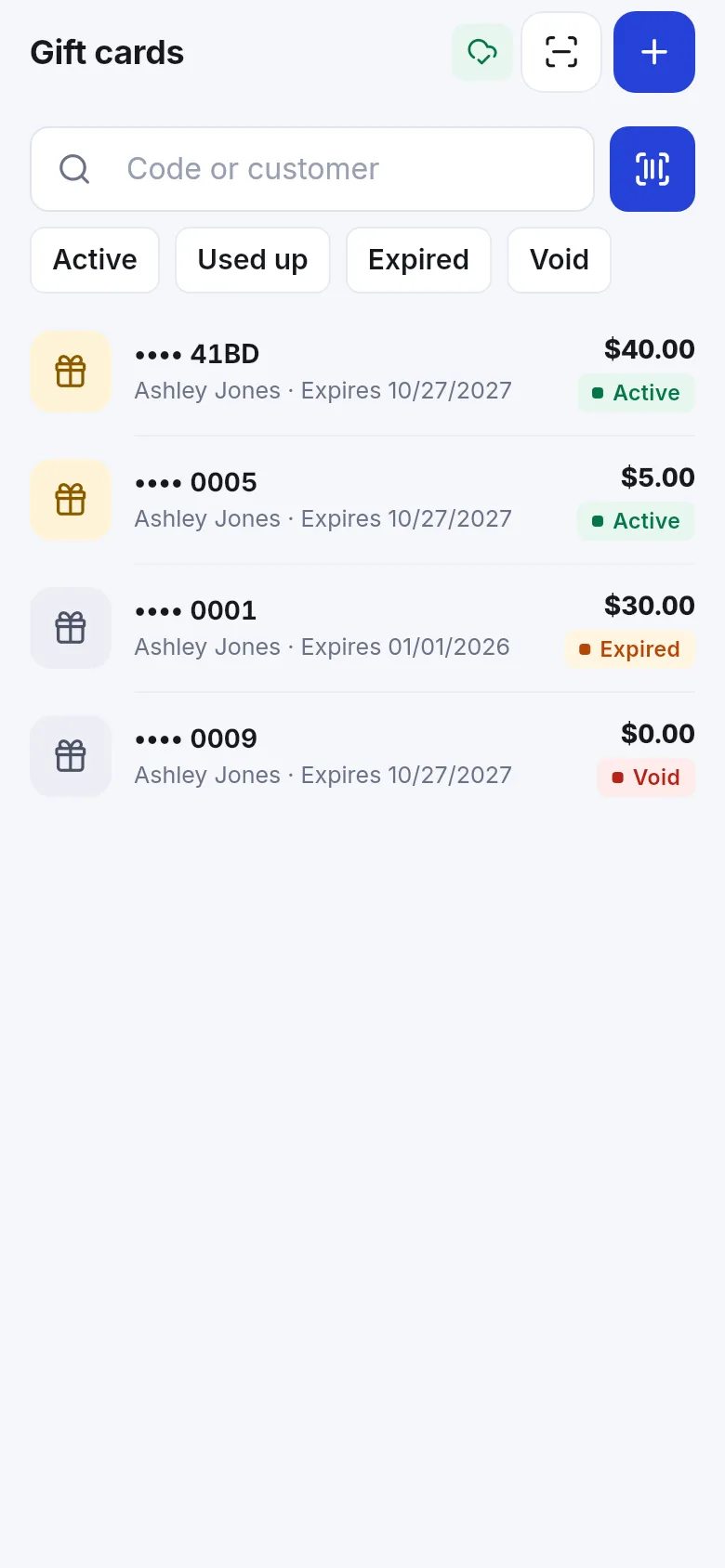
Section titled “In the apps”Staff manage gift cards in the SmartPOS Business app (search by code or customer, filter Active, Used up, Expired, Void). Shoppers see their gift cards and store credit in the SmartPOS Shopper app wallet.
Frequently asked questions
How do I turn gift cards on?
Your plan must include gift cards. Then switch them on in Settings › Business Settings › Modules and give staff the gift card permissions in User Management › Roles. Until then Gift cards is not in the Sell menu.
Can a gift card pay only part of a sale?
Yes. Choose Gift card as one payment row and pay the rest with another method using Add Payment Row.
What is the difference between a gift card and store credit?
A gift card has a code anyone can bring to the counter. Store credit sits on one customer's account (their advance balance) and is used with the payment method Store credit (advance).
Do gift cards expire?
Each card has an expiry date. The default comes from Gift card expiry (days) in Sell › Return settings; 0 means never.
Can I give a free promotional gift card?
Yes. When selling a card, tick Free card (promotion). Only staff allowed to manage gift cards can do this.
Can gift cards be used offline?
No. A gift card's balance must be checked online, so gift cards are not available in Offline POS.