
Website module - run your online store
The Website & online store module is the back office for selling online with SmartPOS Hub. It runs the operations of a custom online store built on your live catalog - and it also powers widgets, order links and app orders. This page is the quick reference; the step-by-step guide is Your online store.
What is in the module
Section titled “What is in the module”| Menu item | Purpose |
|---|---|
| Overview | Store status (Live / Maintenance / Offline), connection, KPIs, queues that need you, setup checklist |
| Orders, Returns & refunds, Payment proofs, Prescriptions | Handle orders end to end - see Website orders |
| Reviews, Questions | Moderate reviews, reply in public, answer questions |
| Forms & webhooks | Form entries, webhooks (order created, order paid, form submitted, review, question, contact, cart abandoned / recovered) and their delivery log |
| Insights, Searches | Traffic, funnel, campaign (UTM) results, what customers search for |
| Media library, Coupons | Every image of your business; discount codes |
| Widgets | Copy-paste shop widgets - see Widgets |
| Payments, Shipping | Payment methods per store and order type; delivery zones and prices |
| Store features, Store info, Settings & API | Feature switches, a summary of what the store shows, checkout rules and the storefront connection |
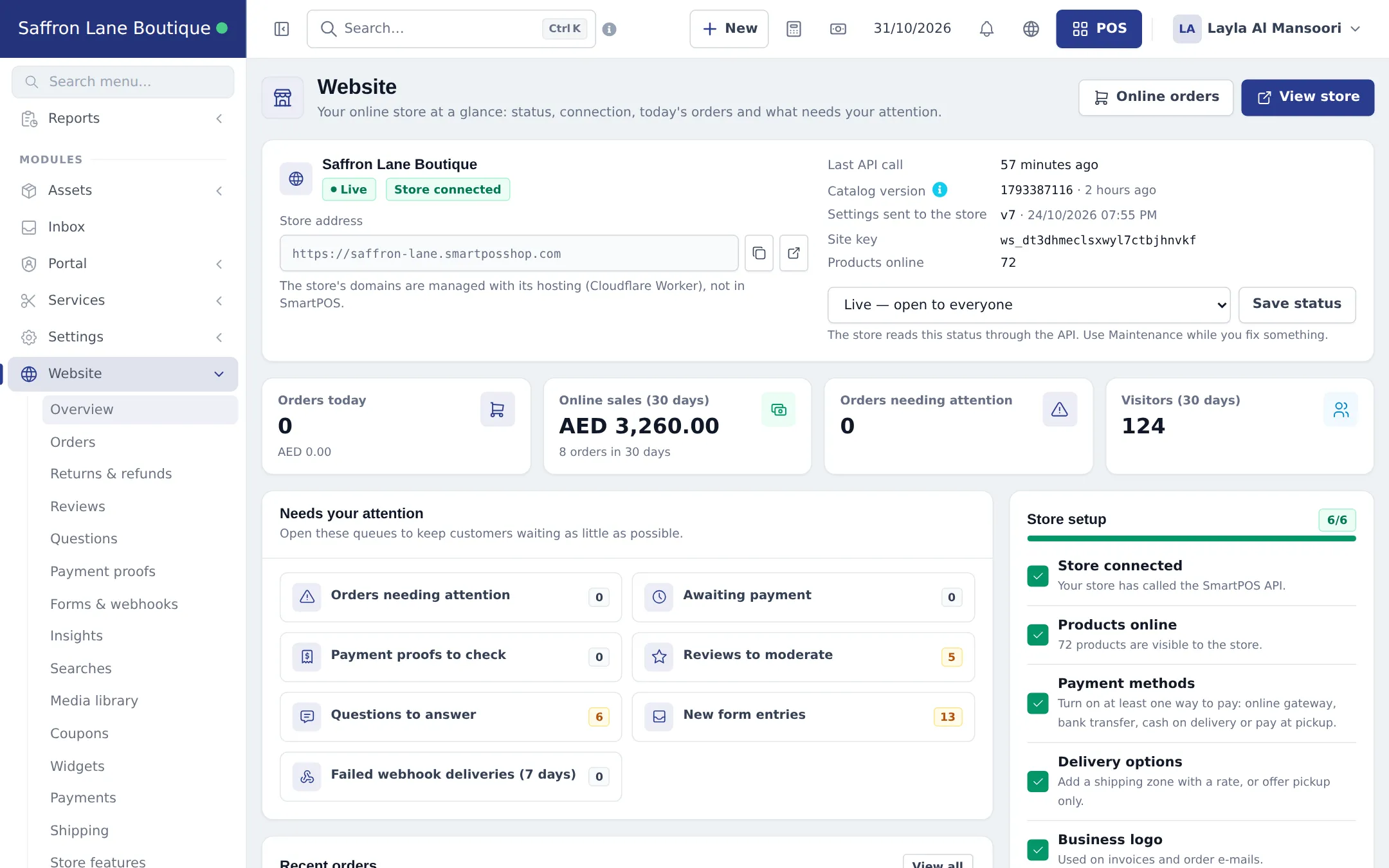
Turn it on
Section titled “Turn it on”- Check that your plan includes Website & online store (Settings › Package Subscription).
- Switch it on in Settings › Business Settings › Modules.
- Give your team the Website permissions in User Management › Roles, or press Create Web Manager role on Website › Overview.
- For a full custom store, contact SmartPOS support. For ordering on an existing website, create a widget.
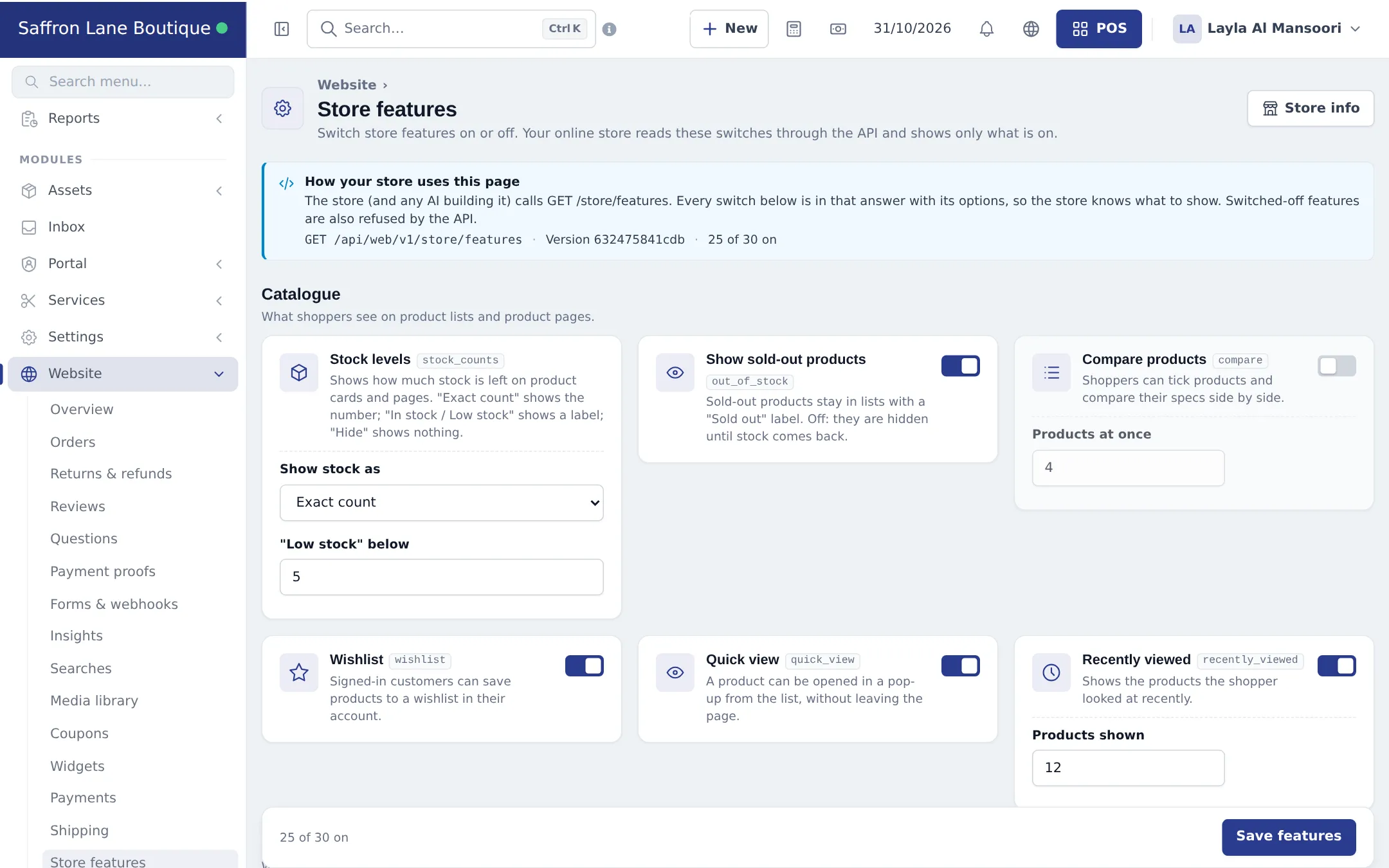
Limits
Section titled “Limits”Your plan sets limits such as storage. The storefront connection uses its own key (shown on Settings & API › API & developer and on Settings › API & AI). Never share the store secret; rotate it only together with support or your developer.
Related pages
Section titled “Related pages”Frequently asked questions
What does the Website module include?
The back office for an online store built on your SmartPOS Hub catalog: orders, returns, reviews, questions, prescriptions, payment proofs, forms and webhooks, insights, searches, media library, coupons, widgets, payments, shipping, store features, store info and settings with the storefront connection.
Does it include a website builder?
No. There is no page, menu or theme editor. Your store is a custom-coded site built for you, usually edited with AI, that reads everything live from SmartPOS Hub.
Can I use the module without a custom store?
Yes. Widgets, direct order links and table QR codes work without a store, and Shopper app orders also land in Website › Orders.
Who can see the Website menu?
Staff whose role has the Website permissions. The Overview page can create a Web Manager role with all of them.
How do I switch the online store off?
Set Site status to Offline on Website › Overview to close the store, or switch the module off in Settings › Business Settings › Modules. Your data is kept.
Where are online orders recorded?
In Website › Orders and as normal sales in Sell › Sales, so stock, reports and accounting stay correct.