
Tech store step 8: sell phones on credit and instalments
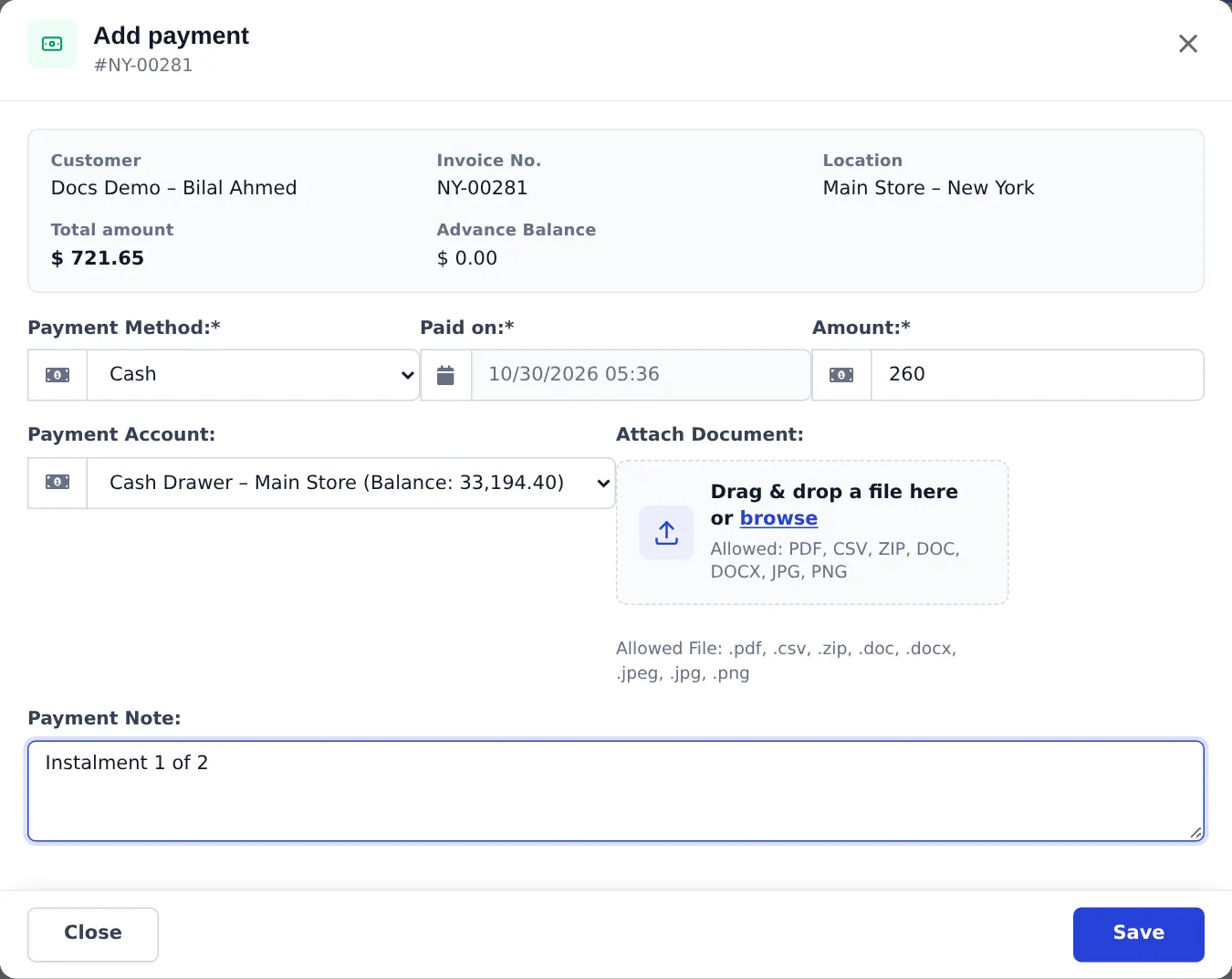
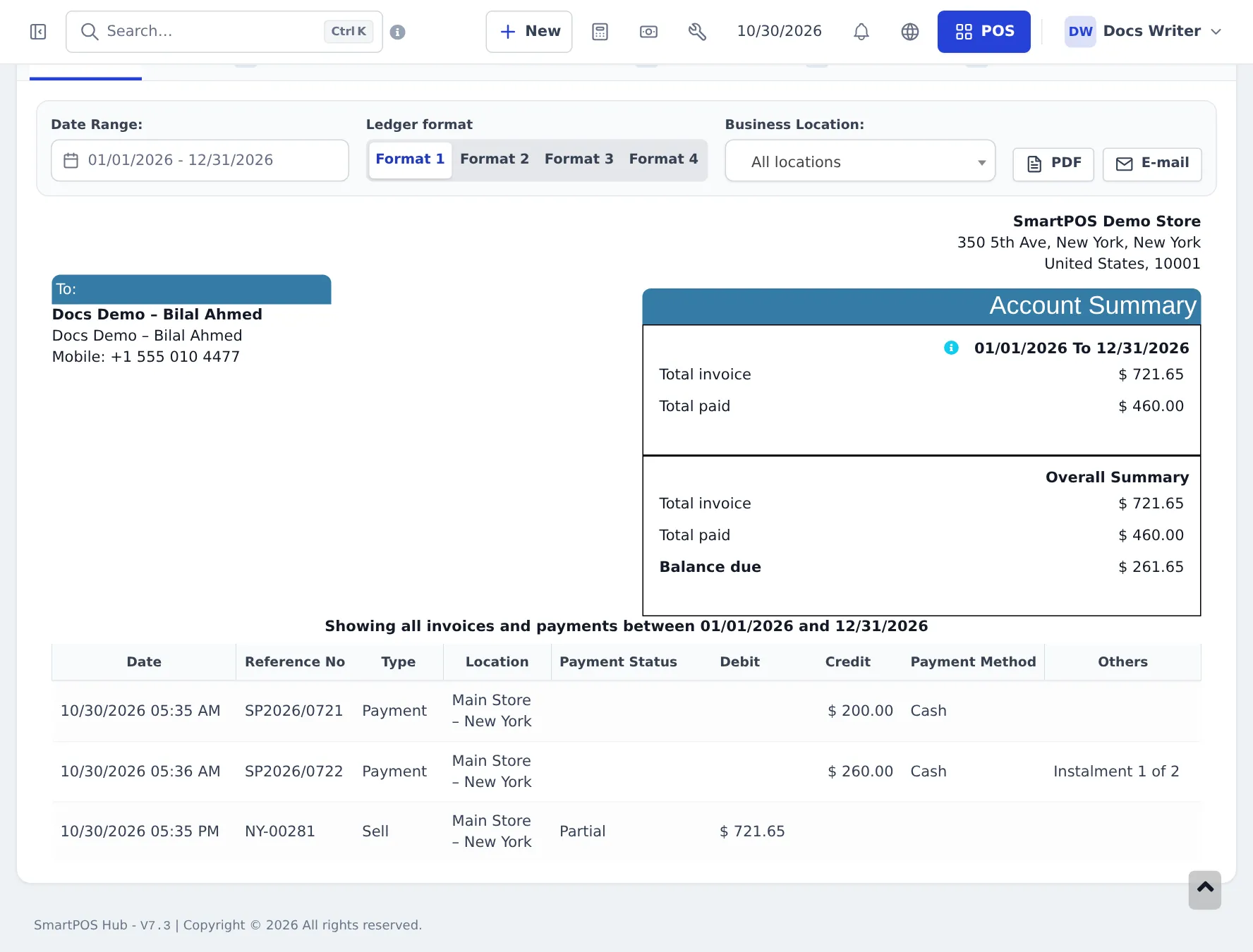
Phones and laptops are expensive, so many shops let customers pay in parts: something today and the rest over the next weeks or months. In SmartPOS Hub that is a sale with part payments. This page gives the tech-store summary; the appliance guide’s instalment page walks through a full example with screenshots of every step.
The short version
Section titled “The short version”| Step | Where | What you do |
|---|---|---|
| 1. Set terms on the customer | Contacts › Customers › Add › Balance & credit | Pay term (for example 1 month) and Credit Limit |
| 2. Sell with a down payment | POS Multiple Pay, or Sell › Add Sale › Add payment | Enter only the down payment as the amount. The rest stays due. |
| 2b. Sell with nothing paid | POS Credit Sale | The whole invoice is due. |
| 3. Take each instalment | Sell › All sales › Actions › Add payment, or the customer’s page › Add payment | Enter the instalment amount and a note such as “Instalment 1 of 3” |
| 4. Check what is left | Customer page › Ledger | Total invoice, total paid, Balance due |
Repairs paid in advance
Section titled “Repairs paid in advance”A deposit on a repair job sheet is a customer advance. When you convert the job to an invoice, use Store credit (advance) for the deposit amount. See step 7.
Next: daily operations.
Frequently asked questions
Is there a separate instalment plan feature?
No. Instalments are part payments on one invoice. You take a down payment at the sale, set a pay term for the due date, and record each later payment against the same invoice. The invoice shows Partial until it is fully paid.
Can the customer pay instalments at another branch?
Yes. Payments are recorded on the invoice from Sell › All sales or from the customer's page, whichever branch you are in, and each payment goes into the payment account you choose.
How do I stop a customer from owing too much?
Set a Credit Limit on the customer. When a new sale would take their unpaid balance over the limit, the sale is stopped with a Customer Credit Limit Exceeded message.
Can I add interest or a fee for paying in instalments?
Not automatically. Add the fee as a separate service product on the sale, or build it into the price.
Where do I see who is late?
Reports › Payment by Age groups unpaid invoices by how long they are overdue, and the Supplier & Customer Report shows each customer's total due.