
Appliance store daily routine: sales, deliveries, dues
A routine for an appliance showroom with a warehouse, a delivery team and installers. Adjust it to your own hours and team.
Opening
Section titled “Opening”- Cashiers open their cash registers in the POS.
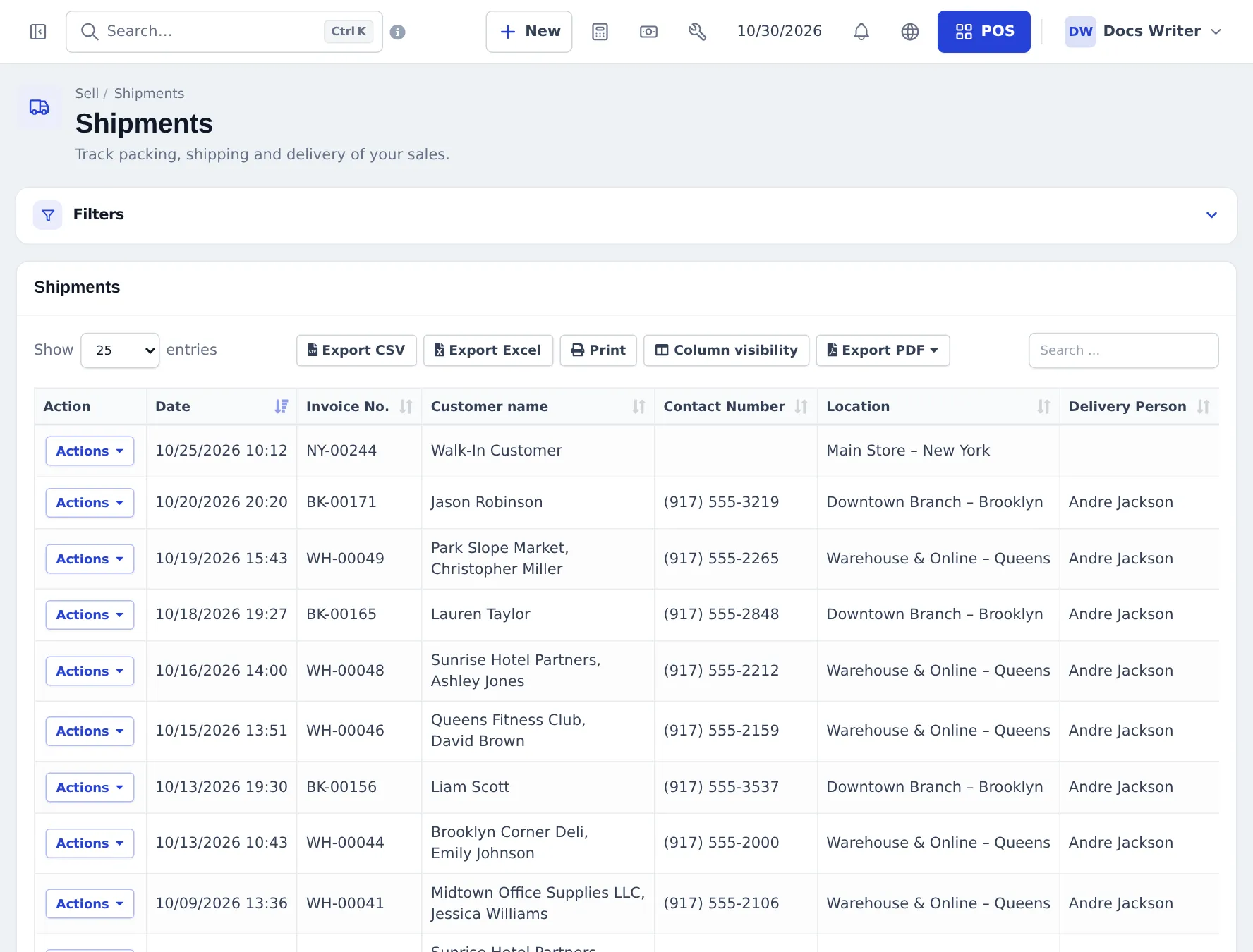
- Check Sell › Shipments for deliveries with status Ordered or Packed, and assign a Delivery Person.
- Check Repair › On-site visits › Today for installations and service visits, and confirm times with customers.
- Check Reports › Payment by Age for instalments that are due or late, and call those customers.
During the day
Section titled “During the day”- Sales: serial number on every big-ticket line, warranty on the invoice, installation and delivery added as services (step 4).
- Instalment sales: down payment only, plan in the sell note (step 5).
- Instalments received: Add payment on the original invoice, never a new sale.
- Deliveries: update the shipping status to Shipped and Delivered, attach the signed delivery note.
- Service calls: a job sheet for every complaint, on-site visit for the technician (step 6).
- Stock: purchases received at the warehouse; transfers to showrooms.
Closing
Section titled “Closing”- Close each cash register and compare cash with the expected total.
- Mark finished installations Completed with the result.
- Check Reports › Sell Payment Report for the day’s instalment payments.
Weekly and monthly
Section titled “Weekly and monthly”| When | Check | Where |
|---|---|---|
| Weekly | Low stock per showroom and warehouse | Reports › Stock Report |
| Weekly | Late instalments | Reports › Payment by Age |
| Monthly | Sales by category and brand | Reports › Product Sell Report |
| Monthly | Profit per location | Reports › Profit / Loss Report |
| Season start | Best sellers last season | Reports › Trending Products |
Frequently asked questions
What should the showroom manager check every morning?
Today's deliveries and installations (Sell › Shipments and Repair › On-site visits › Today), instalments due (Reports › Payment by Age) and low stock in the showroom.
How do I collect an instalment quickly?
Search the customer with Ctrl K or Contacts › Customers, open their page, click Add payment, enter the amount and a note such as Instalment 2 of 3.
When should I move stock from the warehouse?
When the showroom runs low or before a delivery that leaves from the showroom. Create a stock transfer and complete it when the units arrive.