
Widgets - embeddable shop widgets (module reference)
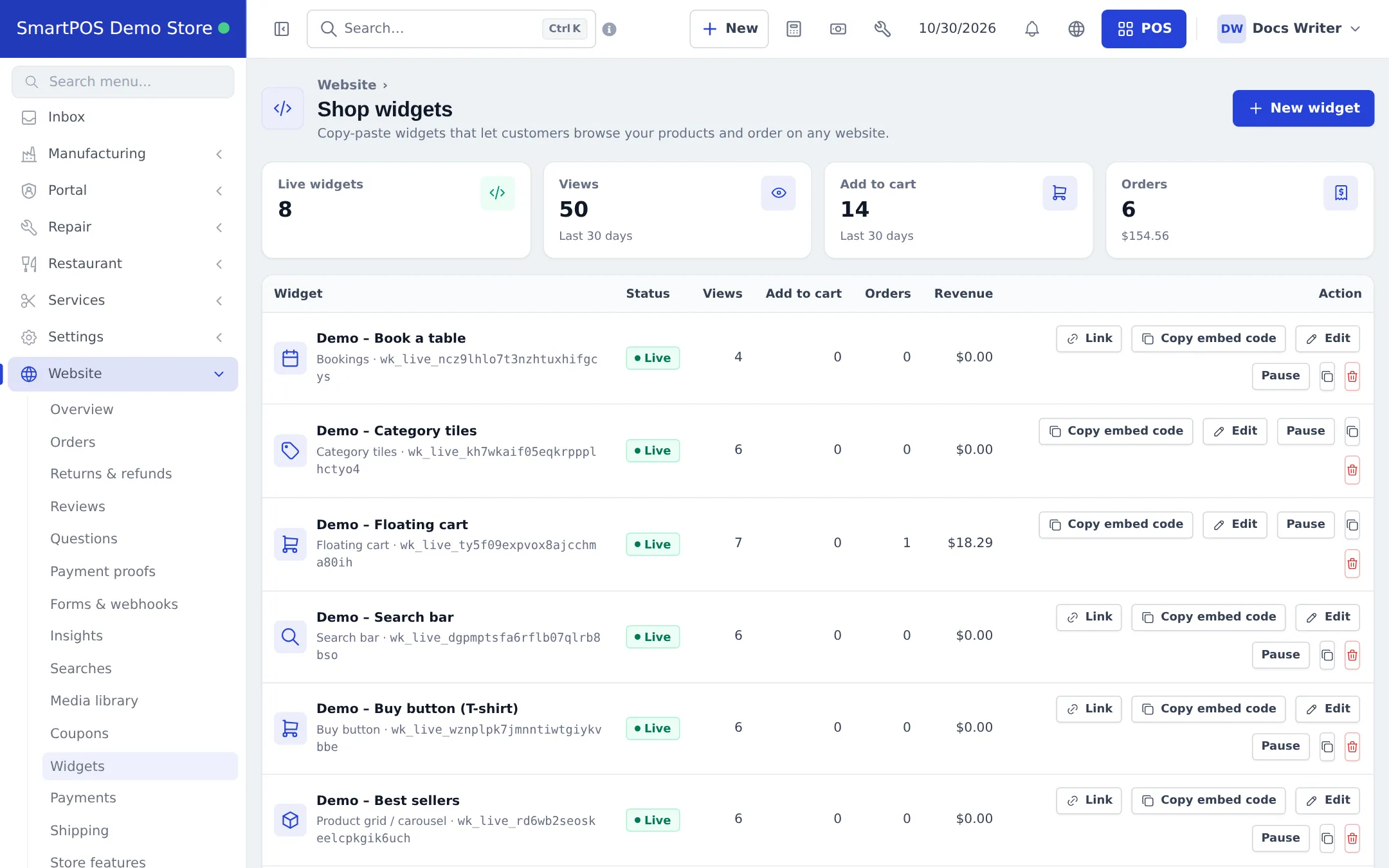
Widgets let you put a shop, an online menu, a product grid, a buy button, a search bar, a floating cart, category tiles or a booking box on any website, and give each one a direct link and QR code. This page is the reference; the full guide is Widgets.
Widget types and what they need
Section titled “Widget types and what they need”| Type | Needs |
|---|---|
| Full shop, Product grid / carousel, Buy button, Search bar, Category tiles | Products shown on the website and at least one location shown on the website |
| Online menu | Same, plus at least one order type (pickup, delivery with a priced zone, or dine-in with tables) |
| Floating cart | Another widget on the same site; it has no direct link |
| Bookings | Bookings (tables) switched on, or the Services module (appointments) |
What every widget has
Section titled “What every widget has”- A configurator with a Live preview (phone, tablet, desktop) that uses your real products with ordering switched off.
- Copy embed code (script, or iframe for site builders without scripts).
- A Direct link, a QR code (PNG, SVG, print), a Link builder and, for dine-in, Table QR codes - see Order links and QR codes.
- Allowed websites, Pause / Activate, Duplicate, New key and Delete.
- A Performance card: views, add to cart, checkouts started, orders, revenue, split by Embedded, Direct link and QR code.
Related pages
Section titled “Related pages”Frequently asked questions
Is Widgets a separate module?
No. Widgets are part of the Website & online store module. When Website is on, Website › Widgets is available to staff with the widgets permission.
Which widget types exist?
Full shop, Online menu, Product grid / carousel, Buy button, Search bar, Floating cart, Category tiles and Bookings.
Is there a chat widget?
No. None of the widget types is a live chat. Customer chat is in the SmartPOS Shopper app.
Do widgets work on WordPress, Wix or Shopify?
Yes, on any site where you can paste HTML. Use the iframe version when scripts are not allowed.
Where do widget orders go?
To Website › Orders (with a Widget badge), Sell › Sales and, for restaurants, the kitchen display.
Can I limit which websites show a widget?
Yes, in Allowed websites. Empty means any website can show it.