
Mart daily operations: open, sell, restock, close
A grocery store’s day is short on breaks, so keep the routine simple. Use this page as the shift checklist for managers and cashiers.
Opening
Section titled “Opening”- Open the cash register at each till with the starting cash (Cash register and closing).
- Check the location at the top of the POS on every till.
- Test the scanner on one item; check the receipt printer has paper.
- Check deliveries due today in Purchases › Purchase Order and Stock Transfers (Pending / In transit).
- Check online orders in Website › Orders if you deliver.
During the day
Section titled “During the day”- Receive deliveries as purchases with status Received, and print shelf labels for new items (step 7).
- Refill shelves from the back store or warehouse with a stock transfer.
- Collect khata payments with Pay Due Amount when credit customers come in (step 6).
- Record wastage (damaged packs, expired milk) with a stock adjustment.
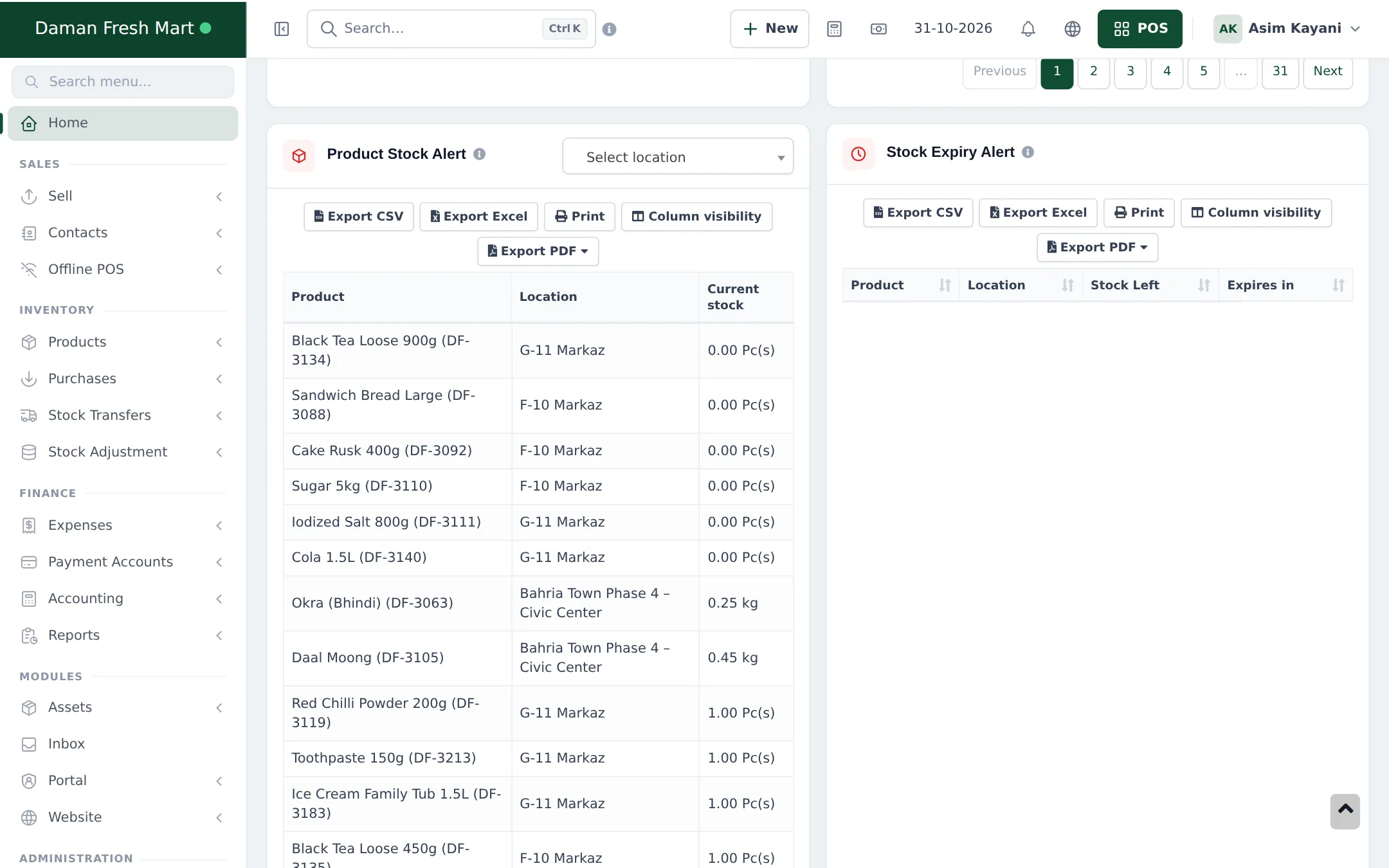
- Watch Product Stock Alert on the dashboard and plan tomorrow’s orders.
Closing
Section titled “Closing”- Resume or cancel held sales on each till.
- Close each cash register: count cash and enter card slips and wallet totals; compare with what the system expects.
- Record expenses paid from the till in Expenses › Add Expense.
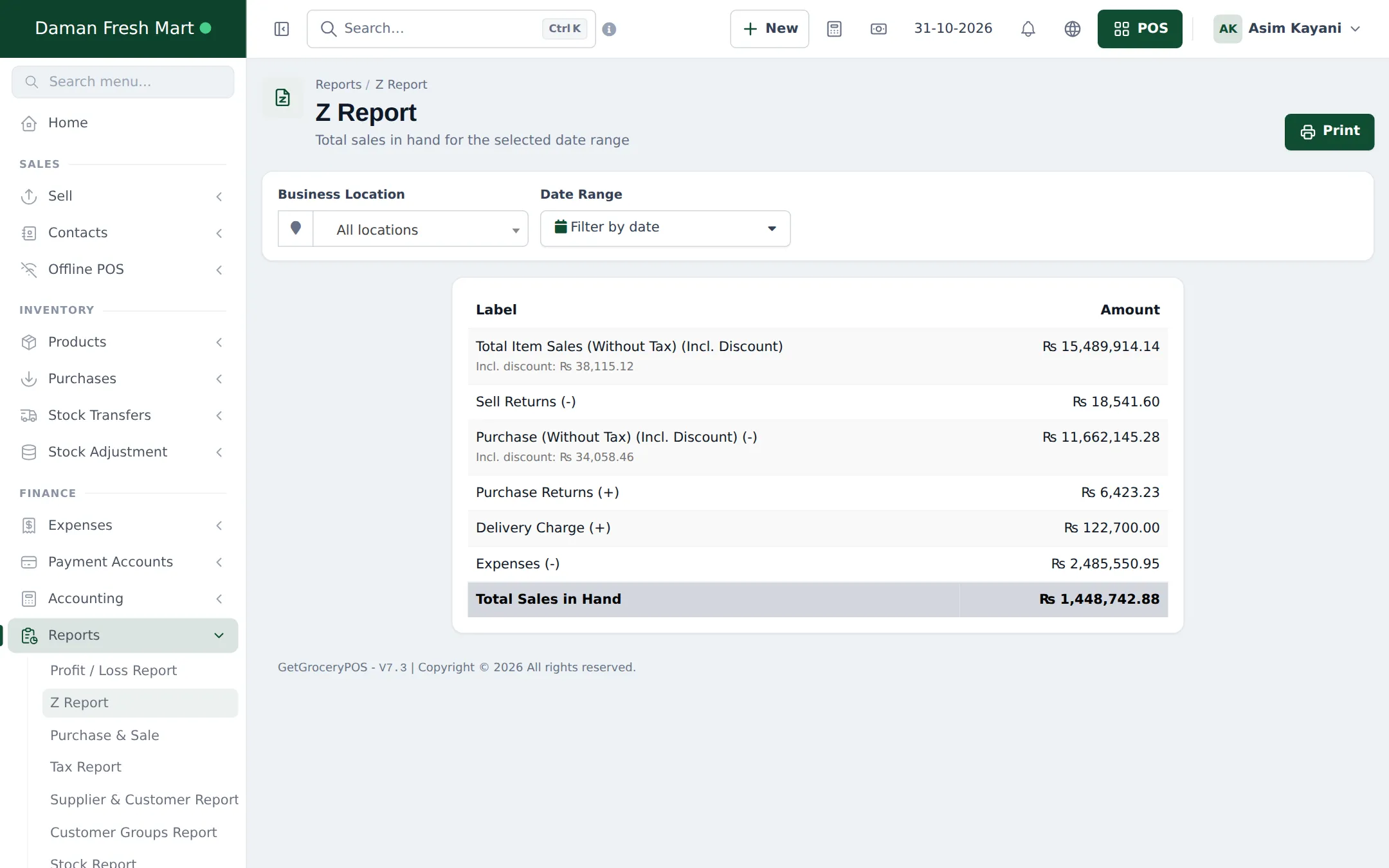
- Print the Z Report for the day and location.
- Back up offline sales: if any till sold offline, make sure it synced (Offline POS › Sync issues should be empty).
Weekly and monthly
Section titled “Weekly and monthly”| When | Task | Where |
|---|---|---|
| Weekly | Review dues and send statements to khata customers | Reports › Supplier & Customer Report, customer Ledger |
| Weekly | Pay suppliers that are due | Purchases › List Purchases (Payment due) |
| Weekly | Check items close to expiry | Reports › Stock Expiry Report |
| Monthly | Full stock count | SmartPOS Business app stock count |
| Monthly | Profit and loss, stock value | Reports › Profit / Loss Report, Stock Report |
See Reports overview and Profit and loss.
Frequently asked questions
Which report should I read every evening?
The Z Report for the day and location gives total sales, returns, purchases, expenses and total sales in hand. Add the Register Report to compare each cashier's till.
How do I know what to reorder?
The dashboard's Product Stock Alert lists everything at or below its alert quantity. Trending Products shows what sells fastest.
How do I catch expiring dairy and bakery items?
The dashboard's Stock Expiry Alert and Reports › Stock Expiry Report list items close to expiry, when you record expiry dates on purchases.
What if a cashier's cash doesn't match at closing?
The close register window shows the expected cash per method. Recount, check held sales and returns, then close with a note explaining the difference.
Should I count stock every day?
Count a few fast-moving or high-value shelves daily with the SmartPOS Business app, and the whole store monthly.