
Barbershop step 2: price list and barbers
A barbershop’s price list is short but busy: every cut, fade and beard service with the time it takes. This page imports the barber menu, fixes your prices and adds each barber with their hours and commission split. It is for the owner or shop manager.
Import the barber menu
Section titled “Import the barber menu”- Open Services › Services and click Import prebuilt.
- Choose Barber on the left. Tick the groups you offer, or single services.
- Click Import selected.
- Click Edit on each service and set your Price (including tax) and Duration (min). Keep a short Clean-up after (min), for example 5, for sweeping and sanitising the chair.
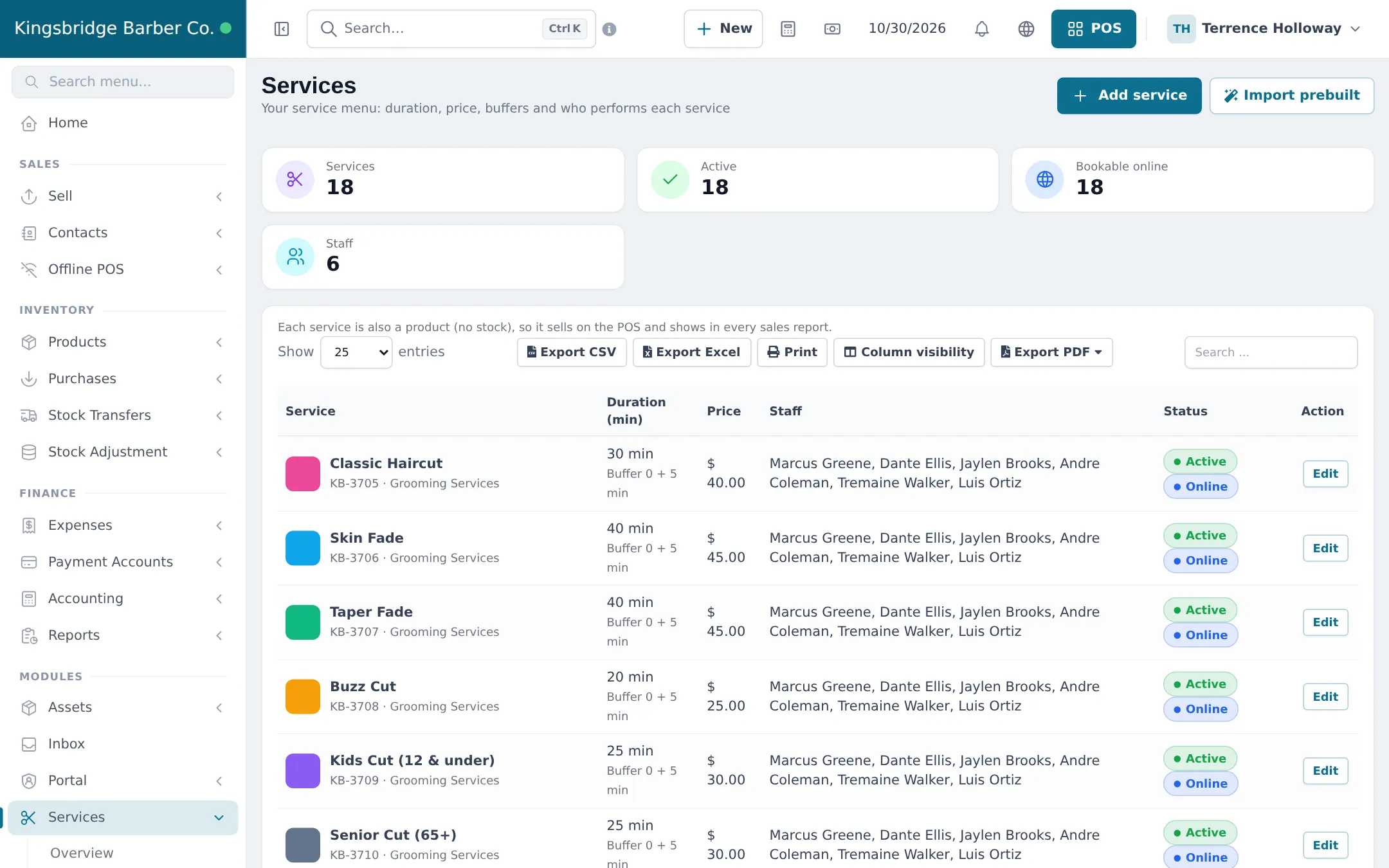
For every field in the service window (buffers, Clients at once, Online deposit, Bookable online), see step 2 of the Salon guide or the Services module.
Add your barbers
Section titled “Add your barbers”- Create a login for each barber in User Management › Users, with a role such as Stylist / Therapist from User Management › Roles › Import prebuilt, or your own role with Services: manage own appointments (staff) and POS selling.
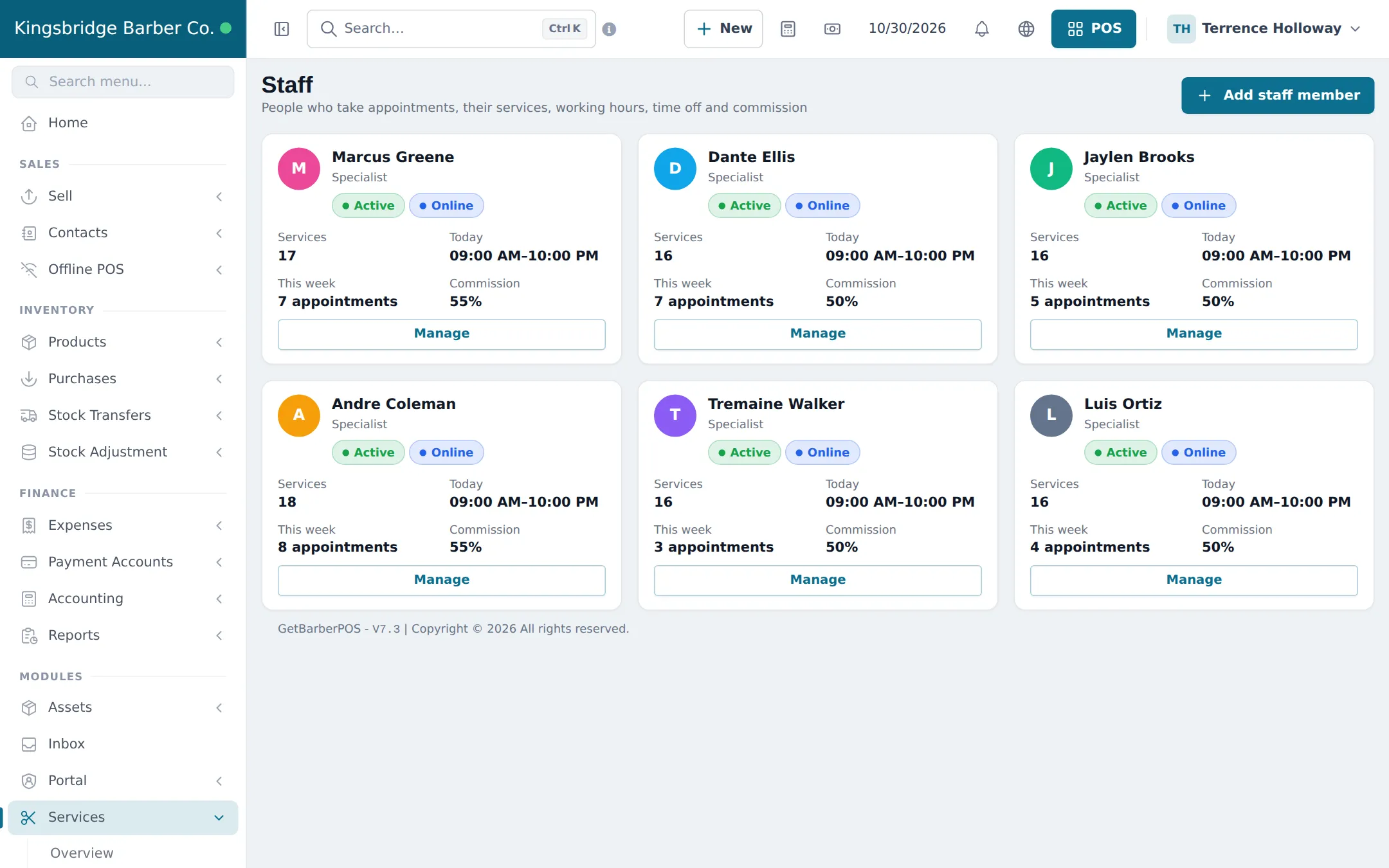
- Open Services › Staff and click Add staff member. Pick the user, add a Job title (for example “Senior barber”), and set Commission type and Commission (for example Percent of price and 50).
- Click Manage on the barber’s card. Choose Same as the business opening hours or Own weekly hours with days, times and a break.
- Under Services performed, tick what this barber does, with their own price if they charge more.
- Tick Customers can pick this person online if customers may request them. Add holidays under Time off & breaks. Save.
Commission default
Section titled “Commission default”Set a Commission default in Services › Settings for barbers without their own split. The order used is: barber’s setting for that service, then the barber’s own commission, then the default.
What happens next
Section titled “What happens next”Your price list shows in the POS and the appointment form, and each barber gets a row in Services › Staff calendar. Continue with step 3: walk-ins and appointments.
Frequently asked questions
What is in the prebuilt barber menu?
Cuts, fades, kids and senior cuts, beard trims and sculpting, hot towel shaves, line-ups, designs and grooming extras, each with a suggested duration and price in USD that you change to your own.
Should a skin fade and a taper fade be separate services?
Yes, if they take different time or cost different amounts. Separate services give accurate times on the booking page and clearer reports.
How do I sell a haircut plus beard combo?
Create a service such as Haircut + Beard with the combined duration and the combo price. Customers can also book two services back to back in one appointment.
Can the owner be a barber too?
Yes. Add your own user as a staff member with your hours and services. Set commission to 0 if you do not pay yourself commission.
Can one barber charge more for the same cut?
Yes. On the barber's staff page, under Services performed, type their own price for that service. Leave it empty to use the normal price.