
Appliance store step 1: showrooms and warehouses
Appliance stores usually have one or more showrooms and a warehouse for boxed stock. In SmartPOS Hub each of them is a business location with its own stock. This step creates them, switches on the modules you need, and shows how to move units.
Before you start
Section titled “Before you start”- You are the owner or an admin with Settings access.
- Business name, currency and time zone are set (Business settings).
Add showrooms and the warehouse
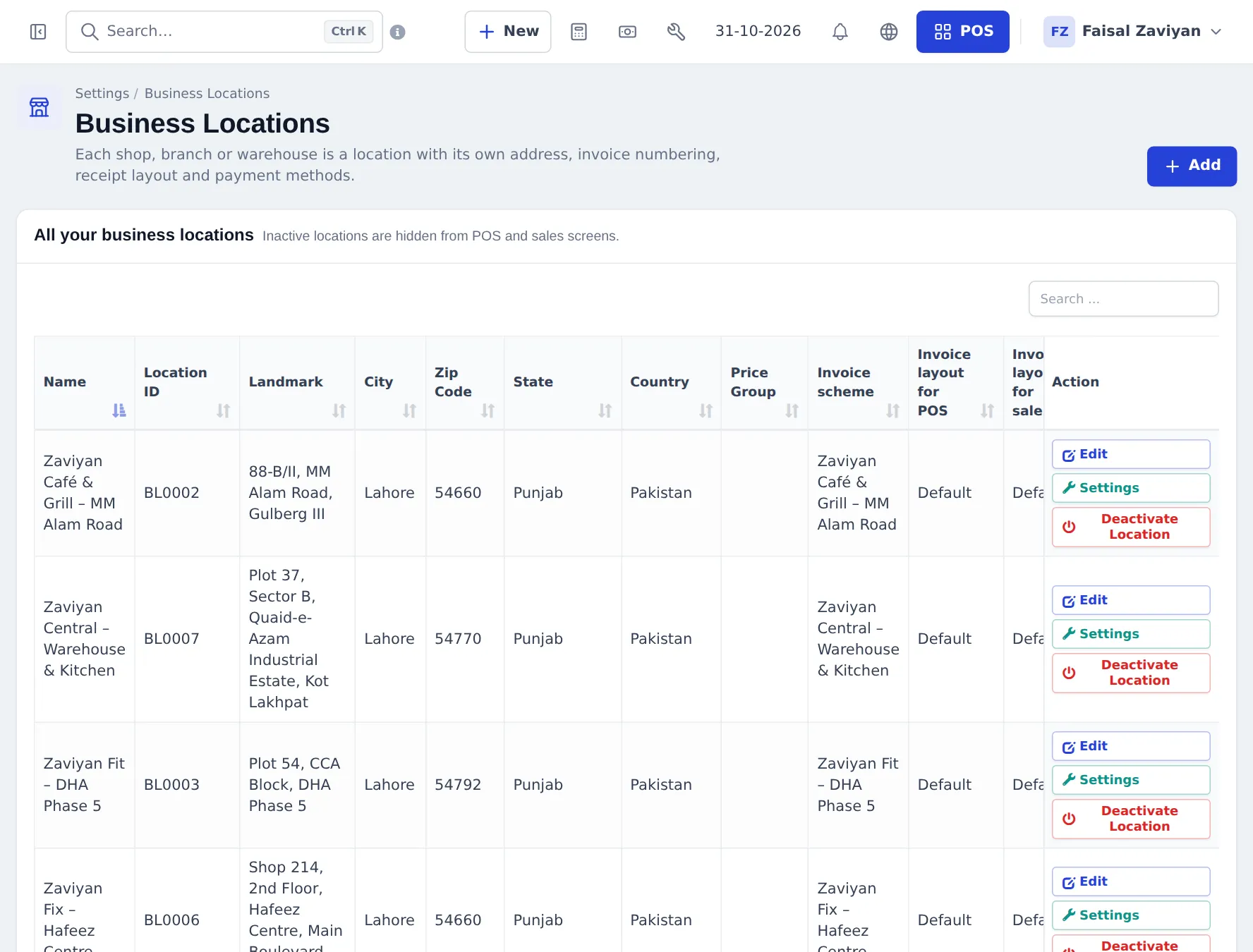
Section titled “Add showrooms and the warehouse”- Open Settings › Business Locations and click Add.
- Add each showroom with its address. Choose its Invoice scheme and invoice layouts so receipts carry the showroom’s address.
- Add the warehouse as another location (for example “Central Warehouse”).
- Save. Inactive locations can be switched off later with Deactivate Location without losing history.
Switch on the modules
Section titled “Switch on the modules”| Module | Why an appliance store wants it |
|---|---|
| Stock Transfers (Sales & stock) | Move units between warehouse and showrooms |
| Product Library | Import ACs, fridges, washing machines with photos and barcodes |
| Repair module | Warranty repairs and on-site service visits |
| Services and Bookings | Installation appointments with technician calendars |
| Shipping & delivery | Own delivery riders, dispatch board, cash-on-delivery settlement |
| Mobile app | Staff check stock and sell from a phone on the showroom floor |
Click Update Settings after switching.
Move units between locations
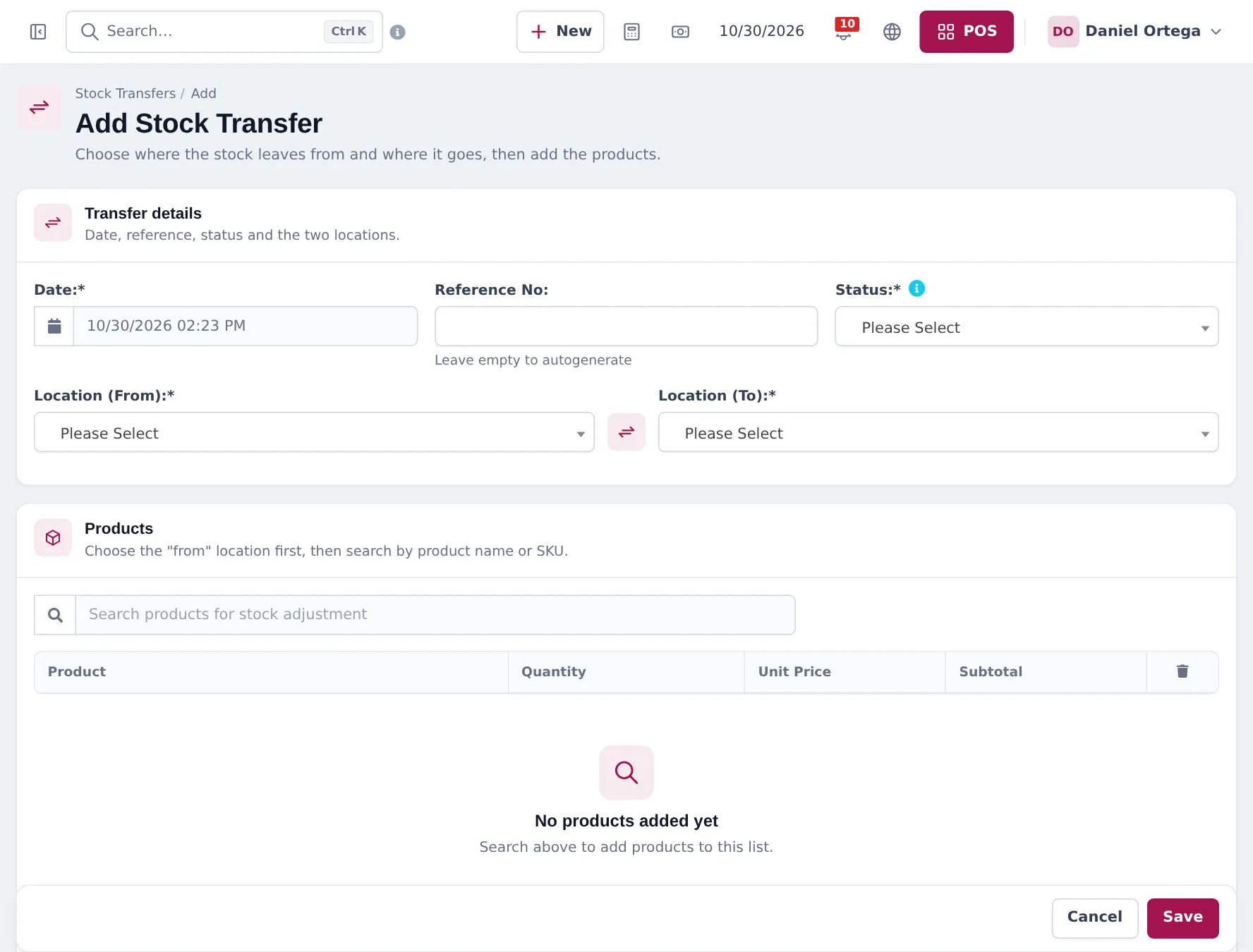
Section titled “Move units between locations”- Open Stock Transfers › Add Stock Transfer.
- Choose the Location (From) (for example the warehouse) and Location (To) (the showroom).
- Set the Status: Pending, In Transit or Completed. Stock moves when the transfer is completed.
- Search and add the products and quantities. Save.
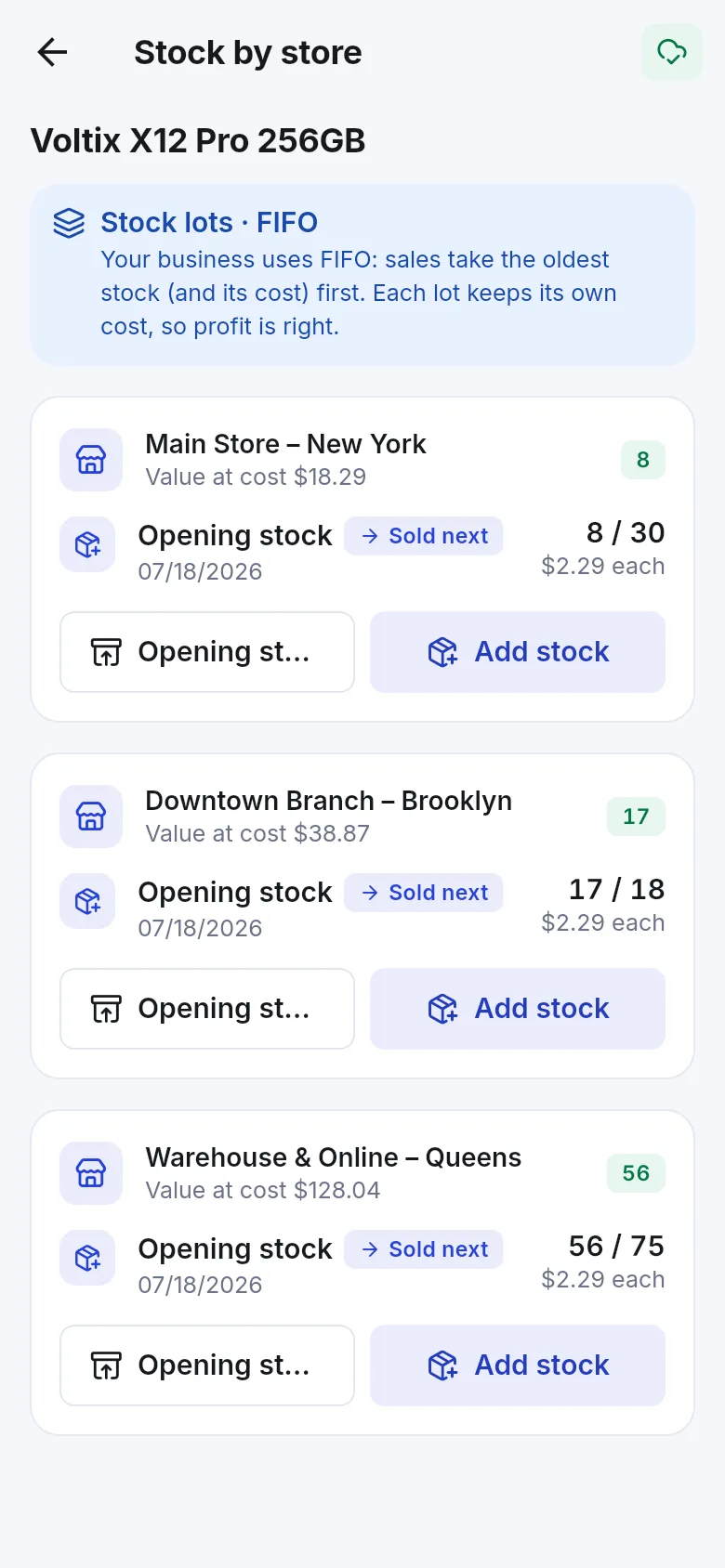
Staff on the showroom floor can check every location’s stock for a product in the SmartPOS Business app, installed from Google Play.
Frequently asked questions
Should the warehouse be its own location?
Yes, if stock is kept there. Then every location shows its own stock, and you can sell from the showroom while units sit in the warehouse.
Can I sell an AC that is in the warehouse from the showroom?
Choose one of two ways. Sell from the warehouse location (the POS location selector), or transfer the unit to the showroom first and sell it there. Selling from the right location keeps stock correct.
When does stock move in a transfer?
Stock leaves and arrives when the transfer is completed. Pending and In Transit transfers show the movement is planned or on the way.
Can I hide the warehouse from cashiers?
Yes. Give cashiers access only to their showroom location in their user settings, so the warehouse does not appear in their POS.