
Stock reports - stock on hand, value, expiry and adjustments
Stock reports show how much you have, where it is, what it is worth and what moved it. Use them for re-ordering, stock counts and to value your inventory.
Stock Report
Section titled “Stock Report”Reports › Stock Report lists every product with SKU, variation, category, location, unit selling price, Current stock, stock value by purchase price and by sale price, units sold, transferred and adjusted.
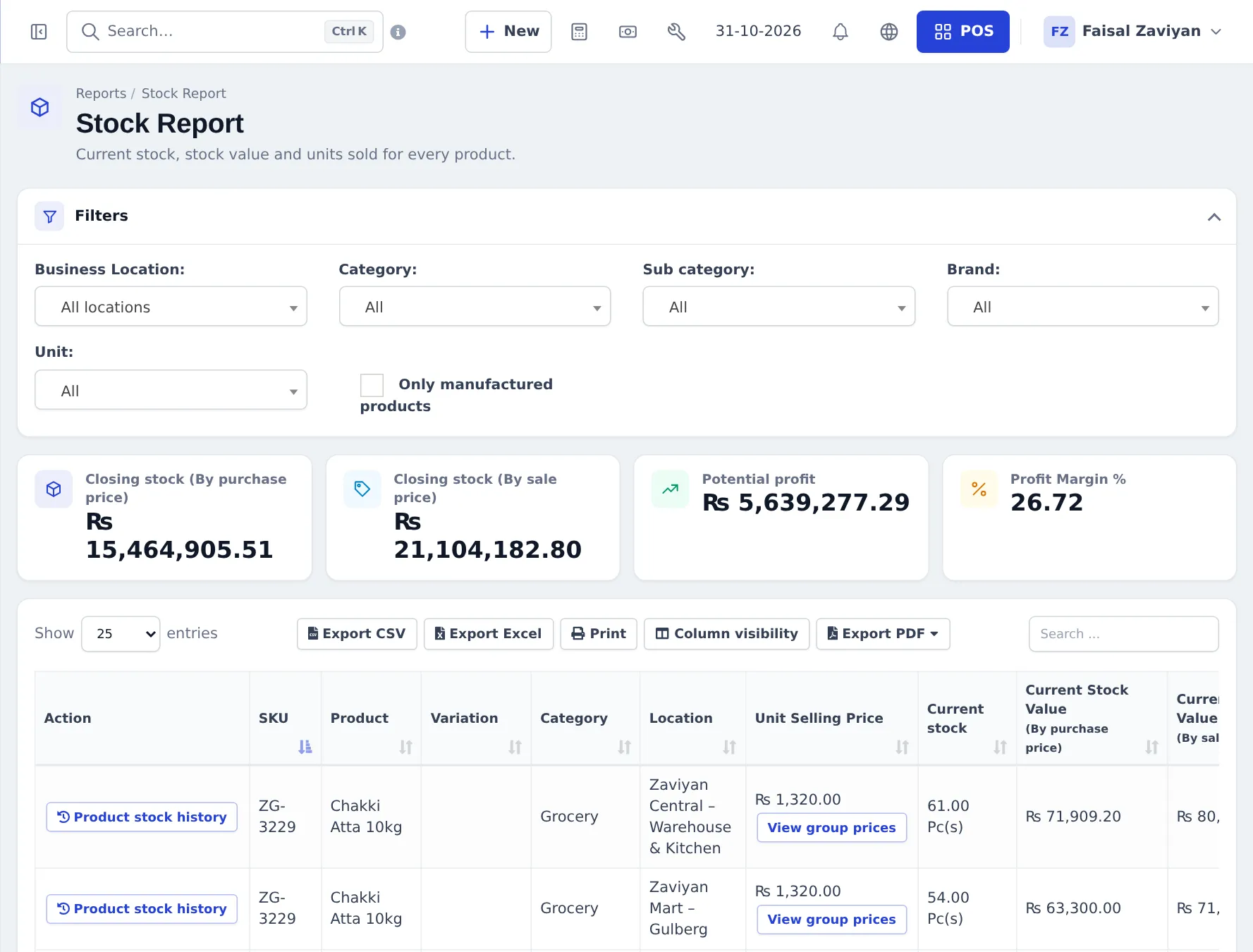
- Filters: Business Location, Category, Sub category, Brand, Unit, Only manufactured products.
- Cards: Closing stock (By purchase price), Closing stock (By sale price), Potential profit, Profit Margin %.
- Product stock history on a row: every movement of that product. View group prices shows its price-group prices.
Other stock reports
Section titled “Other stock reports”| Report | Shows |
|---|---|
| Stock Expiry Report | Batches by expiry date; edit expiry or remove expired stock |
| Lot Report | Stock per lot / batch number (when lots are on) |
| Stock Adjustment Report | Normal vs abnormal adjustments and the amount recovered |
| Trending Products | Best sellers in a chart, by quantity |
| Items Report | Each item bought and sold with purchase and sale details |
Stock moves are explained in Stock adjustments, Stock transfers and Expiry and batches.
Frequently asked questions
How do I see what my stock is worth?
Reports › Stock Report. The cards show Closing stock by purchase price and by sale price, Potential profit and Profit Margin %, for the filters you choose.
How do I see why a product's stock changed?
In the Stock Report press Product stock history on the product. It lists every purchase, sale, transfer, adjustment and return that moved its stock.
Where do I see products about to expire?
Reports › Stock Expiry Report lists batches by expiry date, when you track lots and expiry.
Can I see stock for one shop only?
Yes. Choose the Business Location filter. Leave it on All locations for the total.
Which report shows stock adjustments?
Reports › Stock Adjustment Report shows totals of normal and abnormal adjustments and the amount recovered.
Can I check stock from my phone?
Yes. The SmartPOS Business app shows stock per product and location, and can list out-of-stock items.