
Appliance store step 3: serial numbers and warranties
For an appliance store the serial number is the customer’s proof of purchase and the key to every warranty claim. Set up two things on each big-ticket product: the serial number box on sales and the warranty.
Before you start
Section titled “Before you start”- Products are imported or added (step 2).
- You know the warranty terms per brand and category.
Turn on serial numbers
Section titled “Turn on serial numbers”- Edit an AC, fridge or washing machine and open Stock.
- Tick Enable Product description, IMEI or Serial Number and save.
- Repeat for every product sold with a serial number. Small appliances without serials can stay off.
- In Settings › Invoice Settings, edit your invoice layout and tick Show sale description.
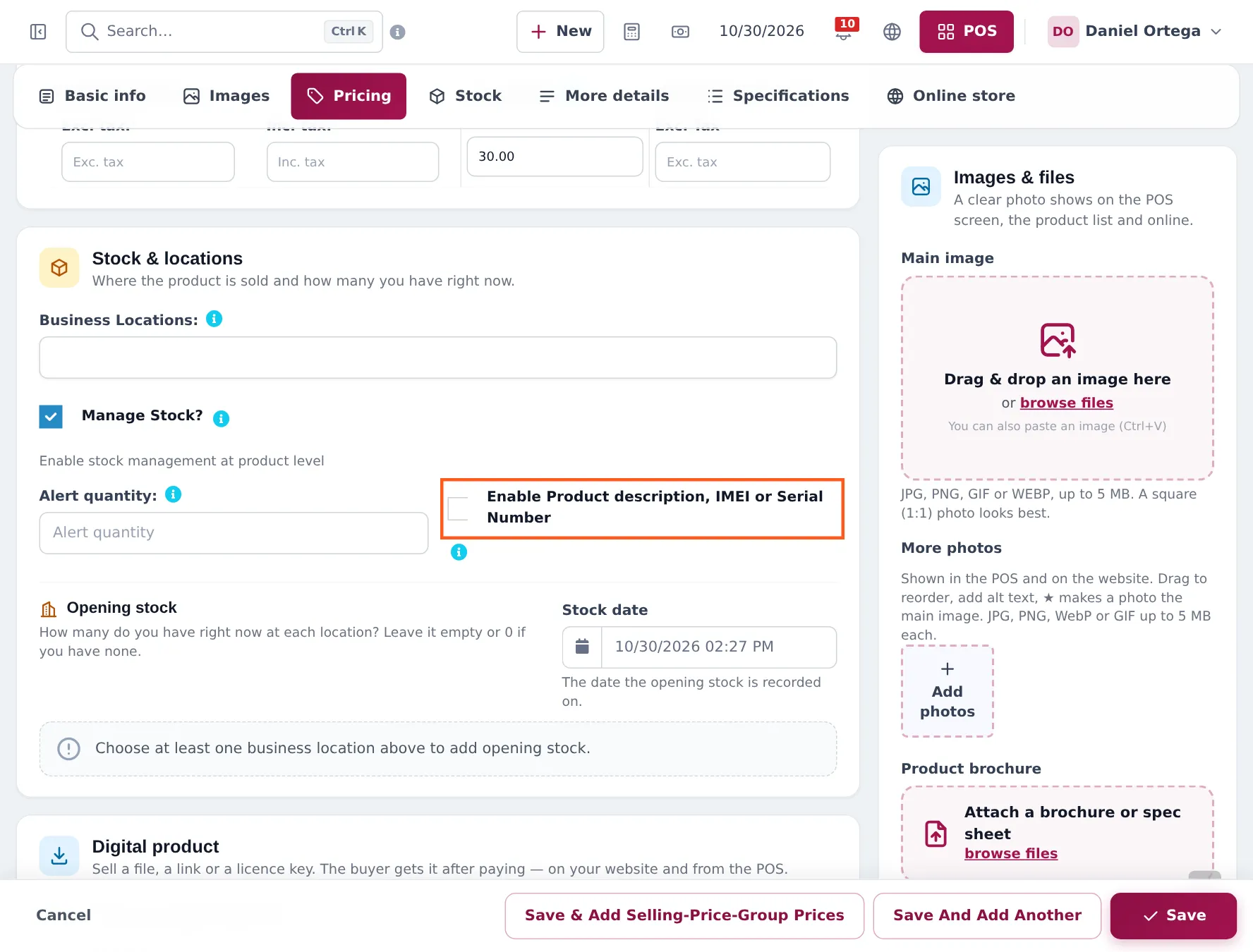
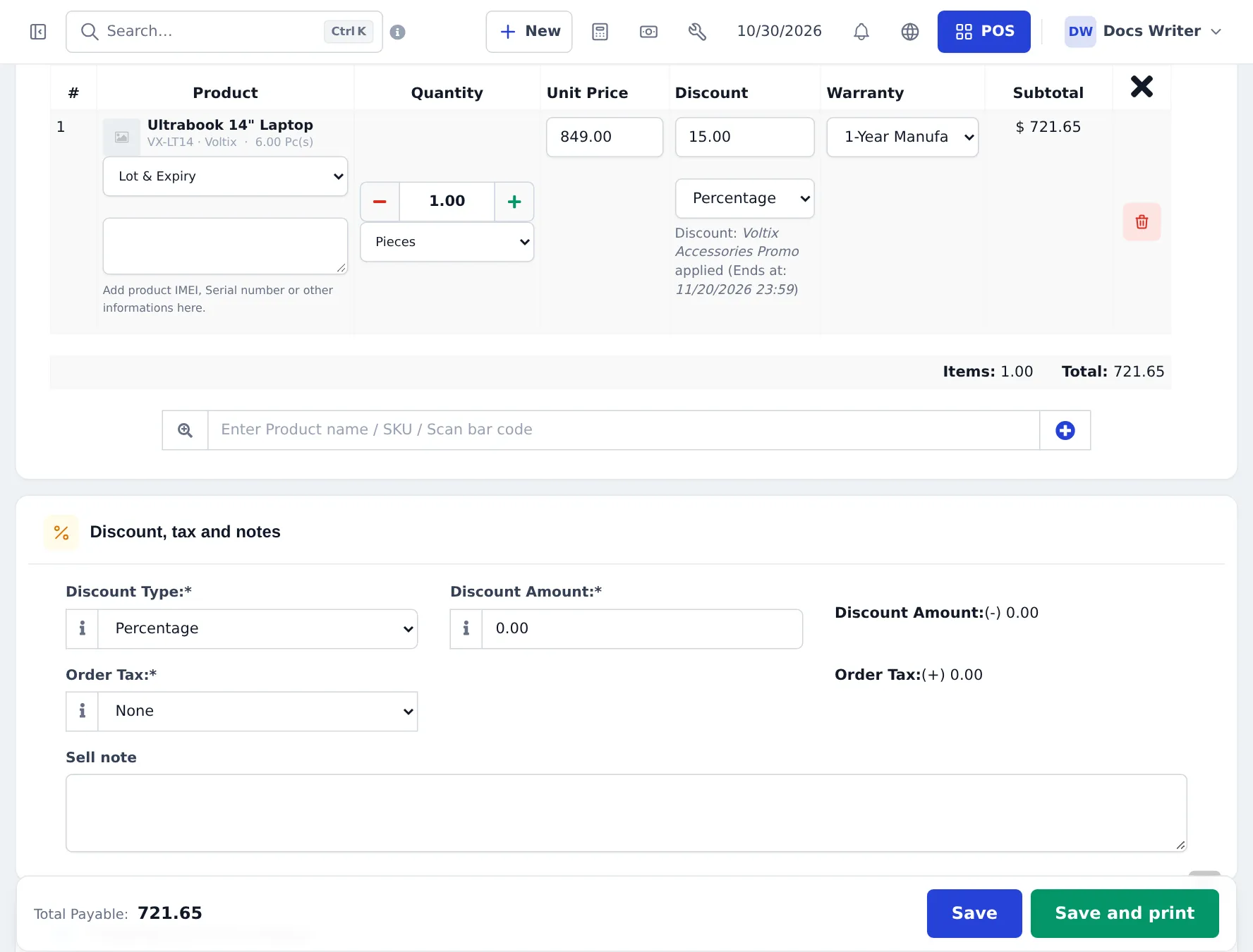
When you sell the product, each unit gets its own line and a box: Add product IMEI, Serial number or other informations here. Type or scan the serial (for a split AC, both the indoor and outdoor unit).
Create and attach warranties
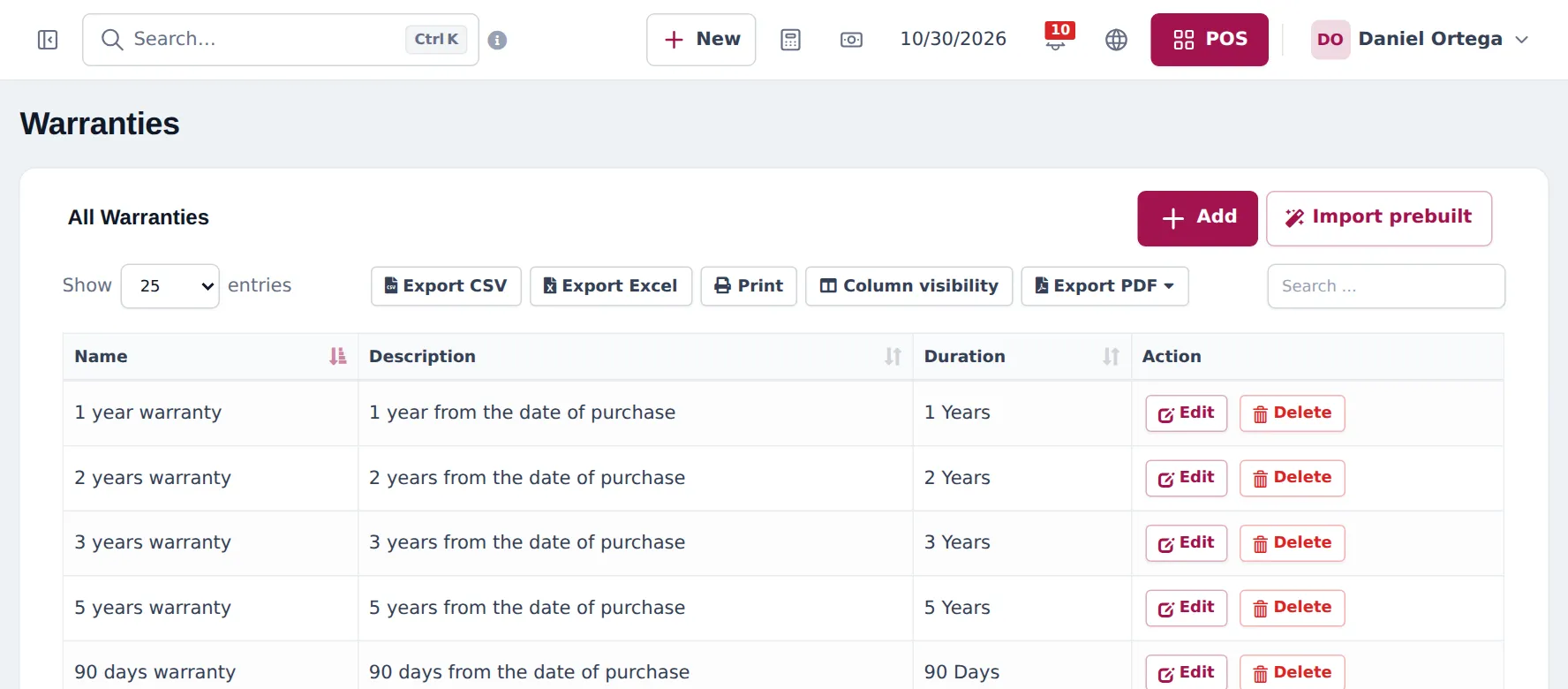
Section titled “Create and attach warranties”- Products › Warranties › Add (or Import prebuilt). Enter a name, description and duration, for example “1 year parts, 10 years compressor”.
- Edit each product and choose its Warranty in Basic info.
- Settings › Business Settings › Product: tick Enable Warranty to choose or change the warranty per line in Sell › Add Sale.
- In your invoice layout, tick Show warranty name, Show warranty expiry date and Show warranty description.
Frequently asked questions
Where is the serial number stored?
On the sale line. With Enable Product description, IMEI or Serial Number on the product, each unit sold gets its own line with a description box for the serial number. It prints on the invoice when the layout shows the sale description.
Can I record serial numbers when goods arrive?
Not per unit. Purchases record quantity and cost. You can use lot numbers on purchase lines for a shipment or batch, and record each unit's serial at the sale.
Can one product have two warranties, like 1 year on parts and 10 years on the compressor?
A product has one warranty. Create a warranty whose description explains both, for example "1 year parts, 10 years compressor", and choose the warranty name and description to print on the invoice.
Can a customer find their warranty later?
Yes. Find the sale in Sell › All sales or on the customer's page, and reprint the invoice with the serial and warranty expiry date.
What about outdoor and indoor unit serials of a split AC?
Type both serials in the same line's description box, for example IDU 123… / ODU 456….