
Barbershop setup guide for SmartPOS Hub
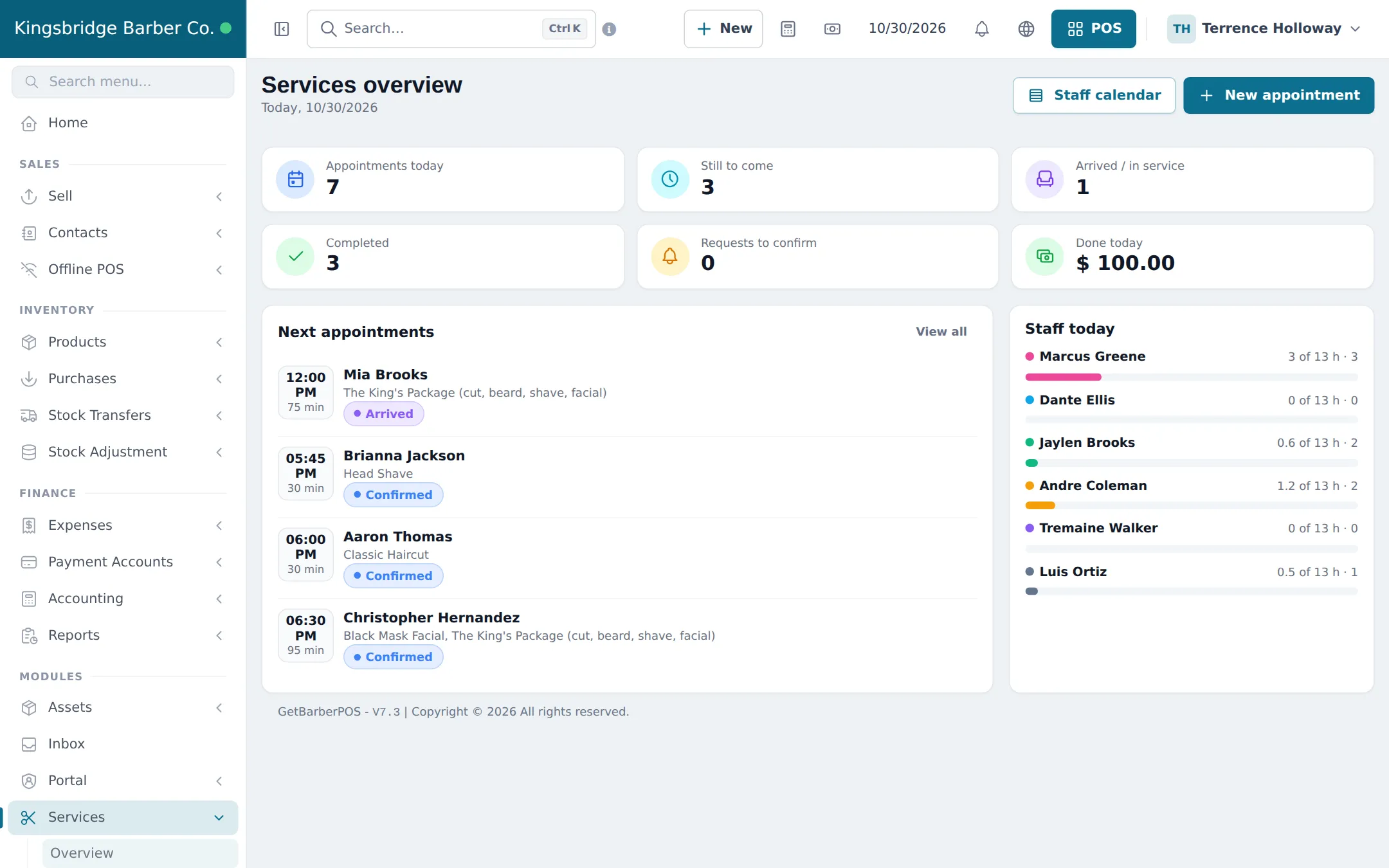
This guide sets up a barbershop on SmartPOS Hub, step by step. You finish with your shop and modules, a price list of cuts, fades, beard work and shaves, every barber with hours and commission, a fast walk-in routine, an online booking link, grooming products on the shelf and the reports that show who earned what.
Who this guide is for
Section titled “Who this guide is for”- Barbershops that mix walk-ins and booked appointments.
- Men’s grooming studios offering facials, hot towel shaves and beard sculpting.
- Shops with chair-renting barbers on different commission splits.
- Small chains with two or more shops that share one price list.
If you run a full hair and beauty salon or a spa, see the Salon & spa guide.
What you will set up
Section titled “What you will set up”- Shop and modules: locations, the Services module and the POS switches a barbershop needs.
- Price list and barbers: import the barber menu, add barbers with hours and commission.
- Walk-ins and appointments: the queue at the door, booked customers and no-shows.
- Online booking: your booking link, barber choice, deposits and the Shopper app.
- Checkout, products and tips: bill the cut, add pomade, print the receipt.
- Commission and reports: payouts per barber, busiest hours and regulars.
- Daily operations and the go-live checklist.
How the pieces fit together
Section titled “How the pieces fit together”| You want to… | Where it happens | Module or setting |
|---|---|---|
| Keep a price list with durations | Services › Services | Services module |
| Set each barber’s split | Services › Staff | Services module |
| See which chair is free | Services › Staff calendar | Services module |
| Take a walk-in | New appointment with source Walk-in | Services module |
| Let customers book online | Copy booking link | Services › Settings |
| Bill the cut and a beard oil | Checkout on the appointment | POS |
| Pay out commission | Services › Reports | Services module |
Barbers in the app
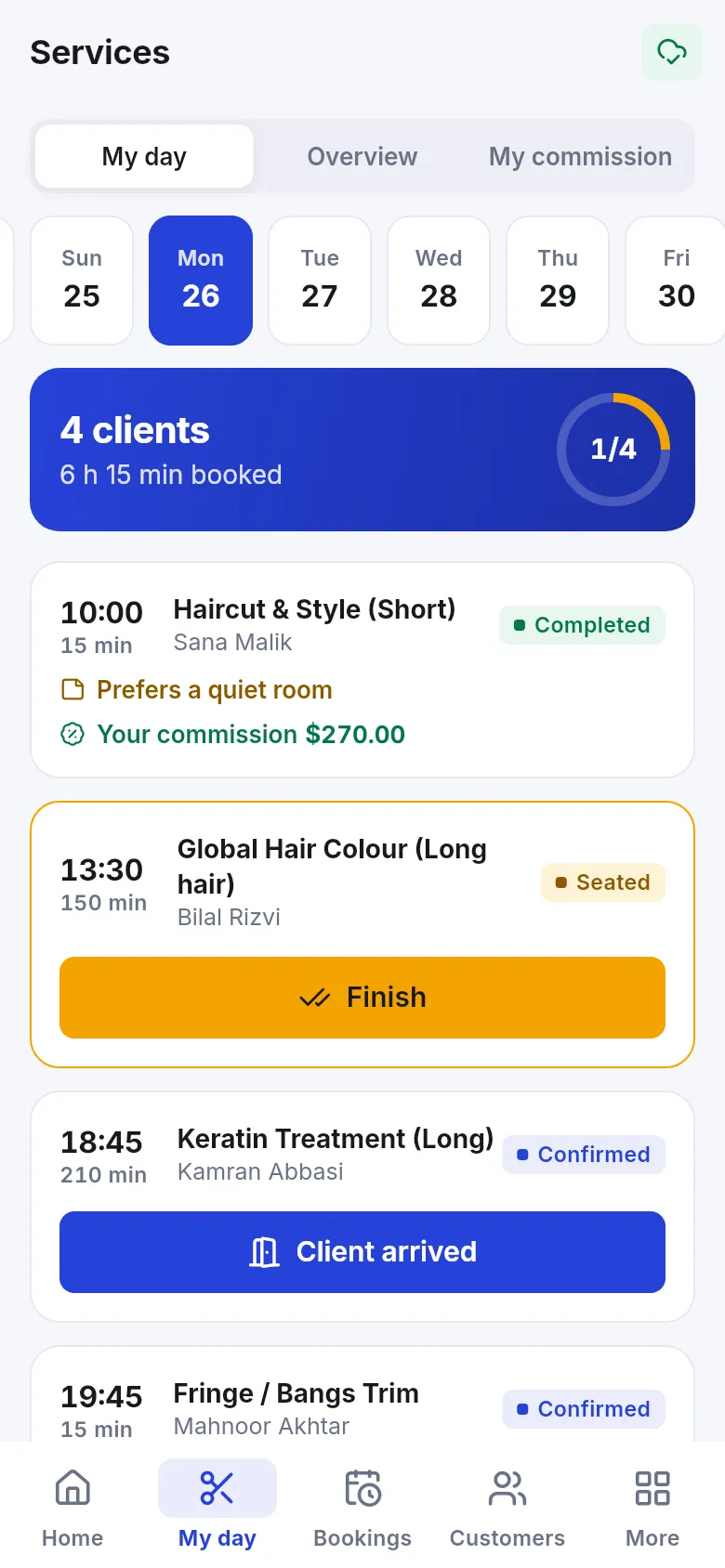
Section titled “Barbers in the app”With the SmartPOS Business app (Google Play), each barber sees My day: the next customers, Client arrived and Finish buttons, and their commission.
Related guides
Section titled “Related guides”Frequently asked questions
Can SmartPOS Hub handle a walk-in barbershop?
Yes. Add each walk-in as an appointment for the barber who is free, with the source Walk-in, and check it out in the POS. The staff calendar shows who is free right now.
Do I have to type my price list by hand?
No. Services › Services has Import prebuilt with a Barber menu of cuts, fades, beard trims, shaves and grooming extras with suggested durations and prices. You change the prices to your own.
How do barbers get paid commission?
Each barber has a commission in Services › Staff, as a percent of the price or a fixed amount per service, with optional overrides per service. Commission is recorded when the appointment is checked out in the POS.
Can a barber who rents a chair have a different split?
Yes. Set that barber's own commission on their staff page, for example 55 percent, while others use the business default.
Can customers book a specific barber online?
Yes. Turn on Customers can choose a staff member in Services › Settings and tick Customers can pick this person online on each barber's staff page.
Can I sell beard oil and pomade too?
Yes. Retail products sell from the same POS and can be added to the bill of a haircut. Import them from the Product Library or add them under Products.
Is there a tip field?
No. The POS has no tip amount. The Salon & spa receipt design in the Invoice Designer prints blank Tip and Total with tip lines that customers can fill in.
Can I see each customer's last cut?
Yes. The Appointments tab on the customer's contact page lists every visit with date, services and status, plus total visits, spend and no-shows.
Which plan do I need?
The POS, products and customers are in every plan. The Services module, Product Library and online payments depend on your plan; Settings › Package Subscription shows what your plan includes.
Can barbers use their phone?
Yes. In the SmartPOS Business app, barbers open Services › My day to see their customers, mark Client arrived and Finish, and check their commission.