
Barbershop step 4: online booking and deposits
An online booking link fills quiet hours and keeps regulars loyal. This page switches it on for a barbershop, sets how far ahead and how often customers can book, and adds optional deposits. It is for the owner.
Switch on online booking
Section titled “Switch on online booking”- Open Services › Settings. Under Online booking, tick Online booking page is on and Customers can book services online.
- Tick Customers can choose a staff member if customers may pick their barber, and Show prices on the booking page.
- Decide on Confirm online bookings automatically. Most barbershops leave it on.
- Under Scheduling, set Start times every (min). 15 minutes suits most cuts.
- Under Reminders & cancellation, tick Send email reminders, set Reminder (hours before) (for example 2 or 24), and decide whether Customers can cancel online.
- Save, then copy the link with Copy booking link on the overview.
To control how soon and how far ahead customers can book, open Bookings › Settings and set Minimum notice (min) and Book up to (days ahead). Every option is explained on the Bookings page.
Optional: deposits
Section titled “Optional: deposits”For long or premium services, ask for a deposit:
- Per service: enter an Online deposit on the service.
- For all appointments: in the Payment to confirm — Appointment card at the bottom of Services › Settings, choose Deposit, the Deposit type, and When it is due.
Paid deposits become the customer’s advance and are taken off the bill with the Advance payment method at checkout. Full details: Booking payments and Salon step 4.
Bookings from the Shopper app
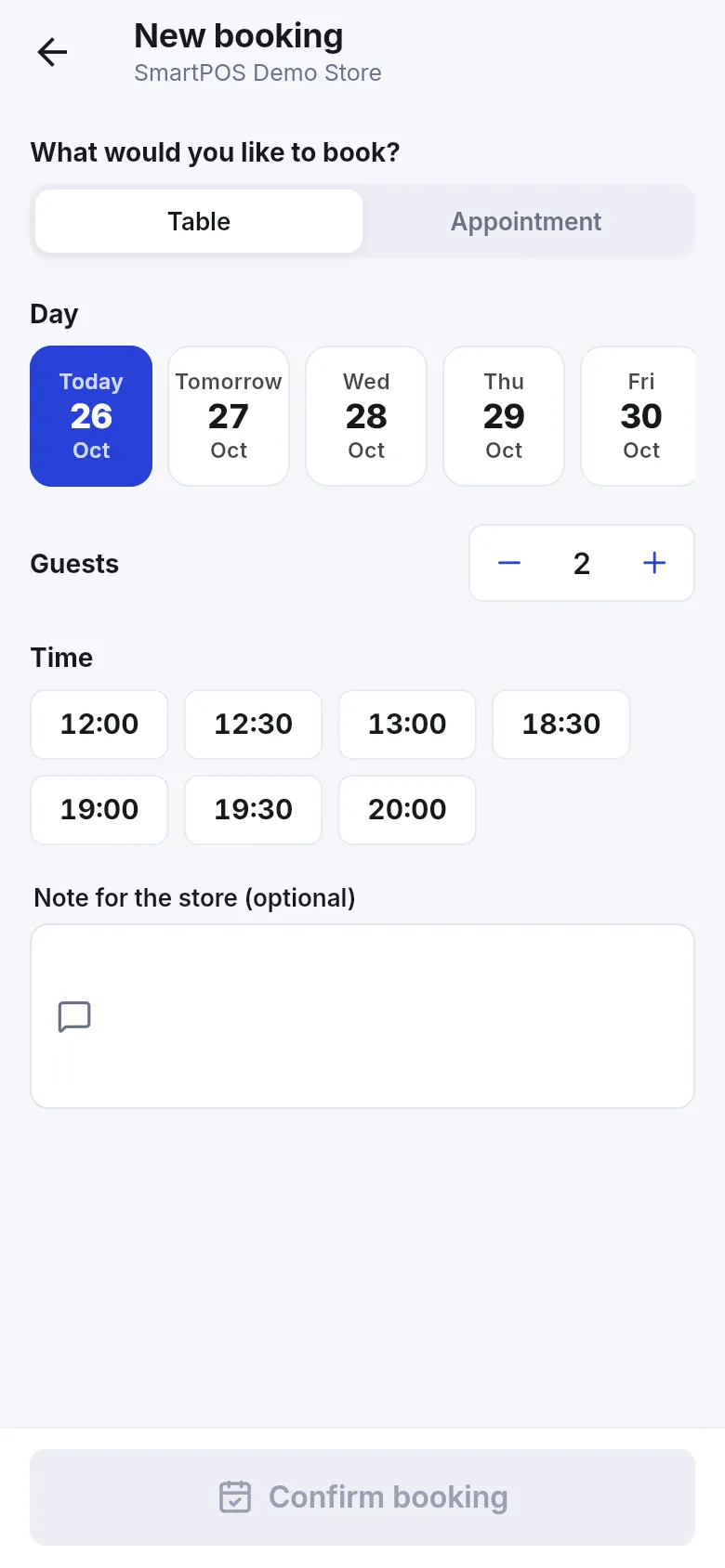
Section titled “Bookings from the Shopper app”Customers with the SmartPOS Shopper app (Google Play) can book from your store page: New booking, Appointment, a day and a time. See Shopper app for your store to make your shop visible.
Frequently asked questions
Where is my booking link?
Click Copy booking link on Services › Overview, or Copy next to the link in Services › Settings. Put it in your Instagram bio, Google profile and WhatsApp status.
Can customers pick their favourite barber?
Yes, when Customers can choose a staff member is ticked in Services › Settings and the barber has Customers can pick this person online ticked. Otherwise customers book Anyone available.
Should I ask for a deposit on a haircut?
Most barbershops do not. Deposits make sense for long or expensive services such as a groom's package. Use the per-service Online deposit for those, or a deposit rule in Payment to confirm.
Do online bookings block walk-ins?
They block the barber's time, so the staff calendar shows it as taken. Leave one barber with Customers can pick this person online unticked if you want to keep a chair free for walk-ins.
Can customers book in the SmartPOS Shopper app?
Yes. Customers who follow your shop in the SmartPOS Shopper app tap New booking, choose Appointment, then a day and time.