
Invoice designer - receipt and invoice templates
The Invoice designer gives every SmartPOS Hub account 22 ready-made receipt and invoice designs made for real business types (grocery, restaurant, pharmacy, mobile shop, salon, hotel, repair, wholesale and more), a live preview while you edit, and one-click invoice number formats. Use it to make your printed receipts look professional and show the details your customers expect.
Who it is for
Section titled “Who it is for”Every business that prints receipts or sends invoices. A few examples of what the designs add:
| Design | Paper | Good for | Extra details |
|---|---|---|---|
| Grocery receipt | 80 mm | Marts, convenience stores | Quantity or weight × price, “you saved” per line and total |
| Restaurant bill | 80 mm | Restaurants, diners | Table, waiter, covers, modifiers, service charge, tip line |
| Kitchen order ticket (KOT) | 80 mm | Kitchens | No prices, big quantities, table, order type, kitchen notes |
| Pharmacy receipt | 80 mm | Pharmacies | Batch and expiry per medicine, prescription reference, doctor |
| Mobile shop receipt | 80 mm | Phone shops | IMEI and warranty per line |
| Electronics store | A4 | Electronics, appliances | Serial / IMEI and warranty columns, warranty terms |
| Repair job invoice | A4 | Repair shops | Device, fault, parts and labour, warranty |
| Wholesale tax invoice (B2B) | A4 | Wholesale | Tax IDs, tax per line, tax summary, amount in words |
| Bilingual English–Arabic | A4 | Gulf businesses | Every label in English and Arabic, QR code |
Others include Modern retail, Corporate minimal, Fast food order (58 mm), Cafe & bakery receipt, Fashion boutique, Salon & spa receipt, Hotel guest folio, Gym membership receipt, Hardware & building materials, Auto parts & garage, Jewellery invoice, Optical / clinic invoice and Convenience store receipt (58 mm).
Set up your invoice numbers
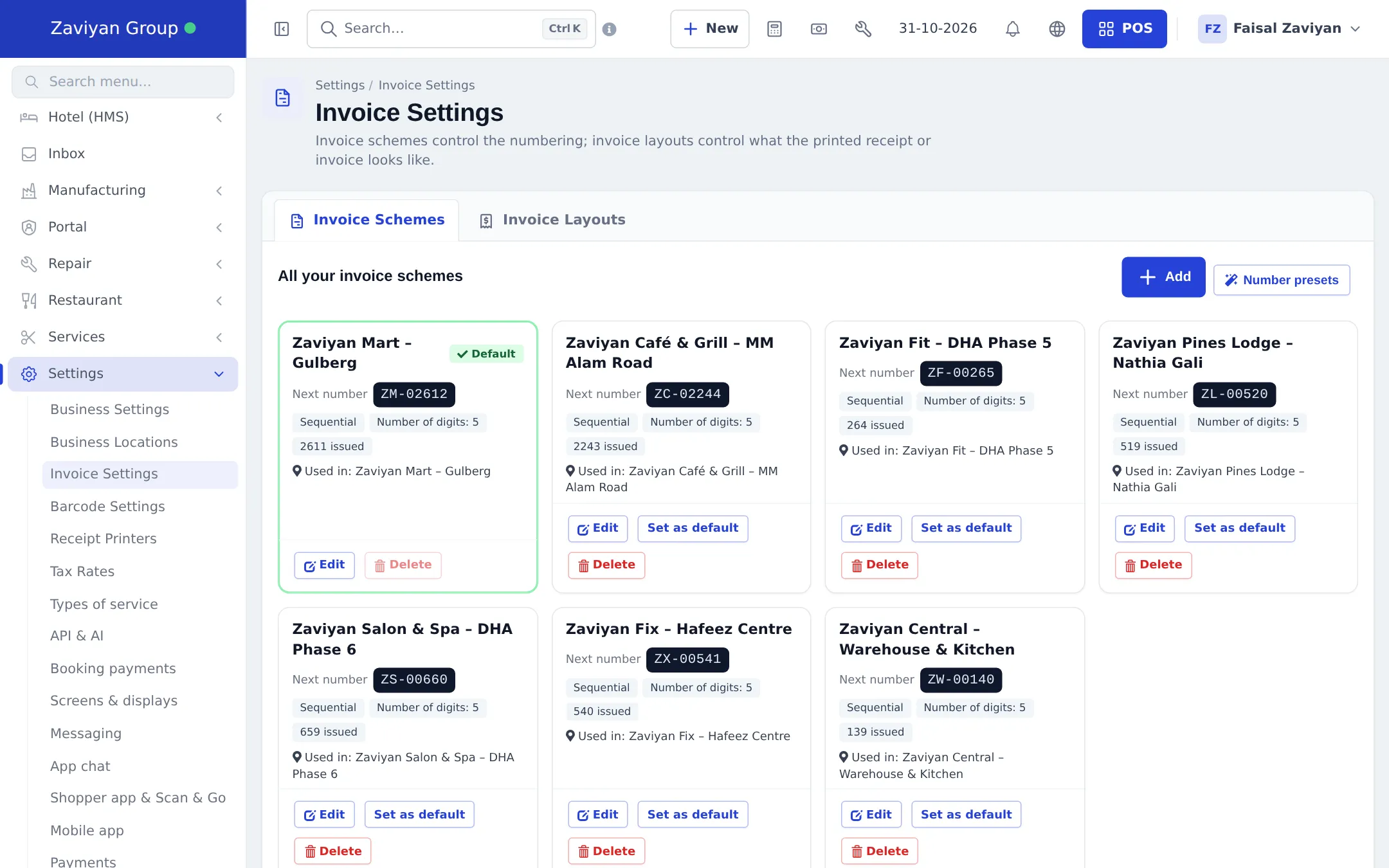
Section titled “Set up your invoice numbers”- Open Settings › Invoice Settings. The Invoice Schemes tab shows a card per scheme with its Next number, how many were issued and which locations use it.
- Click Number presets to add common formats in one click: Yearly invoices, POS sales, Receipts, Tax invoices, Plain numbers, Random numbers, or one per location using its location code. Existing formats are skipped.
- Use Set as default on the scheme new sales should use, or Edit to change a prefix or digits.
Pick a design
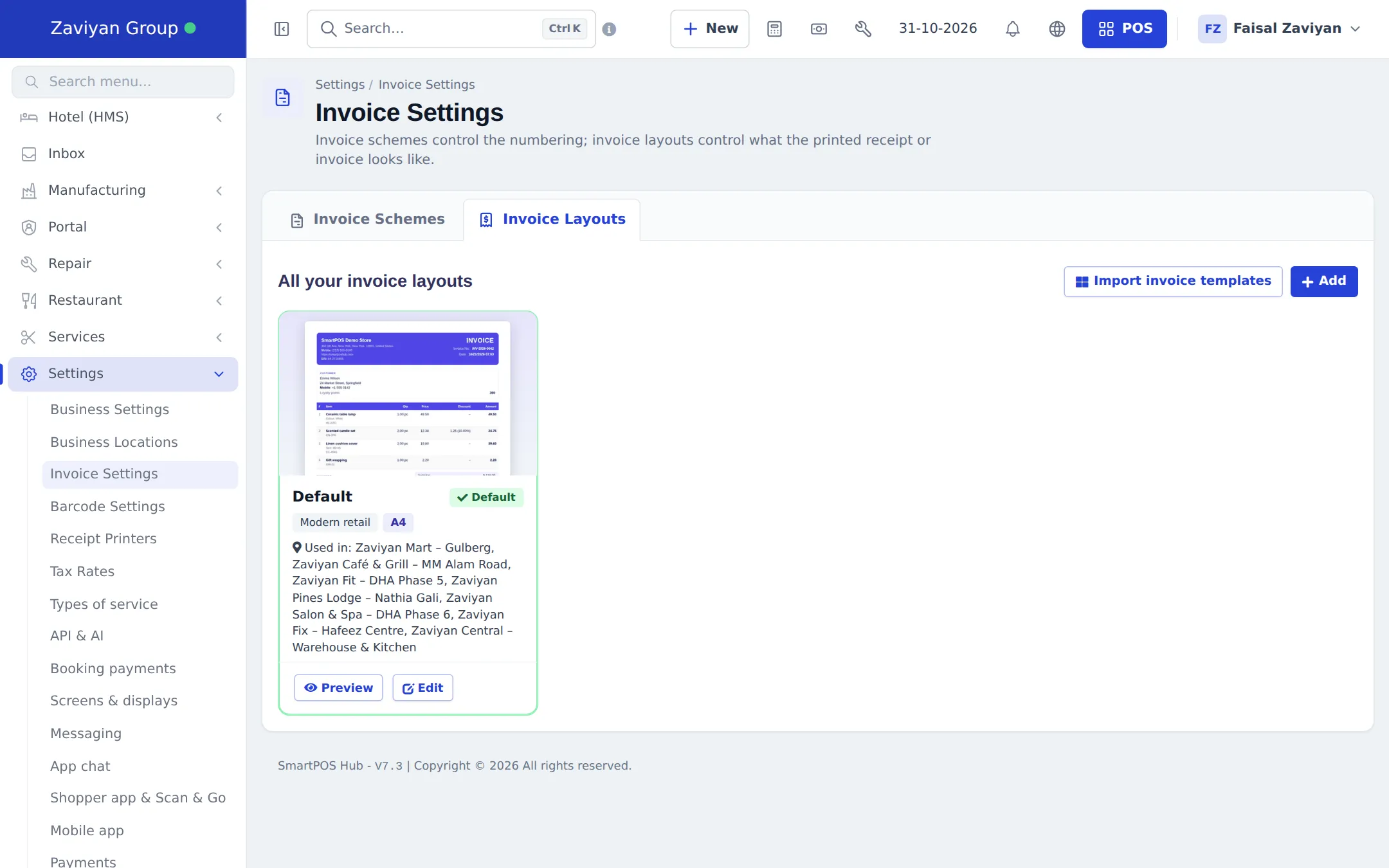
Section titled “Pick a design”- Switch to the Invoice Layouts tab. Each layout shows a thumbnail, its design, paper size and the locations that use it, with Preview and Edit.
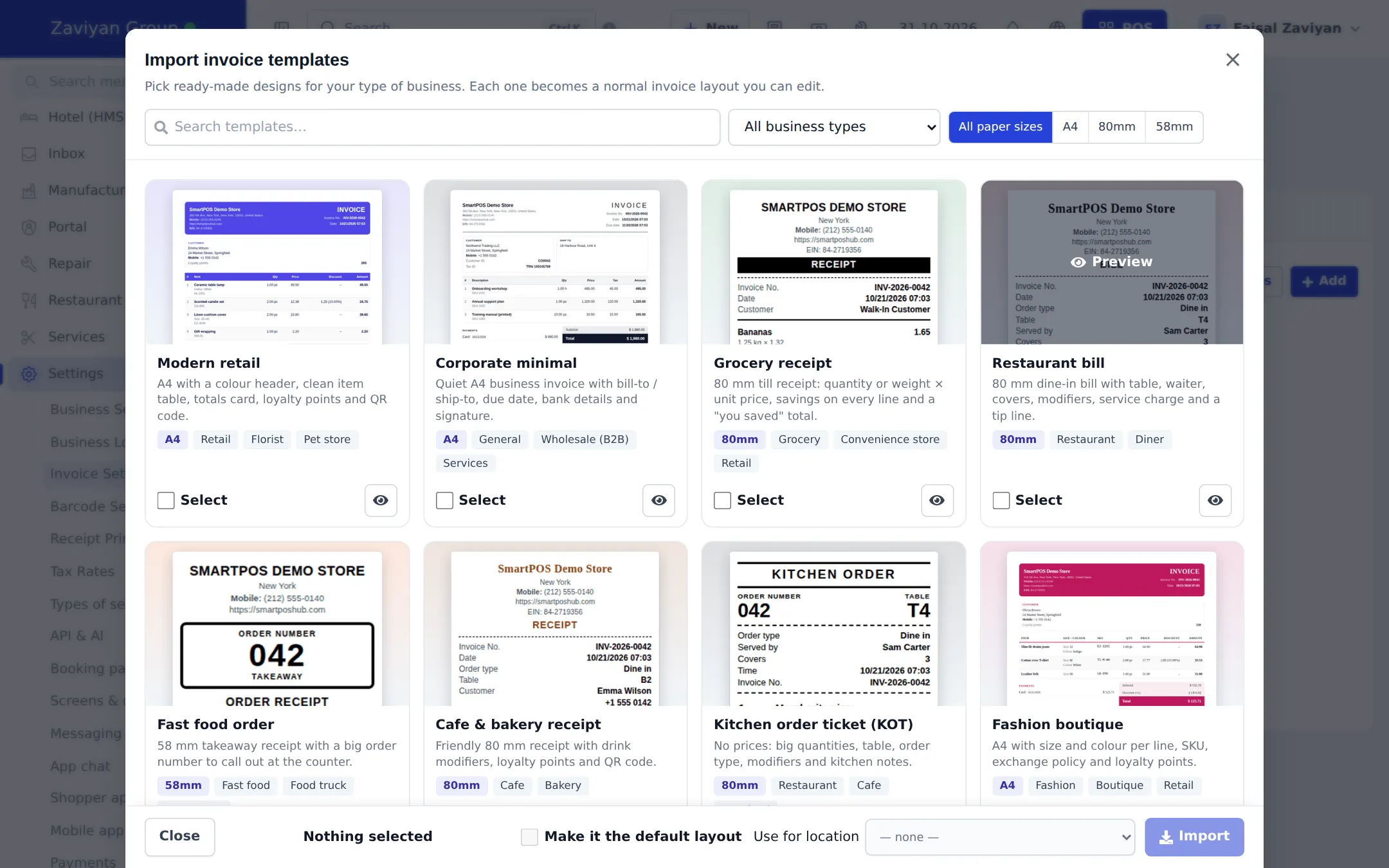
- Click Import invoice templates. Filter by All business types and paper size (A4, 80mm, 58mm), or search. Click the eye button for a full-size preview.
- Tick Select on the designs you want. Optionally tick Make it the default layout (one template only) and choose Use for location.
- Click Import and confirm. Each design becomes a normal invoice layout you can edit.
Edit a layout with live preview
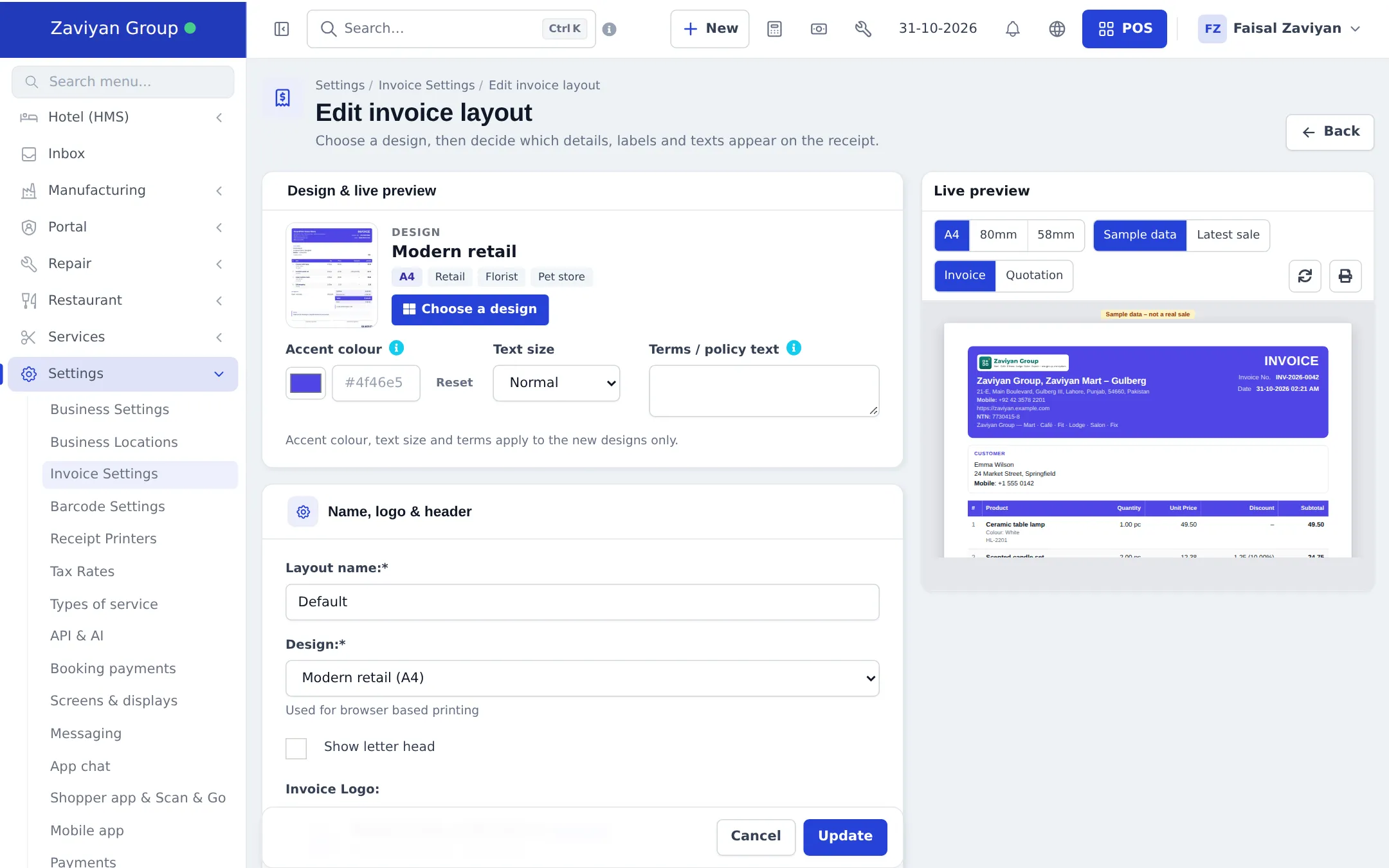
Section titled “Edit a layout with live preview”- Click Edit on a layout. The Design & live preview card is at the top.
- Click Choose a design to switch design. Set an Accent colour, the Text size (Small, Normal, Large, Extra large) and Terms / policy text (exchange policy, warranty or payment terms).
- Watch the Live preview on the right. Switch paper (A4, 80mm, 58mm), data (Sample data or Latest sale) and type (Invoice or Quotation). On a smaller screen use Show preview.
- Below, choose which details, labels, logo, header and footer appear, exactly as before.
- Click Update to save.
Permissions
Section titled “Permissions”| Permission (as on the Roles page) | Lets the user |
|---|---|
| Access invoice settings | Open Invoice Settings, add and edit schemes and layouts, import templates and use the preview |
Cashiers usually don’t need it; they print with whatever layout their location uses.
Good to know
Section titled “Good to know”- Sell returns print with the standard return receipt, not the chosen design.
- Hotel and gym have their own print pages; the folio and gym designs apply when those sales are printed as a normal invoice.
- Covers on the restaurant bill only print for sales that came from a table booking.
Related pages
Section titled “Related pages”Frequently asked questions
Do I need to turn the invoice designer on?
No. It is part of every account. Anyone whose role has Access invoice settings can open Settings › Invoice Settings and use it.
Which paper sizes are supported?
A4 for printed invoices, and 80 mm and 58 mm for thermal receipt printers. The live preview has a toggle for each size.
Can I see my own data in the preview?
Yes. Switch the preview from Sample data to Latest sale to see your newest real sale printed with the design you are editing.
What is the difference between an invoice scheme and an invoice layout?
A scheme controls the numbering (for example INV-2026-0001). A layout controls what the printed receipt or invoice looks like. Each business location uses one of each.
Can I download an invoice as a PDF?
Use Print and choose Save as PDF in your browser. A4 and thermal designs both print cleanly that way.
Why does the IMEI or batch column not show on my receipt?
Niche columns only print when the sale has that data. Batch and expiry come from the stock lot, IMEI from the serial in the line note, size and colour from the variation. Empty columns are hidden.