
Deliveries for riders and shipments in the app
Deliveries in SmartPOS Business is the rider’s screen: what to pick up, where to go, how much cash to collect, and proof that the order arrived. Managers use Dispatch and Shipments to assign riders and follow courier bookings. This page is for riders, dispatchers and owners of delivery businesses.
Before you start
Section titled “Before you start”- Delivery orders come from the POS (service type delivery), your online store or the Shopper app.
- Riders have their own login with a rider role. Shipping and courier settings are on the web; see Shipping.
Riders: deliver an order
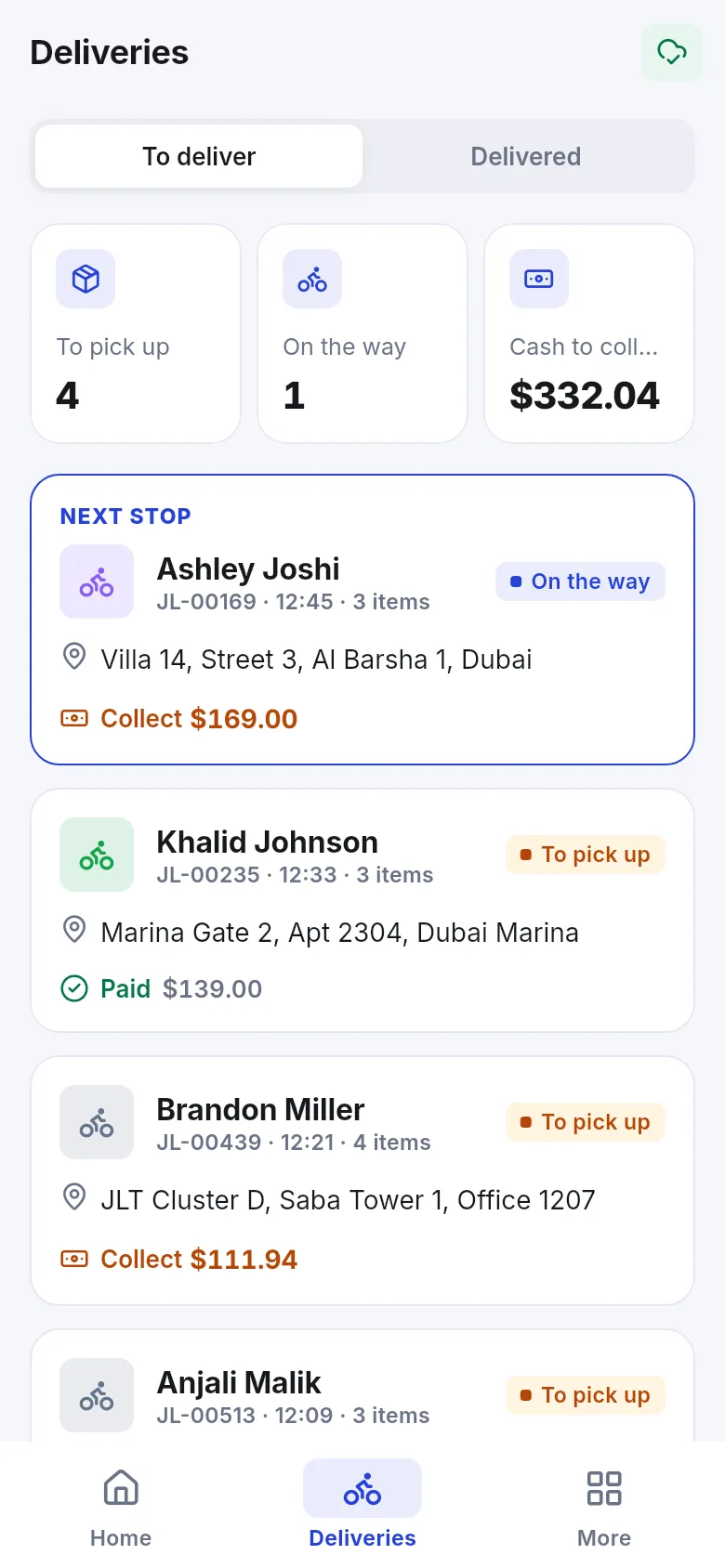
Section titled “Riders: deliver an order”- Open Deliveries. To deliver shows counts To pick up, On the way and the cash to collect, and highlights the Next stop.
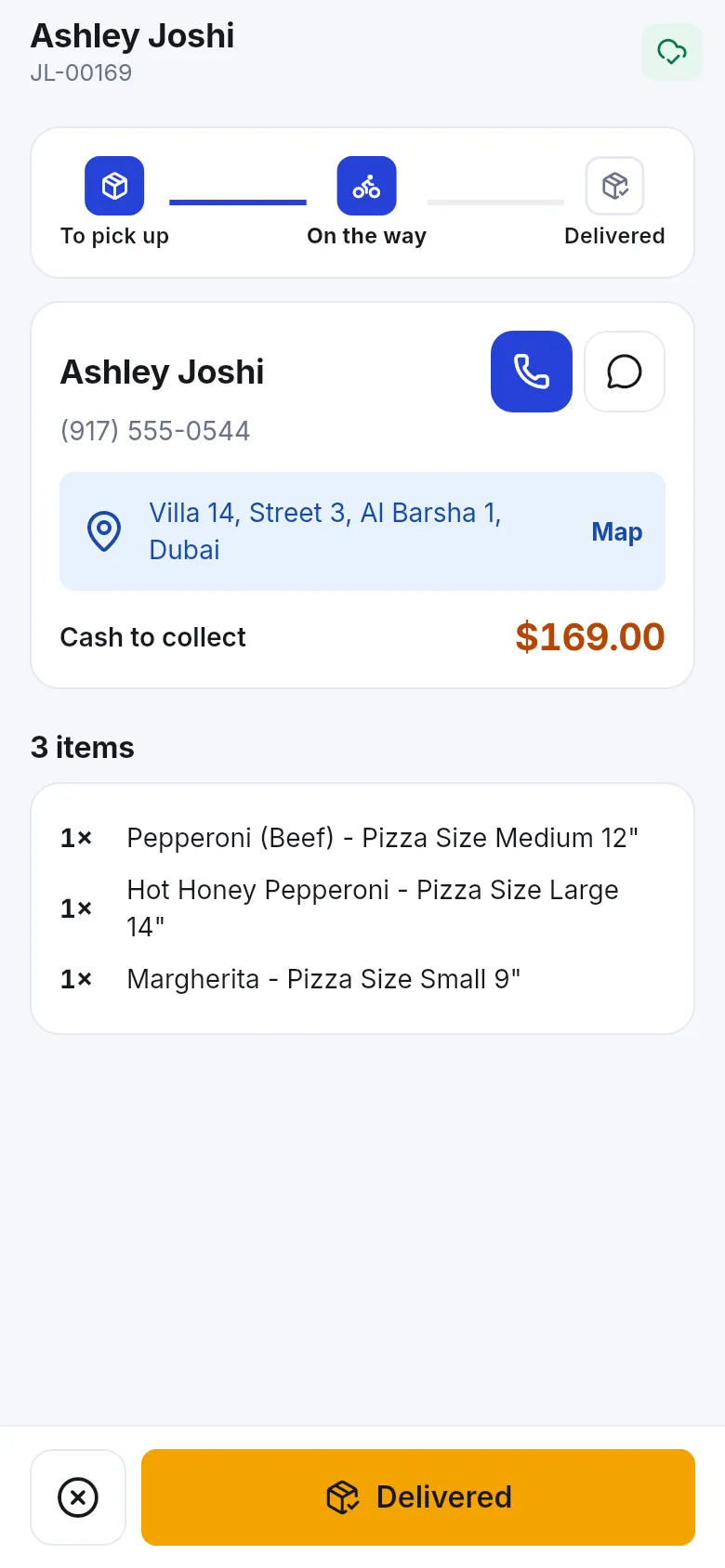
- Tap an order. It shows the steps To pick up → On the way → Delivered, the customer with Call and WhatsApp, the address with Map, Cash to collect and the items.
- Tap Picked up when you leave the store.
- At the door tap Delivered. In Proof of delivery fill in Received by, Cash collected, Take a photo, a Signature and a Note, then Confirm delivery. Delivered. Proof saved.
- Can’t deliver? Choose Could not deliver and a reason (Customer not home, Wrong address, Customer refused, Customer could not pay, Other).
Managers: dispatch and shipments
Section titled “Managers: dispatch and shipments”- Dispatch – Assign riders to deliveries: pick unassigned orders and assign a rider.
- Shipments – courier and rider shipments with their status (Courier status for courier bookings) and Update status. My shipments lists those you handle.
- A sale’s shipping status (Ordered, Packed, Shipped, Delivered) can also be set from the POS under Shipping or on the sale.
Related pages
Section titled “Related pages”Frequently asked questions
How does a rider see their deliveries?
Riders sign in with their own login. Their app opens on Deliveries with To deliver and Delivered tabs, the next stop and the cash to collect.
What is proof of delivery?
When a rider taps Delivered, the app asks who received it, the cash collected, a photo and a signature. The store sees them on the order.
What if the customer is not home?
Tap that the order could not be delivered and pick a reason - Customer not home, Wrong address, Customer refused, Customer could not pay or Other. The store sees why.
Can a rider see deliveries offline?
The list is kept on the phone as an offline copy, but marking a delivery needs a connection.
Who assigns riders?
Managers use Dispatch in the app (or the web) to assign riders to deliveries.