
Electronics store step 3: variants, photos and serials
Electronics are sold in options (storage, screen size, colour), with specifications buyers compare, a warranty and a serial number. This step makes your products complete for the shop floor and for your online store.
Before you start
Section titled “Before you start”Products are imported or added (step 2).
Variants with their own photos
Section titled “Variants with their own photos”- Edit the product and open Variations & pricing (for a new product, set Product Type to Variable).
- Each row is one variant, for example “8GB / 256GB / Black”: its SKU (barcode), purchase price, margin and selling price.
- Add a photo per variant in Variation Images. Customers see the right colour online and in the Shopper app.
- Use the + button to add a variant; the bin removes one that has no history.
- Click Update.
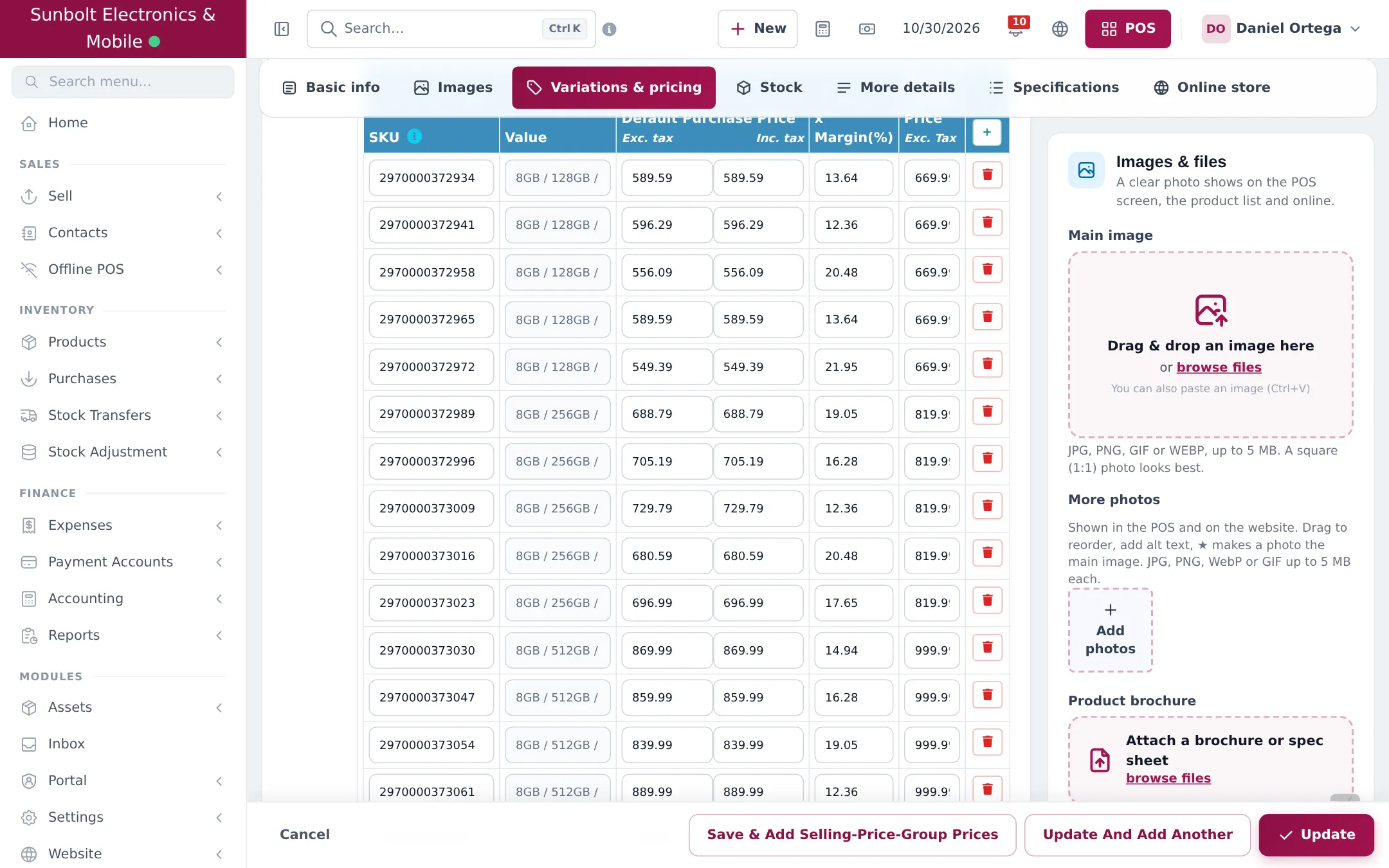
Variation templates (the lists of values) are kept in Products › Variations.
Specifications
Section titled “Specifications”The Specifications section shows fields for the product’s category, for example screen size, RAM, storage, battery. Imported products already carry the library’s specifications. Add or change fields in Products › Product fields.
Warranty
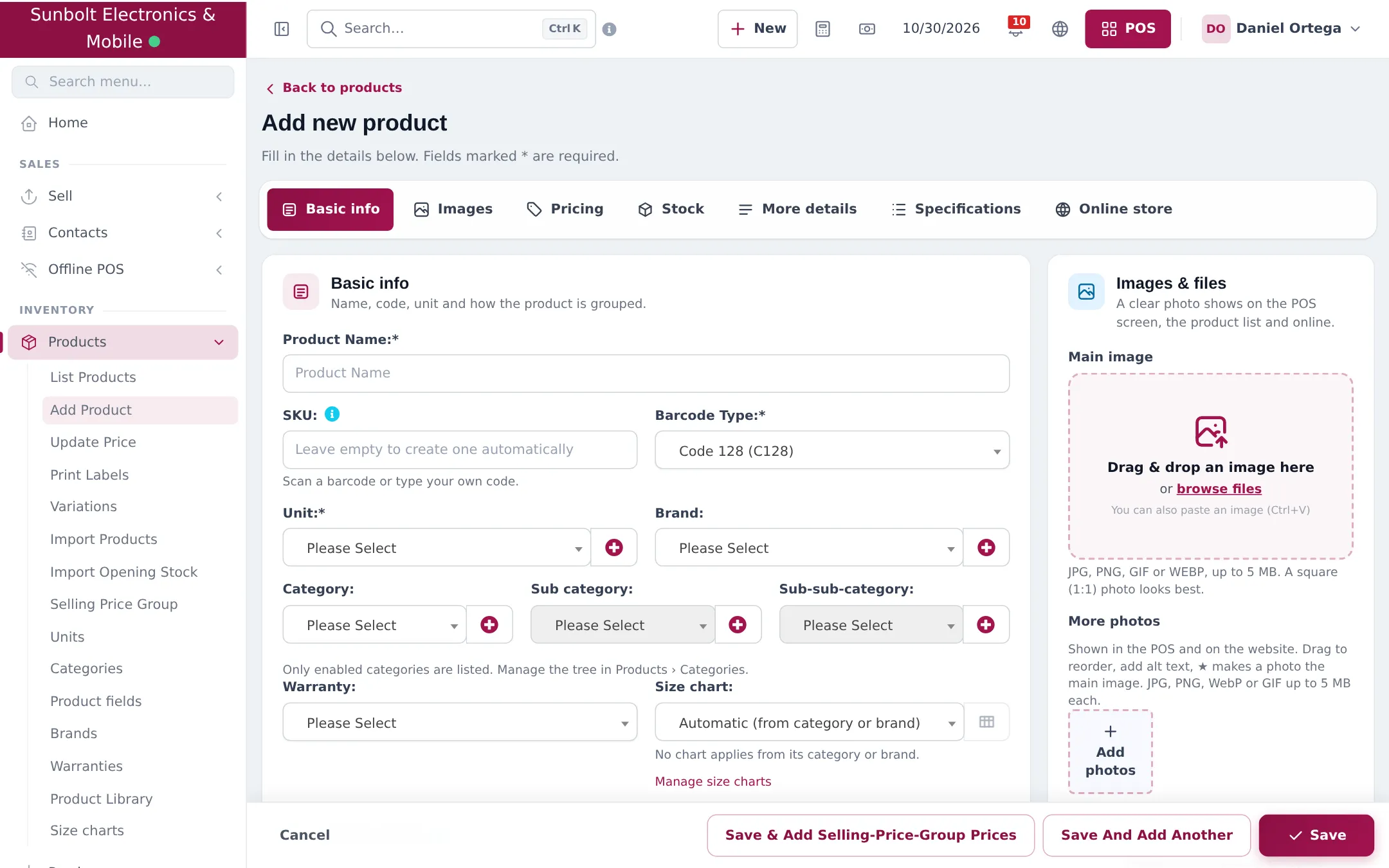
Section titled “Warranty”Attach a warranty in Basic info › Warranty (create warranties in Products › Warranties). Show it on invoices with the layout options Show warranty name and Show warranty expiry date.
Serial numbers
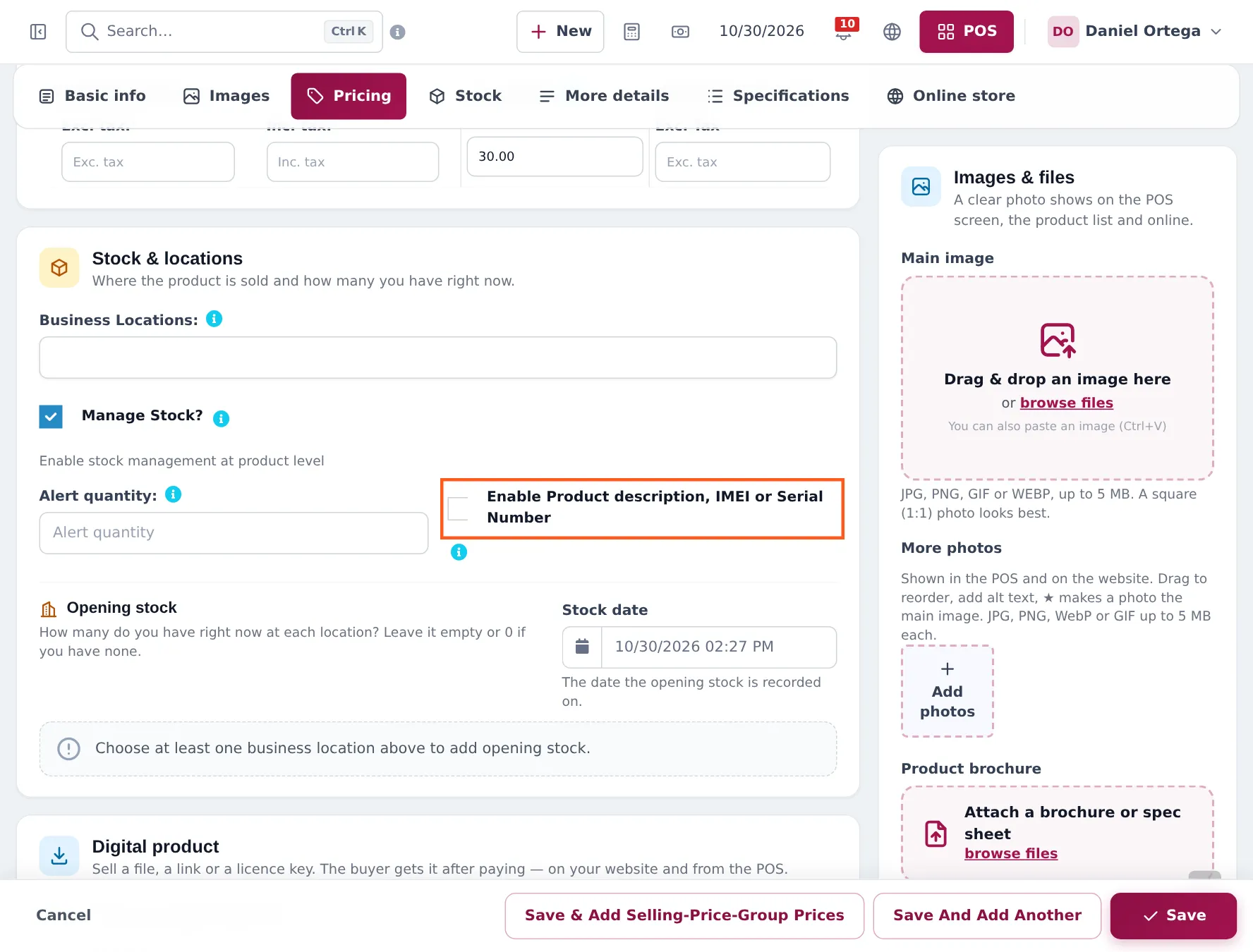
Section titled “Serial numbers”Tick Enable Product description, IMEI or Serial Number in the Stock section for TVs, laptops, consoles, cameras and anything else with a serial. Then tick Show sale description in your invoice layout so the serial prints.
Frequently asked questions
When should I use a variable product?
When one model comes in options that change the barcode, price or stock, such as storage, screen size or colour. Each variant has its own SKU, prices, stock and photo.
Where do I add a photo for each colour?
In the variant rows of the product form, in Variation Images. The main product photo is used when a variant has none.
Where do specifications go?
In the Specifications section of the product. The fields depend on the category, for example RAM and storage for phones. Manage them in Products › Product fields.
How do serial numbers work?
Tick Enable Product description, IMEI or Serial Number on the product. Every unit sold gets its own sale line with a box for the serial, printed on the invoice.
Can I sell an extended warranty?
Yes. Create it as a product without stock and add it to the sale. The product's own warranty prints from the Warranty field.