
Record IMEI, serial numbers and lot numbers
Mobile shops, electronics and appliance stores need to know which unit went to which customer, usually by IMEI or serial number. Pharmacies and food businesses need to know which batch they bought and sold, by lot number. This page shows how to switch on both and use them at the counter.
IMEI and serial numbers
Section titled “IMEI and serial numbers”Switch it on for a product
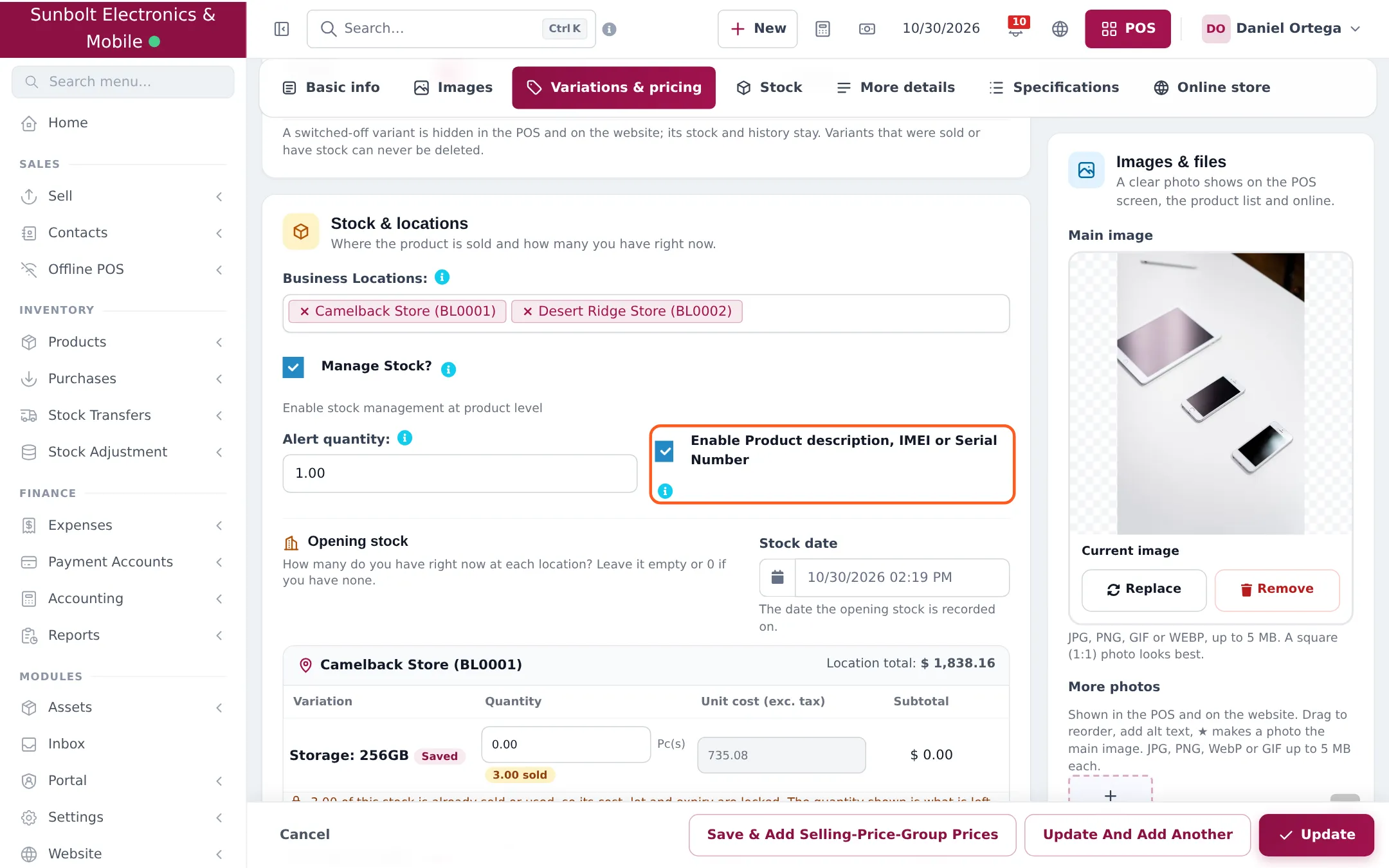
Section titled “Switch it on for a product”- Open Products › List Products and edit the product (for example a phone, laptop, TV or AC). For new products use Products › Add Product.
- In the Stock & locations section, tick Enable Product description, IMEI or Serial Number.
- Save the product (Update or Save).
Record the number on each sale
Section titled “Record the number on each sale”- Add Sale (Sell › Add Sale): every line has a description box under the product name, with the hint “Add product IMEI, Serial number or other informations here.” Type the IMEI or serial number there.
- POS: a product with this option is always added as a new line for each unit (never merged into one line with quantity 2). Open the line’s details window and type the number in Description.
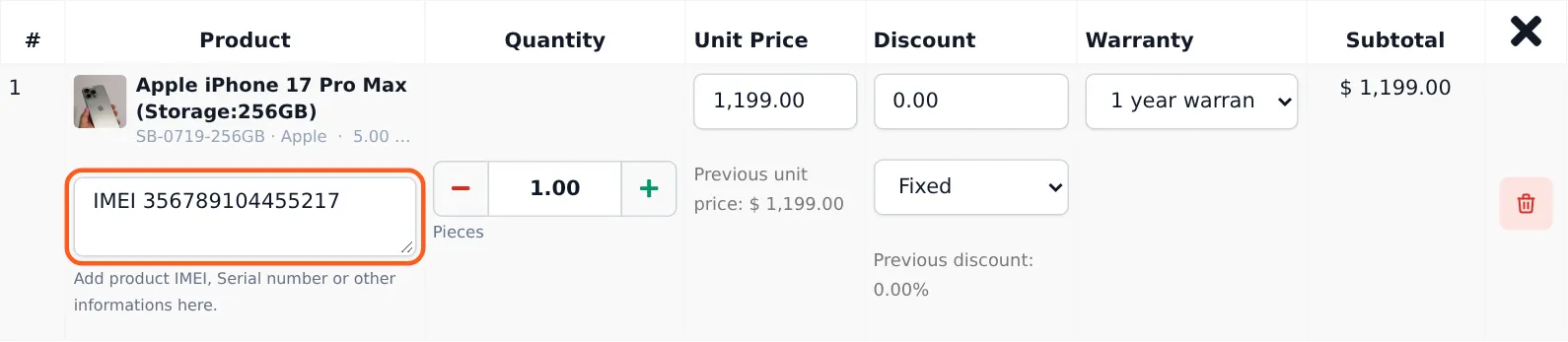
The number is printed under the item on the receipt or invoice, so the customer has it for warranty claims. Choose a Warranty on the same line if the product has one (warranties are set up under Products › Warranties).
Lot numbers
Section titled “Lot numbers”Switch on lots
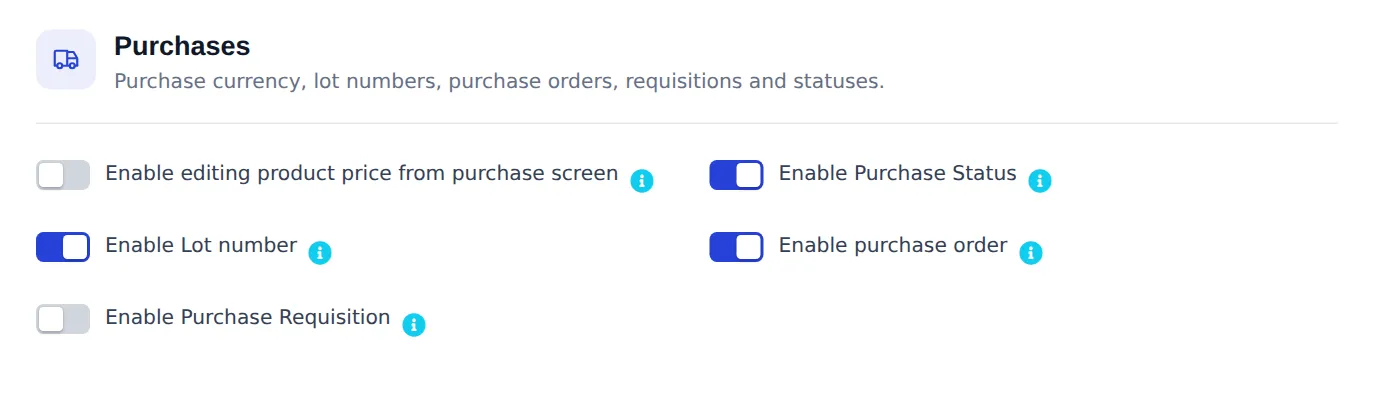
Section titled “Switch on lots”In Settings › Business Settings › Purchases, turn on Enable Lot number and click save. Turn it on before you record purchases you want to track.
Enter the lot when you buy
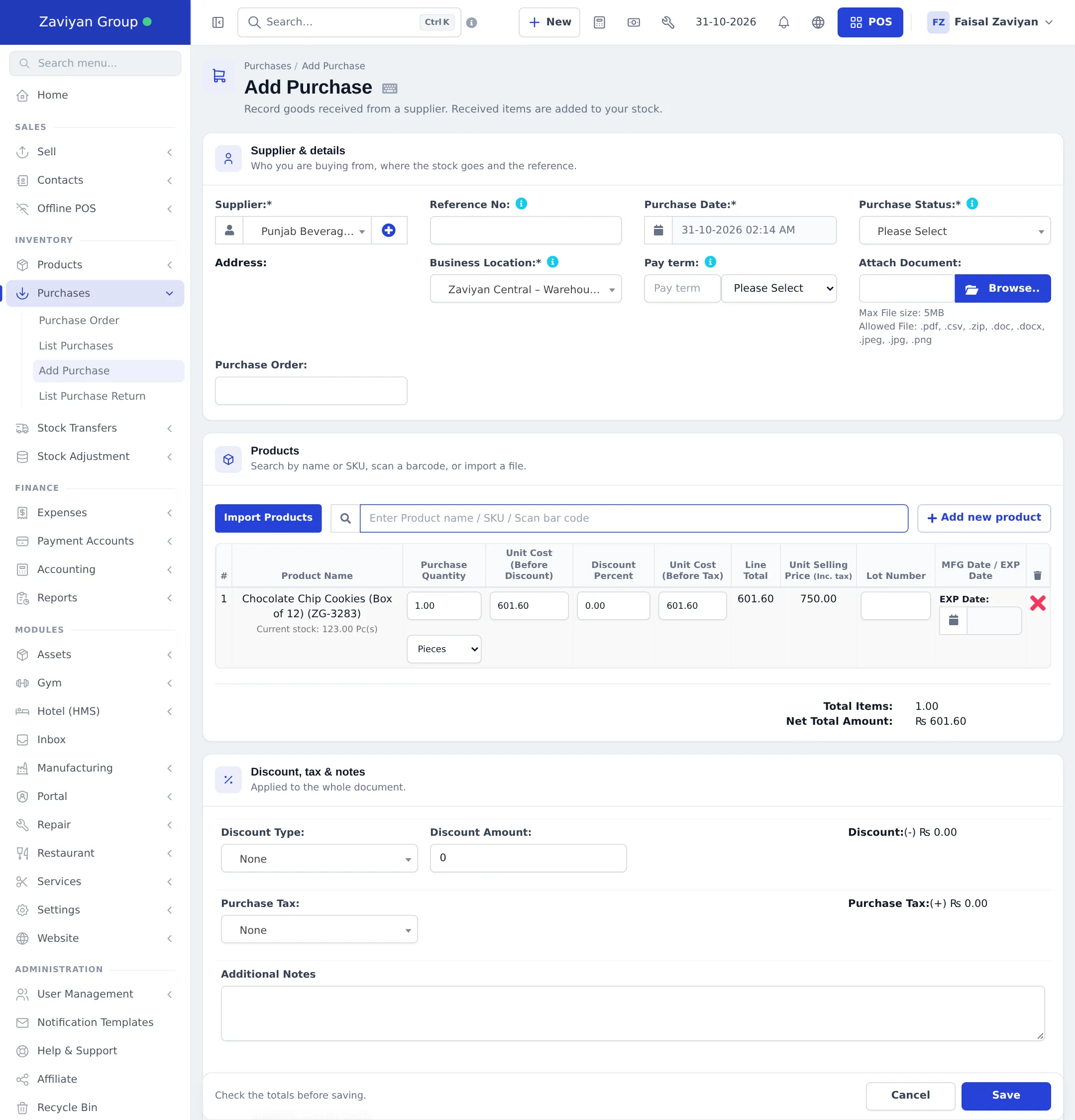
Section titled “Enter the lot when you buy”On Purchases › Add Purchase, each line now has a Lot Number box. Type the batch code printed on the supplier’s box. If product expiry is also on, enter the EXP Date next to it (see Expiry and batches).
You can also give lots to opening stock when you load your first stock.
Sell, transfer or adjust a specific lot
Section titled “Sell, transfer or adjust a specific lot”On sale lines, stock transfers and stock adjustments, each product with lots shows a Lot & Expiry list. Pick the batch you are selling or moving. The quantity is checked against what is left in that lot. If you leave it empty, stock is taken according to your stock accounting method (FIFO or LIFO).
See stock per lot
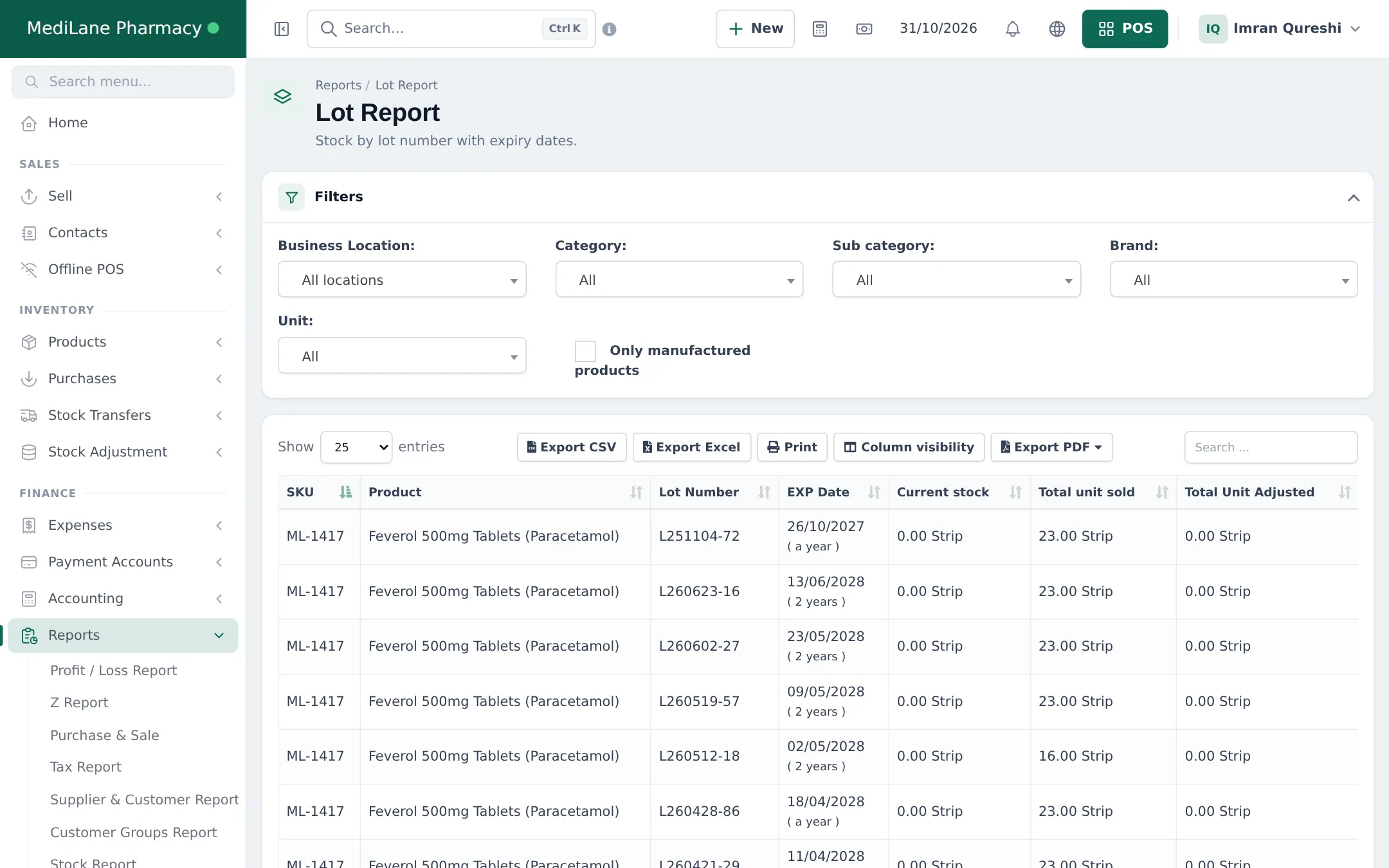
Section titled “See stock per lot”Reports › Lot Report lists every lot with its SKU, Product, Lot Number, EXP Date, Current stock, Total unit sold and Total Unit Adjusted. Filter by location, category, brand or unit.
Tips and mistakes to avoid
Section titled “Tips and mistakes to avoid”- Make the IMEI part of your selling routine: scan the IMEI barcode on the box straight into the description box with a hand scanner.
- Don’t create one product per IMEI. One product (or one variation per storage/colour) with the IMEI on the sale line is the right setup.
- Lot numbers only work from the day you switch them on; older stock shows no lot.
Related pages
Section titled “Related pages”Frequently asked questions
How do I record a phone's IMEI when I sell it?
Edit the product and tick Enable Product description, IMEI or Serial Number. When you sell it, type the IMEI in the description box of that sale line. It is saved on the sale and printed on the invoice.
Does SmartPOS Hub keep a stock list of individual IMEI numbers?
No. Stock is counted per product and per lot, not per serial number. The IMEI or serial is recorded on each sale line, so you can find which customer bought which unit.
Why does each scan add a new line for this product?
Products with IMEI or serial entry switched on are never merged into one line, because each unit needs its own number. Scan or add the product once per unit.
What is a lot number?
A batch code from the manufacturer or your own receiving code. With Enable Lot number on, you enter it on each purchase line, and the stock of every lot is tracked separately.
Where do I switch lot numbers on?
In Settings › Business Settings › Purchases, turn on Enable Lot number and save. A Lot Number column then appears on purchase lines.
How do I choose which lot I am selling?
On the sale line, pick the batch in the Lot & Expiry list. If you don't pick one, stock is taken according to your stock accounting method (FIFO or LIFO).
Can I find a sale by IMEI later?
Yes. The number is stored in the sale line description, so it shows on the invoice and in the sale's details; search your sales or the customer's history to find it.