
Mart step 1: locations, warehouse and retail settings
A grocery business usually has more than one place that holds stock: the shop floor, a second branch, a back store or a warehouse. In SmartPOS Hub each of these is a business location. This step adds your locations and sets the business settings a mart needs before you import products.
Before you start
Section titled “Before you start”- You are the owner or an admin.
- You have the address of each shop and warehouse.
Add your shops and warehouse
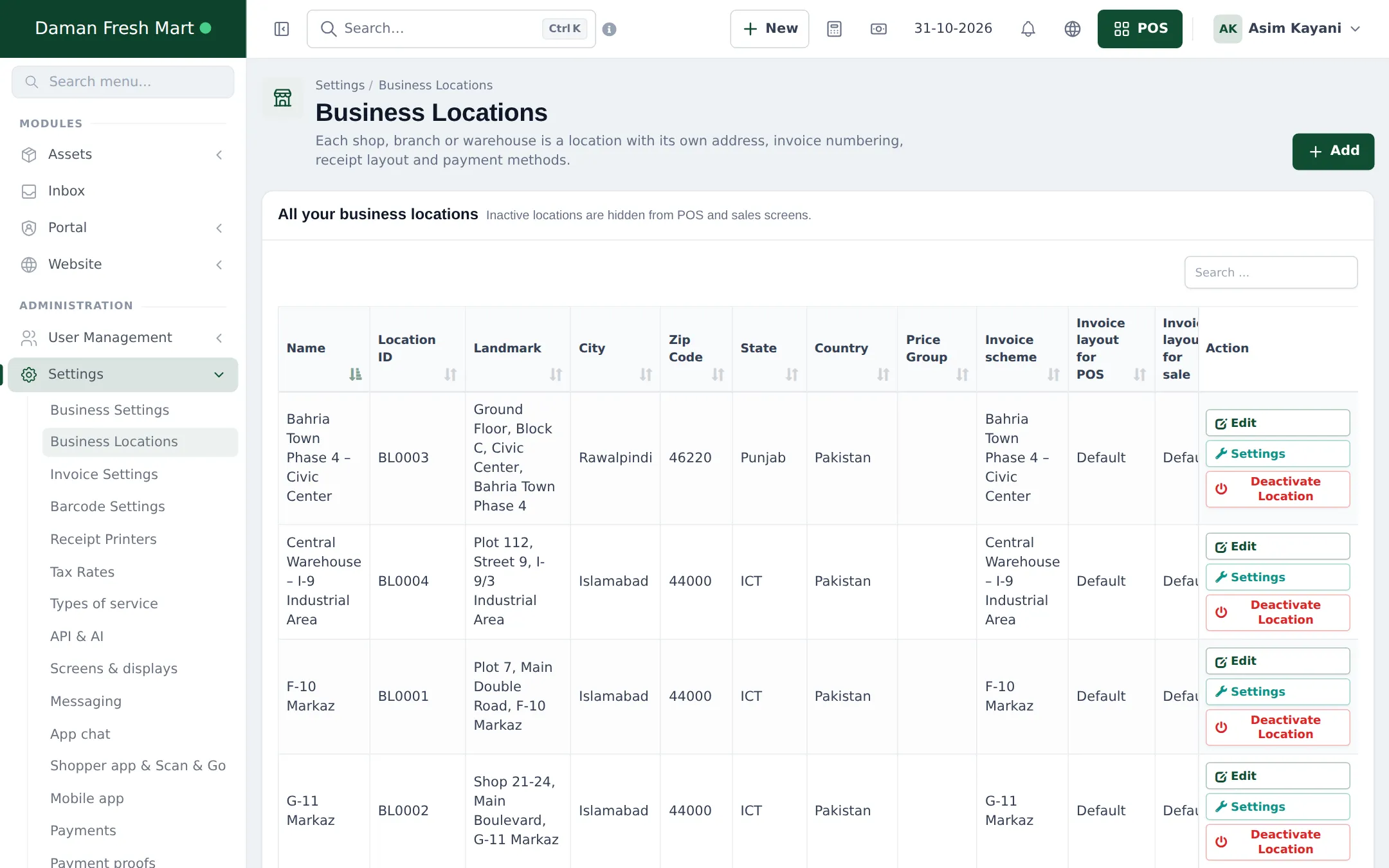
Section titled “Add your shops and warehouse”- Open Settings › Business Locations and click Add.
- Enter the Name (for example “F-10 Markaz” or “Central Warehouse”), address, city and phone.
- Choose the Invoice scheme and Invoice layout for POS for receipts printed there.
- Optional: pick a Price Group if this branch sells at its own prices.
- Save, and repeat for every shop and the warehouse.
Full field reference: Locations.
Retail settings to check
Section titled “Retail settings to check”Open Settings › Business Settings and check these tabs. Click Update Settings once at the end.
| Tab | Setting | Recommended for a mart |
|---|---|---|
| Business | Stock Accounting Method | FIFO (First In First Out) |
| Business | Currency precision / Quantity precision | 2 / 2 (allows 0.25 kg) |
| Product | Enable Sub Units | On, to sell packs and cartons |
| Product | Enable Product Expiry | On, if you sell dairy, bakery or other dated goods |
| Product | Enable Brands, Enable Categories, Enable Sub-Categories | On |
| Purchases | Enable Lot number | On, if you track batches |
| POS | Enable Weighing Scale | On, if your scale prints barcodes (step 4) |
| Payment | Cash Denominations | Your currency’s notes, for cash counting (step 5) |
| Modules | POS, Purchases, Stock Transfers, Stock Adjustment | On |
See Business settings for every option.
- Name locations by area, not “Shop 1”: the name shows on transfers, reports and the Shopper app.
- One register per till. Each cashier opens their own cash register at their location.
- Plan who works where. Users can be limited to certain locations in their role; see Users and roles.
Frequently asked questions
Should my warehouse be a business location?
Yes. A warehouse that holds stock is a location like a shop. Receive purchases there and send stock to shops with stock transfers. You can keep it off the POS by not opening a register there.
Can each branch have different prices?
Yes. Assign a selling price group to a location, or use price groups for wholesale customers. See Price groups.
Which stock accounting method should a grocery use?
FIFO (first in, first out) suits most groceries because older stock is sold first and profit follows real purchase costs.
Why turn on sub units?
So you can buy and sell the same product in pieces, packs and cartons, for example a carton of 12 or a single bottle, while stock is always counted in pieces.
Can a product be sold only in some branches?
Yes. Each product has its business locations; untick the branches that should not sell it.