
App settings: profile, language, printers and more
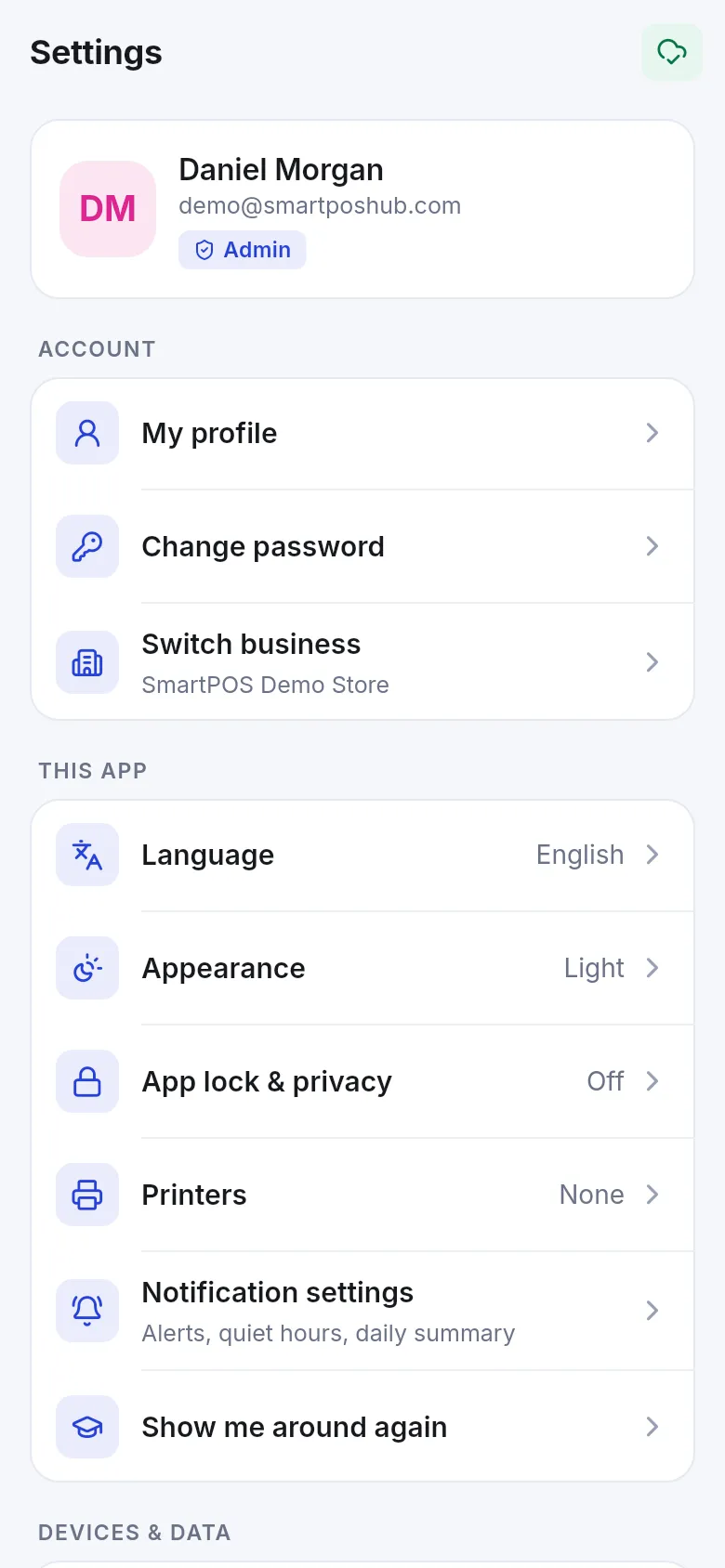
Settings in SmartPOS Business holds your personal choices for the app on this phone: your profile and password, language and look, app lock, printers, notifications, devices, offline data and help. Business-wide settings (taxes, locations, invoice layouts, modules) are changed on the web app.
Open More › Settings (or tap your name at the top of More).
| Section | Setting | What it does |
|---|---|---|
| Account | My profile | First name, last name, e-mail, phone and photo. |
| Change password | Changes your password; every other phone signed in to your account is signed out. | |
| Switch business | Move to another business where your e-mail has a staff account. | |
| This app | Language | One of 17 languages, including Urdu and Arabic (right to left). |
| Appearance | Same as phone, Light or Dark. | |
| App lock & privacy | PIN or fingerprint lock and Block screenshots. See Devices and security. | |
| Printers | Bluetooth receipt printer (58/80 mm), label printer and kitchen ticket printer. | |
| Notification settings | Alerts per type by Phone, E-mail or SMS, quiet hours, daily summary. See Notifications. | |
| Show me around again | Replays the Home tour. | |
| Devices & data | Devices & sessions | Your signed-in phones; for owners, every phone of the business. |
| Offline data & sync | Sync status, Sync now, waiting and failed items, Clear saved data. | |
| Support | Help & support | E-mail support, Open the web app, Copy diagnostic info. |
| About | App version, privacy policy, terms of service, licences. |
Related pages
Section titled “Related pages”Frequently asked questions
Which languages does the app support?
17 languages, including English, Urdu, Arabic, Hindi, Bengali, Spanish, French, German, Turkish, Indonesian, Portuguese, Russian, Chinese, Persian, Malay, Vietnamese and Albanian. Urdu, Arabic and Persian show right to left.
Does the app have dark mode?
Yes. In Settings › Appearance choose Same as phone, Light or Dark.
How do I connect a receipt printer?
Open Settings › Printers, turn on Bluetooth, pick your 58 mm or 80 mm printer and test it. You can also set a label printer and a kitchen ticket printer.
How do I switch to another business?
Settings › Switch business lists other businesses where your e-mail has a staff account. Enter your password for that business. Data saved on the phone for the current business is removed.
Where do I change business settings like tax or invoice layout?
On the web app. Settings › Help & support › Open the web app takes you there.