
Florist step 7: sell in the shop, online and on holidays
With products, freshness, recipes and delivery orders in place, selling is quick. This step covers the counter, holiday peaks, trade customers and the online store.
At the counter
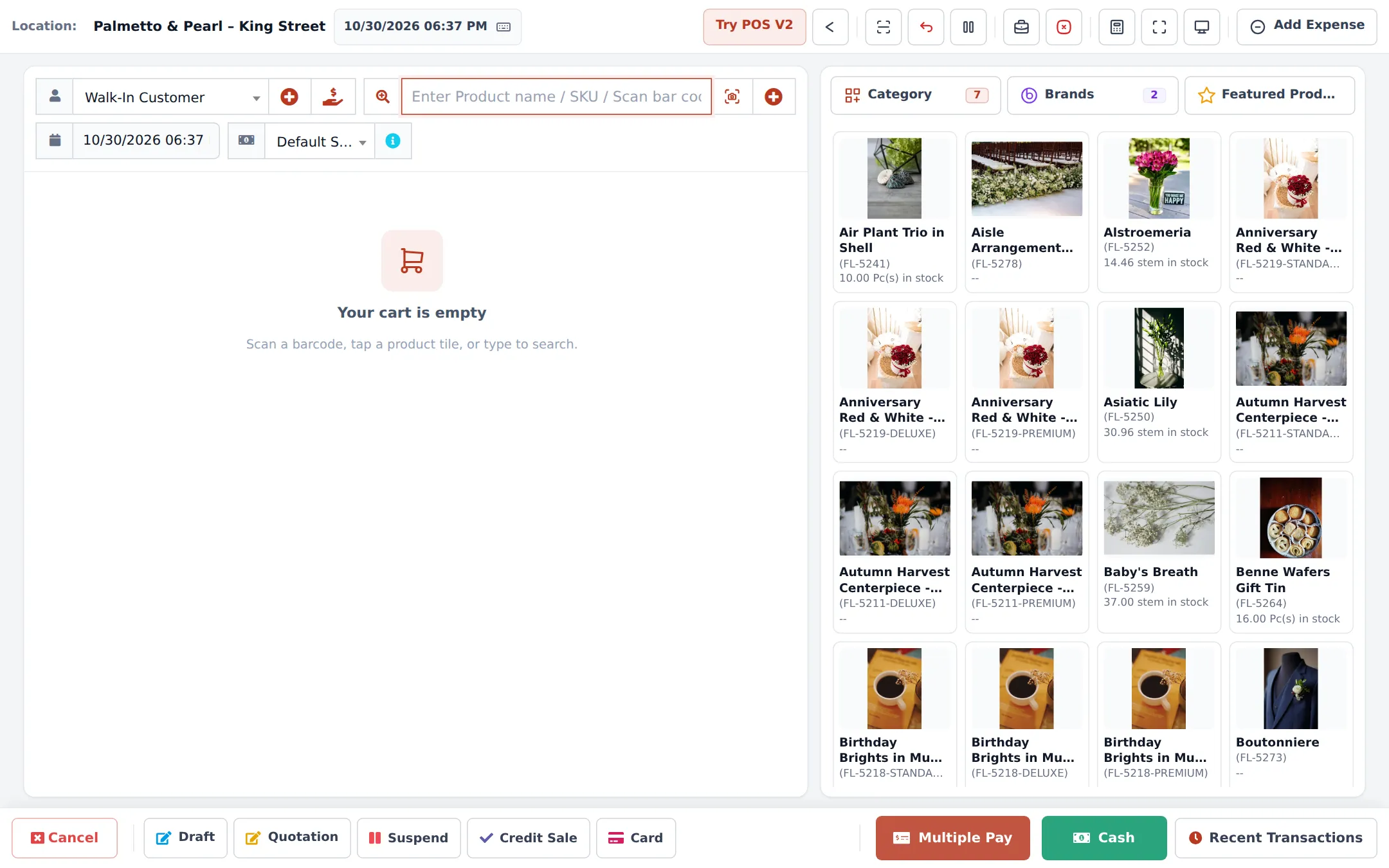
Section titled “At the counter”- Open Sell › POS. Tap a bouquet tile or search a flower; change the line unit to a bunch if needed.
- For deliveries, the order options window asks for the card message and recipient (step 5).
- Pick the customer’s price group if they are trade (funeral home, planner).
- Take payment with Cash, Card, Multiple Pay or Credit Sale for account customers.
Holiday peaks
Section titled “Holiday peaks”| Before the day | What to do | Where |
|---|---|---|
| 3–4 weeks | Order stems and vases | Purchases › Purchase Order |
| 1 week | Plan ready-made bouquets | Manufacturing › New production |
| 1 week | Holiday offer or prices | Sell › Discounts with dates |
| 2–3 days | Extra delivery slots and drivers | Order options form, Website › Shipping |
| The day after | Clearance of left-over stems | Discount, POS only, 1–2 days |
Trade customers
Section titled “Trade customers”Trade customers (funeral homes, planners, designers) get a selling price group and often a credit limit and pay term. Set both on the customer. See Price groups and Customer credit limits.
Online and in the Shopper app
Section titled “Online and in the Shopper app”- Set up Website › Store info, Payments and Shipping (delivery areas with prices; pickup at your shop).
- Make sure online products have photos, a description and Show on website on.
- The order option forms appear on the product page, so online customers fill in the card message and delivery date themselves.
- Process orders in Website › Orders. They also show in Sell › Personalised orders by due date.
- Add a Product grid or Buy button widget to your own website if you have one (Widgets).
Next: daily operations.
Frequently asked questions
How do I prepare for Valentine's Day?
Order stems early with purchase orders, plan production orders for ready-made bouquets, set up a holiday price list or discount, add extra delivery time slots and make sure every designer and driver has a login.
Can I mark down flowers that expire tomorrow?
Yes. Add a short discount for those products (POS only) with an end date, or a clearance discount such as Post-Valentine Rose Clearance.
Can customers order flowers in the SmartPOS Shopper app?
Yes, when the Shopper app and the online store are on. They pick delivery or pickup and fill in the card message on the product page.
Can a funeral home pay monthly?
Yes. Give the customer a credit limit and pay term, sell with Credit Sale, and collect with Add payment or from the customer page.
Which products should I show online?
Ready-made bouquets, arrangements and plants with good photos. Loose stems are often counter-only; switch Show on website off for them.