
Florist step 6: weddings, events and consultations
Weddings, funerals and corporate events are planned weeks ahead: a consultation, a quote, a deposit, production for the day and the final payment. SmartPOS Hub covers each step with Bookings, quotations, order options and part payments.
1. Set up consultations
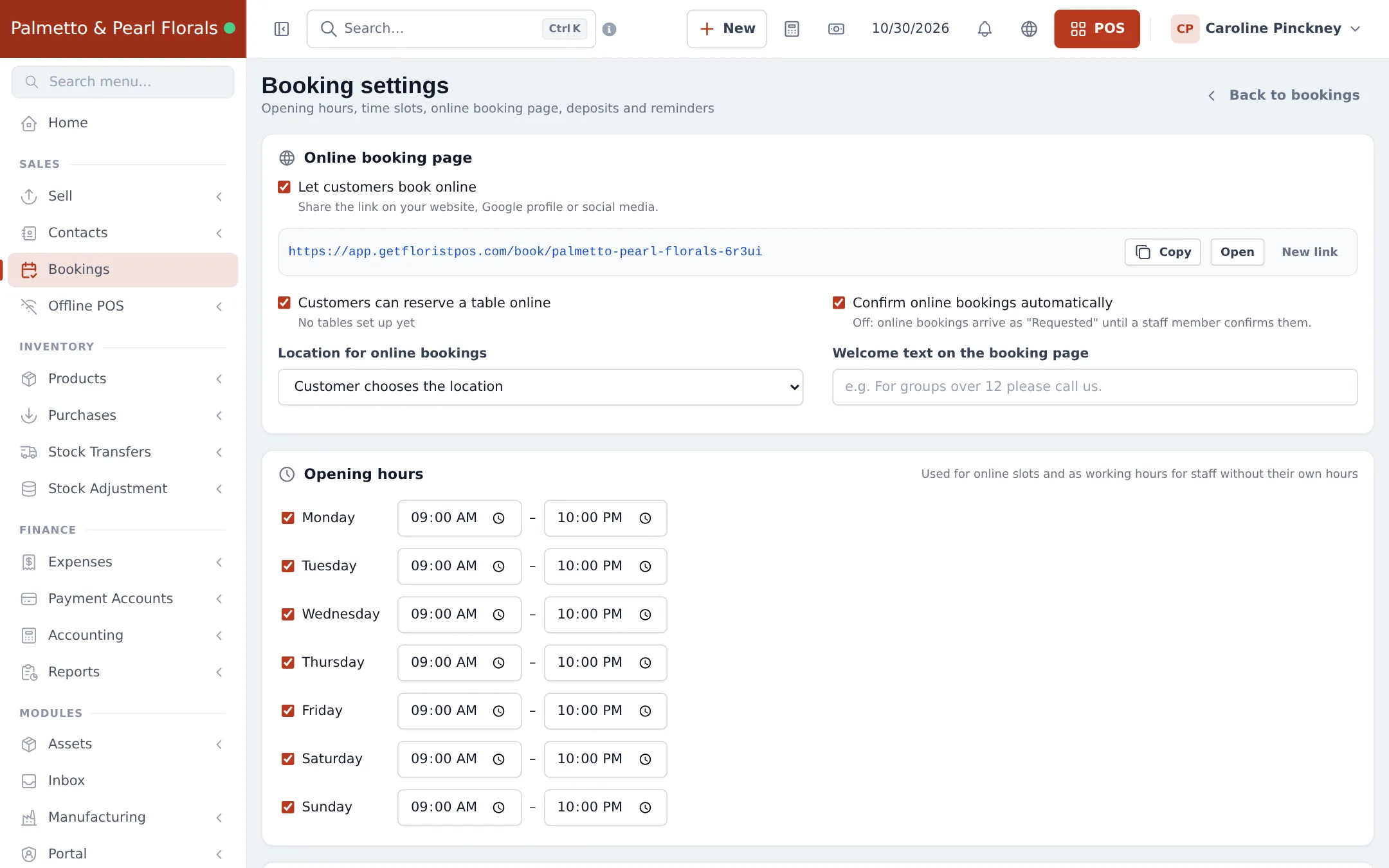
Section titled “1. Set up consultations”- Open Bookings and click Settings.
- Under Opening hours, set the hours you take consultations.
- Under Online booking page, tick Let customers book online, choose Location for online bookings and add a Welcome text (for example “Wedding consultations last 45 minutes”). Untick Customers can reserve a table online (tables are for restaurants).
- Decide whether to Confirm online bookings automatically. Set reminders and your cancellation policy further down, then save.
- Copy the booking link and put it on your website and social profiles.
2. Book and hold the consultation
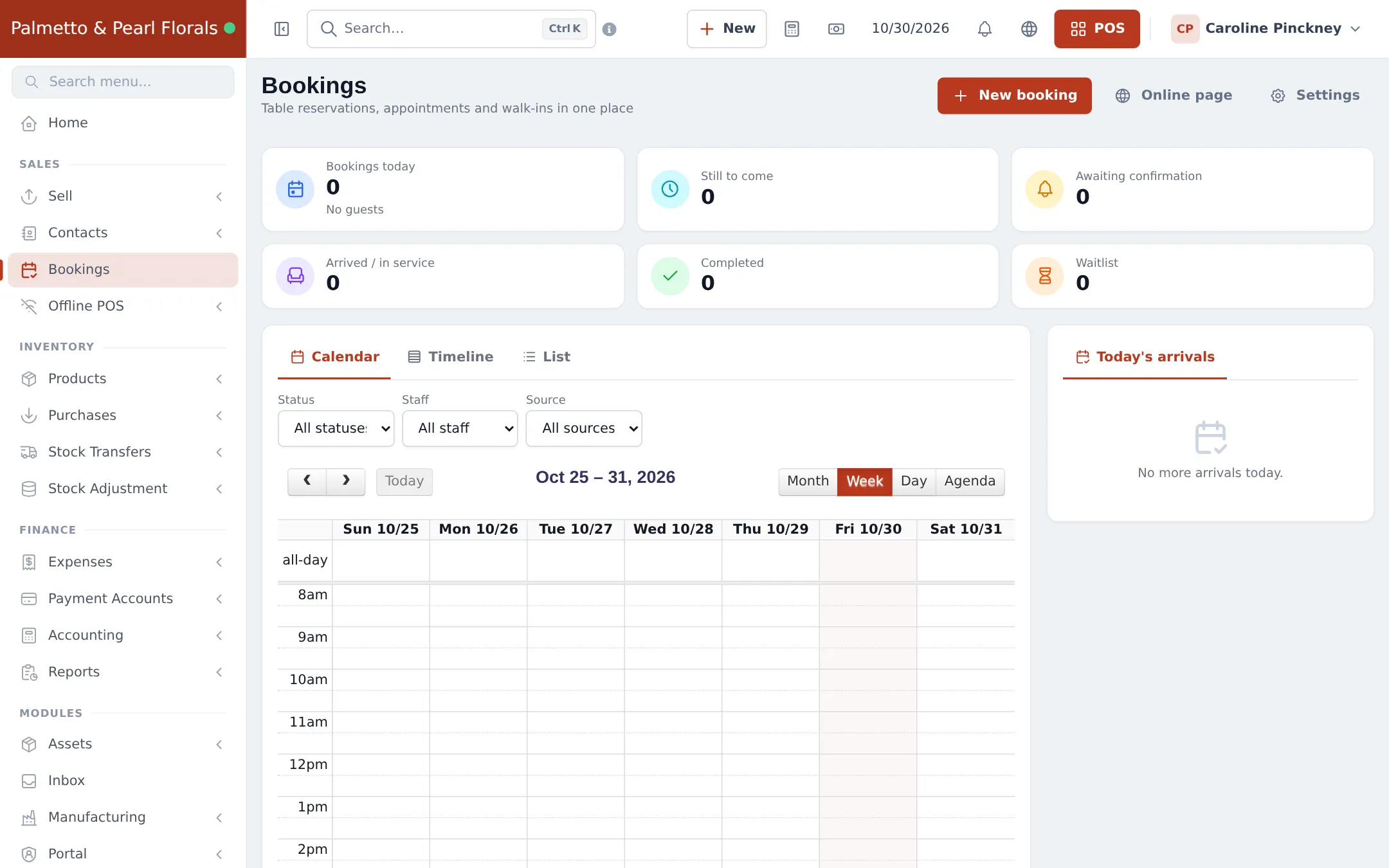
Section titled “2. Book and hold the consultation”- Click New booking, search or add the customer, pick the date and time and add a Customer note (event date, venue, budget).
- On the day, open the booking and Check in when they arrive.
- Online bookings show in the same calendar with the source Online.
Full reference: Bookings module.
3. Quote, deposit, final payment
Section titled “3. Quote, deposit, final payment”- Create a quotation (Sell › Add Quotation) with the arrangements (bridal bouquet, boutonnieres, aisle arrangements, centerpieces) and quantities. Fill in the Event flowers form on a line: event, date, color theme, venue. Use the customer’s price group if they are a planner.
- Send or print the quotation.
- When accepted, open it from Sell › List quotations (Actions › Edit) and finish it with Multiple Pay, entering the deposit as a part payment (part payments).
- Collect the balance with Add payment before the event.
4. Prepare for the event
Section titled “4. Prepare for the event”- Plan production orders for ready-made pieces (step 3) and check Material shortages to order stems in time.
- Track the event lines in Sell › Personalised orders by due date.
Frequently asked questions
Can couples book a consultation online?
Yes. Switch on Let customers book online in Bookings › Settings and share the booking link on your website and social profiles.
How do I record what the couple wants?
Use the Event flowers order option form (event type, date, color theme, venue address) on the sale or quotation, and notes on the booking.
How do I send a price?
Create a quotation with the arrangements and quantities. When the couple accepts, finish it as a sale.
How do I take a deposit?
Open the accepted quotation from Sell › List quotations, finish it with Multiple Pay and enter the deposit as a part payment. The rest stays due and you collect it before or on the event day.
Do event planners get trade prices?
Yes, with a selling price group such as Trade (designers & planners) linked to their customer record.