
Gym step 5: sell, renew and freeze memberships
Selling and renewing memberships is the gym’s main income. A membership sale is an ordinary sale with payments, so it lands in the member’s ledger, the cash register and the Profit / Loss Report. This page covers selling, renewing, part payments, freezes and plan changes. It is for the front desk and managers.
Before you start
Section titled “Before you start”- Packages exist (step 2) and the member is added (step 4).
- Your role has Memberships: sell, renew & change plan, and Membership payments: add to take money.
Sell a membership in the Gym module
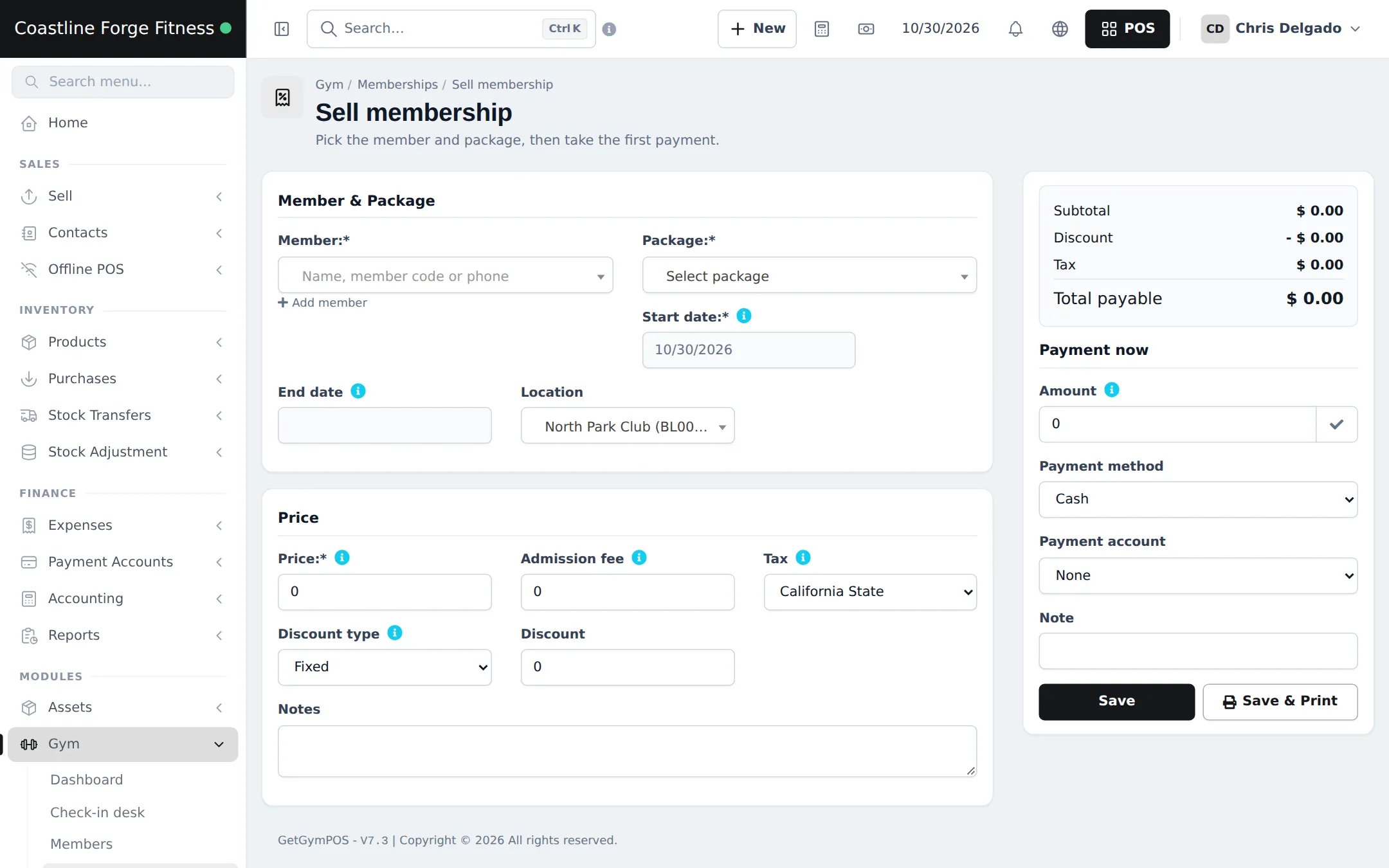
Section titled “Sell a membership in the Gym module”- Open Gym › Memberships and click Sell membership (or click Sell membership on the member page).
- Pick the Member and the Package. Check the Start date; the End date fills in from the package.
- Check Price, Admission fee and Tax. Add a Discount if you give one.
- Under Payment now, enter the Amount paid, the Payment method and the Payment account. Enter 0 to collect later.
- Click Save or Save & Print for the receipt.
Sell or renew from the POS
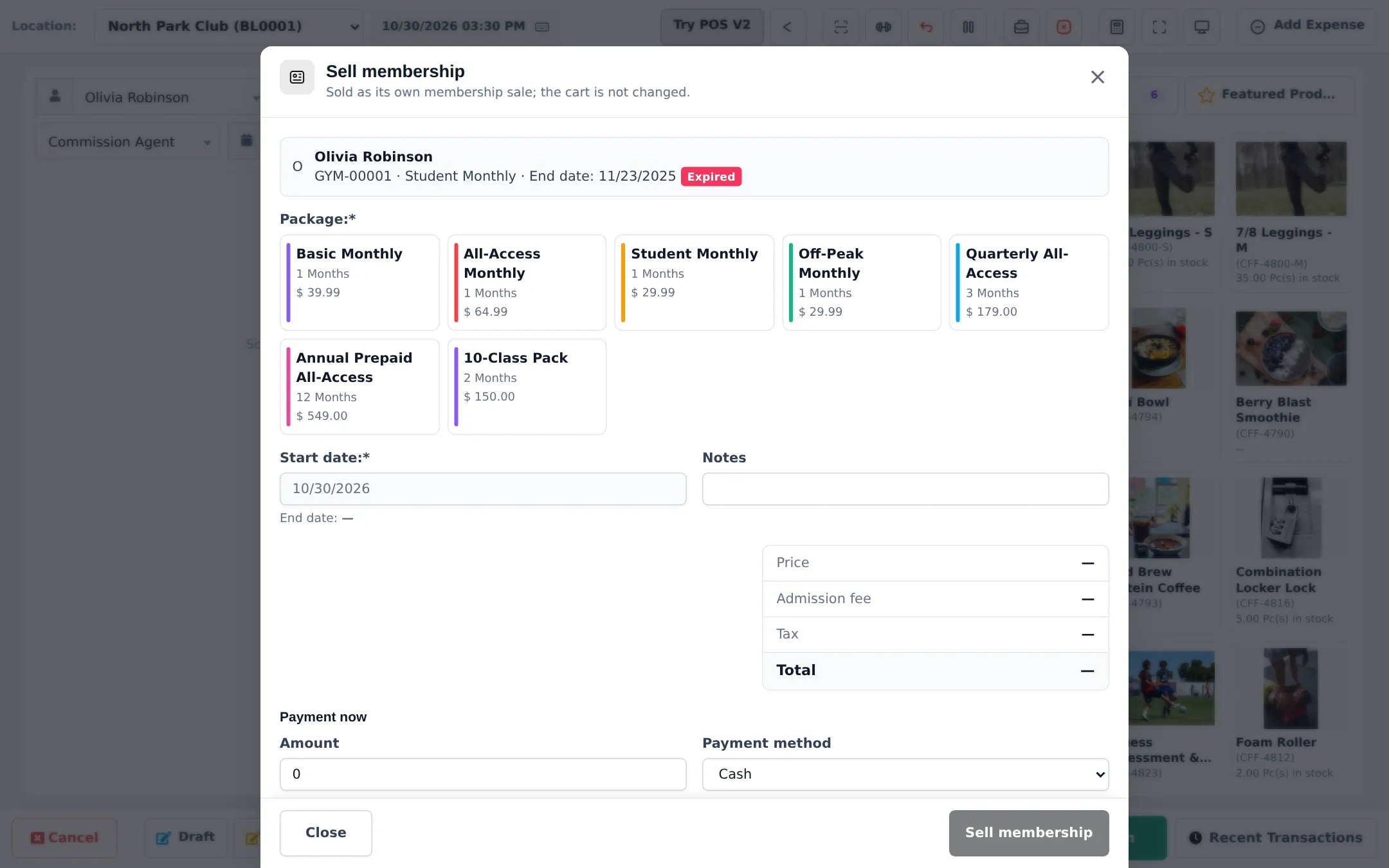
Section titled “Sell or renew from the POS”- Open the POS and pick the member as the customer.
- Click the Gym membership button (the dumbbell icon) in the POS toolbar.
- The window shows the member with their current plan and end date. Pick a package tile; a renewal starts after the current end date.
- Check the price, admission fee, tax and total, enter Payment now and the Payment method, and click Sell membership.
- Print the receipt or open the member page from the result.

Follow memberships and dues
Section titled “Follow memberships and dues”Gym › Memberships lists every membership with package, start and end date, status (Active, expiring, Expired, frozen, cancelled, upcoming), sessions used, total, due and payment status. Filter by plan, status, expiring within N days or payment status.
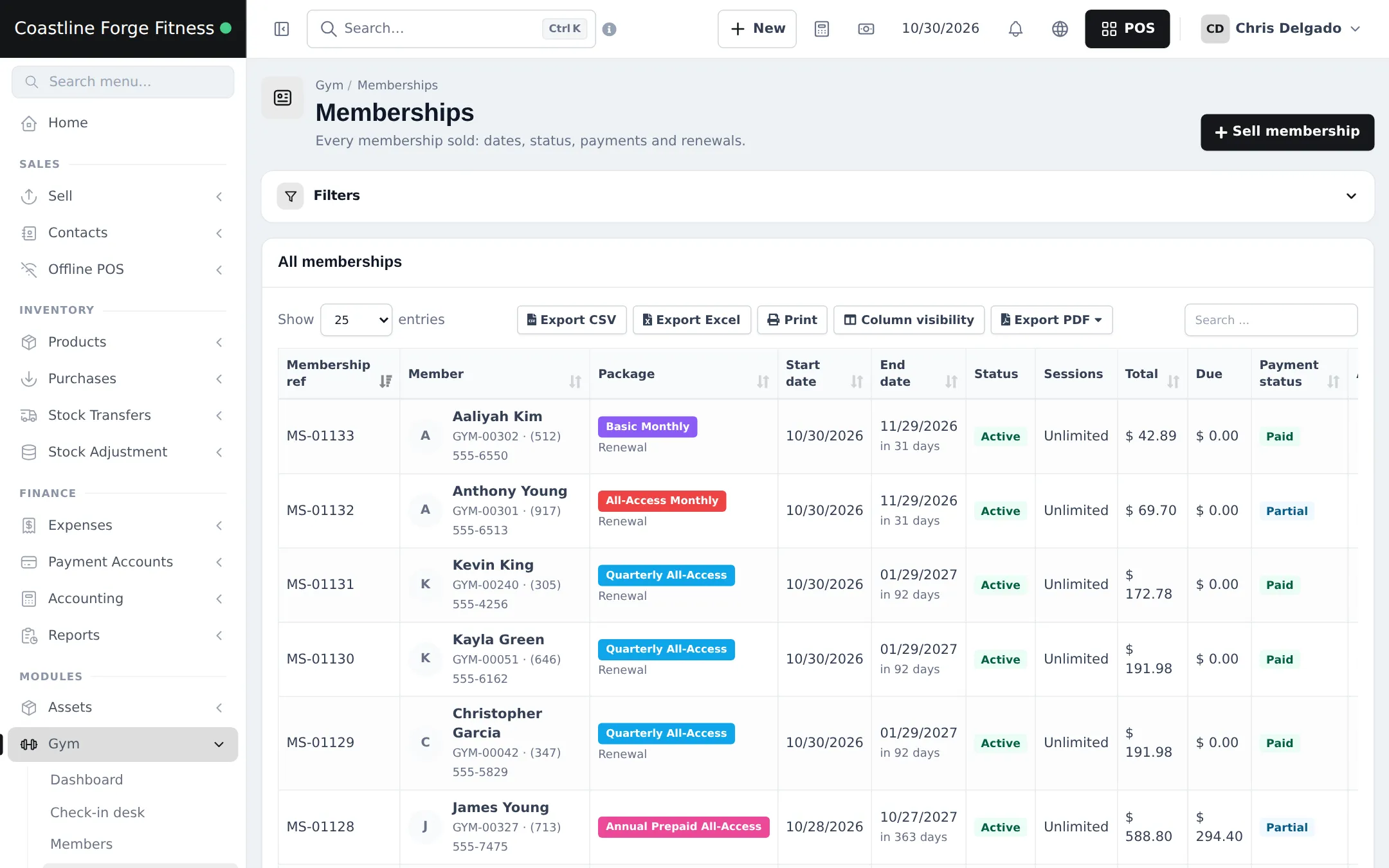
To collect a balance, open the membership (or Gym › Reports › Dues / outstanding) and add a payment in the normal payment window. Dues also show on the member’s ledger (Customer ledger).
Freeze, change plan, cancel
Section titled “Freeze, change plan, cancel”| Action | Where | What happens |
|---|---|---|
| Freeze / Unfreeze | On the membership | Frozen days are added to the end date; limits come from Gym › Settings › Freeze and the package |
| Change plan / upgrade | On the membership | Unused days of the old plan are credited to the new one |
| Cancel membership | On the membership | Needs a reason; delete is only possible while unpaid |
Frequently asked questions
Where can I sell a membership?
In three places: Gym › Memberships › Sell membership, the member page (Sell membership or Renew), and the POS with the Gym membership button. All three create the same membership sale.
Does selling a membership at the POS change the cart?
No. The Gym membership window saves the membership as its own sale with its own payment. Supplements in the cart stay there and are paid separately.
When does a renewal start?
With Renewals start from set to Current end date (no days lost), a renewal starts the day after the current plan ends. Early renewals do not lose days.
How do part payments work?
Enter less than the total in Payment now. The rest is Outstanding dues on the member, the dashboard and the Dues / outstanding report. Add payments later from the membership or the report.
What happens to the remaining days when a member upgrades?
Use Change plan / upgrade. Unused days of the old plan are credited against the new one.
How does a freeze work?
Click Freeze on the membership, within the minimum and maximum days set in Gym settings. The frozen days are added to the end date.
Can I delete a membership sold by mistake?
Cancel membership with a reason. A membership can only be deleted while it is unpaid.