
Jewelry store step 2: karat, weight and stone details
Jewelry buyers ask about metal, purity, weight and stones before price. Product fields add those details to every jewelry product as proper fields, so they are filled in the same way on every piece, print where needed and show on your website.
Before you start
Section titled “Before you start”- Jewelry categories exist (step 1).
- You need category permissions to manage product fields.
Import the jewelry fields
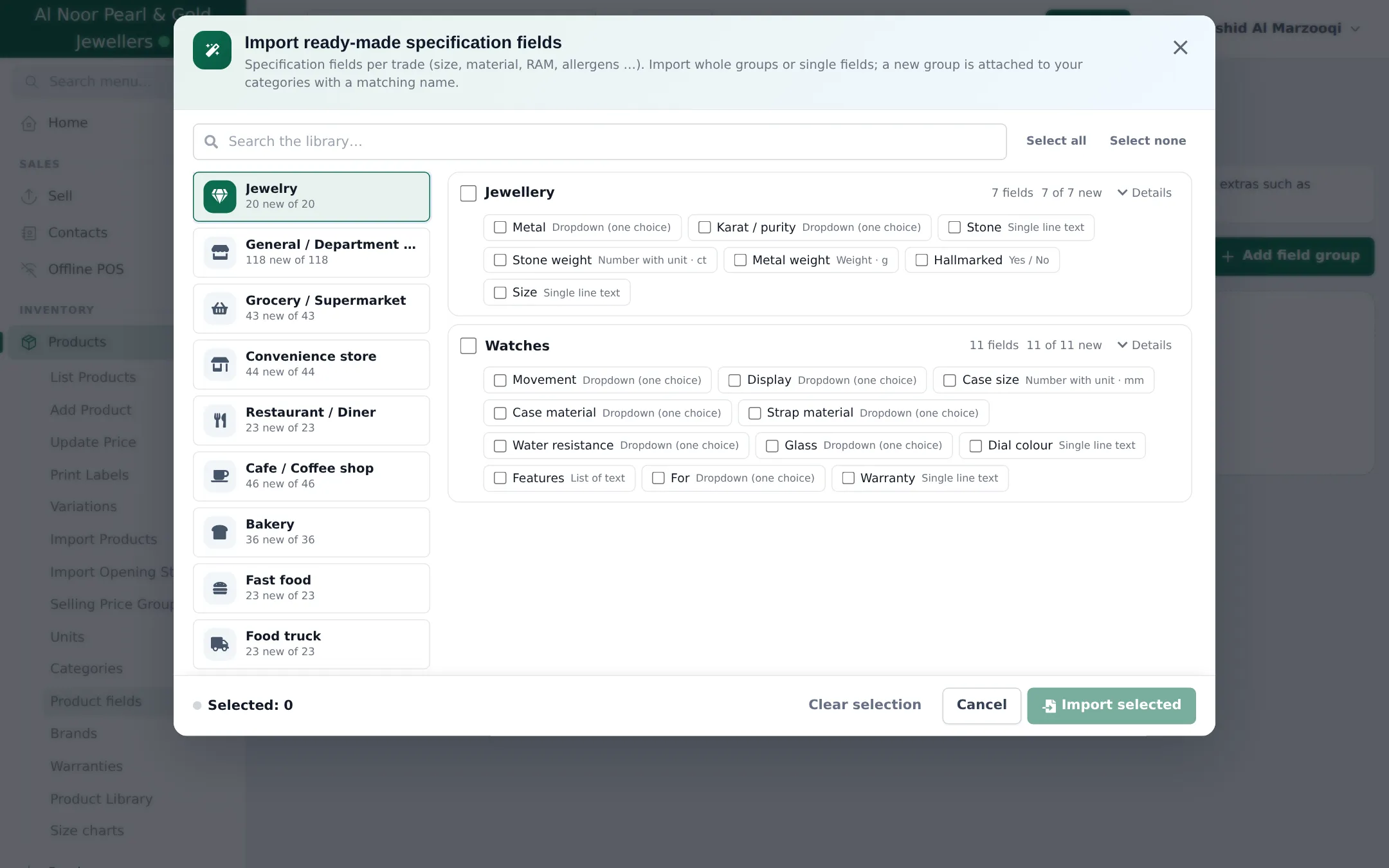
Section titled “Import the jewelry fields”- Open Products › Product fields and click Import prebuilt.
- Pick Jewelry on the left. The Jewellery group has 7 fields: Metal, Karat / purity, Stone, Stone weight (ct), Metal weight (g), Hallmarked (yes/no) and Size. Watches has movement, case size, strap, water resistance and more.
- Tick the whole group (or single fields) and click Import selected. A new group is attached to your categories with a matching name.
- Open the group to check which categories it is attached to. Attach it to a parent category such as Gold Jewellery and keep its sub-categories included, so every ring, chain and bangle gets the fields.
Add your own fields
Section titled “Add your own fields”Click the group and Add field for details your shop uses, for example:
| Field | Type | Why |
|---|---|---|
| Making charge per gram | Decimal | Shows the making charge used in the price (step 3) |
| Design no. | Single line text | Find a design from the catalog |
| Certificate lab | Dropdown (one choice) | GIA, IGI, HRD… for diamonds |
| Gross weight | Weight | Total weight including stones |
Per field you choose whether it is required, filterable and shown on the website.
Fill in the details on a piece
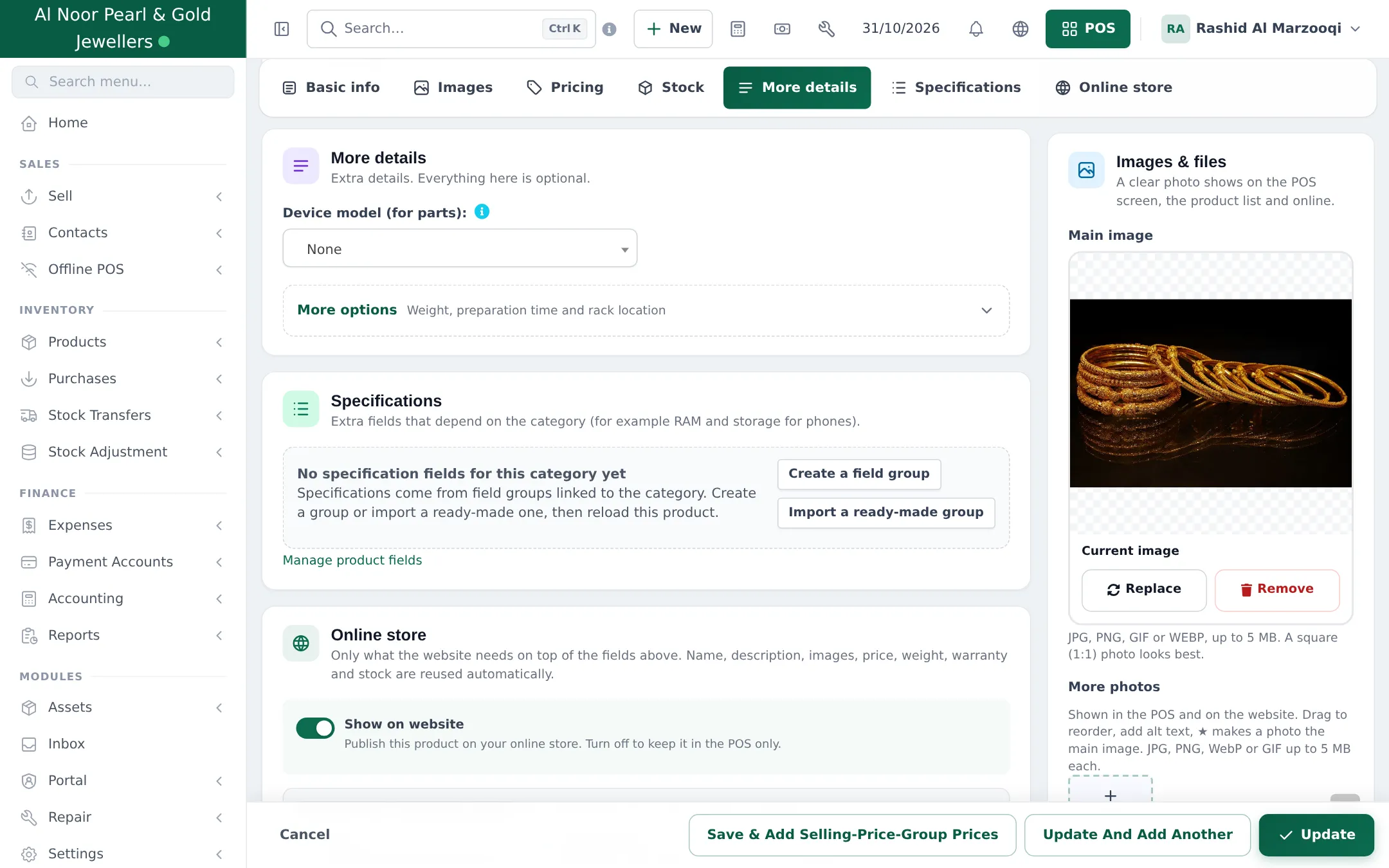
Section titled “Fill in the details on a piece”- Edit the product and open Specifications. The Jewellery fields appear because of the product’s category.
- Choose the Metal and Karat / purity, type the Metal weight and stone details, tick Hallmarked.
- Click Update.
- Same unit everywhere: grams for metal, carats for stones.
- Make Metal weight required in the group so no gold piece is saved without it.
- Bulk entry: products imported from Excel can carry their specs too; fill the fields after import for pieces with missing values.
Frequently asked questions
Where do I enter the gold weight of a piece?
In the Metal weight field of the Jewellery field group, on the Specifications tab of the product. The product's own Weight field (More details › More options) is used for shipping.
Do these fields show on my website?
Yes, fields marked to show on the website appear as specifications on the product page and in the Shopper app.
Can I add my own fields, such as making charge per gram or design number?
Yes. Open the Jewellery group in Products › Product fields and add a field, for example a Decimal field Making charge per gram, or a Single line text field Design no.
Why does a product say No specification fields for this category yet?
The field group is not attached to that product's category. Edit the group and add the category, or let the import attach it to categories with a matching name.
Are product fields the same as order options?
No. Product fields describe the piece you stock. Order options are details the customer gives when ordering, such as ring size for a custom ring or engraving text.