
Wholesale step 3: credit customers, limits, terms
Almost every wholesale customer buys on account. Good credit control is what keeps a distributor alive: a sensible limit per shop, clear terms, and a weekly look at who is late. This page sets it up.
Before you start
Section titled “Before you start”- Customer groups and price groups exist (step 2).
- Optional: a Default credit limit in Settings › Business Settings › Contact.
Open an account
Section titled “Open an account”- Open Contacts › Customers and click Add (or Contacts › Import Contacts for many at once).
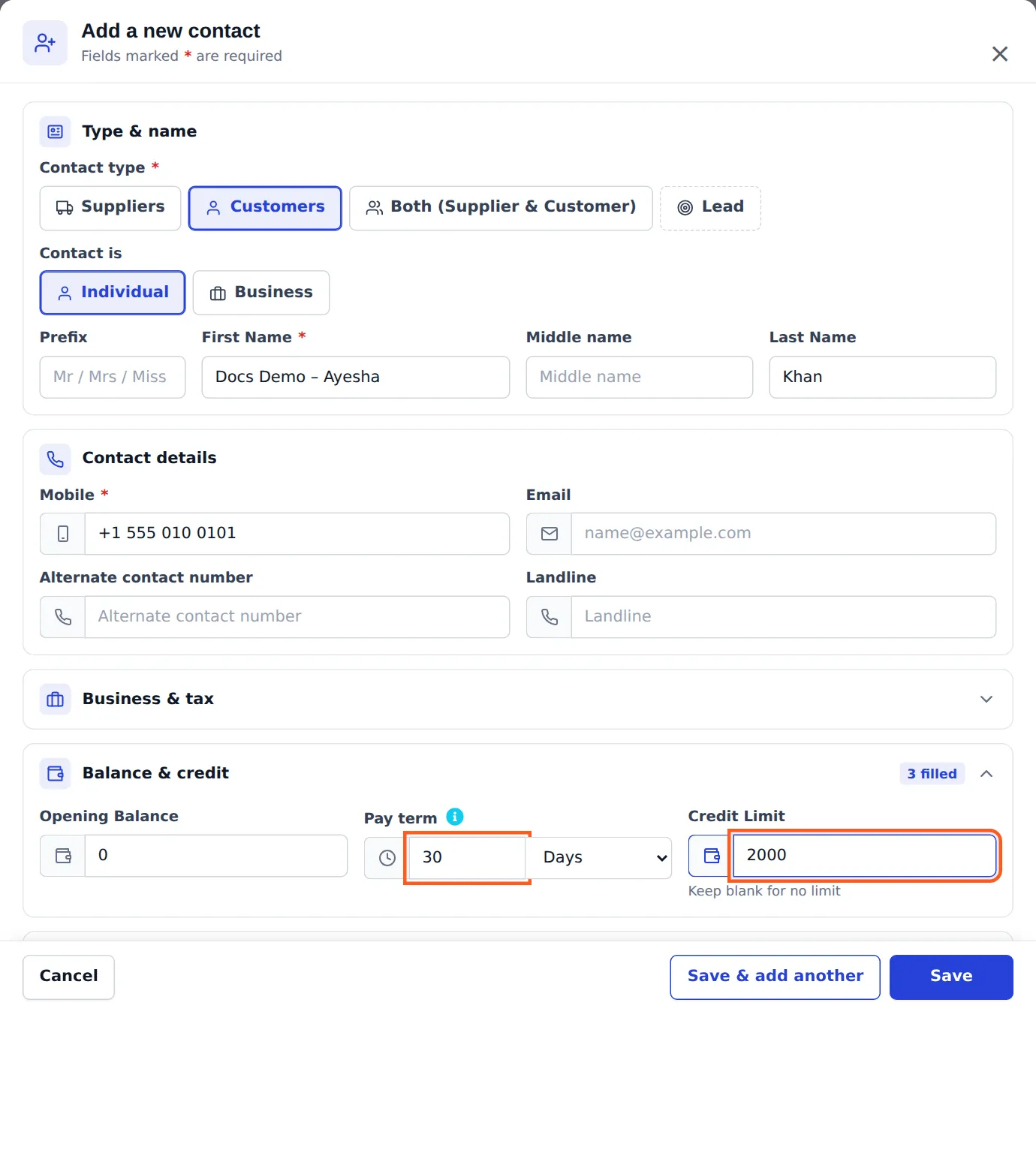
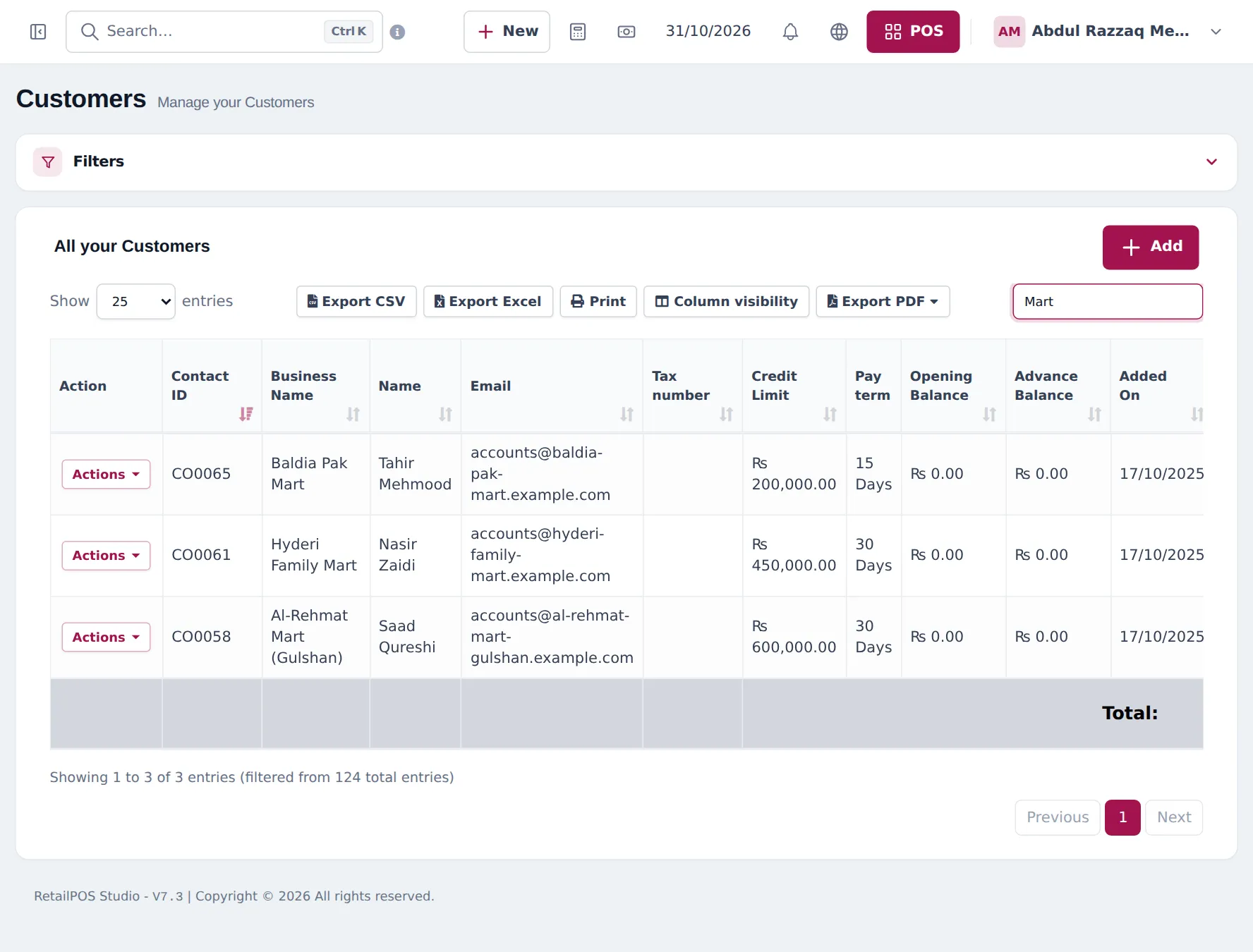
- Enter the Business Name (for example Hyderi Family Mart), contact person, phone and address.
- Choose the Customer Group (Key Account, Sub-Distributor, Retailer).
- In Balance and credit, set Pay term (for example 30 Days), Credit Limit and any Opening Balance they already owe you.
- Save.
Sell on credit
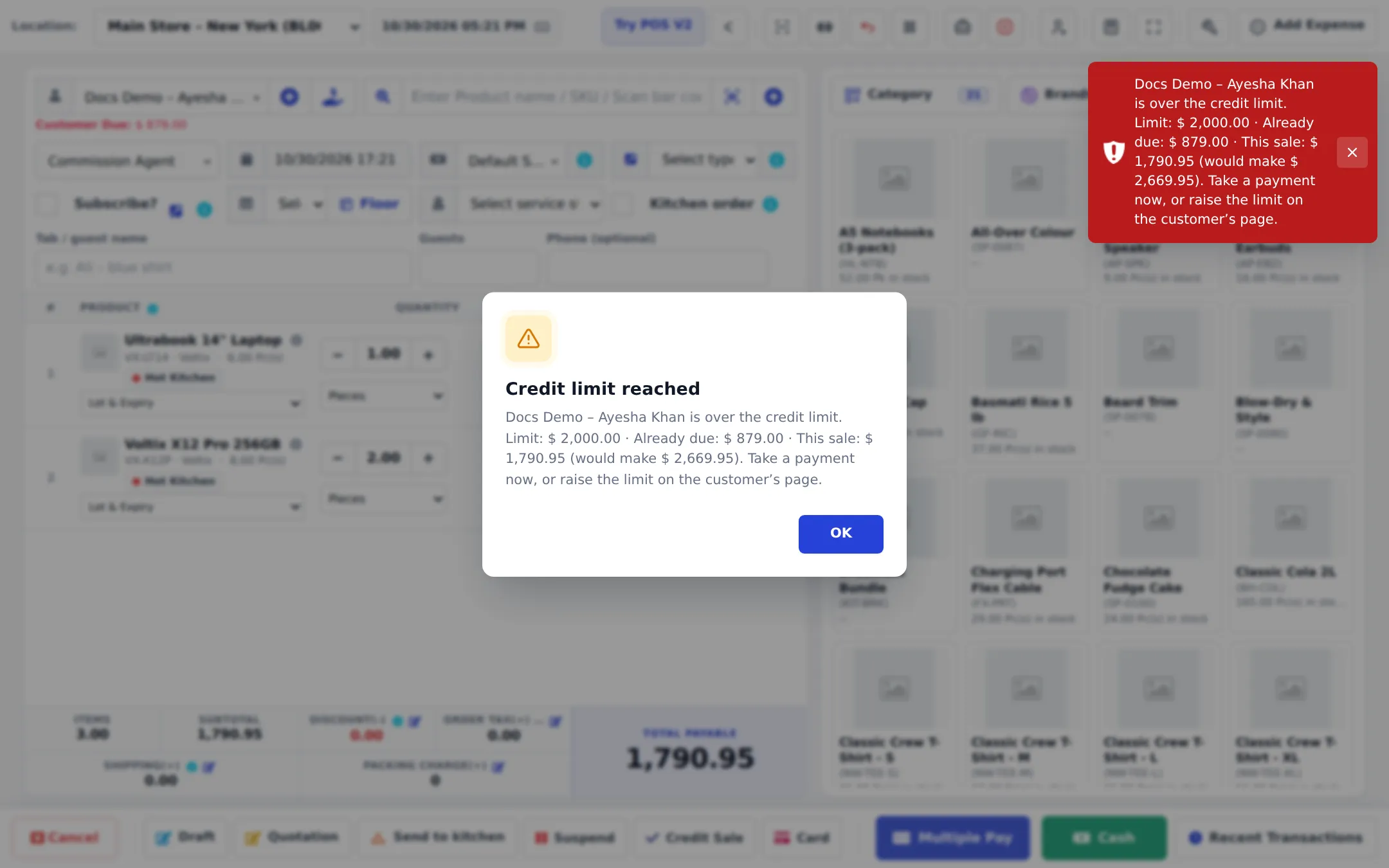
Section titled “Sell on credit”In Sell › Add Sale or the POS, choose the customer (their price group applies), add cartons, then save with no payment or a part payment (Credit Sale in the POS). Over the limit, the sale is refused:
Collect and chase
Section titled “Collect and chase”- Payment from a shop: customer page Add payment or Pay in the list; Receive Payment in the POS.
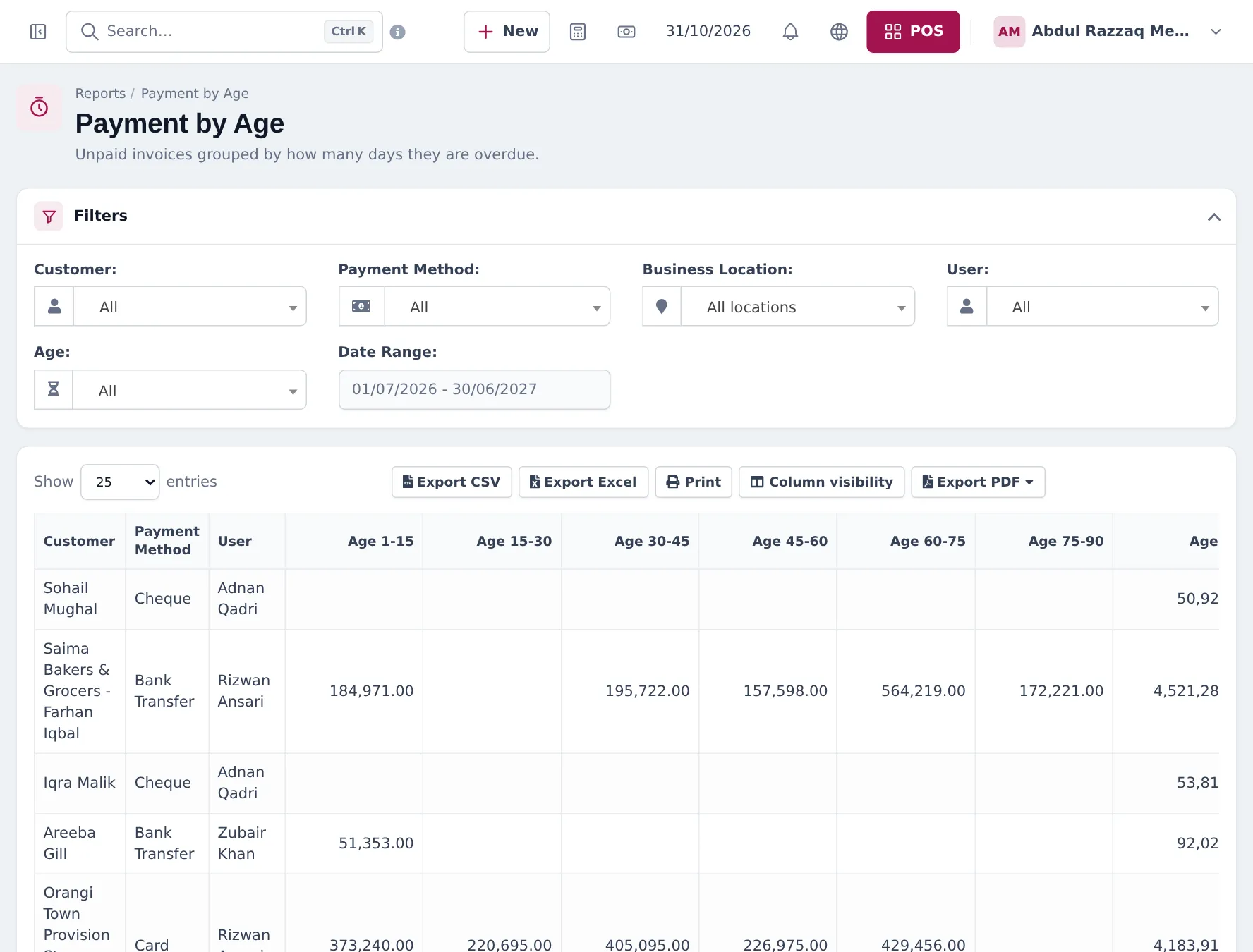
- Overdue list: Reports › Payment by Age, by customer, payment method, location and age band.
- Balances: Reports › Supplier & Customer Report shows total sale, total paid, opening balance due and due per customer.
- Reminders: the payment reminder button in the sale’s View Payments window, or automatic reminders in Notification Templates (e-mail or SMS, if set up).
Tips and mistakes to avoid
Section titled “Tips and mistakes to avoid”- Start new shops with a low limit and raise it after a few months of on-time payment.
- Record cheques with the cheque number and date; post-dated cheques should be entered when they clear.
- Never delete an invoice to “clear” a balance; record a payment or a sell return.
Frequently asked questions
What does the credit limit include?
The unpaid amount of the customer's final sales plus the new sale. Drafts, quotations and sales orders are not counted. If the total would go over the limit, the sale is refused.
Where is the due date set?
From the pay term on the sale, which comes from the customer (for example 30 Days). Turn on Is pay term required? to make sure every sale has one.
How do I collect from a shop with ten open invoices?
Open the customer and press Add payment, or Pay in the customers list. The amount is applied to the open invoices, oldest first.
How do I see who is overdue?
Reports › Payment by Age groups unpaid invoices by days overdue (1–15, 15–30, 30–45 and so on) per customer.
Can a customer pay in advance?
Yes. A payment bigger than the balance is kept as an advance and used later with the Store credit (advance) payment method.
Can customers see their own statement?
Yes, with the Customer & partner portal. They see invoices, payments and their balance.