
Wholesale step 1: warehouses and locations
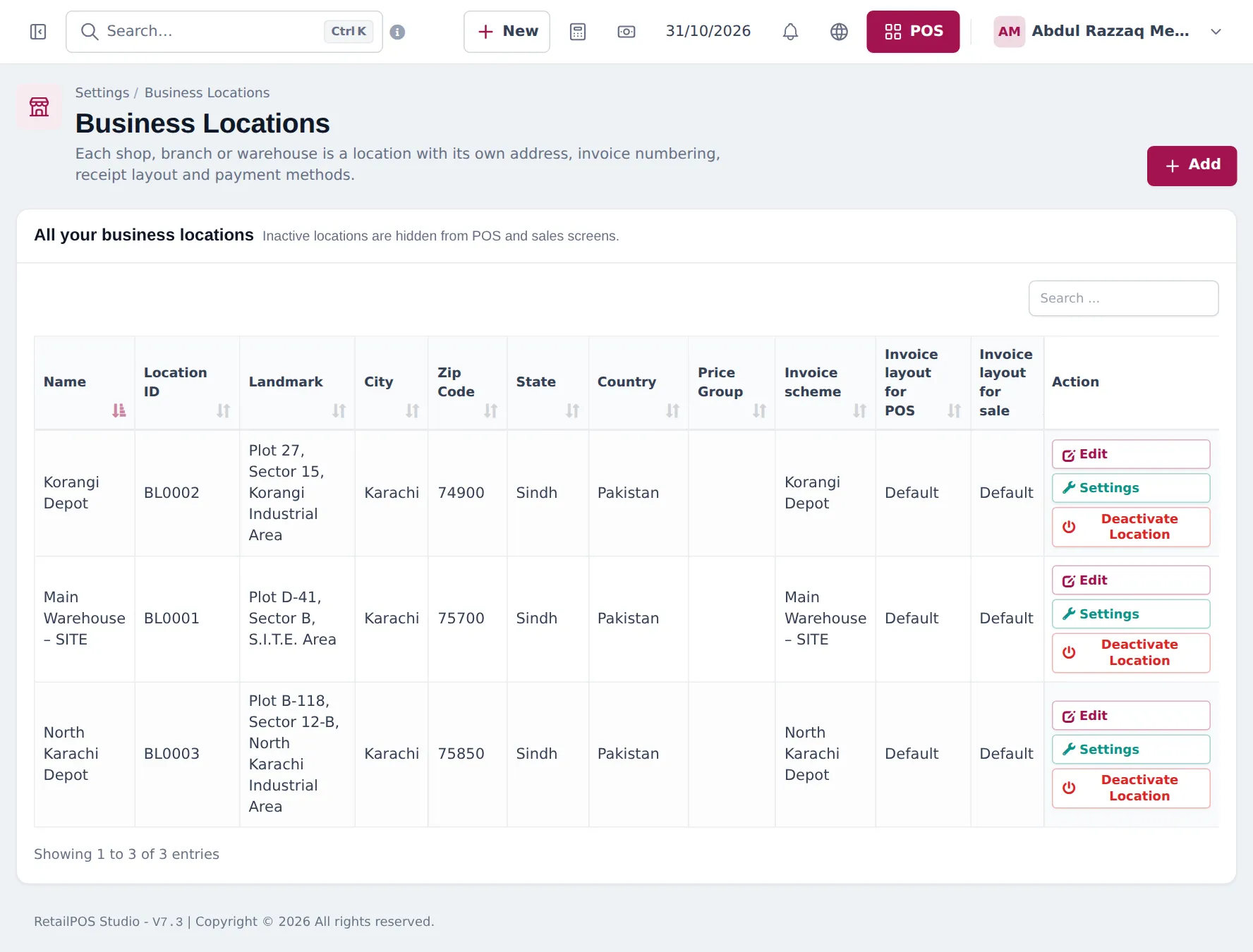
A distributor’s stock lives in a main warehouse and one or more depots that serve different areas. In SmartPOS Hub each of them is a business location. This page adds them and switches on the settings a wholesale business uses.
Before you start
Section titled “Before you start”- Owner or admin login.
- A list of warehouses and depots with addresses.
Add the warehouse and depots
Section titled “Add the warehouse and depots”- Open Settings › Business Locations and click Add.
- Enter the name (for example Main Warehouse – SITE, Korangi Depot), address, phone and e-mail.
- Choose an Invoice scheme per depot so invoice numbers show where the sale was made (for example WH-, KD-, NK-).
- Choose the invoice layouts for POS and for sales. Wholesale invoices usually use the A4 sale layout.
- Optional: Default Selling Price Group for a depot that serves one customer type.
- Save. Repeat for every depot.
Business settings for wholesale
Section titled “Business settings for wholesale”Open Settings › Business Settings, change these and click Update Settings:
| Tab | Setting | Why |
|---|---|---|
| Product | Enable Sub Units | Cartons and pieces (step 2) |
| Product | Enable Product Expiry | Expiry dates on food and FMCG |
| Purchases | Enable Lot number | Batch tracing |
| Sale | Enable Sales Order | Order now, invoice on delivery (step 4) |
| Sale | Is pay term required? | Every credit sale gets a due date |
| Contact | Default credit limit | New customers start with a limit |
Modules worth switching on
Section titled “Modules worth switching on”On the Modules tab: Customer & partner portal (customers see invoices and balances), Shipping & delivery (courier booking, riders, cash on delivery), Leads & recovery carts for new shop prospects. A greyed card Not in your plan means it is not in your plan; click See plans.
Frequently asked questions
Should every depot be a location?
Yes, if it holds stock and invoices customers. Locations keep stock, sales, invoice numbers and reports apart, and you can still see totals across all locations.
Can a depot sell at a different price list?
Yes. Set Default Selling Price Group on the location. Every sale there uses that price list unless the customer's group says otherwise.
Can staff be limited to one depot?
Yes. In User Management › Users choose the locations each user can access.
Which business settings matter for wholesale?
Enable Sub Units, Enable Lot number and Enable Product Expiry for FMCG, Enable Sales Order, Is pay term required? and a Default credit limit for new customers.
Is there a limit on locations?
Your plan sets it. Settings › Package Subscription shows how many you can add.