
Jewelry store step 1: showroom, modules and categories
Start with the frame: your showroom as a location, the two industry modules most jewelers use, and categories, brands, warranties and units imported from the ready-made libraries.
Before you start
Section titled “Before you start”- You have signed up and logged in (first login tour).
- You know your sales tax rules for jewelry (some countries treat investment gold differently; create a separate tax rate if needed in Settings › Tax Rates).
1. Your showroom
Section titled “1. Your showroom”- Open Settings › Business Locations and edit the first location: showroom name, address and phone print on the receipt.
- Add a location for each further branch. A workshop that holds stock can be its own location too.
- Pick the invoice layout per location. For an A4 jewelry invoice, see step 4.
2. Switch on the modules
Section titled “2. Switch on the modules”- Open Settings › Business Settings, click the Modules tab.
- Under Industry modules, turn on Order options & personalisation (custom orders, engraving) and Repair module (repair bench).
- Turn on Website & online store if you sell online, and Gift cards if you sell them.
- Click Update Settings.
3. Categories, brands and warranties
Section titled “3. Categories, brands and warranties”- Products › Categories › Import prebuilt: pick Jewelry and tick your categories (for example Gold Jewellery › Rings, Necklaces, Bangles, Earrings).
- Products › Brands › Import prebuilt: jewelry and watch brands you carry, or add your own suppliers’ marks.
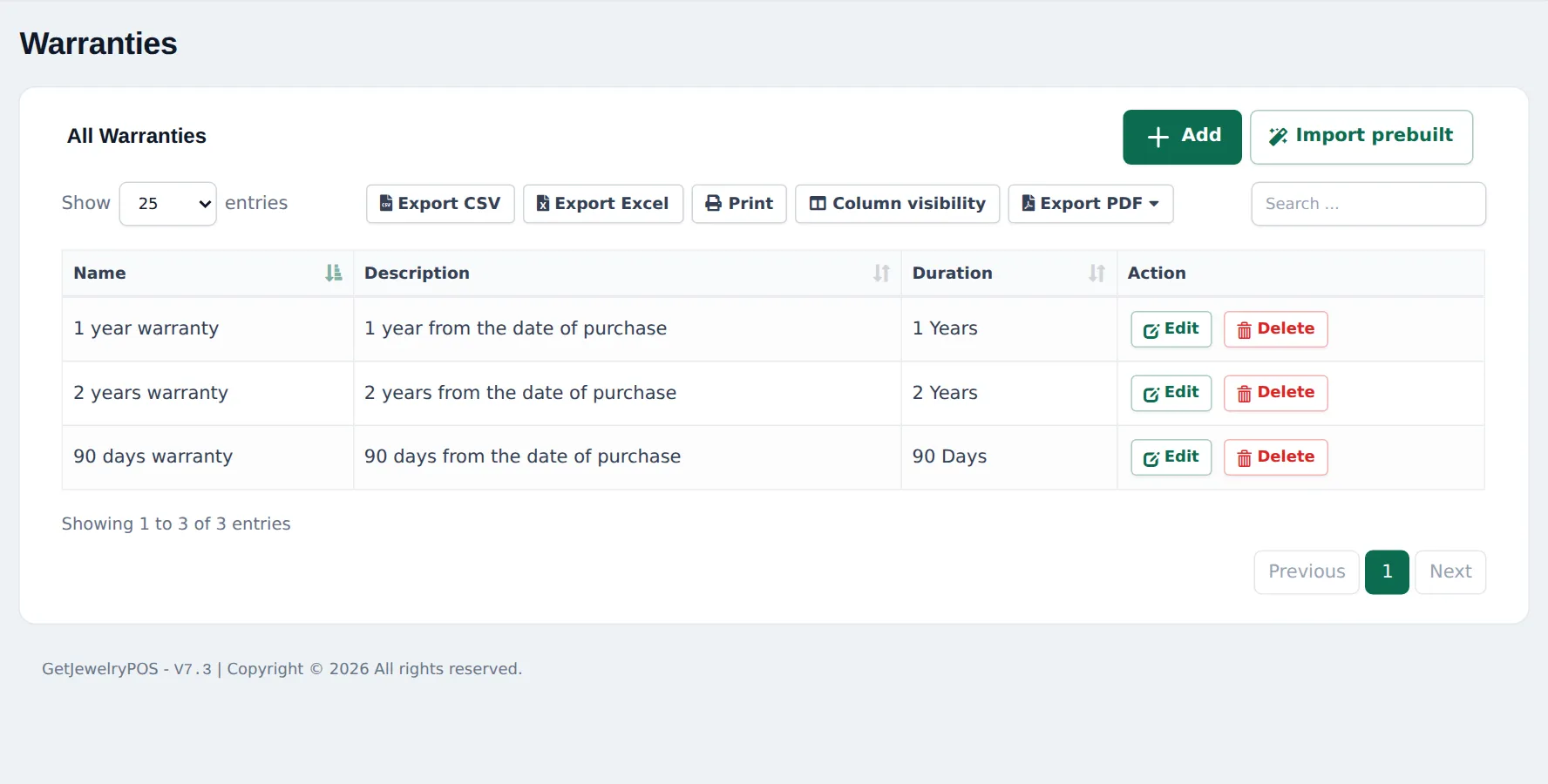
- Products › Warranties › Import prebuilt: pick the jewelry warranties, or Add your own (name, description, duration).
4. A gram unit
Section titled “4. A gram unit”Pieces are sold per piece, but loose chains, coins or bullion may be sold by weight.
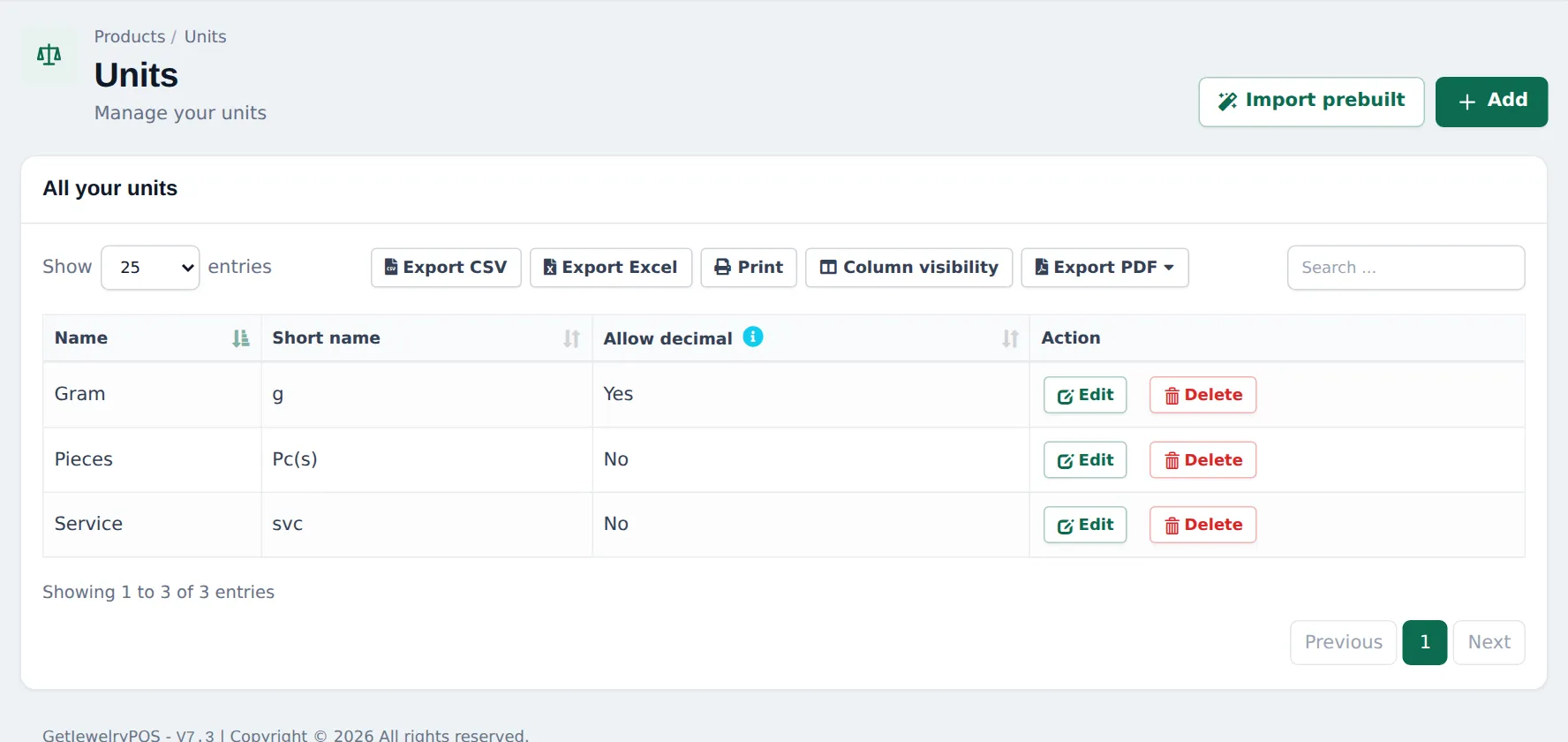
- Open Products › Units and click Add.
- Name Gram, short name g, Allow decimal = Yes. Save.
5. Payment methods for jewelers
Section titled “5. Payment methods for jewelers”In Settings › Business Settings › Custom Labels, rename custom payments, for example Old gold exchange or your buy-now-pay-later provider. Enable them per location in Settings › Business Locations (Payment Options). See Payment methods.
6. Staff and roles
Section titled “6. Staff and roles”Create logins for sales staff and goldsmiths in User Management › Users. In User Management › Roles, restrict price editing, discounts, returns and stock adjustments to managers.
Frequently asked questions
Is there a ready-made jewelry category list?
Yes. Products › Categories › Import prebuilt has a Jewelry library (gold, diamond, silver, bridal, watches and more). Tick what you sell and import.
Which modules does a jeweler need?
None for selling. Switch on Order options & personalisation for custom orders and engraving, and Repair module for a repair bench. Both must be in your plan.
Can I sell by the gram?
Yes. Add a unit Gram with Allow decimal set to Yes, and use it on items you sell by weight. See step 3.
Are there ready-made jewelry warranties?
Yes. Products › Warranties › Import prebuilt has jewelry warranties such as Lifetime Free Polish & Cleaning, Silver Jewellery 6 Months Warranty, Artificial Jewellery 7 Days Exchange and Jewellery Repair 30 Days Warranty.
How do I accept old gold or buy-now-pay-later at the till?
Rename a custom payment method in Settings › Business Settings › Custom Labels › Labels for custom payments, for example Old gold exchange, then enable it on the location.