
Florist step 3: arrangements, bouquets and recipes
A bouquet is made of stems, greenery, wrapping and a ribbon. To keep stem counts right and know what each bouquet really costs, tell SmartPOS Hub what goes into it. There are two ways, and many florists use both.
| Combo product | Manufacturing recipe | |
|---|---|---|
| Best for | Made-to-order arrangements | Ready-made bouquets and vases on the shelf |
| Stems leave stock | When you sell the arrangement | When you complete a production batch |
| Cost | Sum of the parts’ purchase prices | Real batch cost incl. waste, labor and extras |
| Needs a module | No | Manufacturing |
Before you start
Section titled “Before you start”- Stems, greenery, vases and wrapping exist as products with stock (step 2).
- The finished arrangement exists as a product (single or variable, for example “Dozen Red Roses Vase” with Standard, Deluxe and Premium).
Option A: an arrangement as a combo
Section titled “Option A: an arrangement as a combo”- Products › Add Product, name “Classic Dozen Roses – Wrapped”.
- On Pricing, set Product Type to Combo.
- Search and add each part with its Quantity: Red Rose ×12 (stem), Eucalyptus ×3, Wrapping paper ×1, Ribbon ×1.
- Check the Net Total Amount, set the margin or the Default Selling Price and save.
When you sell it, every part leaves stock. Full steps: Combo and service products.
Option B: ready-made bouquets with a recipe
Section titled “Option B: ready-made bouquets with a recipe”- Open Manufacturing › Recipes and click Add recipe.
- Pick the finished product (or one variation, such as Deluxe) and the batch output, for example 6 vases.
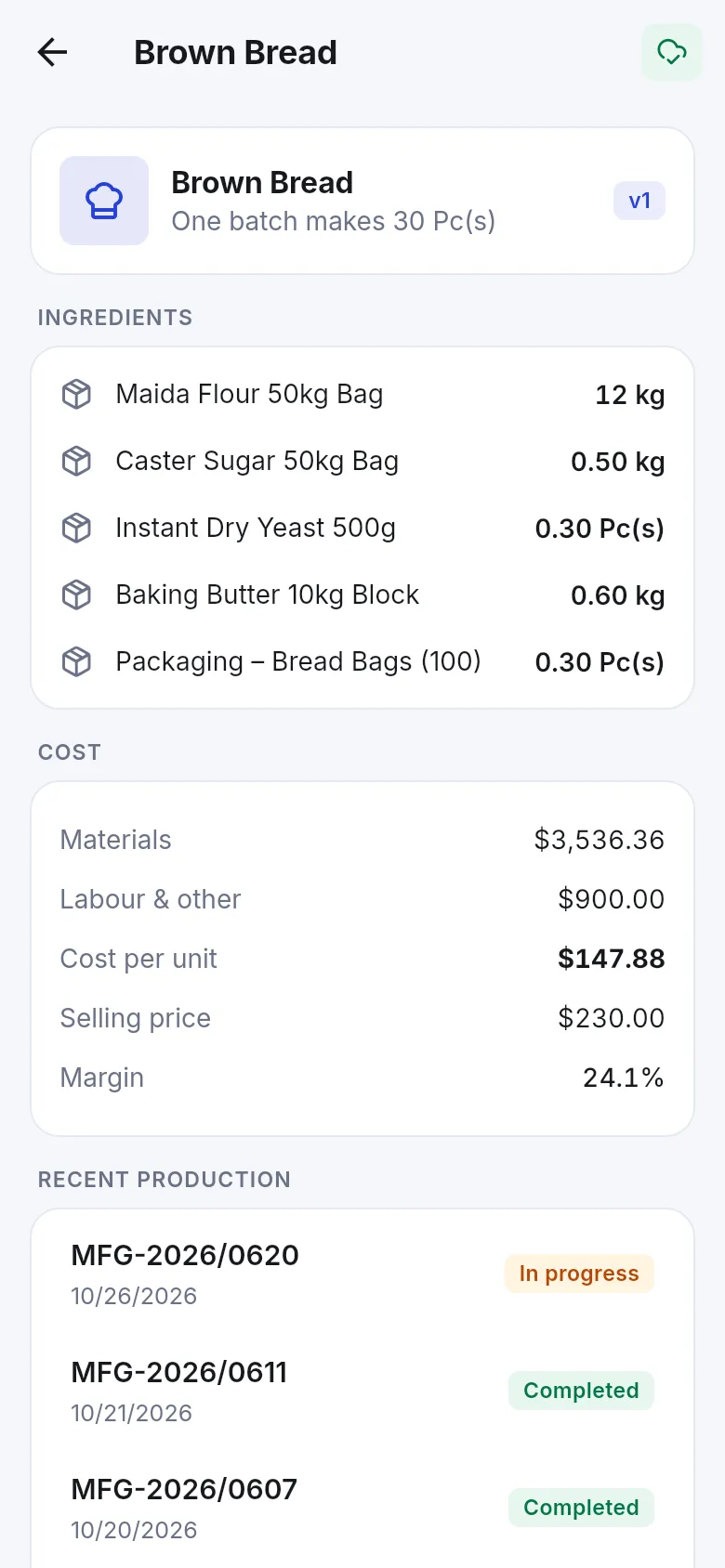
- Add each ingredient with its quantity per batch (stems in Stem or in Bunch of 10) and a Waste % for stems you expect to lose.
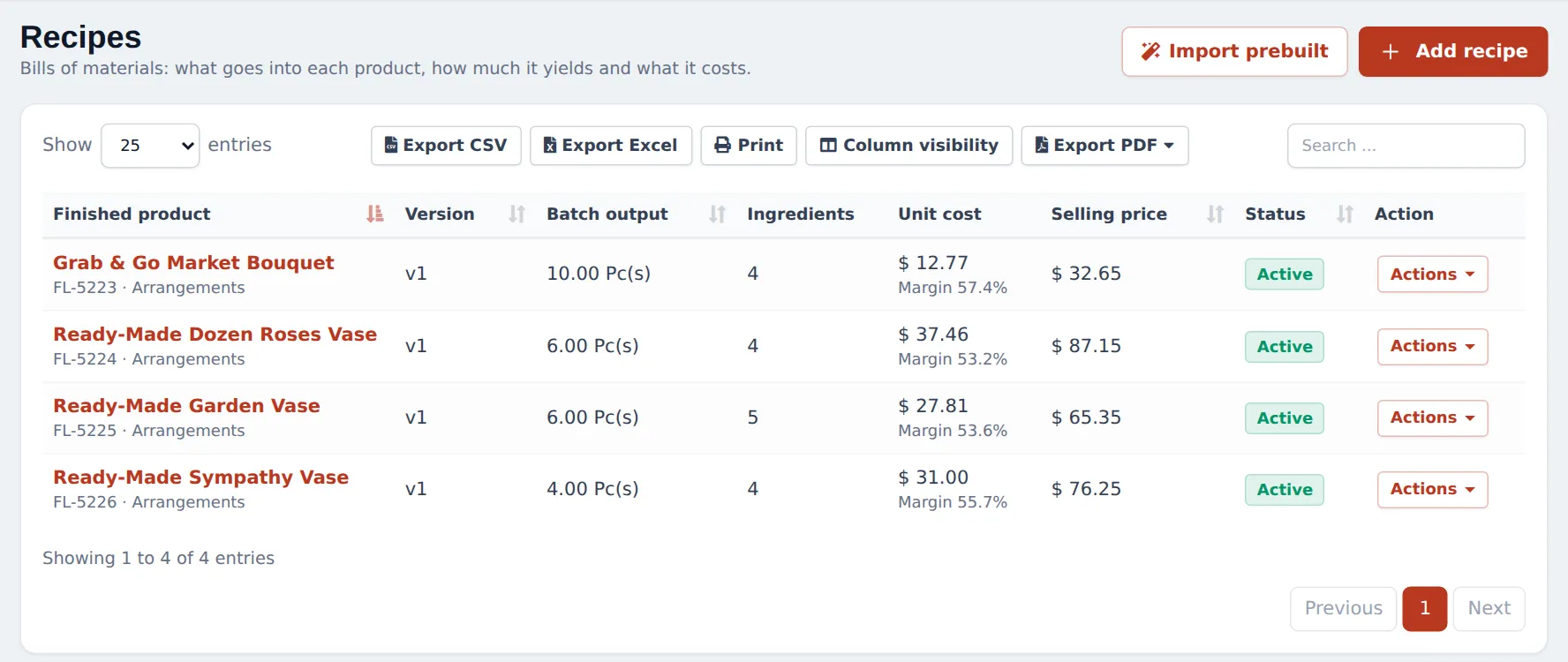
- Add Extra costs such as design labor and save. The list shows Unit cost and Margin.
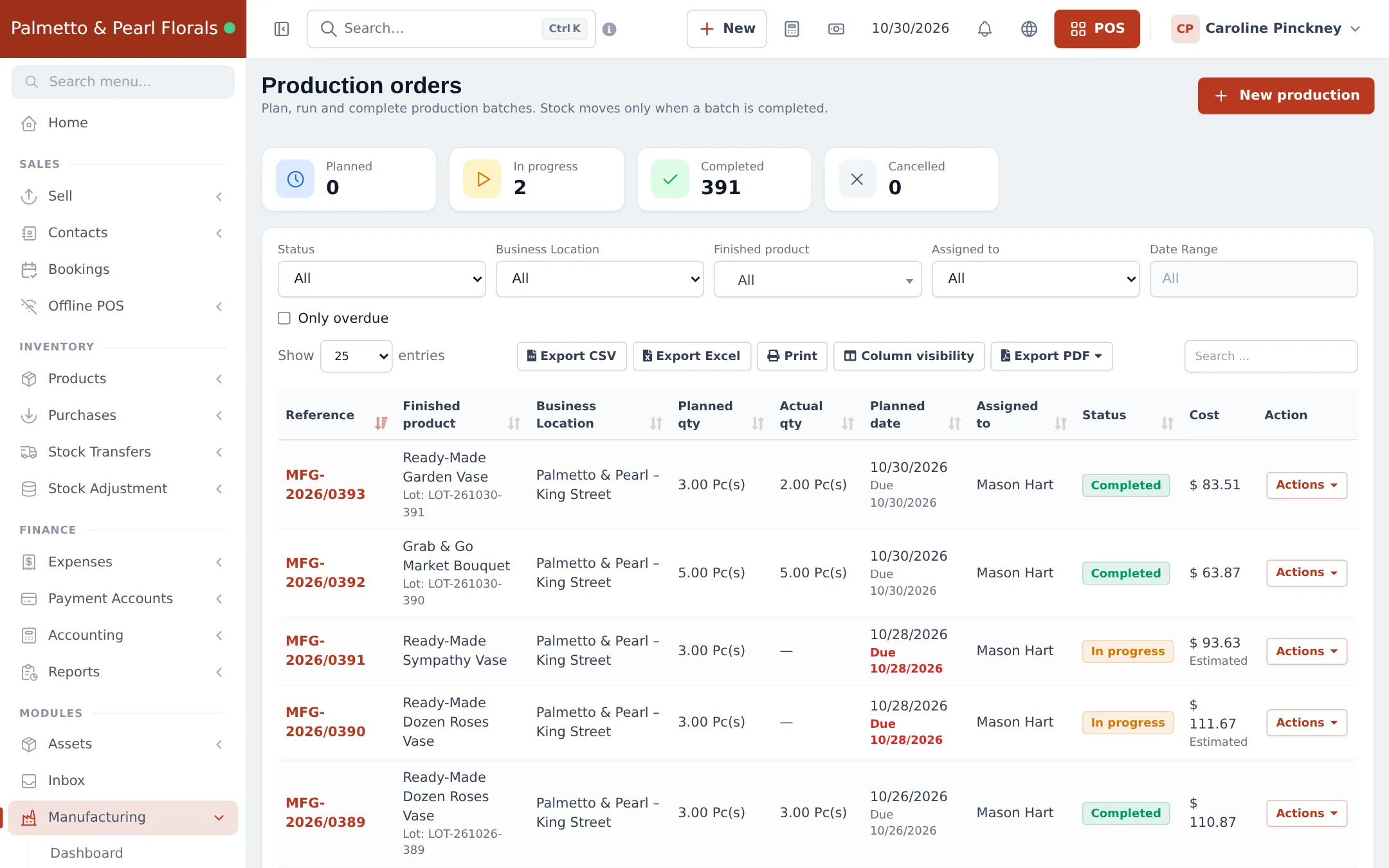
- When you make a batch, click New production, pick the recipe, quantity and the designer it is Assigned to. Click Start production, then Complete production with the actual quantities, any wastage, and the lot and expiry date of the finished vases.
Full module guide: Manufacturing.
Mistakes to avoid
Section titled “Mistakes to avoid”- Selling a ready-made bouquet that was never “produced”. Its stock stays at 0 and the stems are still counted. Complete the production batch first.
- Forgetting the vase. Vases and wrapping are real costs; add them to the combo or recipe.
Next: step 4: wastage.
Frequently asked questions
Combo product or recipe, which should I use?
Use a combo for arrangements you make when the customer orders. Use a Manufacturing recipe for ready-made bouquets and vases you make ahead in batches, so they sit on the shelf as their own stock with a real cost.
Can one arrangement come in Standard, Deluxe and Premium?
Yes. Make it a variable product with a Size option. With Manufacturing, each variation gets its own recipe; as combos, make one combo per size.
Do stems leave stock when I make bouquets ahead?
With a recipe, yes, when you complete the production batch. The ingredients leave stock and the bouquets arrive with their batch cost and lot.
Can I see the cost and margin of a bouquet?
Yes. Manufacturing › Recipes shows the unit cost and the margin against the selling price, and Manufacturing reports show recipe costing over time.
Can I add labor or a vase to the cost?
Yes. Add the vase and wrapping as ingredients, and labor as an extra cost (per batch, per unit or % of material) on the recipe.