
Hardware step 5: turn quotes into invoices
Contractors rarely buy a deck on the spot. They ask for a price on a list of materials, compare, and come back. A quotation in SmartPOS Hub is that price list: saved with the customer, printable, shareable, and one click away from becoming the invoice.
Before you start
Section titled “Before you start”- The contractor exists as a customer with their customer group (step 4).
- Products and units are set up (steps 2 and 3).
Make the quote
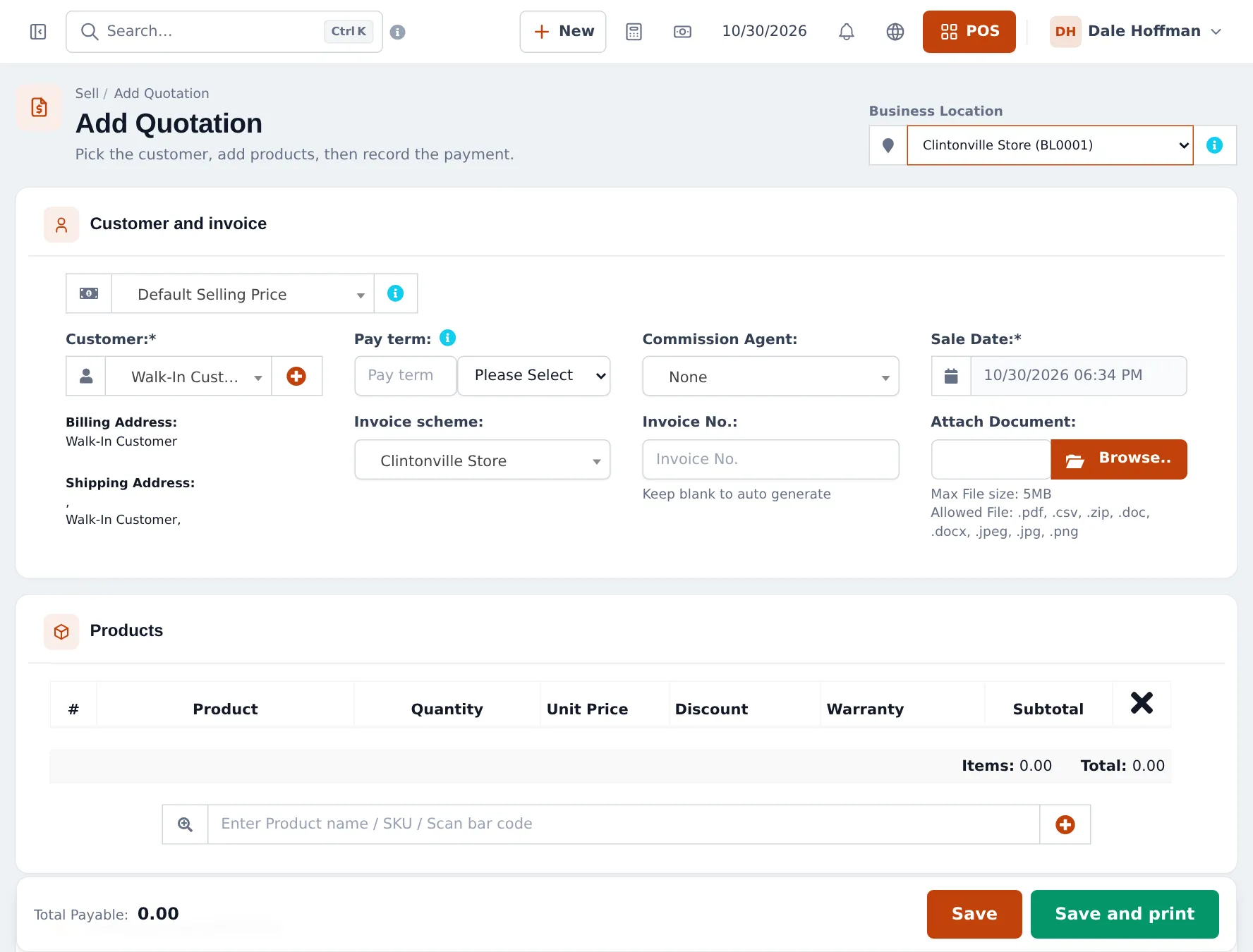
Section titled “Make the quote”- Open Sell › Add Quotation. (At the counter you can also build the cart in the POS and press Quotation.)
- Choose the Business Location at the top right, then the Customer. Their price group is used for prices.
- Add the products with quantities and units, for example 48 deck boards, 1,500 deck screws (15 × Box (100)), 25 joist hangers and a delivery charge as a service product.
- Add a discount if you agreed one, and a note with the job address.
- Click Save or Save and print.
Share and follow up
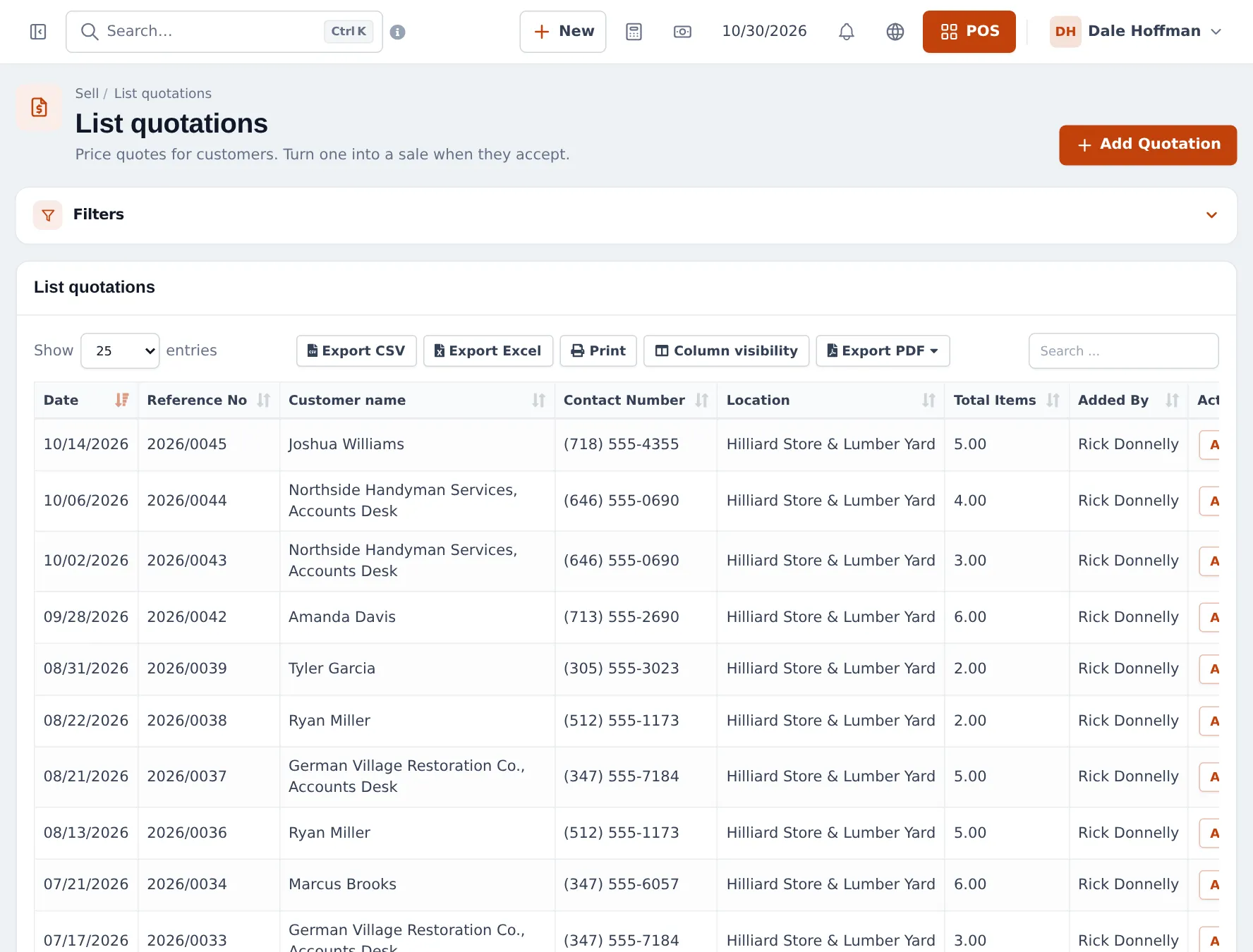
Section titled “Share and follow up”Every quote is listed in Sell › List quotations, filtered by location, customer and date. From Actions you can view, print, edit or copy the Invoice URL to send by e-mail or message.
Turn the quote into an invoice
Section titled “Turn the quote into an invoice”- Open the quote with Actions › Edit (or Recent Transactions › Quotation in the POS).
- Check stock and prices; change quantities if the job changed.
- Finish it: Credit Sale for a house account, or take a full or part payment.
- The quote becomes a final sale with its own invoice number; stock is deducted now.
For special orders (doors, windows, cut glass) that you order in and deliver later, take a deposit and record a sales order instead (switch on Enable Sales Order in Settings › Business Settings › Sale).
Tips and mistakes to avoid
Section titled “Tips and mistakes to avoid”- Don’t finish a big quote at a location that doesn’t hold the stock. Pick the yard location, or transfer the stock first.
- Use the unit dropdown on quote lines, so “1,500 screws” prints as 15 boxes.
- Delete or let old quotes expire in your process; they do not affect stock but clutter the list.
Frequently asked questions
Does a quotation reserve stock?
No. Quotations do not change stock or the customer's balance. Stock is deducted when the quote becomes a final sale, so check availability before you convert a big quote.
How do I send a quote to a contractor?
Print it, or use Actions › Invoice URL in Sell › List quotations to copy a link you can send by e-mail or message. With the customer portal on, the contractor also sees the quote there and can accept or decline it.
Will the quote use the contractor's prices?
Yes. Choose the customer first; the prices of their customer group's price group are used, as in a sale.
How do I turn an accepted quote into an invoice?
Open it from Sell › List quotations with Actions › Edit, or from Recent Transactions › Quotation in the POS, check prices and quantities, then finish it as a sale with a payment button or Credit Sale.
The customer wants the materials delivered next week. What do I use?
A sales order, if Enable Sales Order is on, or finish the sale now and track delivery with the shipping status on the sale.
Can I reuse a standard deck package for every customer?
There are no quote templates. Save a draft or quotation for a sample customer and copy the lines into new quotes, or build the package as a combo product if you sell it often.