
Wholesale and distribution setup guide
This guide sets up a wholesaler, distributor or cash-and-carry on SmartPOS Hub. You finish with warehouses and depots as locations, cartons and pieces, price lists per customer type, credit customers with limits and terms, sales orders, deliveries with a delivery person, supplier purchases, stock across warehouses and the reports a distributor checks every week.
Who this guide is for
Section titled “Who this guide is for”- FMCG and grocery distributors that supply shops, bakeries and supermarkets.
- Cash-and-carry stores selling cartons to retailers.
- Trade suppliers (packaging, stationery, building materials) with account customers.
If you also run a retail store, combine this with the mart guide or the hardware guide.
What you will set up
Section titled “What you will set up”- Warehouses and locations: depots, settings and modules.
- Cartons, units and price groups: carton sub-units and price lists.
- Credit customers, limits and terms: accounts, groups, limits and collections.
- Sales orders and invoices: taking orders and invoicing.
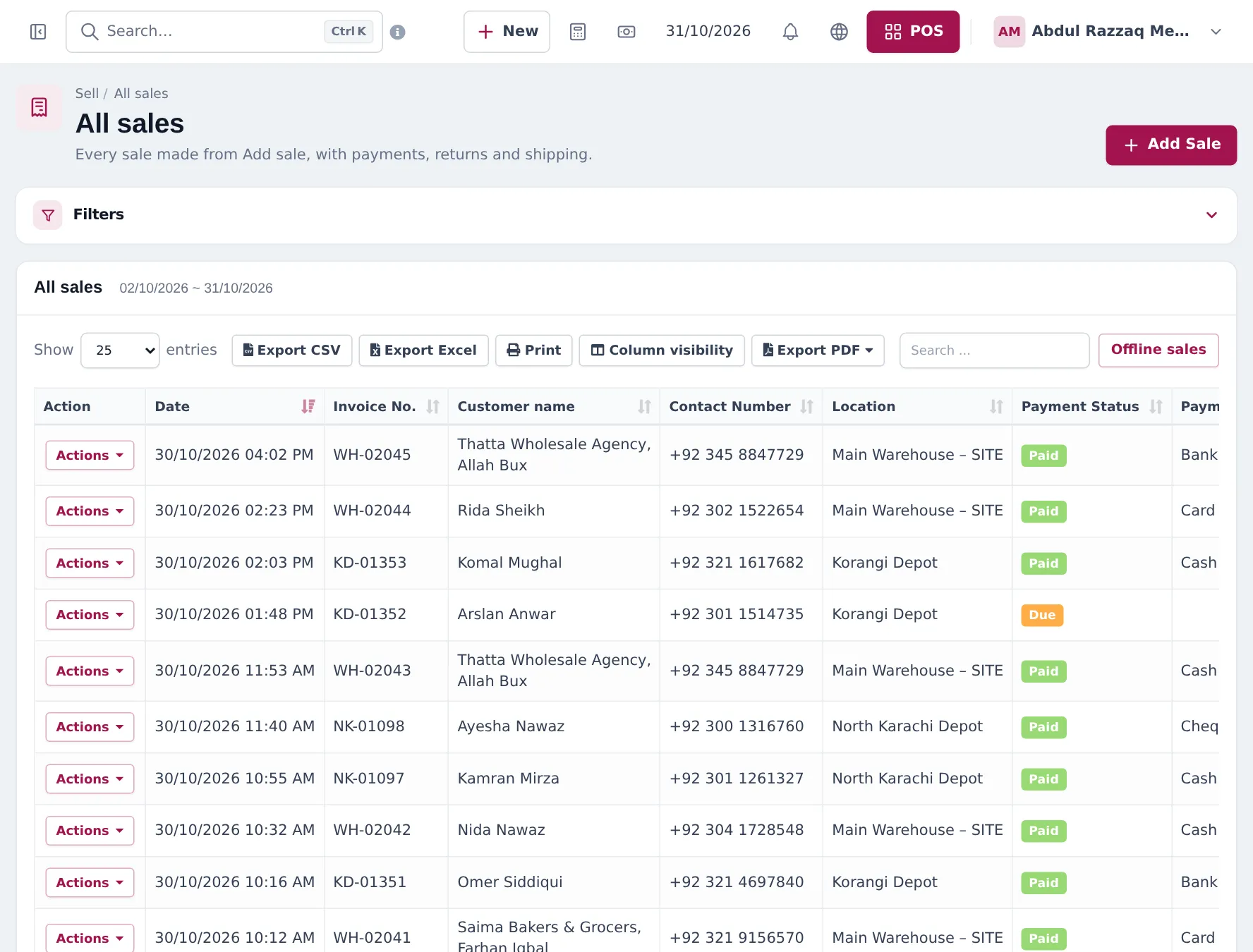
- Delivery and shipping: shipping status, delivery person and couriers.
- Supplier purchases and stock: purchase orders, receiving, transfers.
- Daily operations and reports and the go-live checklist.
How the pieces fit together
Section titled “How the pieces fit together”| You want to… | Where it happens | Setting or module |
|---|---|---|
| Stock in three depots | Settings › Business Locations | Plan location limit |
| Sell by the carton | Products › Units, Related Sub Units | Enable Sub Units |
| Key account prices | Selling Price Group + Customer Groups | Core |
| 30-day terms, limits | Customer Pay term, Credit Limit | Core |
| Order now, deliver later | Sell › Sales Order | Enable Sales Order |
| Track deliveries | Sale Shipping Details, Sell › Shipments | Core; couriers need Shipping & delivery |
| Buy from manufacturers | Purchases › Purchase Order, Add Purchase | Core |
| Rep commission | User Management › Sales Commission Agents | Core |
Related guides
Section titled “Related guides”Frequently asked questions
Can SmartPOS Hub run a distribution business with several warehouses?
Yes. Each warehouse or depot is a business location with its own stock. Stock transfers move goods between them, and every report filters by location.
Can I buy and sell in cartons but count stock in pieces?
Yes. Use Pieces as the base unit and cartons such as Carton (12) or Bale (20) as sub-units. Purchases and sales pick the carton; stock is kept in pieces.
Can different customers get different prices?
Yes. Create selling price groups (Key Account, Sub-Distributor) and link them to customer groups. Retailers buy at the default price; linked groups get their own price automatically.
How do credit limits and pay terms work?
Each customer can have a credit limit and a pay term such as 30 days. Sales over the limit are refused; unpaid invoices show by age in Reports › Payment by Age.
Can I take orders today and deliver tomorrow?
Yes. Switch on Enable Sales Order and record sales orders, then create the invoice from the order when you deliver. Or invoice at once and track delivery with the shipping status.
How do I track deliveries?
Each sale has shipping details with Shipping Status (Ordered, Packed, Shipped, Delivered, Cancelled), address, charges and Delivery Person. Sell › Shipments lists them all. Courier booking needs the Shipping & delivery module.
Can sales reps take orders on the road?
Yes. Reps can use the SmartPOS Business app to sell, check stock and see customer balances, and you can record them as commission agents on sales.
Which reports matter most for a distributor?
Payment by Age for collections, Supplier & Customer Report for balances, Stock Report by location, Sales Representative Report per rep, and Profit / Loss per location.
Can I track batches and expiry for FMCG?
Yes. Turn on Enable Lot number and Enable Product Expiry, enter them on purchases and check Reports › Lot Report.
Which plan do I need?
Locations, units, price groups, credit, sales orders and purchases are in every plan, with limits on locations per plan. Shipping & delivery, the portal and the online store depend on your plan. Settings › Package Subscription shows what is included.