
Pet store step 4: grooming services and appointments
Grooming brings customers back every 4–8 weeks, and they buy food while they wait. The Services module runs the salon: a service menu per dog size, groomers with their own hours and commission, a shared calendar, online booking and checkout in the POS.
Before you start
Section titled “Before you start”- Every groomer and bather has a user login (step 1).
- Your opening hours are set in Bookings › Settings.
1. Build the grooming menu
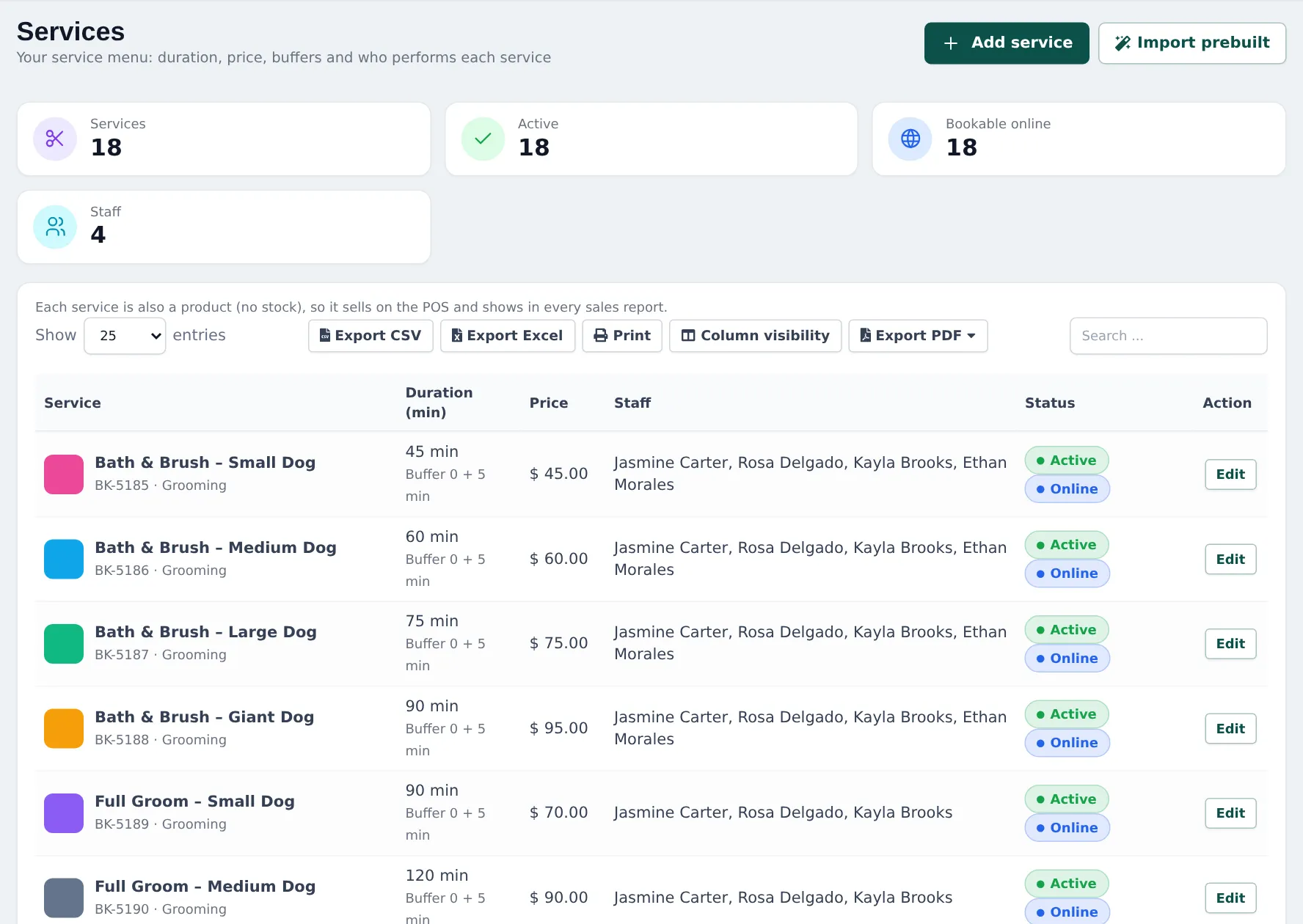
Section titled “1. Build the grooming menu”- Open Services › Services and click Import prebuilt. Pick the Pet grooming menu and the services you offer, or click Add service.
- For each service set Service name, Price, Duration (min), optional Prep before (min) and Clean-up after (min), a Colour and a Description shown online.
- Make one service per dog size where time and price differ: Bath & Brush – Small / Medium / Large / Giant Dog, Full Groom per size, plus add-ons such as Nail Trim, De-Shedding Treatment, Teeth Brushing.
- Leave Bookable online on for services customers may book themselves.
2. Add groomers
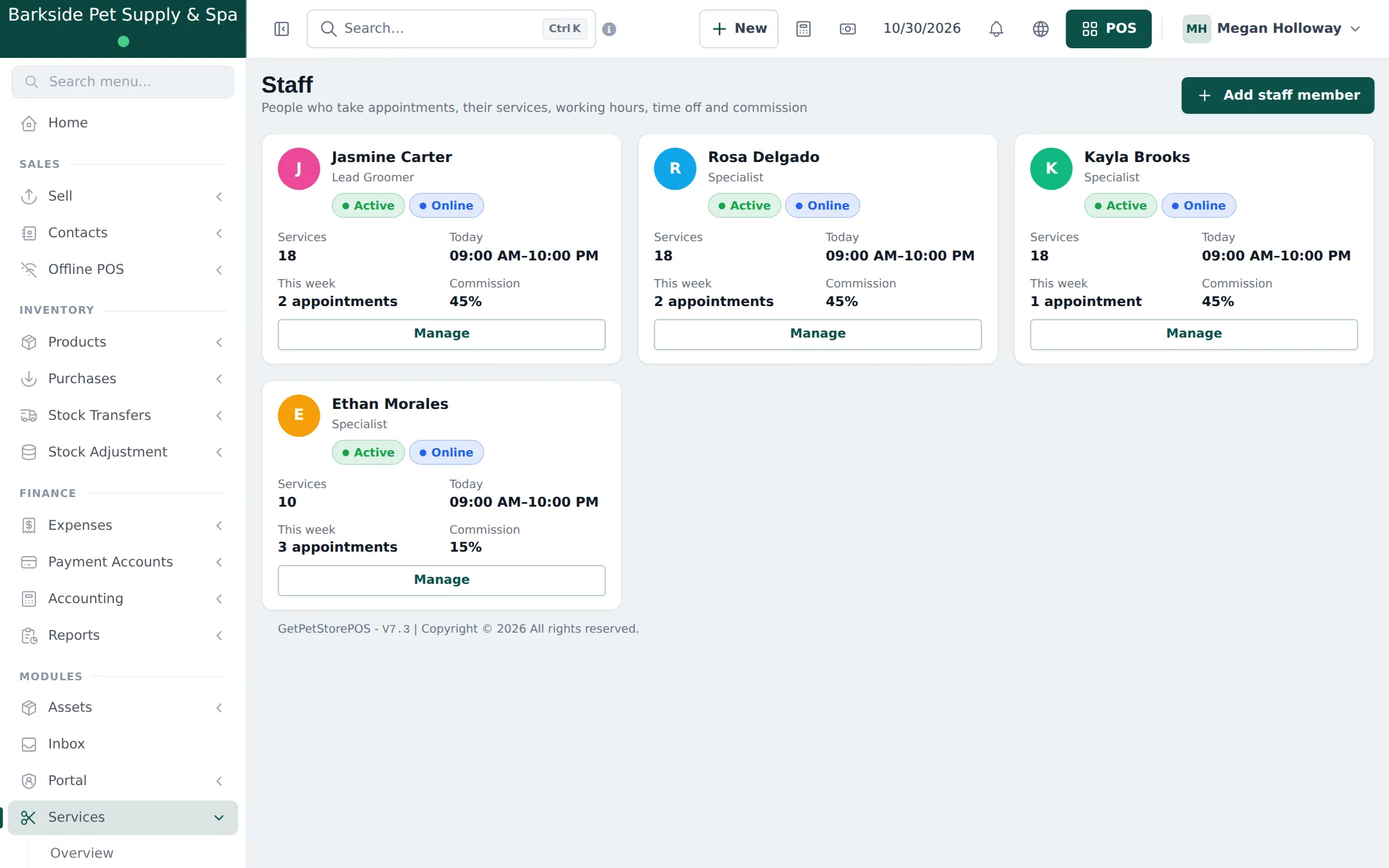
Section titled “2. Add groomers”- Open Services › Staff and click Add staff member.
- Pick the user, add a Job title (Lead Groomer, Bather), choose Same as the business opening hours or Own weekly hours, and add breaks and time off.
- Tick the Services performed (a bather does baths and nails, not full grooms).
- Set Commission as Percent of price or Fixed amount. Save.
3. Pet details on every appointment (optional)
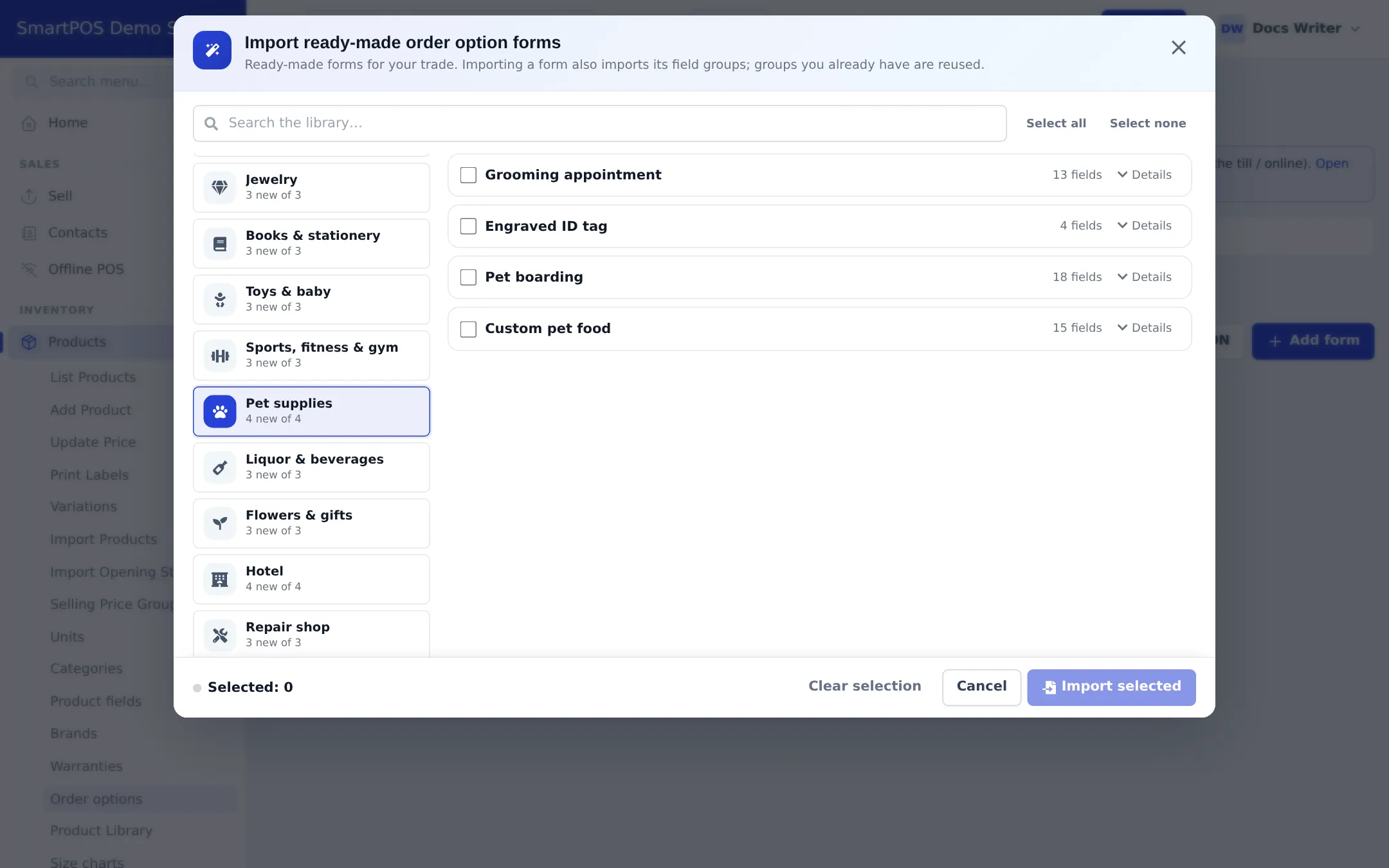
Section titled “3. Pet details on every appointment (optional)”With Order options & personalisation on, import the Pet supplies forms in Products › Order options › Import prebuilt: Grooming appointment (pet, grooming instructions, appointment), Engraved ID tag, Pet boarding and Custom pet food. Attach Grooming appointment to your grooming services. The form then asks for the pet’s name, species, breed, weight, vet notes, coat condition and temperament, and can save the pet on the customer.
4. Book, groom and check out
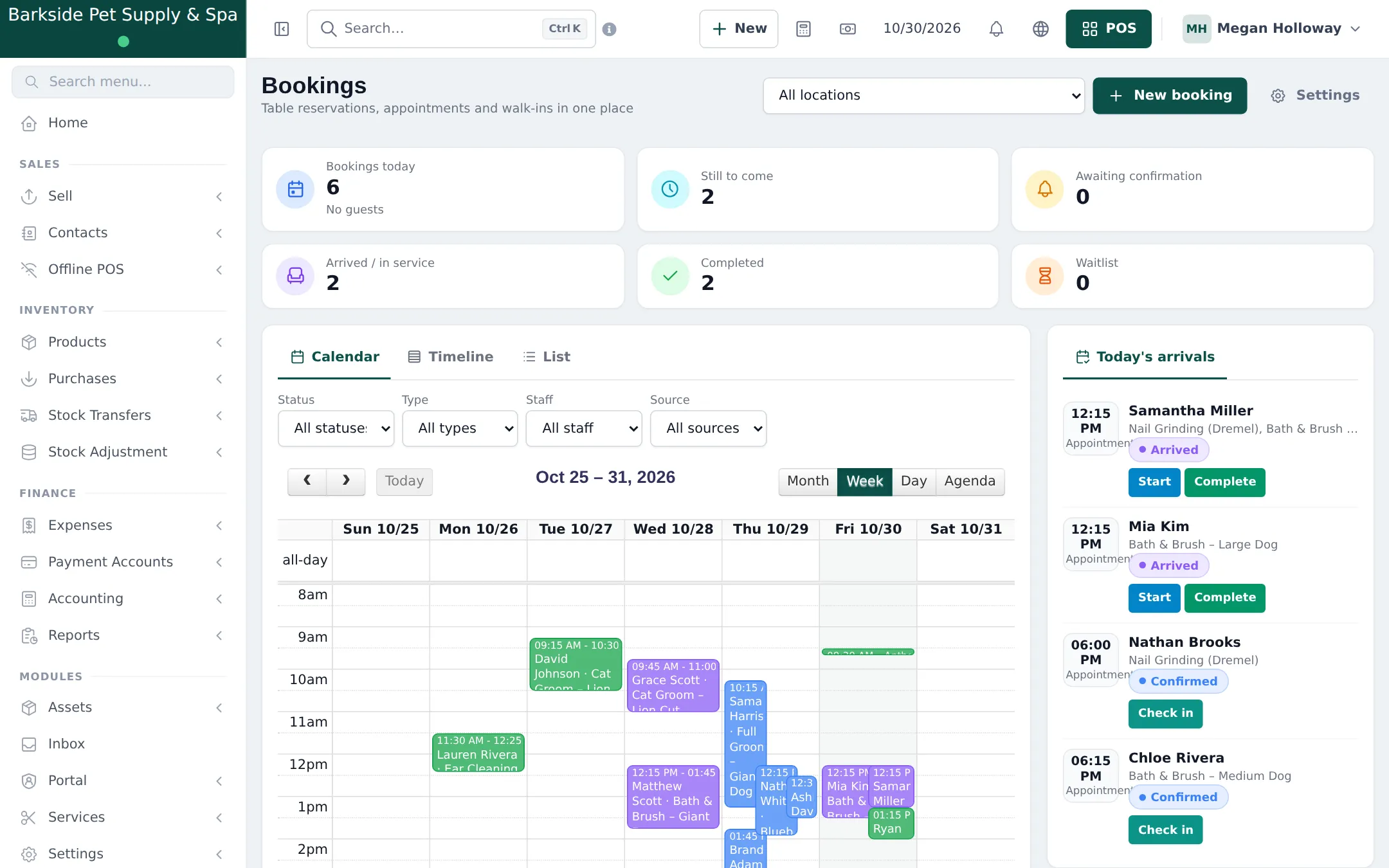
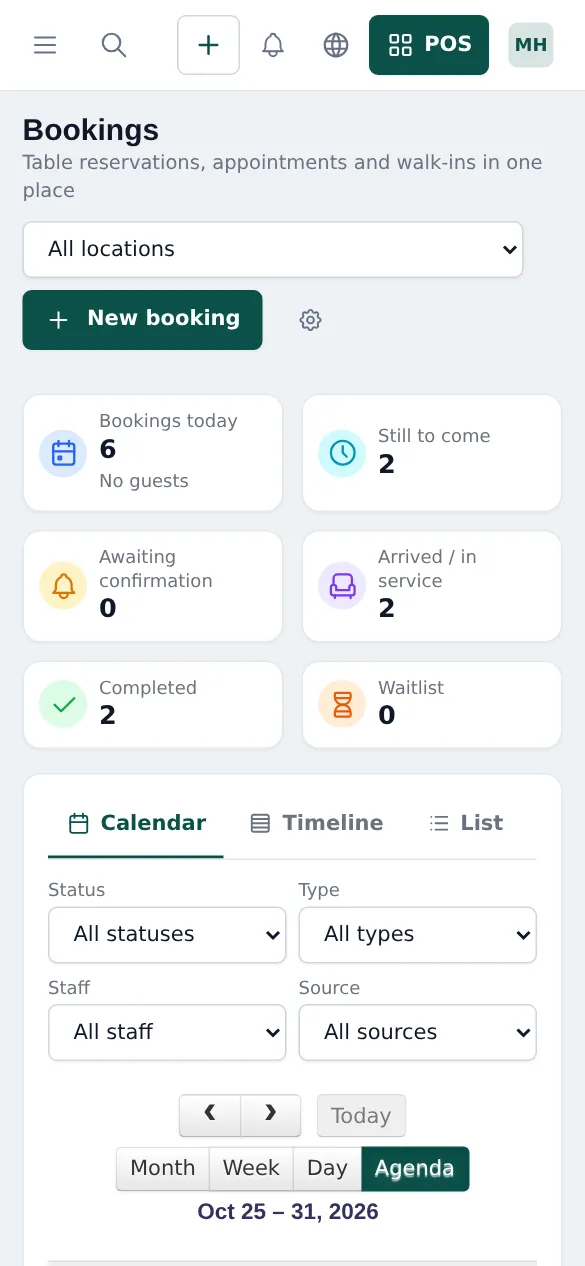
Section titled “4. Book, groom and check out”- Click New appointment on Services › Overview (or New booking on Bookings). Choose the customer, the service(s) and a groomer or Any available staff, then a free time.
- When the dog arrives, open the appointment and click Check in, then Start.
- When the groom is done, click Checkout. The POS opens with the customer, services, prices and groomer filled in. Add food or treats they buy and take payment.
- The appointment is completed and the groomer’s commission recorded.
5. Online booking
Section titled “5. Online booking”In Services › Settings, tick Customers can book services online, choose whether Customers can choose a staff member and whether to Show prices on the booking page. Copy the link from Copy booking link on the overview and add it to your website and social profiles. Members of your store in the SmartPOS Shopper app can book from your store page.
Full reference: Services module and Bookings module.
Frequently asked questions
Is there a ready-made grooming menu?
Yes. Services › Services › Import prebuilt has a Pet grooming menu with full grooms per dog size, puppy first groom, show cuts and more, with durations and prices you can change.
Can a large dog take longer than a small one?
Yes. Make one service per size (Bath & Brush – Small, Medium, Large, Giant Dog), each with its own duration and price. The calendar blocks the right time.
Can I add the nail trim to a full groom?
Yes. Use Add another service on the appointment for back-to-back services, or add the extra at checkout in the POS.
How is groomer commission calculated?
Per staff member or per service, as Percent of price or Fixed amount. It is recorded when the appointment is checked out and paid in the POS.
Can I record the dog's name, breed and temperament?
Yes, with the Grooming appointment order option form (pet name, species, breed, weight, date of birth, vet notes, service, coat condition, temperament). Save it on the customer for next time.
Do customers get reminders?
Email reminders can be switched on in Services › Settings (Reminders & cancellation).