
Gym step 1: turn on Gym and set the rules
Before you sell the first membership, tell SmartPOS Hub where your branches are, switch on the Gym management module, and decide the rules your front desk will follow: member codes, admission fee, grace days, freezes and who is let in. This page is for the owner or gym manager.
Before you start
Section titled “Before you start”- Business name, currency, time zone and logo are set in Settings › Business Settings (Business settings).
- You know your admission (joining) fee and your rules for freezes and expired members.
Add your branches
Section titled “Add your branches”Open Settings › Business Locations and add one location per gym or studio. Each branch has its own cash register, stock of supplements and check-ins. See Locations.
Switch on the Gym module
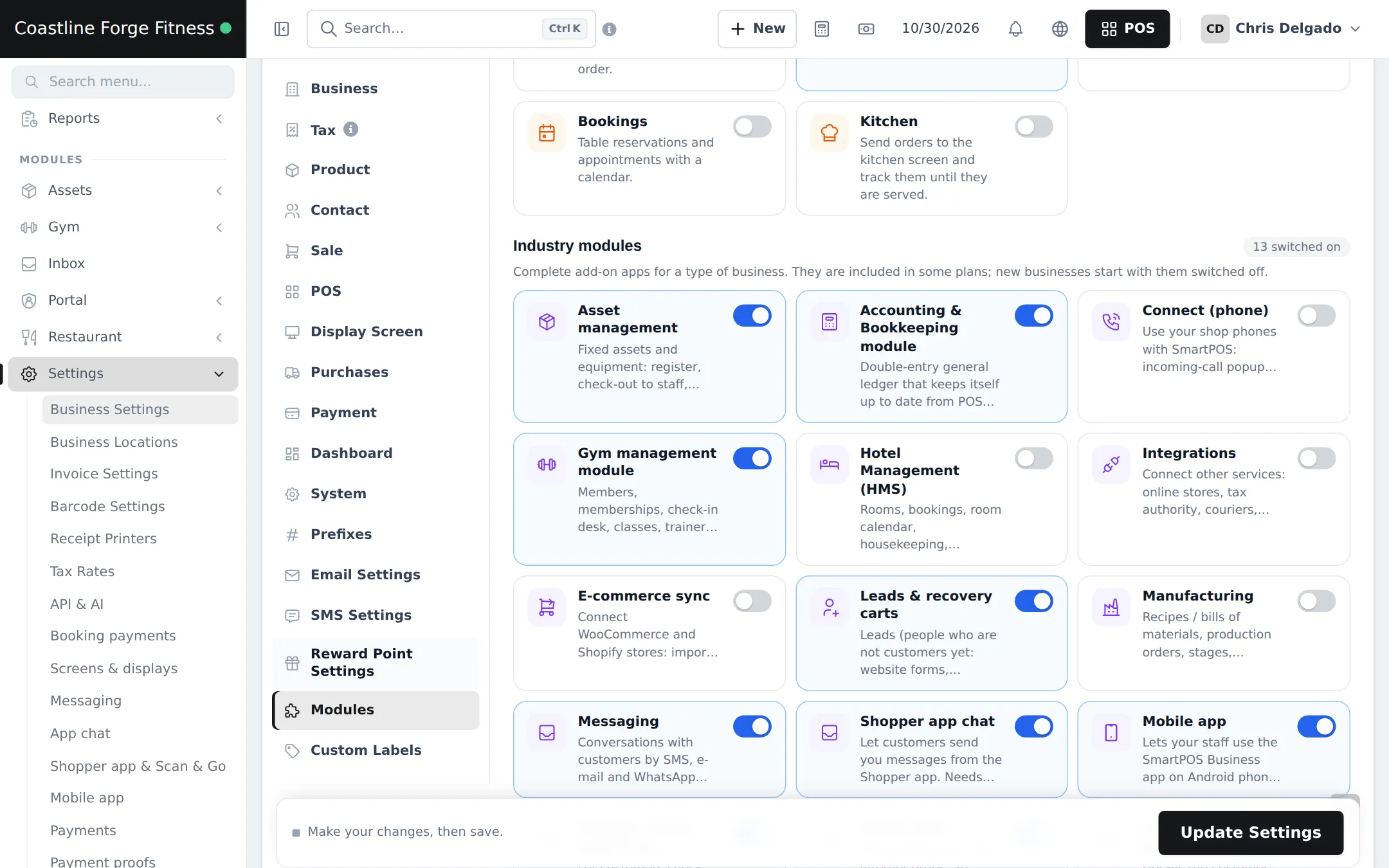
Section titled “Switch on the Gym module”- Open Settings › Business Settings and click the Modules tab.
- Under Industry modules, switch on Gym management module. Add Product Library for supplements and Mobile app if staff will use phones.
- Click Update Settings. The Gym group appears in the sidebar.
Set up roles
Section titled “Set up roles”Open User Management › Roles, click Import prebuilt and take Gym Manager, Gym Trainer and Gym Front Desk, or build your own. A front-desk role usually needs Attendance: use the check-in desk, Members: view and Memberships: sell, renew & change plan. Then add users in User Management › Users. The full permission list is on the Gym module page.
Gym settings
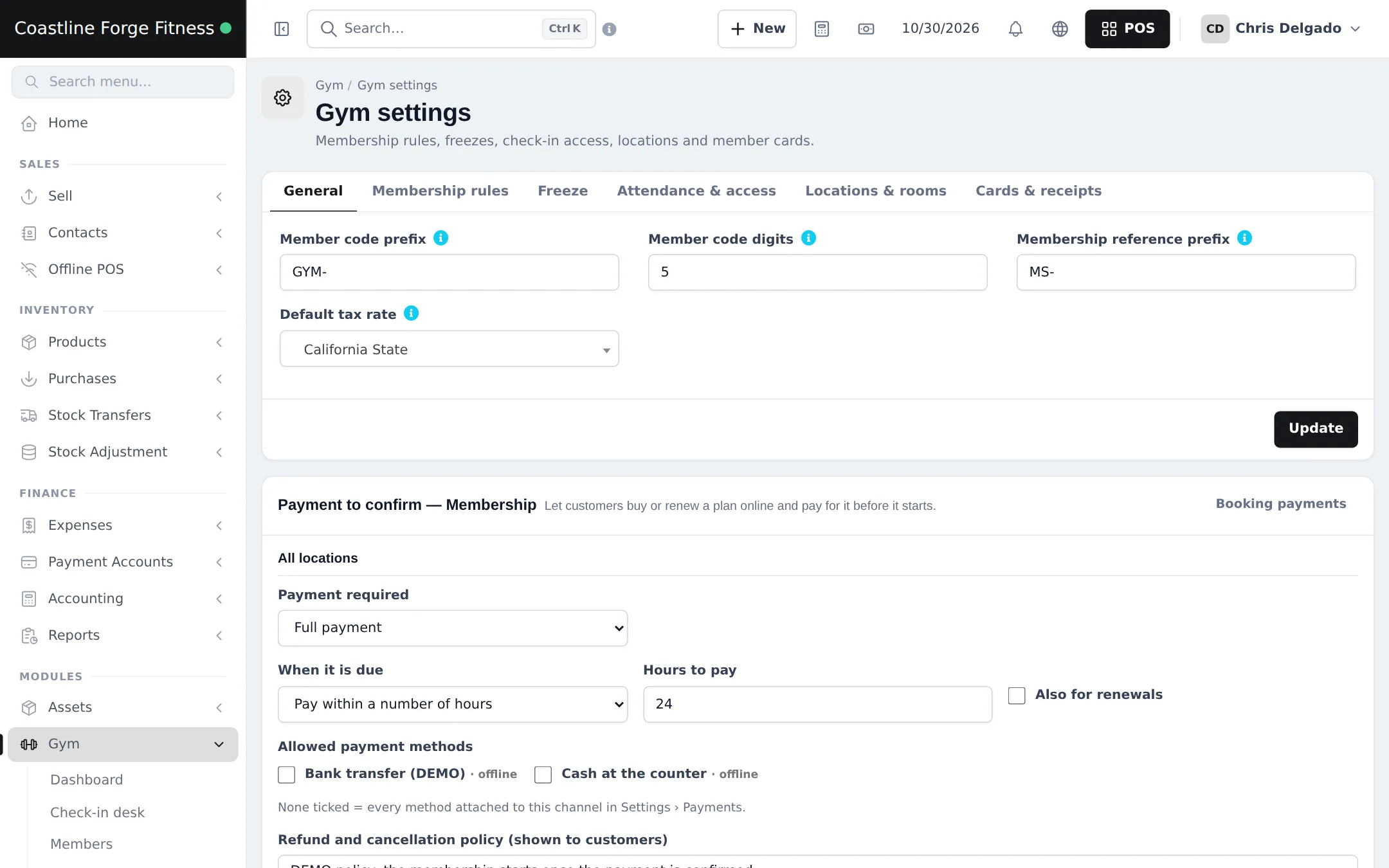
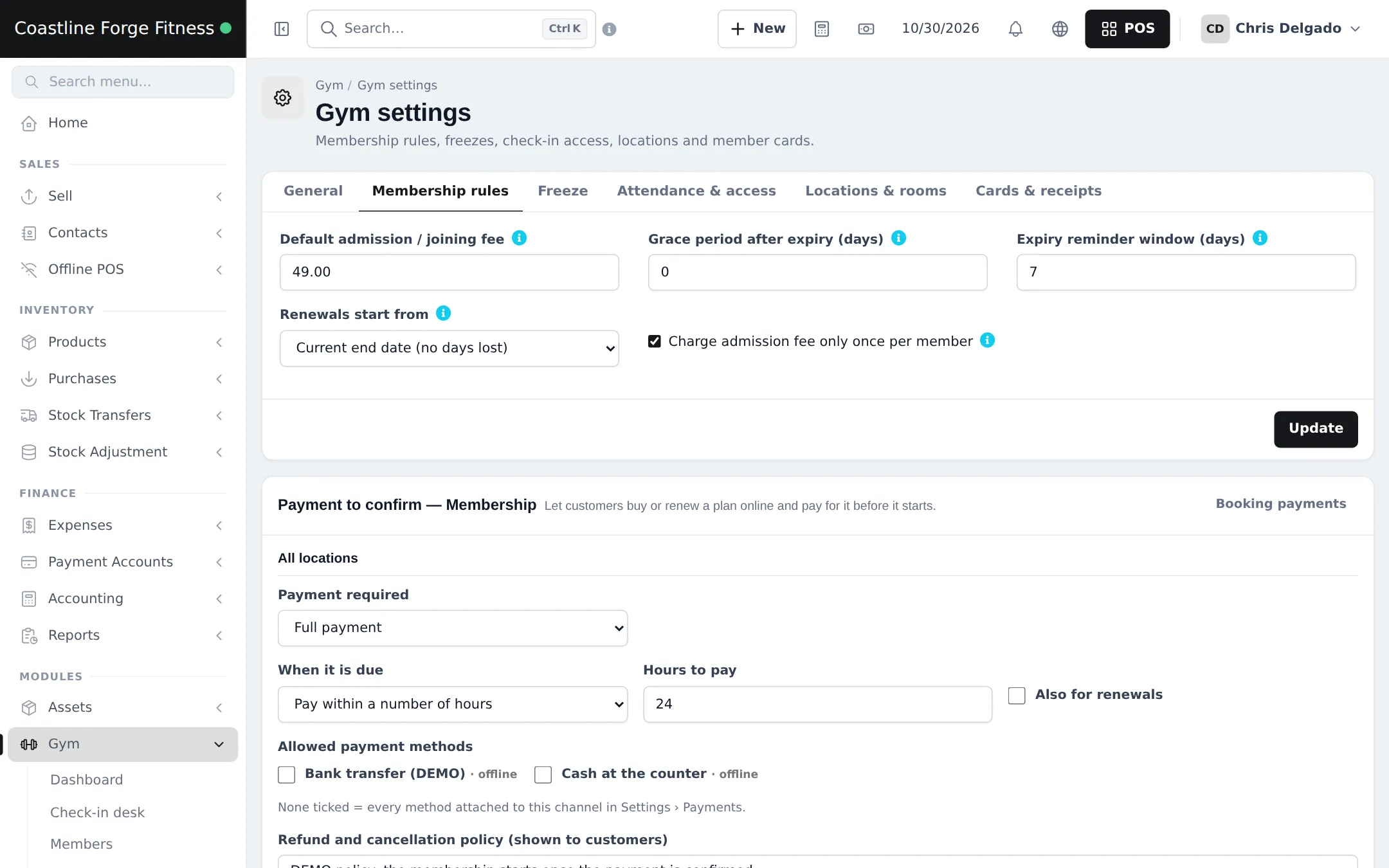
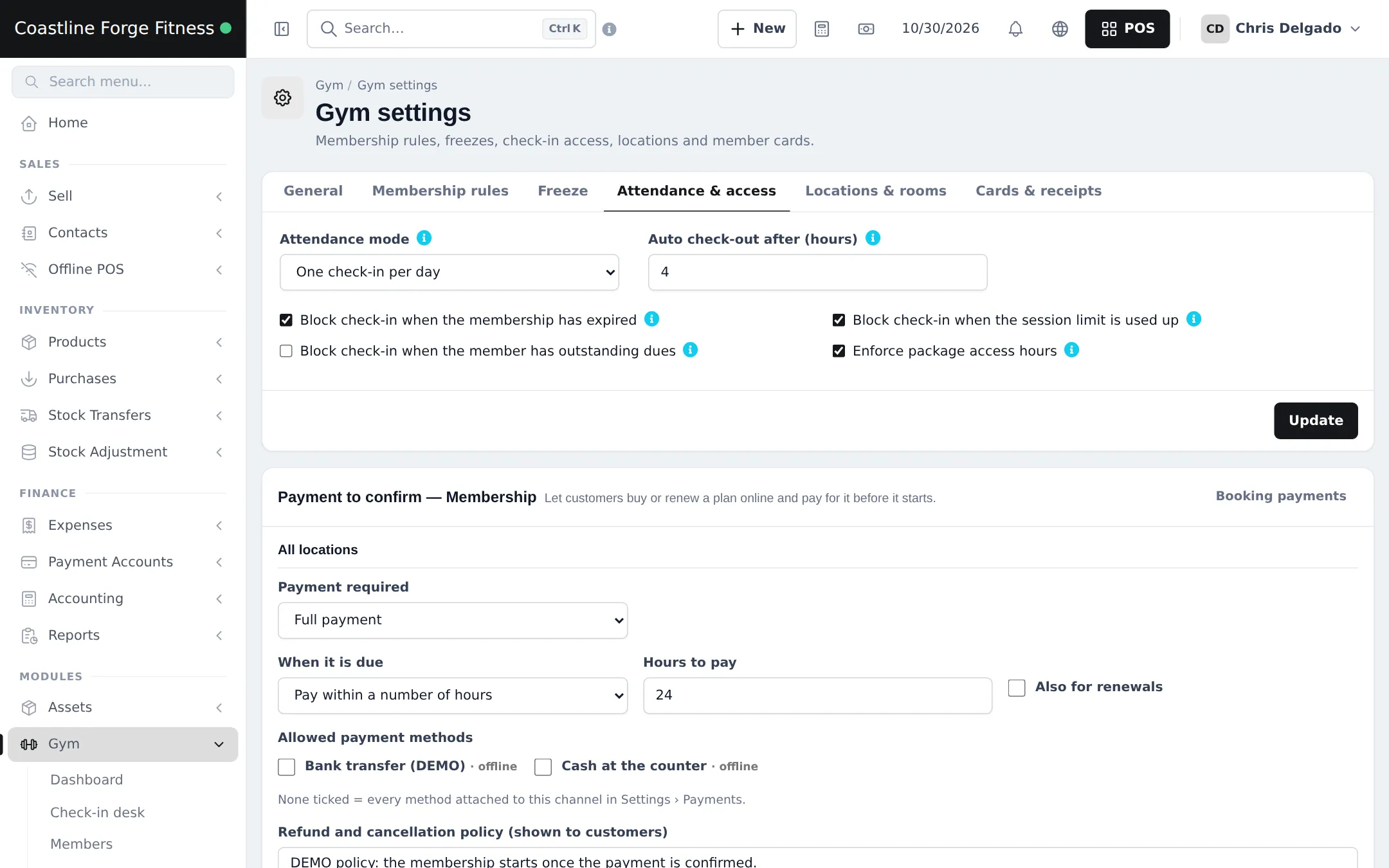
Section titled “Gym settings”Open Gym › Settings. Each tab saves with Update.
- General: Member code prefix (for example GYM-), Member code digits, Membership reference prefix and Default tax rate.
- Membership rules: Default admission / joining fee, Grace period after expiry (days), Expiry reminder window (days), Renewals start from and Charge admission fee only once per member.
- Freeze: whether members can freeze, the minimum and maximum days and how many freezes are allowed.
- Attendance & access: Attendance mode, Auto check-out after (hours), and which problems block entry (Block check-in when the membership has expired, …has outstanding dues, …the session limit is used up, Enforce package access hours).
- Locations & rooms and Cards & receipts: where members train, and member card and receipt options.
What happens next
Section titled “What happens next”The Gym dashboard shows the Set up your gym checklist. Continue with step 2: membership packages.
Frequently asked questions
Why can't I see the Gym menu?
Three things must be true. Your plan includes the Gym management module, its switch is on in Settings › Business Settings › Modules, and your role has Gym permissions. Business admins get every permission.
Should the admission fee be charged on every renewal?
Usually not. Tick Charge admission fee only once per member in Membership rules so renewals only pay the plan price.
What does Renewals start from do?
Current end date (no days lost) starts a renewal the day after the current plan ends, even if the member renews early. Today starts it immediately.
Should expired members be blocked at the door?
Most gyms tick Block check-in when the membership has expired. Staff can still override a block at the desk, and the reason is saved.
What is the grace period?
Grace period after expiry (days) gives members a few days after the end date before the plan counts as expired.
Can a member check in twice a day?
Choose it under Attendance mode: one check-in per day, or several. Auto check-out after (hours) closes visits that nobody checked out.