
Café step 5: tabs for regulars and groups
Regulars who sit with a laptop, groups that order round after round, the table that wants “one more cake”: open tabs keep a running bill and take one payment at the end.
Turn on tabs
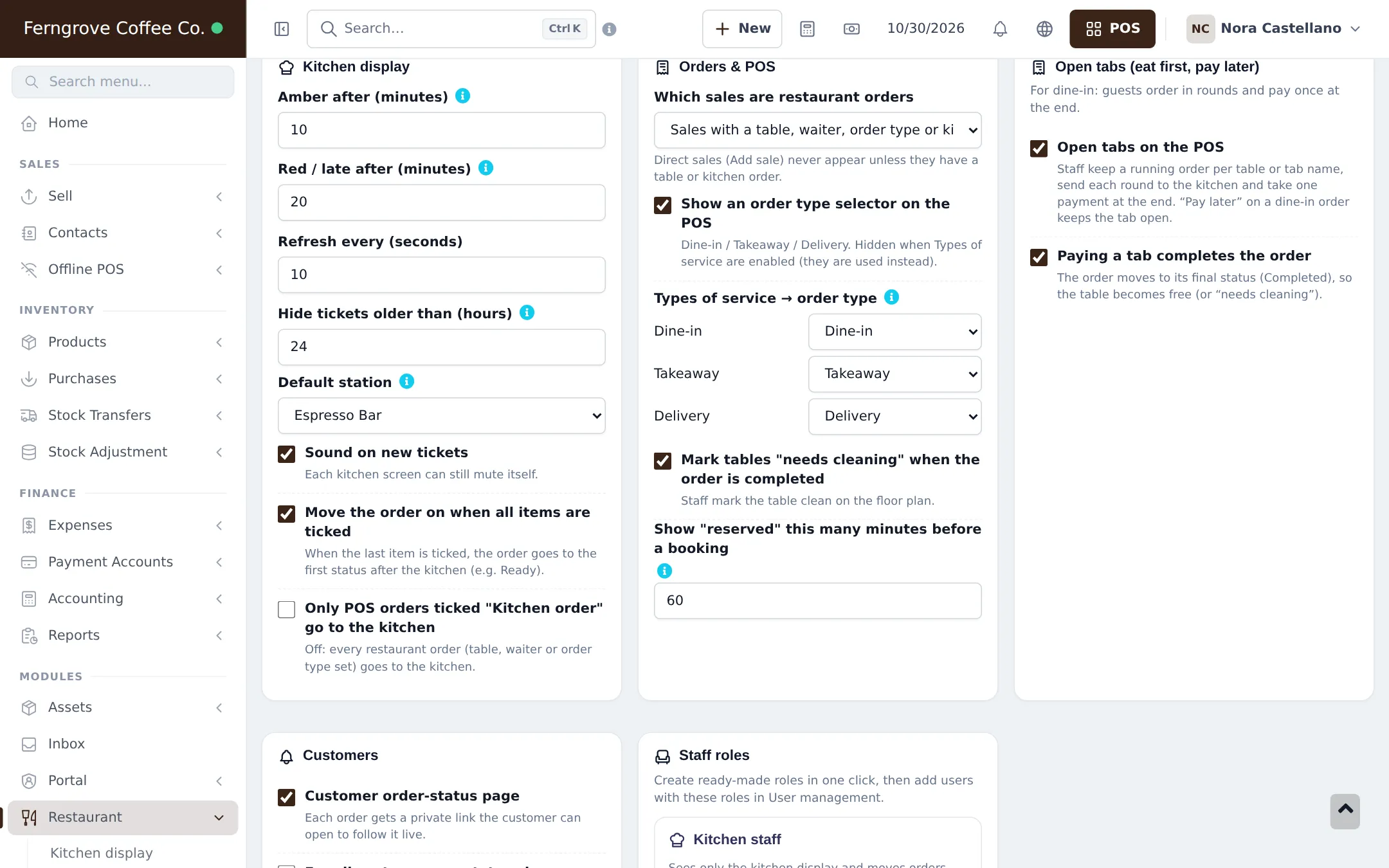
Section titled “Turn on tabs”- Open Restaurant › Restaurant settings and find Open tabs (eat first, pay later).
- Tick Open tabs on the POS.
- Tick Paying a tab completes the order so a paid tab closes the order.
- Save.
Use a tab at the counter
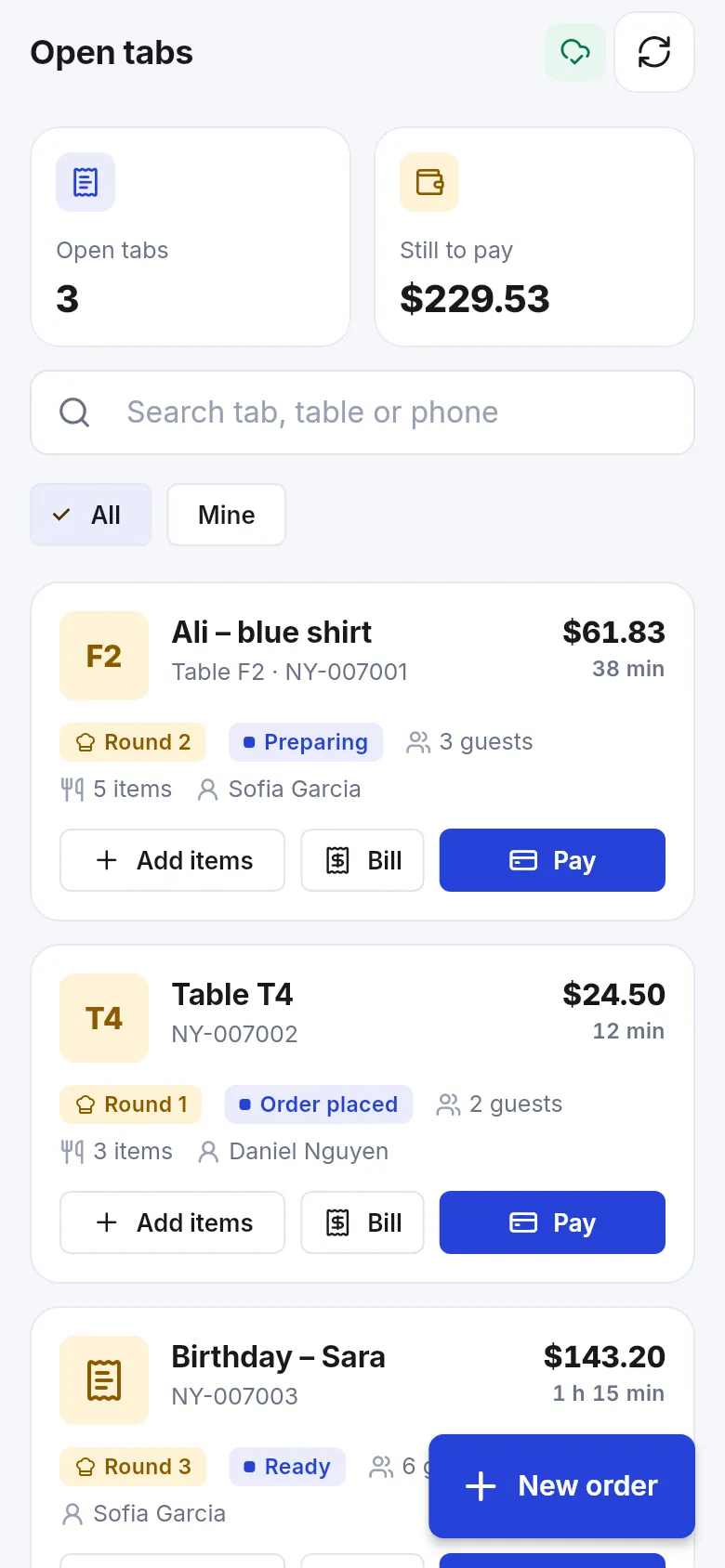
Section titled “Use a tab at the counter”- Add the first drinks on the POS. Open Order details and enter the tab name (or pick a table) and guests.
- Click Send to kitchen. The round goes to the bar screen and the tab is saved.
- For the next round, open the tab from the Open tabs panel, add items and send again.
- When the guest leaves, open the tab, print the bill if asked, and take the payment with Card, Cash or Pay (several methods allowed).
The full flow, with split payments and the difference to credit customers, is in Restaurant step 9 and Open tabs.
Tips and mistakes to avoid
Section titled “Tips and mistakes to avoid”- Use a name staff can recognise (“Window seat – red scarf”).
- Close every tab before you close the register.
- Regulars who pay weekly are credit customers, not tabs: see Credit and part payments.
Next step
Section titled “Next step”Frequently asked questions
Do I need tables to use tabs?
No. A tab can be named after the guest ("Ali – blue shirt") instead of a table. Tables or Kitchen must be switched on for open tabs to work.
Is an open tab the same as credit?
No. A tab stays open only until the guest leaves today and needs no customer record. Credit means a known customer owes you money after the sale is finished.
Can a tab be paid by two people?
Yes. When paying, add several payment lines, for example part in cash and part by card.
Can waiters see only their own tabs?
Yes. Staff whose role has View own orders only see the tabs they opened.
How do I stop forgotten tabs?
Check the Open tabs panel before closing the register. A tab left open is not in your sales until it is paid.