
Bakery step 4: plan and complete daily production
Every bake is a production order: which recipe, how many, at which location, by when and by whom. A bakery usually creates the next day’s orders in the afternoon and completes them early in the morning before the transfers go out.
Before you start
Section titled “Before you start”- Recipes exist (step 3).
- Raw materials are in stock at the bakehouse.
- Your role has Add production orders and Complete production (posts stock).
1. Plan a batch
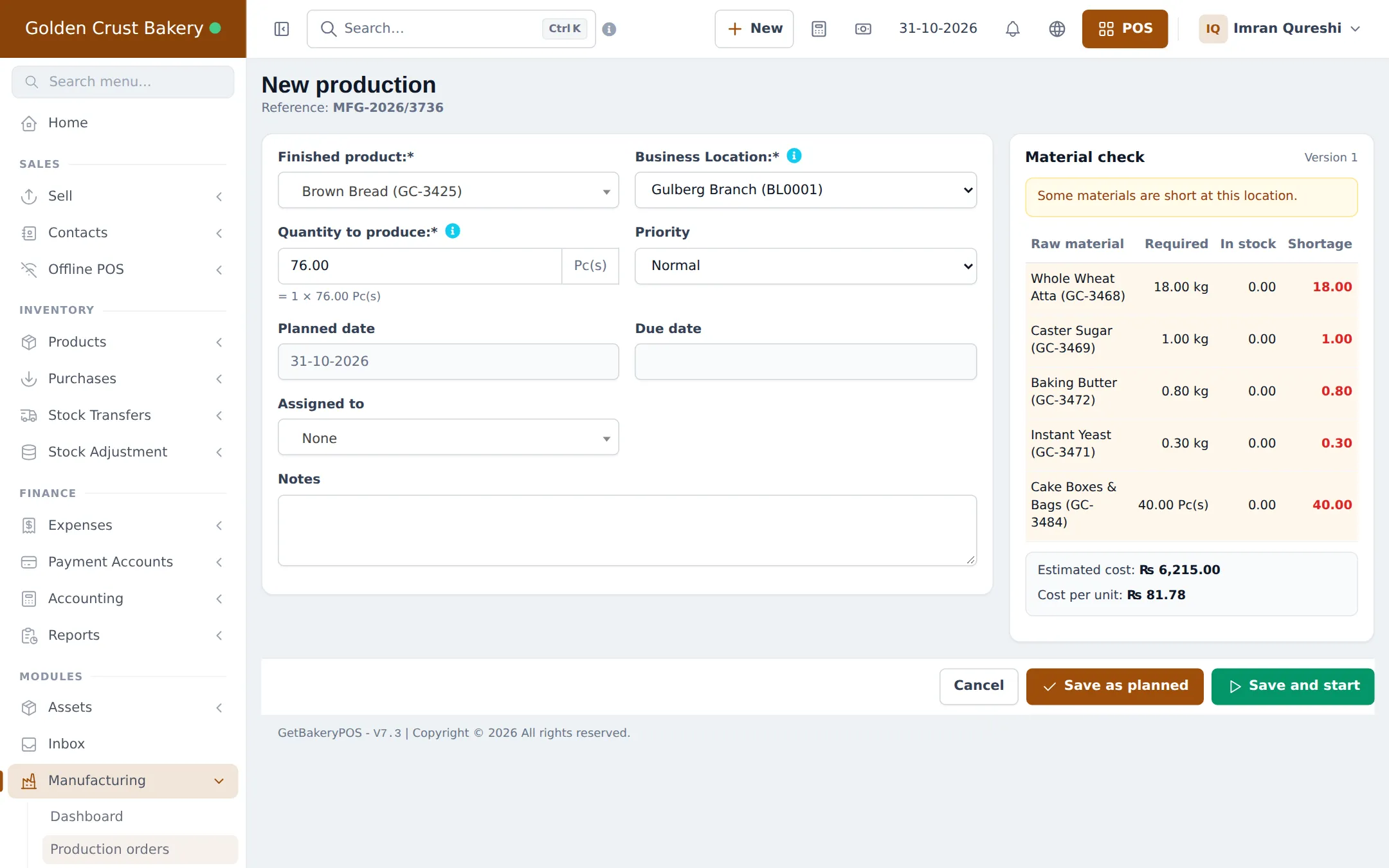
Section titled “1. Plan a batch”- Open Manufacturing › Production orders and click New production (or Plan production on a recipe).
- Pick the Finished product and the Business Location. Choose the bakehouse, because that is where the ingredients are.
- Enter the Quantity to produce, the Planned date, the Due date, the Priority and who it is Assigned to.
- Look at the Material check on the right. Red numbers are shortages at this location.
- Click Save as planned, or Save and start if baking begins now.
2. Follow the day’s orders
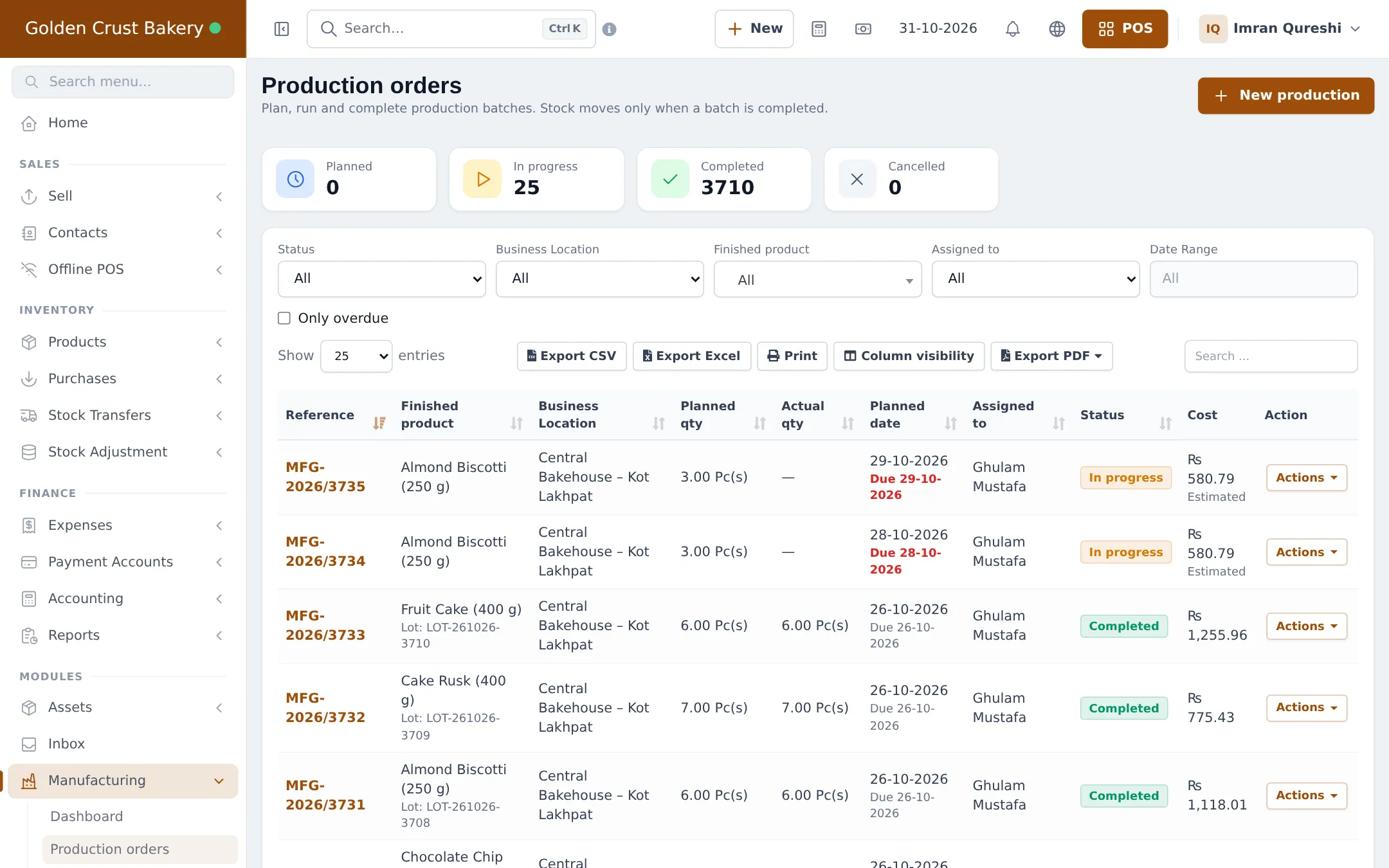
Section titled “2. Follow the day’s orders”Manufacturing › Production orders shows counters for Planned, In progress, Completed and Cancelled, with filters for status, location, product, staff and dates. Tick Only overdue to see late batches. The Actions menu on each row opens, prints the production sheet, starts or completes the order.
3. Complete the batch
Section titled “3. Complete the batch”- Click Complete on the order.
- Under Output, enter the Good output and any Rejected output with its Reject reason.
- Check the Lot number (filled automatically), Manufacturing date and Expiry date.
- Under Materials used, correct the Actually used quantities if the batch differed. Add ingredient waste with Add wastage line.
- Adjust extra costs if needed and check the Cost preview.
- Click Complete and update stock.
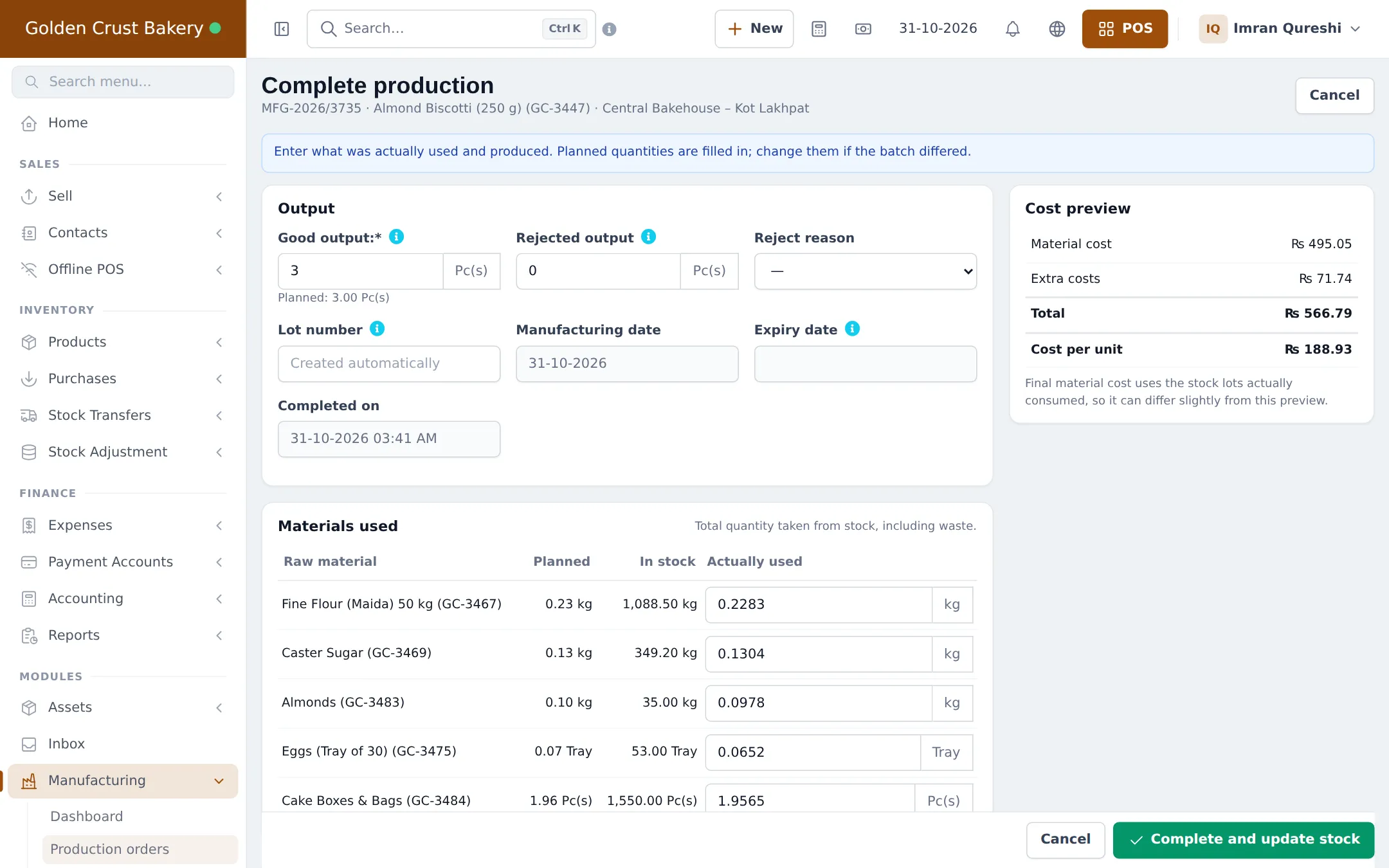
What happens next: the ingredients leave the bakehouse stock as “Used in production”, the finished goods arrive as “Manufactured” with their batch cost and lot, and the order shows Completed.
On a phone in the bakehouse
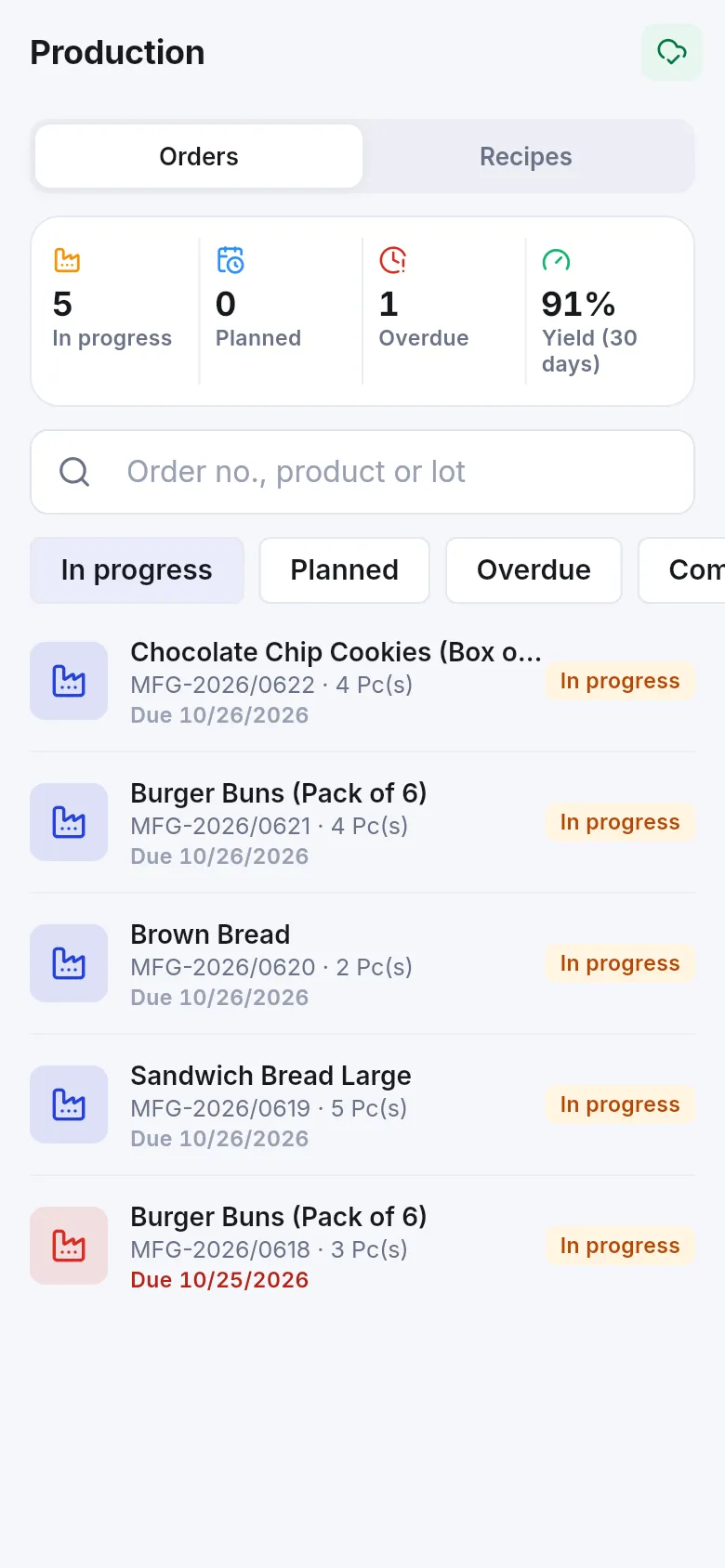
Section titled “On a phone in the bakehouse”The Production screen in the SmartPOS Business app lists orders with counters for in progress, planned, overdue and yield. Bakers open an order, see the materials and tap Start or Complete.
Tips and mistakes to avoid
Section titled “Tips and mistakes to avoid”- Always produce at the location that holds the ingredients, then transfer the goods (step 5).
- Complete orders the same morning; stock you haven’t completed can’t be transferred or sold.
- One order makes one product. Create one order per product per day.
Next step
Section titled “Next step”Frequently asked questions
When do ingredients leave stock?
Only when you click Complete and update stock. Planned and in-progress orders only reserve materials in the material check.
What if I am short of flour?
The material check on the order shows the shortage per ingredient, and the dashboard lists Material shortages. Buy or transfer the material first, or switch on Allow production with insufficient stock in Manufacturing settings.
What if a few loaves were burnt?
When completing, enter the good output and the Rejected output with a Reject reason such as Burnt. Ingredient waste goes under Record wastage. Both show in the Wastage report.
Can I undo a completed batch?
Yes, it can be reopened as long as none of the produced stock has been sold, used, adjusted, returned or transferred yet.
Do bakers need to see costs?
No. Without the See production costs and margins permission they see quantities only.
Can I print a sheet for the bakers?
Yes. Print production sheet on an order prints the ingredients and quantities for that batch.