
Hotel & resort setup guide for SmartPOS Hub
This guide walks a hotel, resort, guest house or serviced-apartment business through a complete SmartPOS Hub setup, in order. Follow the steps and you finish with rooms and rates, online-ready policies and deposits, bookings, check-in and check-out, a live room board, housekeeping, and books that include your restaurant, spa and shop.
Who this guide is for
Section titled “Who this guide is for”- Hotels and resorts with several floors, room types and outlets such as a restaurant or spa.
- Guest houses, motels and B&Bs that want simple bookings, deposits and a clean-room list.
- Serviced apartments and long-stay properties that need weekly and monthly rates.
If your property also runs a restaurant, keep this guide open next to the Restaurant guide and only follow the restaurant steps you need.
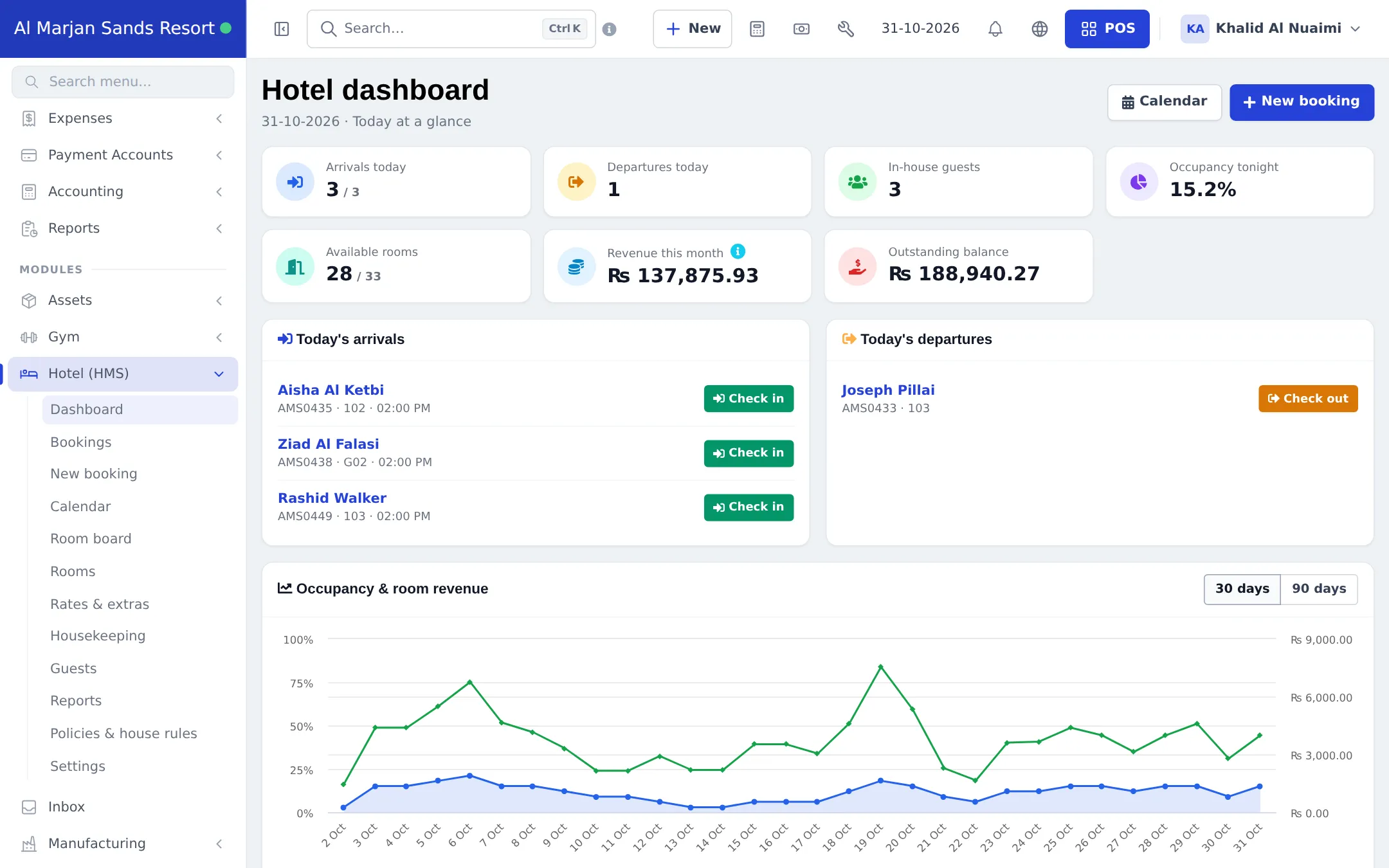
What you will set up
Section titled “What you will set up”- Locations and modules: one location per outlet, Hotel Management (HMS) switched on, hotel settings.
- Floors, room types and rooms: prices, capacity, amenities, photos and bulk add.
- Rates, long stays and extras: seasonal prices, weekly and monthly discounts, breakfast and transfers, coupons.
- Policies and deposits: check-in times, house rules, cancellation and pay-to-confirm.
- Take bookings: the booking form, the calendar and the bookings list.
- Check-in, check-out and payments.
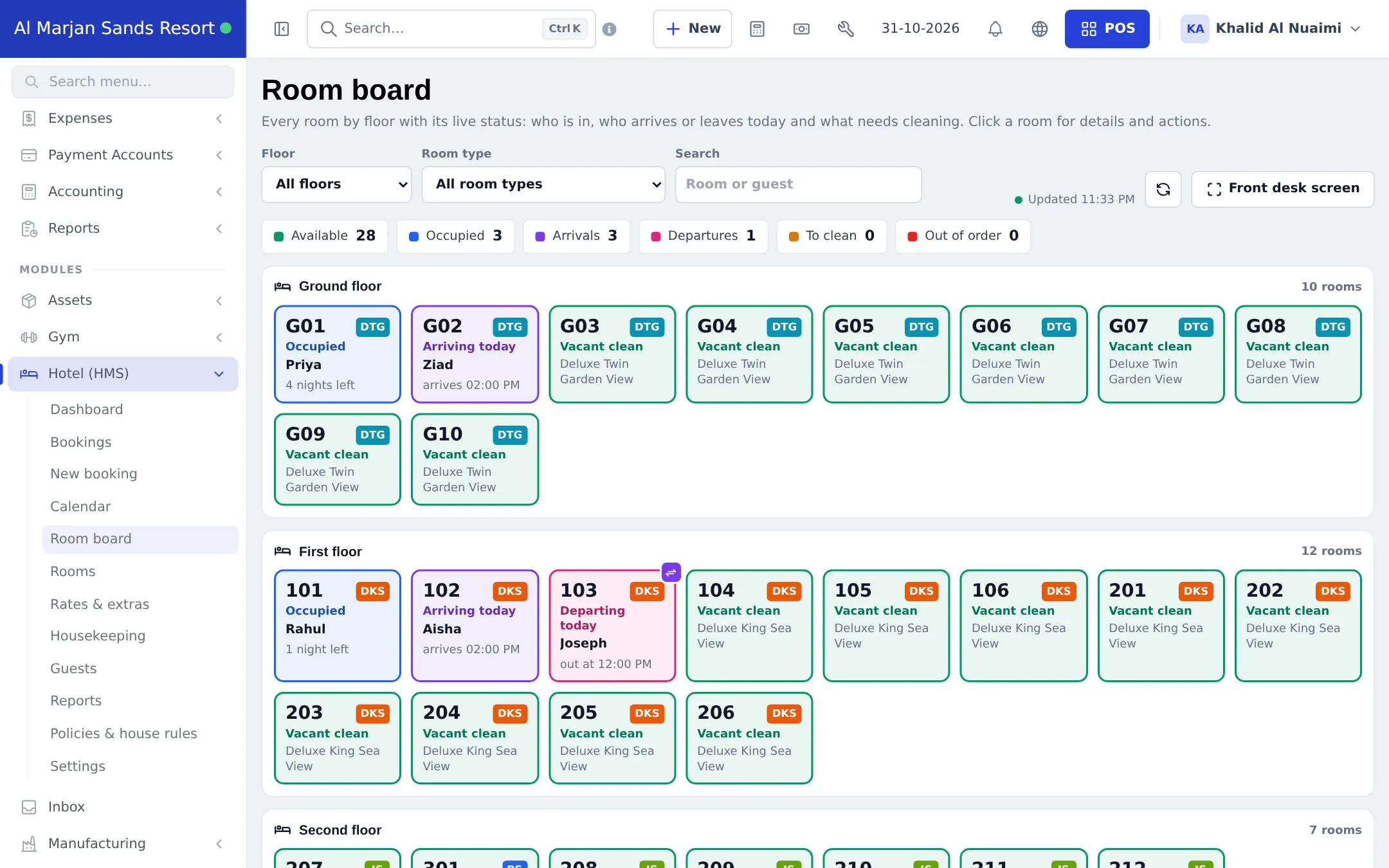
- Room board and housekeeping.
- Restaurant, spa and bookkeeping: outlets in the same account and your books.
- Daily operations: the front-desk day from morning to night audit.
- Go-live checklist.
Modules to turn on
Section titled “Modules to turn on”| Module | Where to switch it on | Needed for |
|---|---|---|
| Hotel Management (HMS) | Settings › Business Settings › Modules (tab Modules) | Rooms, bookings, check-in/out, room board, housekeeping, hotel reports |
| Accounting & Bookkeeping | Settings › Business Settings › Modules | Double-entry books with every booking and payment posted automatically |
| Tables, Kitchen, Modifiers | Settings › Business Settings › Modules | The hotel restaurant (optional) |
| Services | Settings › Business Settings › Modules | Spa and salon appointments (optional) |
| Booking payments | Settings › Booking payments, needs the Payments hub | Asking online guests to pay before the stay is confirmed |
A module that is not in your plan shows as a greyed card Not in your plan with a See plans button. See All modules for the full list.
Time needed
Section titled “Time needed”| Part | Typical time |
|---|---|
| Step 1 (locations, modules, hotel settings) | 20–30 minutes |
| Step 2 (floors, room types, rooms, photos) | 45–90 minutes |
| Steps 3–4 (rates, extras, policies, deposits) | 30–45 minutes |
| Steps 5–7 (test bookings, check-in/out, housekeeping) | 30 minutes |
| Step 8 (outlets and books) | 30–60 minutes |
Shared guides you will use
Section titled “Shared guides you will use”Frequently asked questions
What do I need to run a hotel on SmartPOS Hub?
The Hotel Management (HMS) module in your plan and switched on in Settings › Business Settings › Modules. It gives you rooms, rates, bookings, check-in and check-out, a room board, housekeeping and hotel reports in the same account as your shop or restaurant.
How long does the hotel setup take?
A small property with 10 to 40 rooms is usually ready in two to three hours. Most of the time goes into room types, photos and your rates. Bulk add creates a run of rooms such as 101 to 120 in one go.
Can I run the hotel restaurant, spa and shop in the same account?
Yes. Make each outlet its own business location. The restaurant uses the Restaurant module, the spa the Services module and the shop the normal POS, and all money flows into the same reports and books.
Can I charge restaurant bills to a guest's room?
There is no automatic post-to-room button. The usual way is to sell the restaurant bill to the guest as the customer and choose Pay later, then collect it together with the room balance at check-out. Both show on the guest's ledger.
Can guests book online?
Yes, through the SmartPOS Shopper app when your store is published there. Staff also book at the front desk and in the SmartPOS Business app. With Booking payments you can ask online guests to pay a deposit before the stay is confirmed.
How are weekly and monthly stays priced?
Use Long-stay pricing under Rates & extras. You add discount tiers such as 7+ nights or 28+ nights, and minimum or maximum stay rules. The best tier is applied to each room automatically.
Do housekeepers need a computer?
No. Housekeepers can use the Housekeeping page in a browser or the SmartPOS Business app on a phone and change a room from Dirty to Cleaning to Available with one tap.
Does hotel revenue show in my profit and loss?
Yes. Booking revenue has its own row in the Profit / Loss Report, payments land in your payment accounts, and with Accounting & Bookkeeping switched on everything is posted to your books.
Can I take a deposit and the rest at check-out?
Yes. Take any amount with Add payment on the booking. The booking shows Paid, Partial or Due, and check-out warns you if a balance is still open.
Can I try it first?
Yes. The public resort demo listed on smartposhub.com shows a full resort with rooms, bookings and housekeeping. It is a read-only sample that resets every few days.