
Florist step 2: stems, bunches and freshness dates
Growers sell roses by the bunch; customers buy them by the stem or in a bouquet. And every stem has a short life. This step sets up units so you can buy and sell either way, and lots with expiry dates so you always know what’s fresh.
Before you start
Section titled “Before you start”Enable Sub Units, Enable Product Expiry and Enable Lot number are on (step 1).
1. Units: Stem and bunches
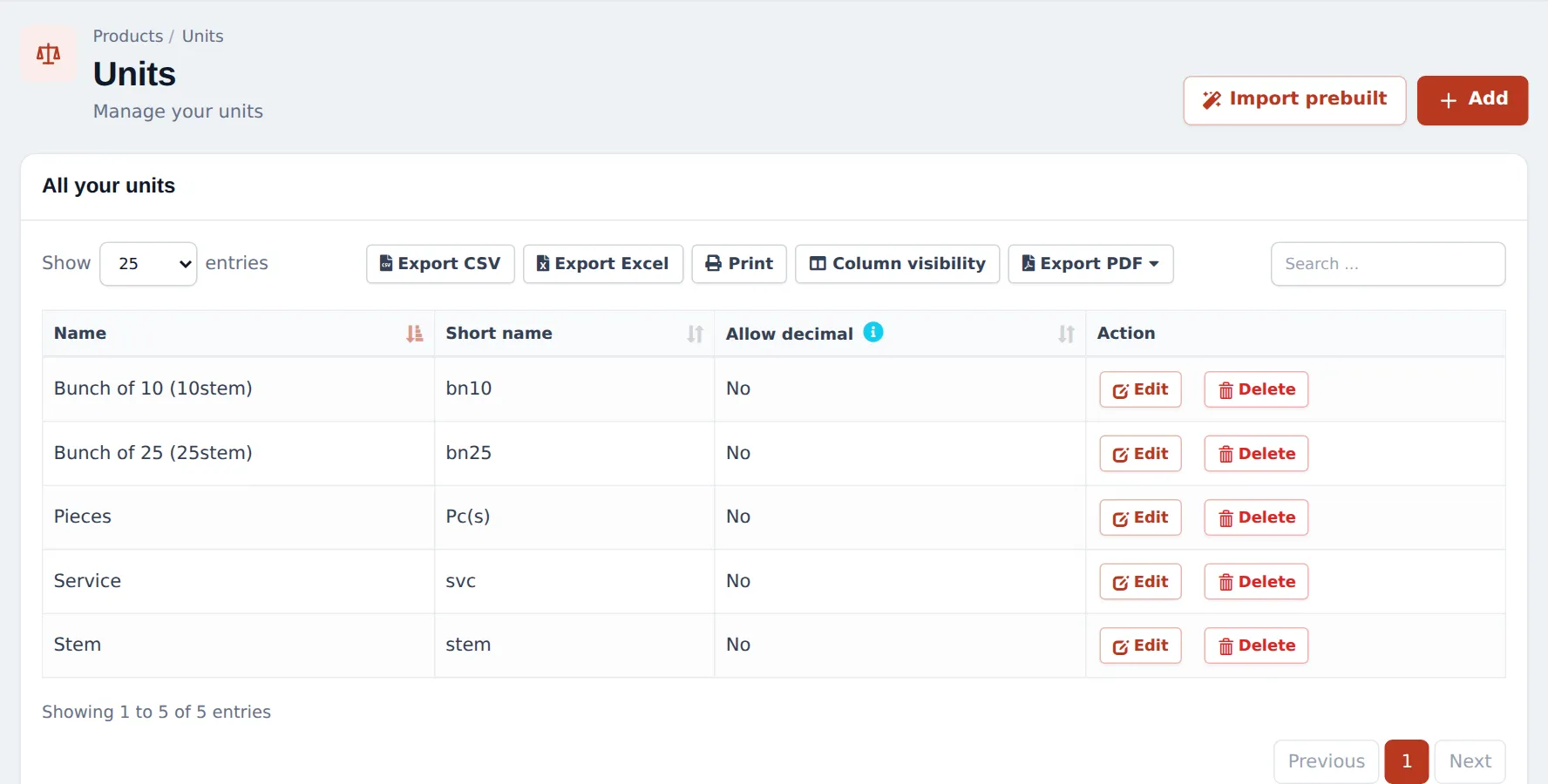
Section titled “1. Units: Stem and bunches”- Open Products › Units and click Add: Stem, short name stem, Allow decimal = No.
- Click Add again: Bunch of 10, short name bn10. Tick Add as multiple of other unit, type 10 times base unit and pick Stem.
- Add Bunch of 25 the same way (25 × Stem).
2. A flower product sold by the stem
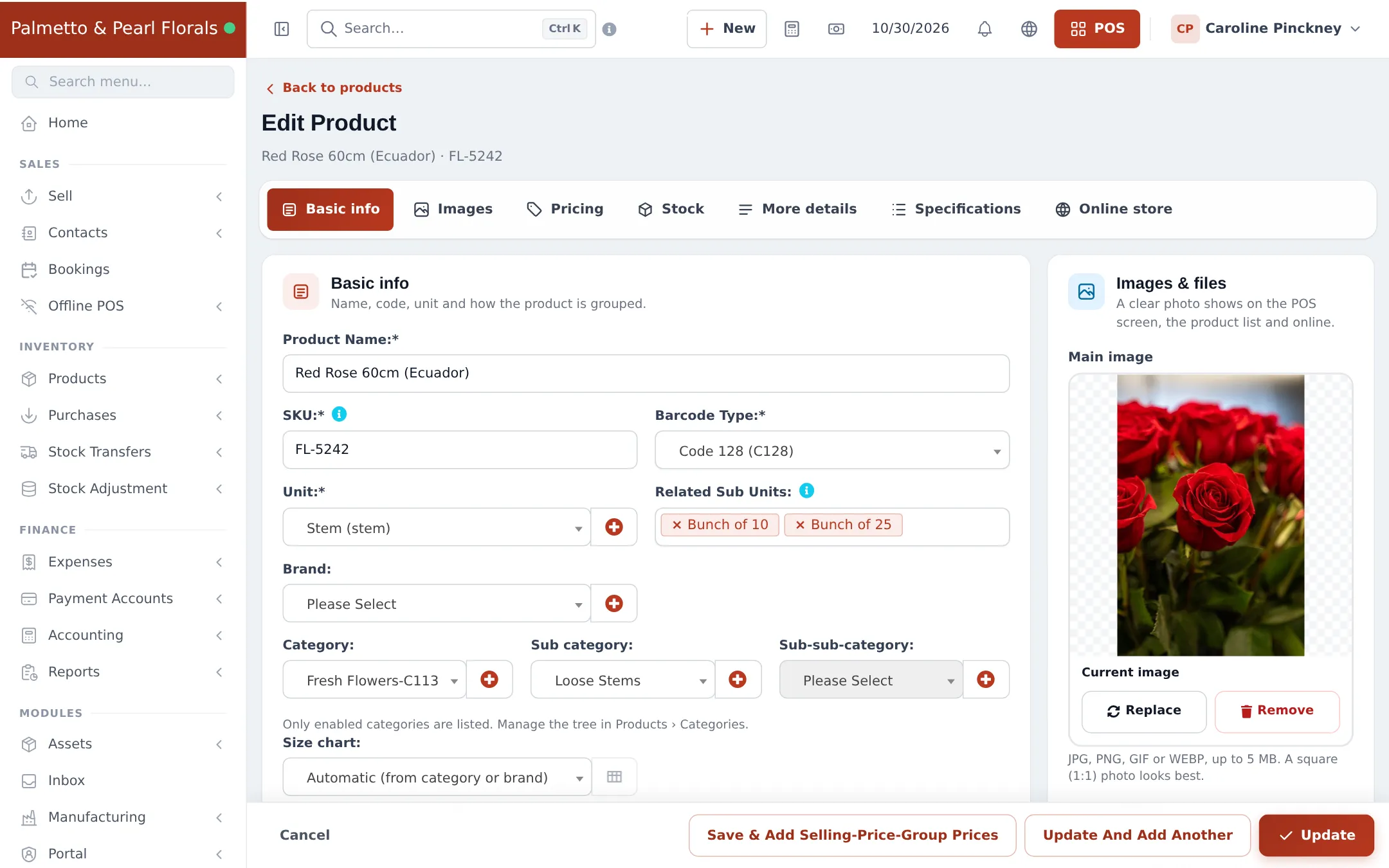
Section titled “2. A flower product sold by the stem”- Products › Add Product: name (“Red Rose 60cm (Ecuador)”), Unit = Stem.
- In Related Sub Units, pick Bunch of 10 and Bunch of 25.
- Category Fresh Flowers, sub-category Loose Stems.
- On Pricing, enter the price per stem. On Stock, set an Alert quantity (for example 36 stems).
- Save.
3. Receive flowers with a lot and expiry date
Section titled “3. Receive flowers with a lot and expiry date”- Record the delivery in Purchases › Add Purchase. On each line, choose the unit you bought in (for example Bunch of 25) and the quantity.
- Type the grower’s code (or your own) in Lot Number and the last selling day in EXP Date.
- Save. Stock rises in stems, by lot.
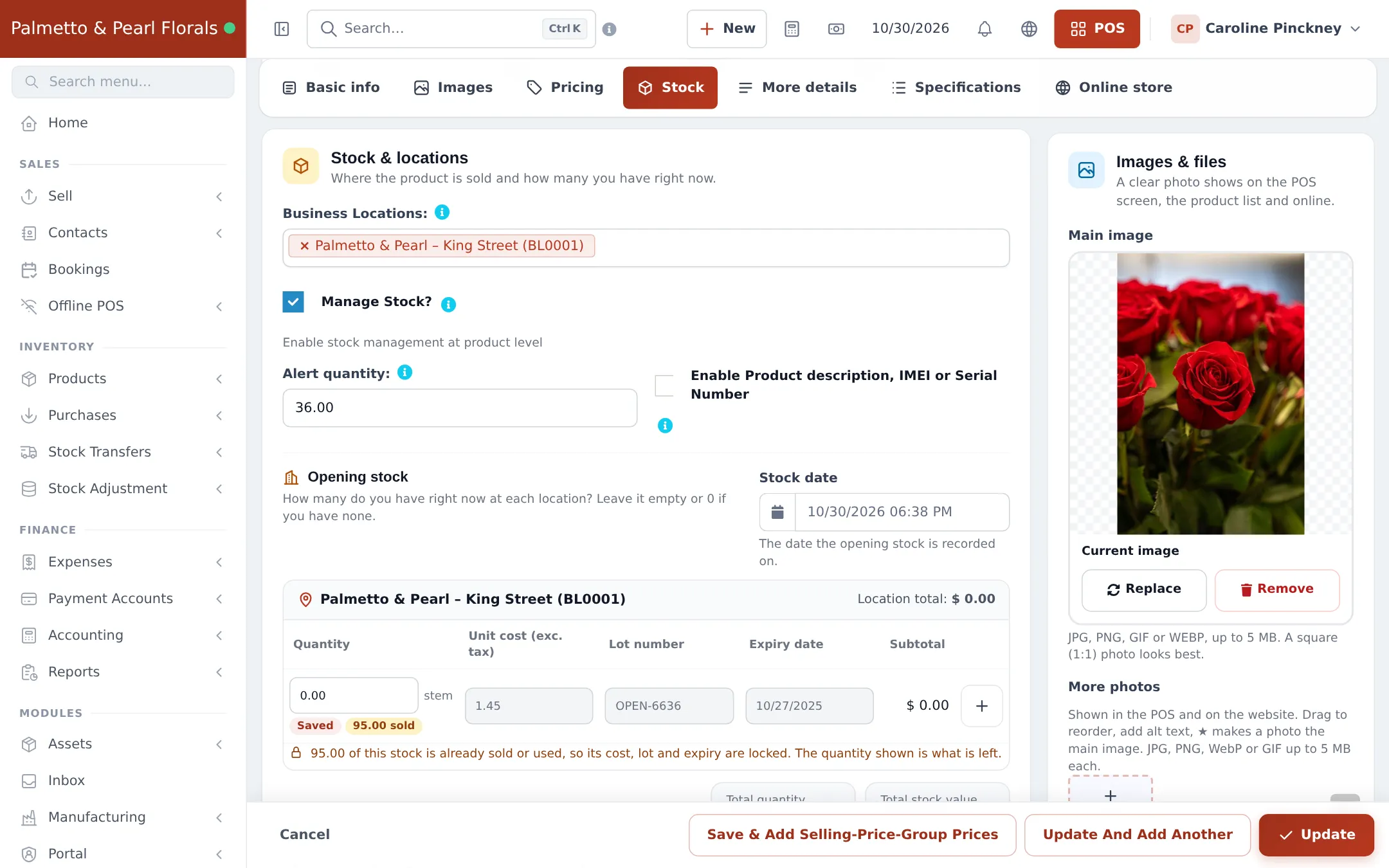
Opening stock on the product’s Stock tab also takes a lot number and expiry date per row:
4. Selling stems and bunches
Section titled “4. Selling stems and bunches”At the till, add the rose and change the unit on the line to Bunch of 10 if the customer takes a bunch. The quantity and price follow the unit. Pick the lot in Lot & Expiry if you want to sell a specific delivery first.
What to check every morning
Section titled “What to check every morning”Reports › Stock Expiry Report (and the stock report filtered by category) shows which lots expire soon, so you can use them in today’s bouquets or put them on offer. See Expiry and batches.
Frequently asked questions
Why use Stem as the main unit?
Because you sell single stems and use stems in arrangements. Stock is always counted in the main unit, so a bunch of 25 bought adds 25 stems.
Can I sell a bunch at a better price than 10 single stems?
The POS calculates the bunch price from the stem price × the multiplier. For a bunch deal, add a product such as "Rose bunch of 10" or use a discount.
What expiry date should I enter for flowers?
The last day you'd sell them, usually 5–10 days after delivery depending on the flower. Use the vase life you know from your growers.
What happens when flowers pass their expiry date?
That depends on On Product Expiry in Business Settings, Keep Selling or Stop Selling n days before. Either way, remove wilted stems with a stock adjustment.
Which lot is sold first?
If the cashier doesn't pick a lot, stock is taken according to your stock accounting method (FIFO = oldest first), which suits fresh flowers.
Do plants and vases need expiry dates?
No. Leave the expiry empty for non-perishable items such as vases, pots, cards and chocolates with long dates.